
Inngangur
Thank you for choosing the Keter Master Pro Folding Work Table. This manual provides essential information for the safe and efficient use of your new work table. Please read these instructions carefully before assembly and operation, and retain them for future reference.

Image: Keter Master Pro Folding Work Table, ready for use.
Öryggisleiðbeiningar
- Always read and understand all instructions before using the work table.
- Ensure the work table is placed on a stable, level surface before use.
- Ekki fara yfir hámarks burðargetu sem er 453 kg (1000 lbs).
- Keep hands and fingers clear of moving parts during unfolding and folding.
- Notið viðeigandi persónuhlífar (PPE) eins og öryggisgleraugu og hanska þegar unnið er.
- Do not use the work table as a step stool or climbing platform.
- Inspect the work table for any damage before each use. Do not use if damaged.
Innihald pakka
Your Keter Master Pro Folding Work Table package includes:
- 1 x Keter Master Pro Folding Work Table unit
Uppsetning og samsetning
The Keter Master Pro Folding Work Table features a patented quick-opening system for fast setup. Follow these steps to unfold your work table:
- Step 1: Release the Locking Mechanism
Place the folded work table on a flat surface. Locate the red release buttons on the side of the table. Press the button firmly to unlock the folding mechanism.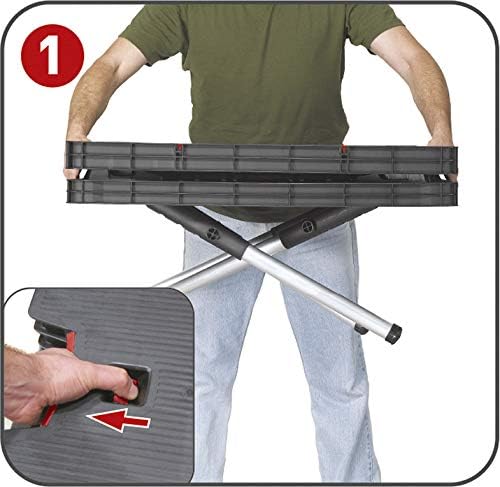
Image: Pressing the release button.
- Step 2: Lift the Top Section
Grasp the top section of the work table and gently lift it upwards. The legs will begin to extend automatically.
Image: Lifting the top section.
- Step 3: Extend the Base Supports
Continue lifting the top until the central support structure can be pulled upwards and locked into place. Ensure all legs are fully extended and locked before applying any weight.
Image: Extending the base supports.
To fold the table, reverse these steps, ensuring all locking mechanisms are disengaged before collapsing.
Notkunarleiðbeiningar
The Keter Master Pro Folding Work Table is designed for various DIY and professional tasks, offering a stable and robust work surface.
Með því að nota Clamping kerfi
The work table includes an integrated clamping system to secure materials. To use the clamps:
- Settu clamp bars into the designated slots on the work table surface.
- Position your workpiece on the table.
- Stilltu clamps to firmly hold the workpiece in place. Ensure the workpiece is stable before beginning any work.
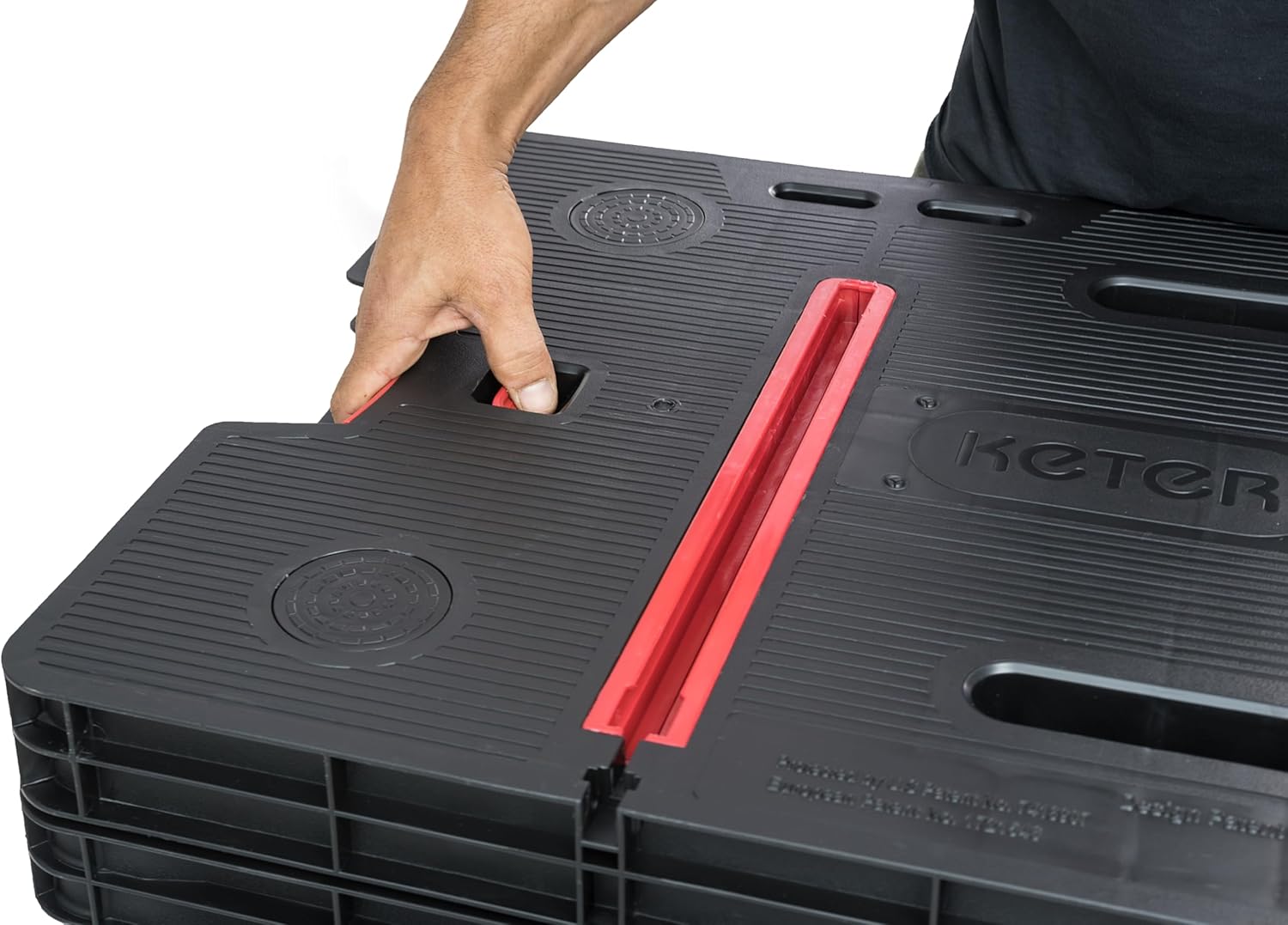
Image: Detail of the clamping vélbúnaður.

Image: Work table with clamper í notkun.
Vinna með verkfæri
The robust design of the work table supports various power tools and manual tasks. Always ensure tools are used safely and in accordance with their own instruction manuals.
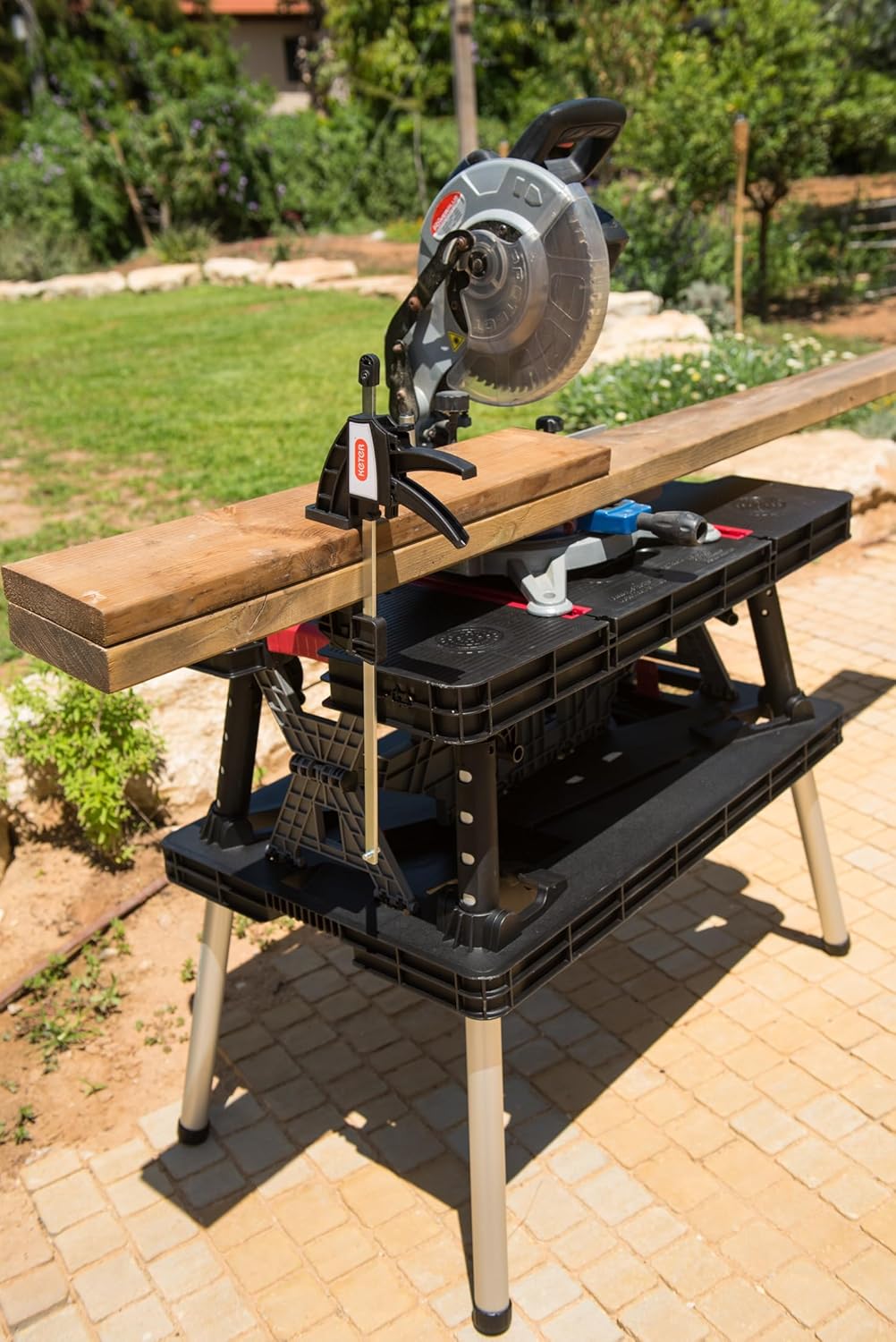
Image: Work table in use with a miter saw.
Viðhald
To ensure the longevity and optimal performance of your Keter Master Pro Folding Work Table, follow these maintenance guidelines:
- Þrif: Wipe down the work table with a damp cloth after each use to remove dust, debris, and spills. For stubborn dirt, use mild soap and water. Avoid abrasive cleaners or solvents.
- Geymsla: When not in use, fold the work table for compact storage. Store it in a dry, protected area away from direct sunlight and extreme temperatures.

Image: Folded work table being carried for storage.
- Skoðun: Periodically check all moving parts, hinges, and locking mechanisms for wear or damage. Ensure all components are functioning correctly.
Úrræðaleit
If you encounter issues with your Keter Master Pro Folding Work Table, consider the following:
- Table does not unfold smoothly: Check for any obstructions in the folding mechanism or debris caught in the hinges. Ensure the release buttons are fully pressed.
- Table feels unstable: Verify that all legs are fully extended and locked into their upright position. Ensure the table is on a flat, stable surface. Do not exceed the maximum load capacity.
- Clampheldur ekki: Gakktu úr skugga um að clamps are correctly inserted into the slots and tightened sufficiently against the workpiece.
Ef vandamálin eru viðvarandi, vinsamlegast hafið samband við þjónustuver Keter.
Tæknilýsing
| Eiginleiki | Forskrift |
|---|---|
| Gerðarnúmer | 237005 |
| Efni | Endingargott plast |
| Mál (Opið) | 91 cm (L) x 55.5 cm (B) x 75.5 cm (H) |
| Mál (brotin) | 85 cm (L) x 55 cm (B) x 11.2 cm (H) |
| Þyngd | 8 kg (17.6 lbs) |
| Hleðslugeta | 453 kg (1000 lbs) |
| Samsetning krafist | No (Quick unfolding system) |

Image: Dimensions of the work table, open and folded.
Upplýsingar um ábyrgð
Keter products are manufactured to high-quality standards and are backed by a manufacturer's warranty against defects in materials and workmanship. For specific warranty terms and conditions, please refer to the warranty card included with your purchase or visit the official Keter websíða.
Stuðningur
For further assistance, product information, or to inquire about spare parts, please visit the official Keter website or contact their customer service department. Contact details can typically be found on the Keter websíðunni eða á umbúðum vörunnar.


