
Inngangur
Thank you for choosing the iHip IP-IV-NPR Fiber Cord Headphones. This manual provides essential information for the proper setup, operation, and maintenance of your new headphones. Please read these instructions carefully before use to ensure optimal performance and longevity of your product.
Vara lokiðview
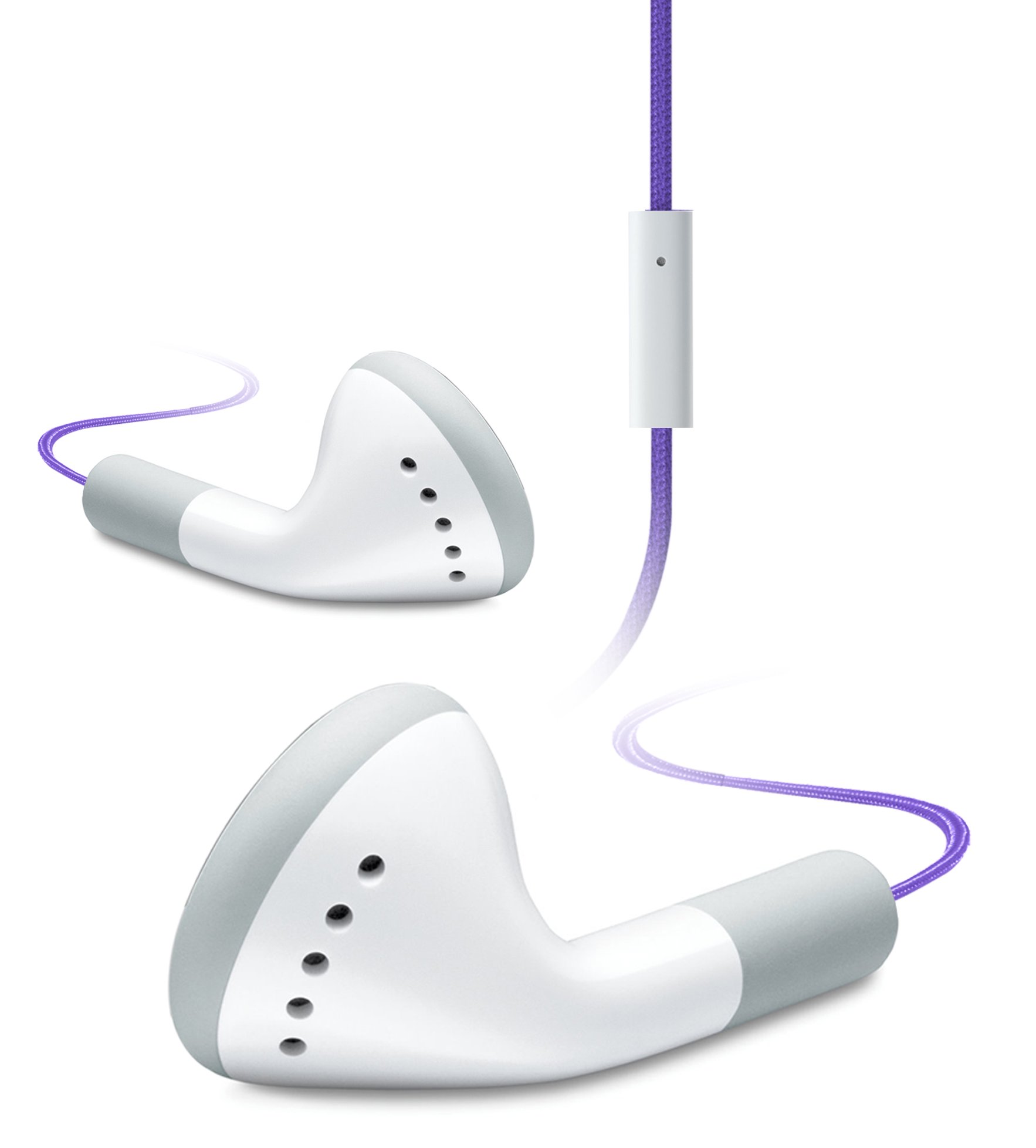
Image of the iHip IP-IV-NPR Fiber Cord Headphones, showcasing the purple color and in-line microphone.
The iHip IP-IV-NPR headphones are designed for a clear audio experience with the convenience of an in-line microphone. They feature a durable fiber cord and are compatible with a wide range of smartphones and portable devices.
Helstu eiginleikar:
- Fiber Cord Technology: Enhances durability and reduces tangling.
- High-efficiency Driver: Delivers clear and balanced audio output.
- Extended Bass Response: Provides richer low-frequency sounds.
- In-Line Microphone: Leyfir handfrjáls samskipti.
- 3 Custom Fitted Ear Tips: Ensures a comfortable and secure fit for various ear sizes.
- Breið samhæfni: Designed to work with most smartphones, including iPhone, iPad, and iPod touch models.
Uppsetning
1. Choosing the Right Ear Tips:
The headphones come with three sizes of silicone ear tips (small, medium, large). Selecting the correct size is crucial for comfort, sound quality, and noise isolation.
- Fjarlægðu varlega fyrirfram uppsettu eyrnatappa.
- Try each size to determine which provides the most comfortable and secure fit in your ear canal. A good seal will improve bass response and block out external noise.
- Once selected, firmly attach the new ear tips to the headphone nozzles.
2. Tengist tækinu þínu:
The iHip IP-IV-NPR headphones use a standard 3.5mm audio jack for connection.
- Locate the 3.5mm headphone jack on your smartphone, tablet, or audio player.
- Insert the headphone's 3.5mm plug firmly into the device's audio jack until it clicks into place.
- Gakktu úr skugga um að tengingin sé örugg til að koma í veg fyrir truflanir á hljóði.
Notkunarleiðbeiningar
Hljóðspilun:
Once connected, you can control audio playback directly from your device. The in-line microphone unit may also feature a single button for basic controls.
- Spila / gera hlé: Press the button on the in-line microphone once to play or pause audio.
- Næsta lag: Ýttu tvisvar sinnum hratt á takkann til að fara í næsta lag.
- Fyrra lag: Ýttu þrisvar sinnum hratt á hnappinn til að fara aftur í fyrra lag.
Using the In-Line Microphone:
Innbyggður hljóðnemi gerir kleift að hringja handfrjálst þegar tengt er við samhæfan snjallsíma.
- Svara/slíta símtali: Press the button on the in-line microphone once to answer an incoming call or end an active call.
- Hafna símtali: Ýttu á hnappinn og haltu honum inni í um það bil tvær sekúndur til að hafna símtali.
- Virkja raddaðstoðarmann: Press and hold the button for approximately two seconds (when not on a call) to activate your device's voice assistant (e.g., Siri, Google Assistant).
Note: Volume control is typically managed directly from your connected device.
Viðhald
Þrif:
- Hreinsið eyrnatappana reglulega með mjúkum, þurrum klút.amp cloth. You may remove the ear tips for a more thorough cleaning with mild soap and water, ensuring they are completely dry before reattaching.
- Þurrkið heyrnartólin og snúruna með þurrum, mjúkum klút. Forðist að nota sterk efni eða slípiefni.
- Ensure no moisture enters the headphone drivers or the 3.5mm jack.
Geymsla:
- Store your headphones in a clean, dry place away from extreme temperatures.
- Avoid tightly wrapping the cord to prevent damage to the internal wiring.
- Keep headphones away from sharp objects that could cut or fray the fiber cord.
Úrræðaleit
| Vandamál | Möguleg orsök | Lausn |
|---|---|---|
| Ekkert hljóð eða lítið hljóð | Headphone plug not fully inserted; device volume too low; incorrect audio output selected on device. | Ensure the 3.5mm plug is fully inserted. Increase device volume. Check device audio settings to confirm output is set to headphones. |
| Hljóðið er brenglað eða óreglulegt | Loose connection; damaged cable; dirty audio jack on device. | Re-insert the plug firmly. Try headphones with another device to rule out device issue. Clean device's audio jack if necessary. |
| Hljóðnemi virkar ekki | Headphone plug not fully inserted; device microphone settings; app permissions. | Ensure the 3.5mm plug is fully inserted. Check your device's microphone settings and app permissions for the app you are using. |
| Poor fit or falling out of ears | Röng stærð eyrnatappans. | Experiment with the different ear tip sizes provided to find the most secure and comfortable fit. |
Tæknilýsing
- Vörumerki: iHip
- Gerðarnúmer: IP-IV-NPR
- Formþáttur: In Ear
- Tengingartækni: Hljóðtengt (3.5 mm tengi)
- Eiginleikar kapal: Fiber Cord, Retractable (referring to material durability, not physical retraction)
- Viðbótar eiginleikar: In-Line Microphone, Noise Isolation (passive)
- Litur: Fjólublátt
- UPC: 817851020640
Ábyrgð og stuðningur
For warranty information or technical support, please refer to the documentation included with your purchase or visit the official iHip webGeymið kaupkvittunina ef þið viljið gera kröfur um ábyrgð.
If you experience issues not covered in this manual, please contact iHip customer service for further assistance.