
Inngangur
The StarTech.com SDOCKU33HB is a USB 3.0 SATA Hard Drive Docking Station designed for quick and easy access to 2.5-inch or 3.5-inch SATA solid-state drives (SSDs) and hard disk drives (HDDs). It features a built-in USB Fast Charge hub and supports UASP (USB Attached SCSI Protocol) for enhanced performance with SATA 6Gbps drives. This manual provides instructions for setup, operation, and maintenance of your docking station.
Vara lokiðview
Familiarize yourself with the components and features of your docking station.
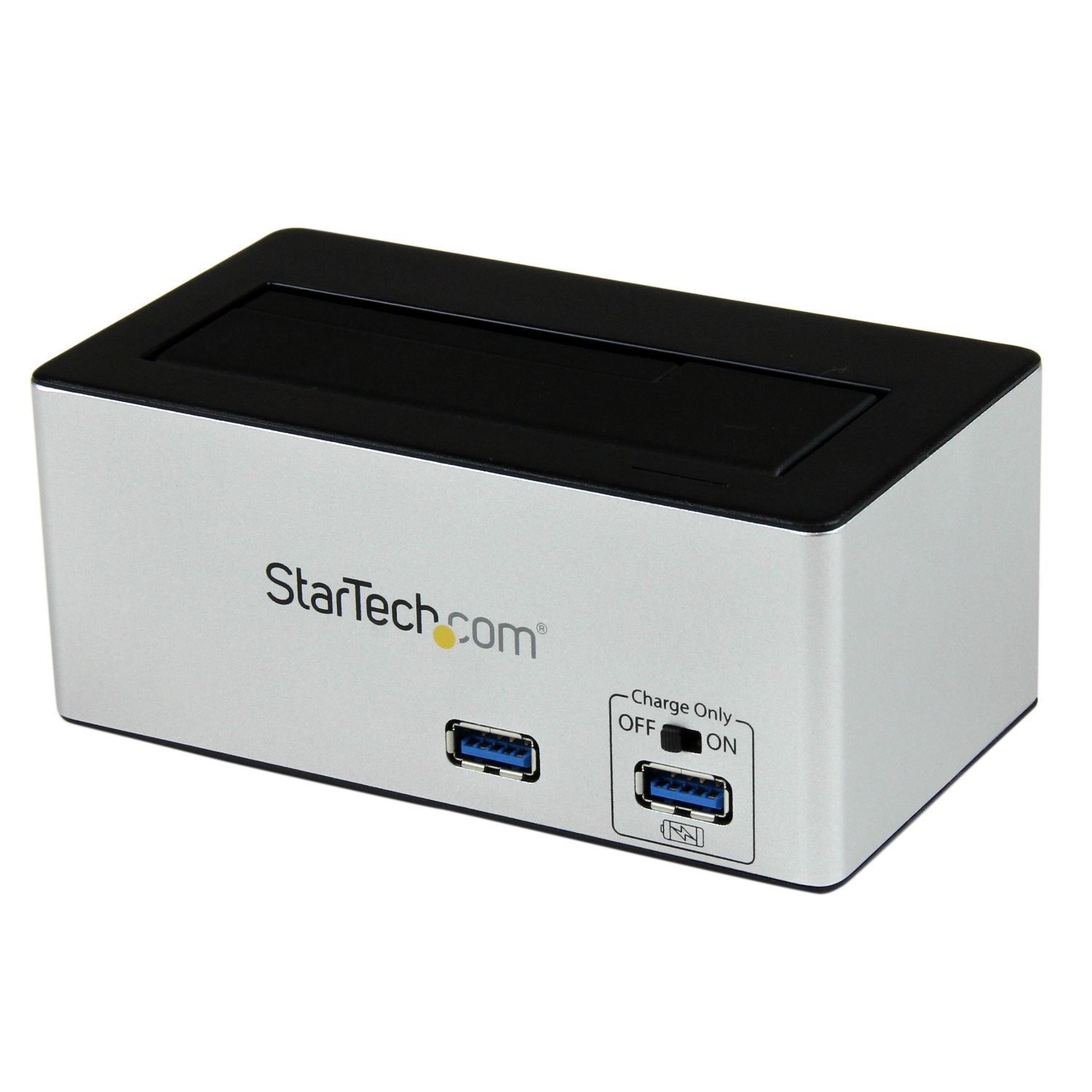
Mynd: The StarTech.com SDOCKU33HB docking station, showing the top-loading drive bay and front panel.
Eiginleikar framhliðar
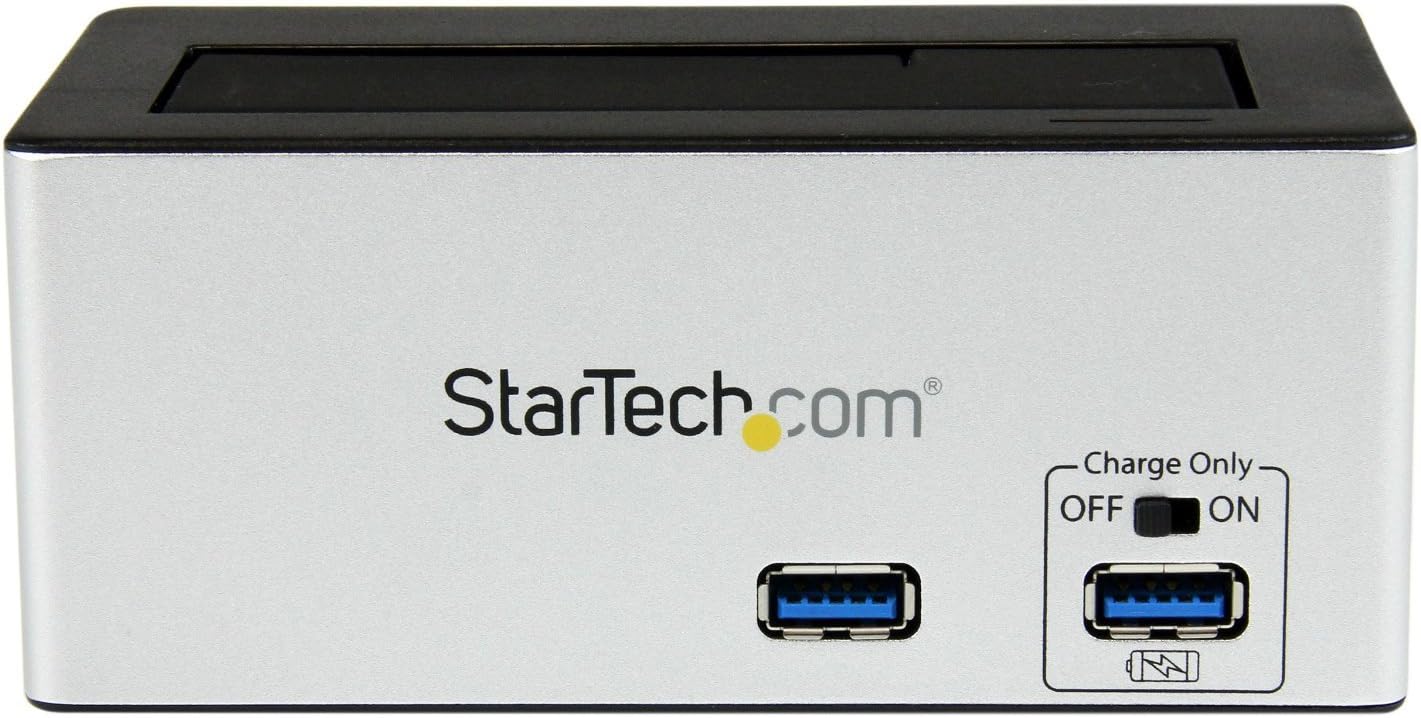
Mynd: Framan view of the docking station, highlighting the USB 3.0 data port and the USB Fast Charge port with its ON/OFF switch.
- USB 3.0 Data Port: Connects to your computer for data transfer.
- USB hraðhleðslutengi: Provides accelerated charging for mobile devices. Features an ON/OFF switch for activation.
Eiginleikar að aftan

Mynd: Aftan view of the docking station, showing the power switch, DC-IN port, USB 3.0 host connection, and the OFF/Sleep switch.
- Rofi: Turns the docking station ON or OFF.
- DC-IN höfn: Tengist við meðfylgjandi straumbreyti.
- USB 3.0 gestgjafi tengi: Connects the docking station to your computer's USB 3.0 port.
- OFF/Sleep Switch: Controls the sleep mode functionality of the docking station.
Innihald pakka
Verify that all components are present in your package.
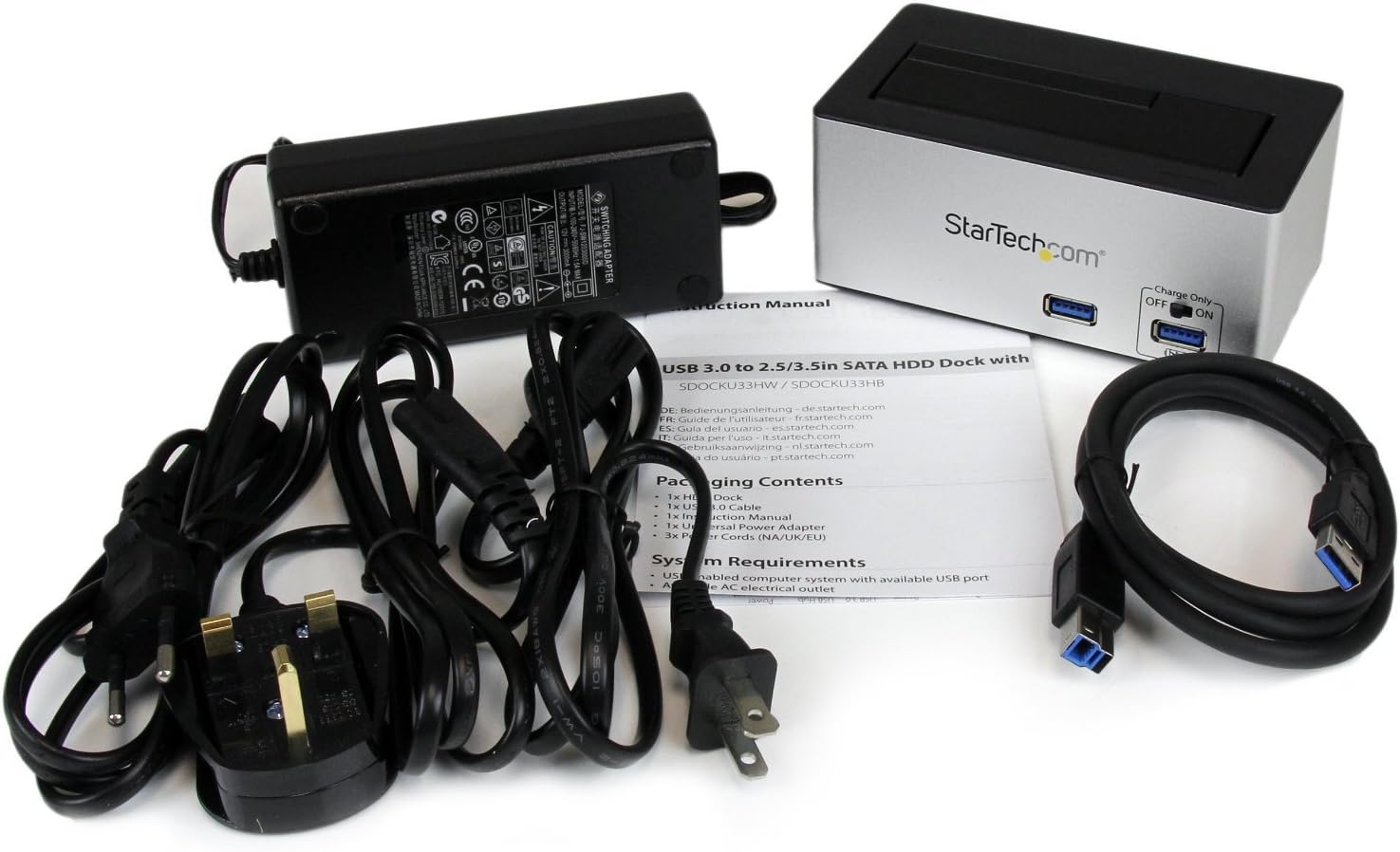
Mynd: The complete package contents, including the docking station, power adapter, USB 3.0 cable, and instruction manual.
- 1x USB 3.0 SATA Hard Drive Docking Station (SDOCKU33HB)
- 1x alhliða rafmagns millistykki
- 1x USB 3.0 snúru
- 1x leiðbeiningarhandbók
Kerfiskröfur
Ensure your system meets the following requirements for optimal performance.
- Computer with an available USB 3.0 port (USB 2.0/1.1 backward compatible)
- 2.5-inch or 3.5-inch SATA I/II/III SSD/HDD
- Laus rafmagnsinnstunga
- Operating System: Windows XP/Vista/7/8/10/11, macOS 10.x and later, Linux
Uppsetningarleiðbeiningar
- Tengdu rafmagn: Connect the universal power adapter to the DC-IN port on the rear of the docking station, then plug the adapter into an AC power outlet.
- Tengjast tölvu: Connect one end of the included USB 3.0 cable to the USB 3.0 Host Port on the rear of the docking station, and the other end to an available USB 3.0 port on your computer.
- Insert Drive: Gently slide your 2.5-inch or 3.5-inch SATA SSD/HDD into the top-loading drive bay until it is securely seated. Ensure the drive's SATA connector aligns with the docking station's connector.
- Kveikt á: Flip the Power Switch on the rear of the docking station to the 'ON' position. The power LED (if present) should illuminate.
- Uppsetning ökumanns: Stýrikerfið þitt ætti sjálfkrafa að greina og setja upp nauðsynlega rekla. Venjulega er ekki þörf á handvirkri uppsetningu rekla.
- Aðgangur að drifinu: Once detected, the drive will appear as a removable storage device in your operating system's file explorer or disk management utility. You may need to initialize and format new drives before use.
Notkunarleiðbeiningar
Using the Hard Drive Dock
- Gagnaflutningur: Once the drive is recognized by your computer, you can drag and drop files to and from the drive as you would with any other storage device.
- Skipti með heitu rými: The docking station supports hot-swapping. To safely remove a drive, ensure all data transfer operations are complete, then use your operating system's "Safely Remove Hardware" or "Eject" function before pulling the drive out of the bay.
- UASP stuðningur: For systems supporting UASP, the docking station will leverage this protocol to achieve faster data transfer speeds, especially with SATA 6Gbps drives.
Using the USB Fast Charge Port
- Activate Fast Charge: Flip the "Charge Only" switch on the front panel to the 'ON' position.
- Tengdu tæki: Connect your mobile device (e.g., smartphone, tablet) to the USB Fast Charge port using its charging cable.
- Hleðsla: The port will provide enhanced power output for faster charging compared to standard USB ports.
Svefnhamur
- The "OFF/Sleep" switch on the rear panel controls the docking station's sleep mode behavior. Consult the full product manual for detailed information on sleep mode settings and compatibility.
Viðhald
- Þrif: Notið mjúkan, þurran klút til að þrífa ytra byrði tengikvíarinnar. Notið ekki fljótandi hreinsiefni eða leysiefni.
- Geymsla: Þegar tengikvíin er ekki í notkun skal geyma hana á köldum, þurrum stað fjarri beinu sólarljósi og miklum hita.
- Drive Handling: Always handle hard drives with care. Avoid dropping or subjecting them to physical shock.
Úrræðaleit
- Issue: Drive not detected by computer.
- Gakktu úr skugga um að tengikvíin sé kveikt á og að straumbreytirinn sé vel tengdur.
- Verify the USB 3.0 cable is firmly connected to both the docking station and your computer.
- Prófaðu annað USB tengi á tölvunni þinni.
- Ensure the SATA drive is correctly seated in the docking bay.
- Check your computer's Disk Management (Windows) or Disk Utility (macOS) to see if the drive is recognized but uninitialized or unformatted. New drives require initialization and formatting.
- Test with a different SATA drive to rule out a drive issue.
- Vandamál: Hægur gagnaflutningshraði.
- Gakktu úr skugga um að þú sért tengdur við USB 3.0 tengi á tölvunni þinni. USB 2.0 tengi munu leiða til hægari hraða.
- Verify your operating system and drivers support UASP for optimal performance with SATA 6Gbps drives.
- Afköst drifsins sjálfs geta haft áhrif á flutningshraða.
- Issue: Fast Charge port not working.
- Ensure the "Charge Only" switch on the front panel is in the 'ON' position.
- Gakktu úr skugga um að kveikt sé á tengikvíinni.
- Try a different charging cable or device to confirm the issue is not with the device or cable.
Tæknilýsing
| Eiginleiki | Forskrift |
|---|---|
| Fyrirmynd | SDOCKU33HB |
| Viðmót | USB 3.0 (afturábakssamhæft við USB 2.0/1.1) |
| Samhæfar drifgerðir | 2.5" and 3.5" SATA I/II/III HDDs/SSDs |
| Gagnaflutningshraði | Allt að 5 Gbps (USB 3.0) |
| UASP stuðningur | Já |
| Fast Charge Port | Já |
| Mál (L x B x H) | 3.6" x 3.6" x 6.8" (9.14 cm x 9.14 cm x 17.27 cm) |
| Þyngd | 1.4 lbs (0.64 kg) |
| Litur | Svartur |
| Aflgjafi | Universal AC Adapter (Input: 100-240V AC, Output: 12V DC) |
Ábyrgð og tækniaðstoð
Þessi StarTech.com vara er studd af 2 árs ábyrgð.
For the most up-to-date information on warranty, technical support, and product documentation, please visit the official StarTech.com website or the product page:
You can also find additional resources and contact information for technical assistance on the StarTech.com websíða.