
1. Vöru lokiðview
The UDIRC U818A-HD is a 2.4GHz 4-channel, 6-axis headless RC quadcopter equipped with an HD camera. It is designed for both beginners and experienced pilots, offering stable flight and easy control. Key features include headless mode for simplified orientation, 6-axis gyro for stability, and 360-degree eversion capabilities.

Image: The UDIRC U818A-HD quadcopter and its remote control unit.
2. Innihald pakka
Gakktu úr skugga um að allir hlutir séu til staðar í pakkanum:
- UDI U818A-HD RC Quadcopter
- Fjarstýring
- LiPO Battery (2 included)
- 4GB Micro SD Memory Card
- USB hleðslutæki
- Varaskrúfur
- Skrúfjárn
- Leiðbeiningarhandbók
3. Uppsetning
3.1 Uppsetning rafhlöðu
- Open the battery compartment on the quadcopter's underside.
- Connect the LiPO battery to the quadcopter's power connector.
- Carefully place the battery inside the compartment and close the cover.
3.2 Uppsetning skrúfu
Ensure propellers are correctly oriented. Propellers marked 'A' should be installed on motor shafts 'A', and 'B' on 'B'. Secure them with the provided screws.
3.3 Uppsetning myndavélar
Attach the HD camera to the designated slot on the quadcopter's underside. Connect the camera cable to the port. Insert the 4GB Micro SD card into the camera's slot.

Mynd: Undirhlið view of the quadcopter, highlighting the camera and LED lights.
3.4 Uppsetning fjarstýringar
Insert 4 AA batteries (not included) into the remote control. Power on the remote control.
3.5 Binding and Calibration
- Settu fjórþyrluna á slétt, jafnt yfirborð.
- Turn on the quadcopter, then turn on the remote control.
- Move the left joystick (throttle) all the way up, then all the way down. The quadcopter's lights will stop flashing, indicating successful binding.
- To calibrate the gyroscope, move both joysticks to the bottom-right corner simultaneously until the lights flash and then become solid.

Image: The UDIRC U818A-HD quadcopter and its remote control, ready for operation.
4. Notkunarleiðbeiningar
4.1 Grunnflugstýringar
- Gass (vinstri stýripinna upp/niður): Stýrir hæð.
- Yaw (vinstri stýripinninn vinstra/hægra): Snýr fjórþyrlunni lárétt.
- Áfram/aftur (hægri stýripinna upp/niður): Stýrir hreyfingu fram og aftur.
- Vinstri/hægri hliðarflug (hægri stýripinninn vinstra/hægra): Controls sideward movement.
4.2 Headless Mode (IOC)
The Headless/IOC function allows the quadcopter to fly based on the pilot's orientation, regardless of the drone's actual front direction. This simplifies control for beginners. Activate and deactivate using the dedicated button on the remote control.
4.3 360° Eversion
Press the 360° Eversion button on the remote control, then move the right joystick in any direction to perform a continuous roll. Ensure sufficient altitude before attempting this maneuver.
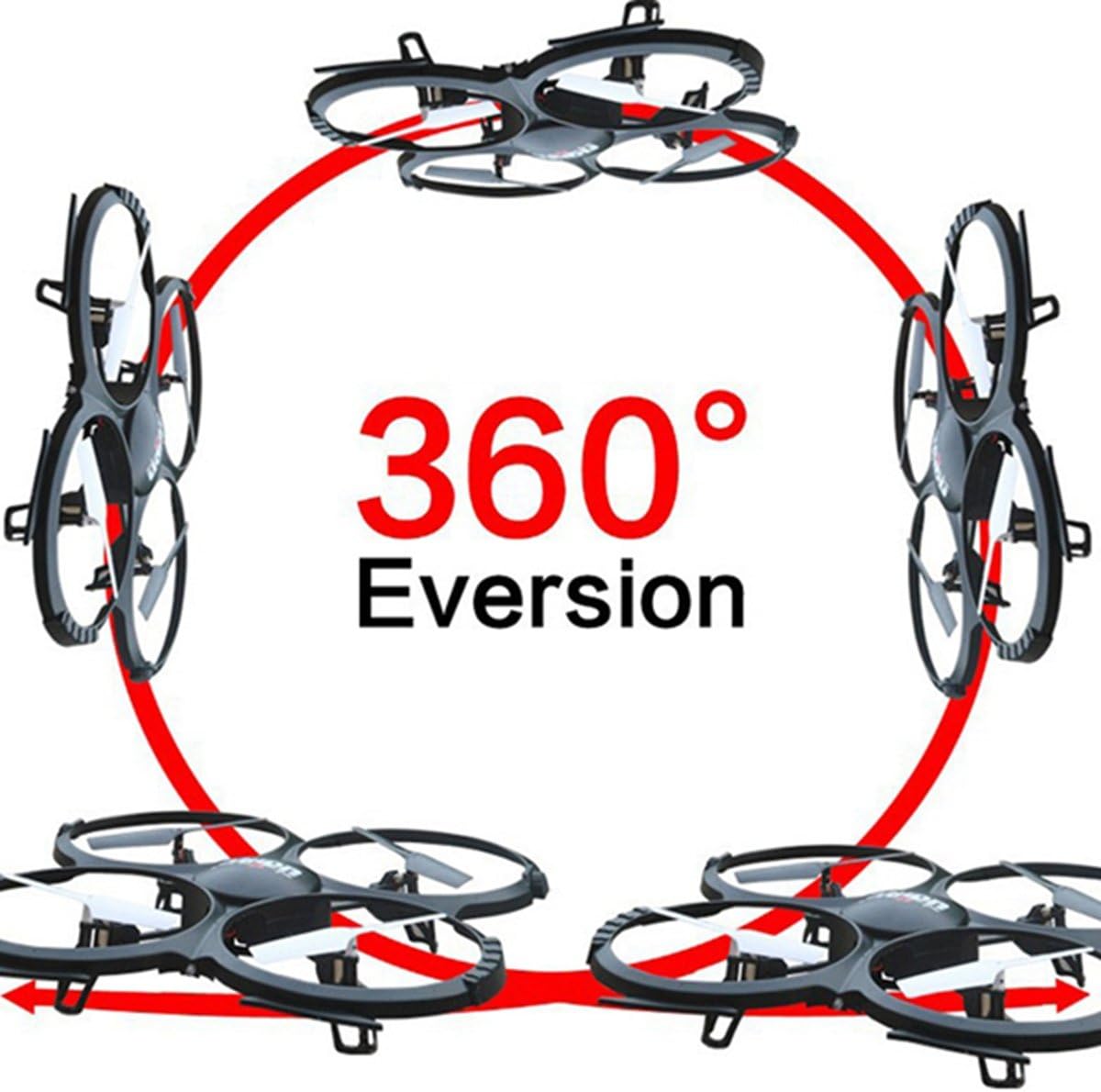
Image: Diagram showing the quadcopter performing a 360-degree eversion.
4.4 Myndataka og myndbandstaka
Use the dedicated buttons on the remote control to capture photos or start/stop video recording. Ensure the Micro SD card is inserted correctly in the camera. Recorded media can be accessed by removing the SD card and inserting it into a computer.
5. Viðhald
- Umhirða rafhlöðu: Charge batteries using the provided USB charger. Do not overcharge. Store batteries in a cool, dry place.
- Þrif: Use a soft, dry cloth to clean the quadcopter. Avoid water or harsh chemicals.
- Skipti um skrúfu: If propellers are damaged, replace them with spare parts. Ensure correct 'A' and 'B' propeller placement.
6. Bilanagreining
- Quadcopter not responding: Ensure the battery is charged, the remote control has fresh batteries, and the quadcopter is properly bound and calibrated.
- Óstöðugt flug: Recalibrate the gyroscope on a flat surface. Check for damaged propellers and replace if necessary.
- Myndavélin tekur ekki upp: Verify the Micro SD card is inserted correctly and has sufficient free space. Ensure the camera cable is securely connected.
7. Tæknilýsing
| Eiginleiki | Forskrift |
|---|---|
| Vörumerki | UDIRC |
| Nafn líkans | U818A |
| Gerð stjórna | RC |
| Tengitækni | USB, útvarpstíðni |
| Myndbandsupplausn | 720p (1280 x 720 pixlar) |
| Árangursrík kyrrupplausn | 1 MP |
| Rafhlöðugeta | 500 milljóniramp Klukkutímar |
| Þyngd hlutar | 0.41 kíló |
| Hámarkssvið | 100 metrar |
| Efni | Plast |
| Stærðir hlutar L x B x H | 13.4" L x 13" B x 2.2" H |
8. Ábyrgð og stuðningur
Fyrir upplýsingar um ábyrgð og tæknilega aðstoð, vinsamlegast vísið til opinberra upplýsinga framleiðanda. webvefsíðu eða hafið samband við þjónustuver þeirra. Geymið kaupkvittunina sem sönnun fyrir kaupunum.