
1. Inngangur
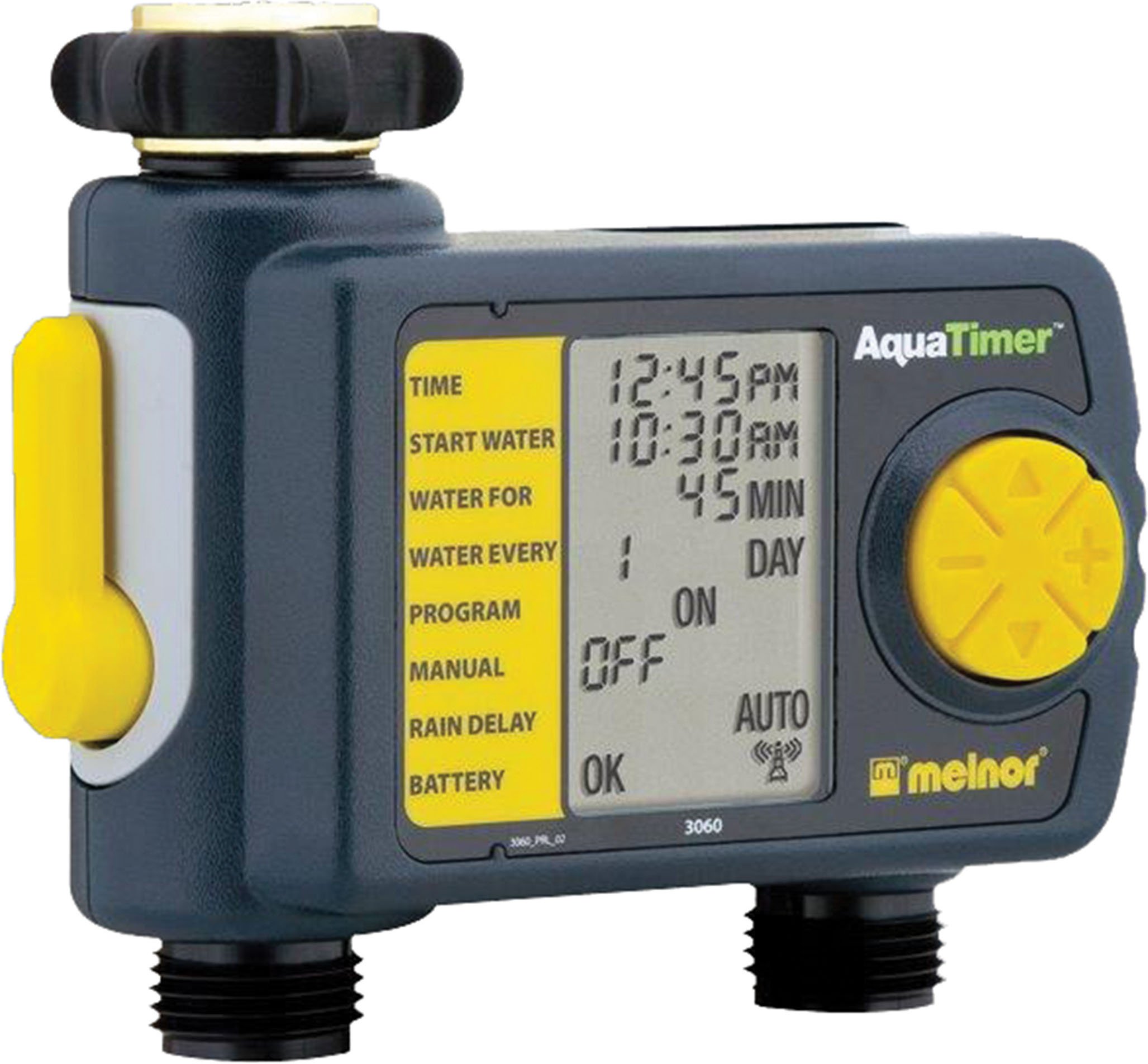
Thank you for choosing the Melnor 53100 2-Outlet Digital Water Timer. This device is designed to automate your watering schedule, providing convenience and efficiency for your garden or lawn. It features independent programming for two zones, a large LCD screen for clear information, and an easy-to-use interface for setting up your watering cycles.
2. Öryggisupplýsingar
- Þessi vara er hönnuð fyrir eingöngu til notkunar utandyra. Do not use indoors or with potable water systems unless specifically approved.
- Gakktu úr skugga um að allar tengingar séu öruggar til að koma í veg fyrir leka og vatnsskemmdir.
- Do not expose the timer to freezing temperatures. Remove batteries and store indoors during winter months to prevent damage.
- Notið aðeins 1.5V AA basískar rafhlöður. Blandið ekki saman gömlum og nýjum rafhlöðum eða mismunandi gerðum rafhlöðum.
- Tillaga 65 í Kaliforníu viðvörun: This product can expose you to chemicals including styrene, which is known to the State of California to cause cancer. For more information, please visit www.P65Warnings.ca.gov.
3. Innihald pakka
The Melnor 53100 package includes:
- 1 x Melnor 53100 2-Outlet Digital Water Timer
4. Vörueiginleikar
- Tvöfalt úttak: Independently program two watering zones.
- Stór LCD skjár: Provides clear, easy-to-read information on current settings and next watering cycle.
- Sveigjanleg forritun: Set watering schedules up to 24 times per day for individual days of the week.
- Handvirk hnekking: Easily start or stop watering manually without affecting programmed schedules.
- Varanlegur smíði: Features a zinc connection nut with a non-slip rubberized grip for secure attachment.
- Soil Moisture Sensor Compatibility: Can be used with the HydroLogic soil moisture sensor (sold separately, SKU 15339).
5. Uppsetning
- Festa við krana: Screw the timer onto your outdoor faucet. Ensure the zinc connection nut is tightened securely by hand to prevent leaks. Do not overtighten with tools.
- Tengja slöngur: Attach your garden hoses to the two outlets at the bottom of the timer. Tighten connections firmly.
6. Uppsetning rafhlöðu
- Finndu rafhlöðuhólfið aftan á tímastillinum.
- Opnaðu rafhlöðulokið.
- Insert two (2) fresh 1.5V AA alkaline batteries, observing the correct polarity (+/-) as indicated inside the compartment.
- Close the battery cover securely. The LCD screen should illuminate, and a battery status indicator will be visible.
- Athugið: Use only 1.5V AA alkaline batteries. Do not use 1.2V NiMH or NiCad rechargeable batteries, as they may not provide sufficient power for optimal operation.
7. Stilla klukkuna
- Turn the large dial to the STILT TÍMI stöðu.
- Notaðu UPP/NIÐUR arrow buttons to adjust the current hour (AM/PM). Press OK að staðfesta.
- Notaðu UPP/NIÐUR arrow buttons to adjust the current minute. Press OK að staðfesta.
- Notaðu UPP/NIÐUR arrow buttons to set the current day of the week. Press OK að staðfesta.
- Snúðu skífunni aftur á AUTO SLÖKKT or any other desired setting to save the time.
8. Forritun vökvunaráætlana
The Melnor 53100 allows independent programming for two zones. Follow these steps for each zone:
8.1. Veldu Zone
- Ýttu á SVÆÐI 1 2 button to toggle between Zone 1 and Zone 2. Ensure the desired zone is selected before proceeding.
8.2. Set Start Time (START WATER)
- Snúðu skífunni til Byrja vatn.
- Notaðu UPP/NIÐUR arrow buttons to set the desired start time for watering (AM/PM). Press OK að staðfesta.
- You can set multiple start times for each zone if needed.
8.3. Set Watering Duration (HOW LONG)
- Snúðu skífunni til HVERSU LANGT.
- Notaðu UPP/NIÐUR arrow buttons to set the watering duration in minutes or hours. Press OK að staðfesta.
8.4. Set Watering Frequency (HOW OFTEN)
- Snúðu skífunni til HVERSU oft.
- Notaðu UPP/NIÐUR arrow buttons to select the watering frequency:
- Every X hours (e.g., every 6 hours)
- Every X days (e.g., every 2 days)
- Specific days of the week (e.g., Mon, Wed, Fri)
- Ýttu á OK til að staðfesta val þitt.
After programming, turn the dial to AUTO SLÖKKT to activate the schedule. The display will show the next scheduled watering time.
9. Handvirk notkun
Til að vökva handvirkt án þess að hafa áhrif á forritaða áætlun:
- Gakktu úr skugga um að skífan sé í AUTO SLÖKKT stöðu.
- Ýttu á ON/OFF MANUAL hnappinn.
- Notaðu SVÆÐI 1 2 button to select the desired zone (1 or 2).
- Notaðu UPP/NIÐUR arrow buttons to set the desired manual watering duration.
- Ýttu á OK to start manual watering. The timer will water for the set duration and then automatically turn off.
- Til að hætta handvökvun fyrir tímann, ýttu á hnappinn ON/OFF MANUAL hnappinn aftur.
10. Seinkunaraðgerð fyrir rigningu
The rain delay function allows you to pause your watering schedule for a set period, conserving water after rainfall.
- Gakktu úr skugga um að skífan sé í AUTO SLÖKKT stöðu.
- Ýttu á og haltu inni + (UP arrow) button for a few seconds. The display will show a rain delay duration.
- Notaðu UPP/NIÐUR arrow buttons to select the desired delay duration (e.g., 24, 48, 72 hours).
- Ýttu á OK to confirm. The timer will pause all programmed watering cycles for the selected duration and resume automatically afterward.
- To cancel rain delay, press and hold the + (UP arrow) button again until the delay is cleared.
11. Viðhald
- Þrif: Þurrkaðu tímamælinn með auglýsinguamp cloth as needed. Do not use abrasive cleaners or submerge the unit in water.
- Vetrarvæðing: Before the first frost, disconnect the timer from the faucet and hoses. Remove the batteries. Store the timer in a dry, frost-free location indoors.
- Skipt um rafhlöðu: Skiptið um rafhlöður þegar vísirinn fyrir lága rafhlöðu birtist á LCD skjánum til að tryggja samfellda virkni.
12. Bilanagreining
| Vandamál | Möguleg orsök | Lausn |
|---|---|---|
| Tímastillirinn vökvar ekki | Rafhlöður eru lágar eða dauðar Kraninn er slökktur Program not set or activated Rain delay is active | Skiptu um rafhlöður Kveiktu á krananum Ensure dial is on AUTO OFF and program is set Cancel rain delay |
| Vatn lekur úr tengingum | Laust samband Damaged washer | Tighten connections by hand Check and replace rubber washers if damaged |
| LCD-skjárinn er tómur eða dimmur | Lágar eða dauðar rafhlöður | Replace batteries with fresh 1.5V AA alkaline batteries |
| Timer not keeping correct time/settings reset | Extremely low batteries Innri bilun | Skiptu um rafhlöður. Ef vandamálið er viðvarandi skaltu hafa samband við þjónustuver. |
13. Tæknilýsing
- Gerð: 53100
- Útsölustaðir: 2
- Aflgjafi: 2 x 1.5V AA alkaline rafhlöður (ekki innifaldar)
- Efni: Sterk smíði
- Þyngd hlutar: Um það bil 11.98 aura
- Fjöldi stillinga: 8 (referring to programming options)
- Litur: Svartur/grár
14. Ábyrgð og stuðningur
Melnor products are designed for durability and performance. For warranty information or technical support, please refer to the warranty card included with your purchase or visit the official Melnor websíða. Vinsamlegast hafið gerðarnúmerið (53100) og kaupdagsetningu tiltæka þegar þið hafið samband við þjónustudeild.