
InstallGear IGCLS
InstallGear Keyless Entry System User Manual
Model: IGCLS
Inngangur
The InstallGear Keyless Entry System provides convenient and secure remote access to your vehicle's central locking system. This kit includes two 3-button remotes and four door actuators, designed for universal application in cars, autos, and trucks. It allows for seamless locking and unlocking, remote trunk release, and visual confirmation of system engagement.
Important Note: This is a highly technical product. Professional installation by an individual with extensive knowledge in car door locks and automotive electrical systems is strongly recommended to ensure proper function and safety.
Öryggisupplýsingar
- Always disconnect the vehicle's battery before beginning any electrical installation to prevent short circuits and electrical shock.
- Ensure all wiring connections are secure and properly insulated to prevent short circuits, fire hazards, and system malfunctions.
- Route wires away from moving parts, sharp edges, and heat sources to prevent damage.
- Use appropriate fuses as specified in the wiring diagram to protect the system and vehicle's electrical components.
- Ef þú ert óviss um einhvern hluta uppsetningarferlisins skaltu ráðfæra þig við hæfan bílatæknimann.
Innihald pakka
Staðfestu að allir íhlutir sem taldir eru upp hér að neðan séu til staðar í pakkanum þínum:

Mynd 1: Innihald alls pakkans
- 1x Main Unit Control Module
- 2x 3-Button Remote Controls
- 1x raflögn
- 4x Door Lock Actuators (including one 5-wire master actuator and three 2-wire slave actuators)
- Mounting Hardware (brackets, rods, screws)
Uppsetning og uppsetning
Installation of the InstallGear Keyless Entry System requires knowledge of automotive electrical systems and mechanical aptitude. Refer to the wiring diagram provided and your vehicle's specific wiring schematics for accurate connections.
Raflagnamynd lokiðview

Mynd 2: Rafmagnsskýringarmynd kerfisins
The diagram illustrates the connections between the main unit, the vehicle's battery, the door lock actuators, and optional accessories like parking lights and trunk release.
Lykiltengingar raflagna
- Rauður vír: Connect to a constant +12V DC power source (e.g., vehicle battery or fuse box) with an inline fuse.
- Svartur vír: Tengdu við jörð ökutækis undirvagns.
- Blue & Green Wires: These pairs connect to each door actuator. Ensure correct polarity for lock/unlock action. If the default action is reversed, you may need to swap these wires at the actuator.
- Master Actuator (5-wire): The master actuator (typically for the driver's door) has additional Black, White, and Brown wires. These communicate the manual lock/unlock status to the main unit, allowing all other doors to synchronize.
- Violet (Purple) Wires: These wires are for connecting to your vehicle's signaling lights (e.g., turn signals or parking lights) to provide visual confirmation of lock/unlock. Diodes are included to prevent back-feeding.
- Amber (Orange) Wire: This wire provides a low-current pulse for remote trunk release. It is recommended to connect this to a relay coil, which then controls a higher-current trunk release actuator. Direct connection to an actuator may damage the unit.
- White & Brown (Extra Wires): These are for optional manual lock/unlock switches. Connect a momentary switch between Brown and ground for unlock, and White and ground for lock.
Vélræn uppsetning
Mount the actuators securely within the door panels. The included brackets and rods may need to be bent or cut to fit your specific vehicle's door mechanism. Ensure the actuator rod moves freely and aligns properly with the factory lock rod to prevent binding and ensure smooth operation. Test the mechanical movement before finalizing electrical connections.
Notkunarleiðbeiningar
Once installed, the system is operated using the provided 3-button remote controls.
Fjarstýringaraðgerðir
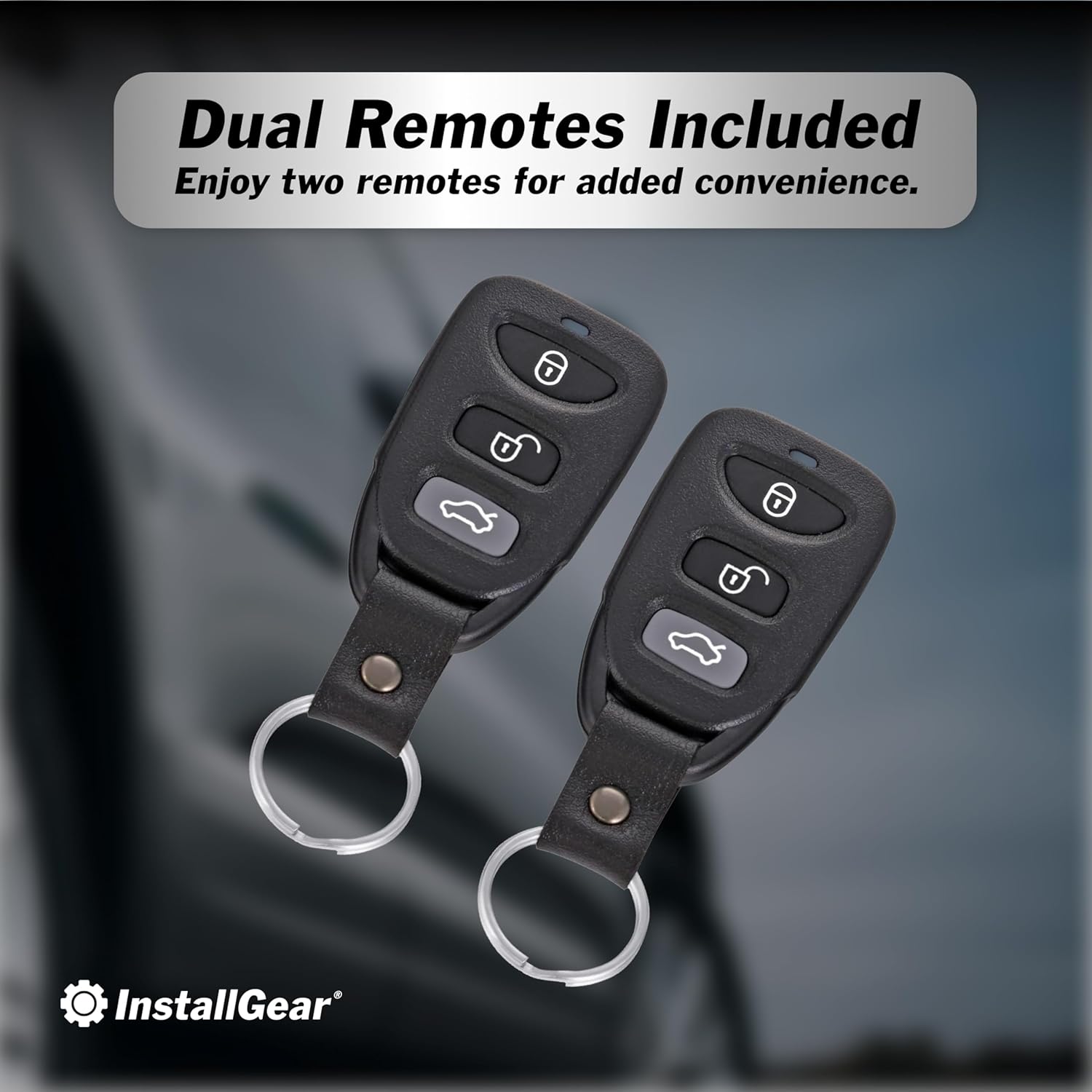
Figure 3: Remote Controls
- Læsa hnappur (🔒): Press once to lock all doors. The vehicle's lights will flash once to confirm. If the vehicle is already locked and you press the button again, the lights will flash five times.
- Opnunarhnappur (🔓): Press once to unlock all doors. The vehicle's lights will flash twice to confirm.
- Hnappur til að losa skottið (🚗💨): Press and hold for approximately 2.5 seconds to activate the remote trunk release. This sends a brief pulse to the amber wire.


Figure 4: Keyless Convenience and Trunk Access
Viðhald
The InstallGear Keyless Entry System is designed for long-lasting performance with minimal maintenance.
- Fjarstýrðar rafhlöður: If the remote's range decreases or it becomes unresponsive, replace the battery. Refer to the remote's casing for battery type (typically a coin cell battery).
- Skoðun raflagna: Periodically inspect all wiring connections for signs of wear, corrosion, or loose connections. Ensure all wires are securely routed and protected.
- Virkni stýribúnaðar: Listen for smooth operation of the actuators. If you notice any unusual noises or sluggish movement, inspect the mechanical linkage for obstructions or misalignment.
Úrræðaleit
If you encounter issues with your keyless entry system, consider the following common troubleshooting steps:
| Vandamál | Möguleg orsök | Lausn |
|---|---|---|
| System does not respond to remote. | Dead remote battery, remote out of range, main unit not powered, faulty wiring. | Replace remote battery. Move closer to vehicle. Check main unit power connection (Red and Black wires). Inspect wiring harness for damage. |
| Hurðir læsast/opnast ekki. | Actuator wiring incorrect, mechanical linkage issues, faulty actuator. | Verify Blue/Green wire polarity to actuators. Check mechanical rods for obstructions or misalignment. Test individual actuators if possible. |
| Lights do not flash upon lock/unlock. | Violet wire not connected, incorrect connection point, blown fuse. | Ensure Violet wires are correctly connected to vehicle's signaling lights. Check the inline fuse on the Violet wire. |
| Trunk release does not work. | Amber wire not connected to relay, faulty relay, faulty trunk actuator. | Confirm Amber wire is connected to a relay. Verify relay and trunk actuator functionality. |
If problems persist after attempting these solutions, it is recommended to consult a professional automotive electrician.
Tæknilýsing
- Framleiðandi: InstallGear
- Gerðarnúmer: IGCLS
- Þyngd hlutar: 2.07 pund
- Stærðir pakka: 11.02 x 7.44 x 2.68 tommur
- Samhæf tæki: Bílar, vörubílar
- Fjarstýring fylgir: Yes (Two 3-button remotes)
- ASIN: B01MDLUTPC
- Dagsetning fyrst í boði: 13. október 2016
Ábyrgð og stuðningur
For warranty information or technical support, please contact InstallGear directly through their official websíðuna eða söluaðilann þar sem varan var keypt. Geymið kaupkvittunina vegna ábyrgðarkröfu.
Heimsæktu InstallGear Store on Amazon fyrir frekari upplýsingar.