
Inngangur
This manual provides instructions for the proper setup, operation, and maintenance of your Targus W600 Wireless Optical Mouse. Please read this manual thoroughly before using the device to ensure optimal performance and longevity.
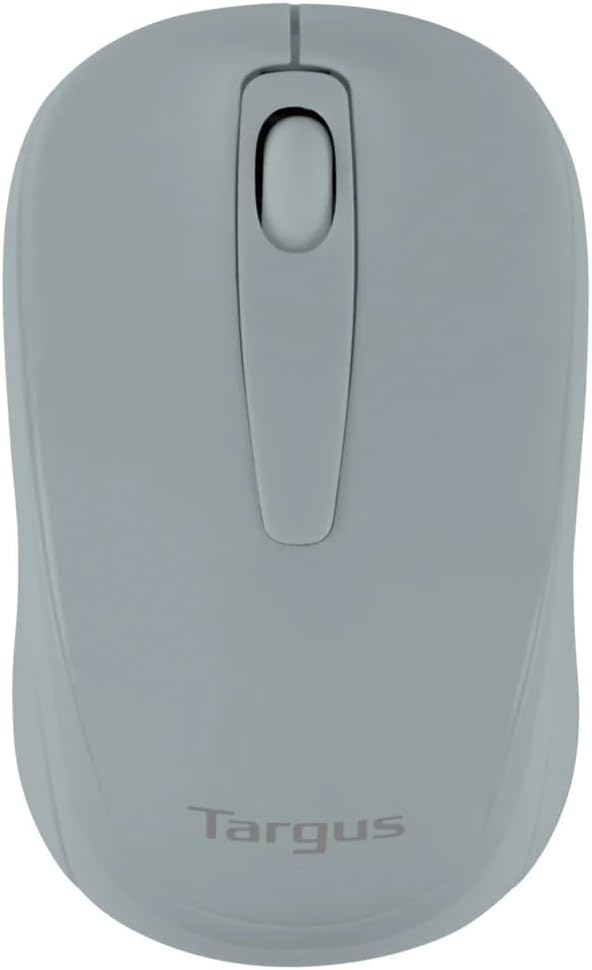
Figure 1: Targus W600 Wireless Optical Mouse (Quarry Gray)
Innihald pakka
Gakktu úr skugga um að allir hlutir séu til staðar í pakkanum:
- Targus W600 Wireless Optical Mouse
- USB móttakari
- Notendahandbók (þetta skjal)
Note: 1 AA battery is required and sold separately.
Eiginleikar vöru
- 2.4 GHz Wireless Technology for reliable connection
- 1600 DPI Optical Sensor for precise tracking
- Vistvæn hönnun fyrir þægilega notkun
- Samhæft við Windows og Mac stýrikerfi
- Integrated USB receiver storage compartment
Uppsetning
1. Að setja upp rafhlöðuna
- Turn the mouse over to locate the battery compartment cover.
- Gently slide the cover off.
- Settu eina (1) AA rafhlöðu í og gætið þess að pólunin (+/-) sé rétt.
- Settu hlífina yfir rafhlöðuhólfið aftur.
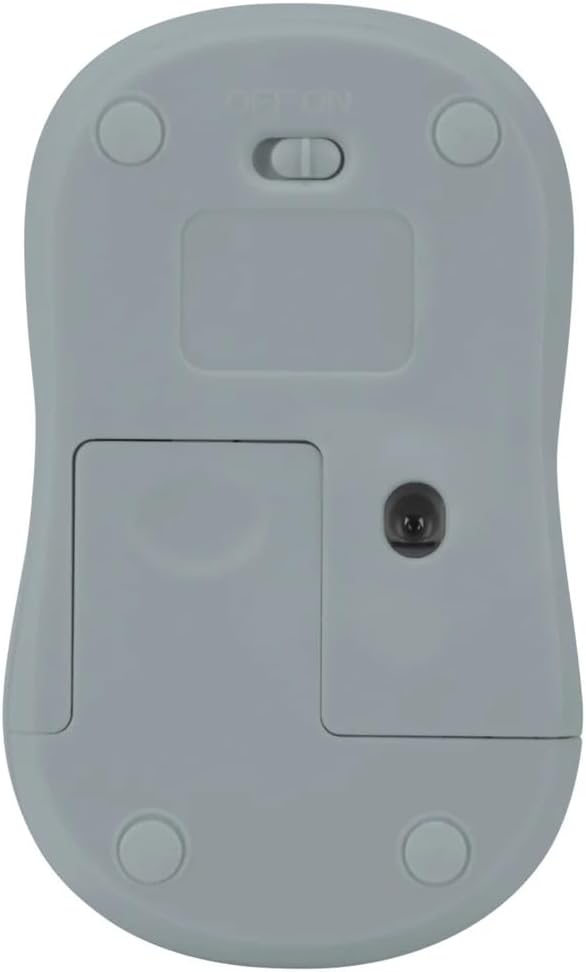
Mynd 2: Neðst view of the mouse with battery compartment and power switch.
2. Tenging við USB-móttakara
- Locate the USB receiver, typically stored inside the mouse's battery compartment or a dedicated slot.
- Tengdu USB-móttakara í lausu USB-tengi á tölvunni þinni.
- Tölvan þín ætti sjálfkrafa að greina og setja upp nauðsynlega rekla. Þetta gæti tekið smá stund.
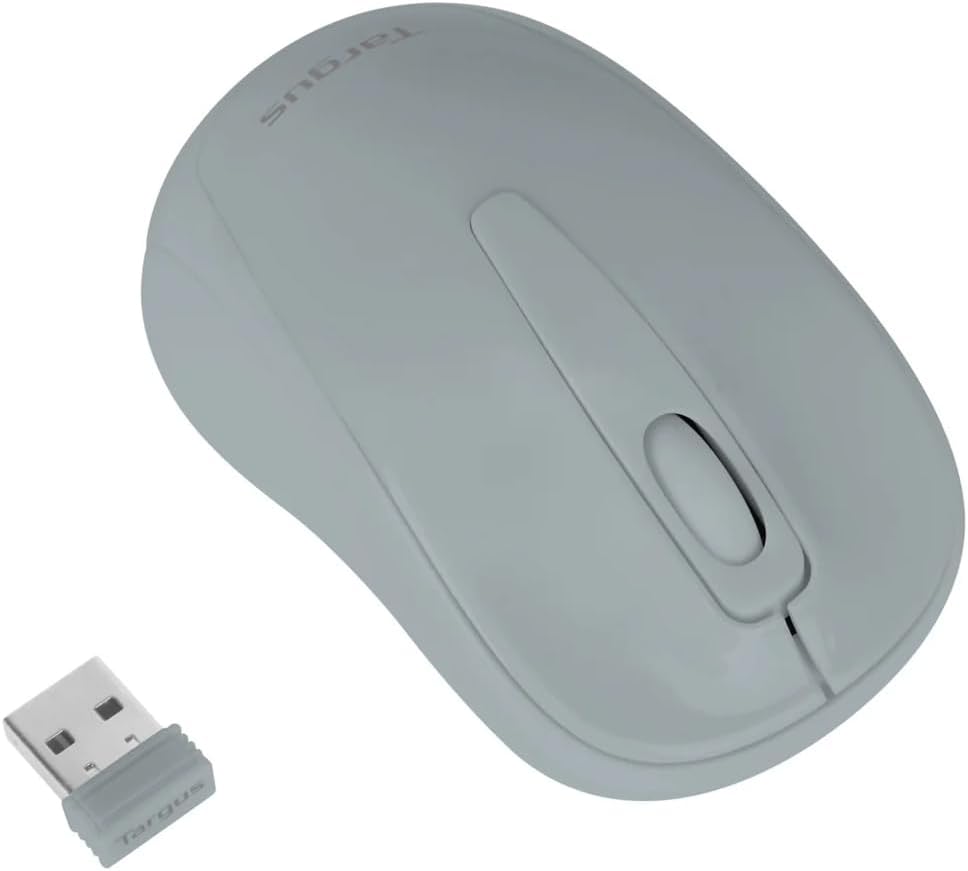
Figure 3: Targus W600 mouse and its USB receiver.

Figure 4: USB receiver plugged into a laptop, with the mouse nearby.
3. Að kveikja á músinni
On the bottom of the mouse, slide the ON/OFF switch to the "ON" position. The mouse is now ready for use.
Notkun músarinnar
The Targus W600 Wireless Optical Mouse functions like a standard 3-button mouse. It features a left button, a right button, and a scroll wheel that also acts as a middle button.
- Vinstri smellur: Primary action, selection, opening items.
- Hægrismella: Opnar samhengisvalmyndir.
- Skrunahjól: Skrunar skjöl og web pages vertically. Pressing the scroll wheel acts as a middle click, often used for opening links in new tabs or specific application functions.
The 1600 DPI optical sensor provides smooth and accurate cursor control on most surfaces. For best performance, use on a mouse pad or a non-reflective, uniform surface.
Viðhald
Þrif
Til að þrífa músina skaltu þurrka yfirborðið varlega með mjúkum klút.amp cloth. Avoid using harsh chemicals or abrasive cleaners, as these can damage the finish or internal components. Ensure no liquid enters the mouse.
Skipt um rafhlöðu
When the mouse performance degrades or stops responding, it may be time to replace the battery. Follow the steps outlined in the "Installing the Battery" section to replace the AA battery. Dispose of used batteries responsibly according to local regulations.
Úrræðaleit
| Vandamál | Lausn |
|---|---|
| Mús svarar ekki |
|
| Óregluleg hreyfing bendils |
|
| Stutt þráðlaust drægni |
|
Tæknilýsing
| Gerðarnúmer | AMW60006AP-55 |
| Tengingar | 2.4 GHz þráðlaust (USB móttakari) |
| Skynjaratækni | Optískur |
| DPI | 1600 DPI |
| Fjöldi hnappa | 3 (Left, Right, Scroll Wheel/Middle Click) |
| Aflgjafi | 1 x AA rafhlaða (fylgir ekki) |
| Samhæft stýrikerfi | Windows, Mac |
Athugið: Upplýsingar geta breyst án fyrirvara.
Ábyrgð og stuðningur
Fyrir upplýsingar um ábyrgð og tæknilega aðstoð, vinsamlegast vísið til opinberu Targus webvefsíðu eða hafðu samband við þjónustuver þeirra. Geymdu kaupkvittunina sem sönnun fyrir kaupum vegna ábyrgðarkröfu.
Targus opinbert Websíða: www.targus.com