
1. Inngangur
The Grandstream GWN7610 is a high-performance 802.11ac Wi-Fi Access Point designed for various environments such as office buildings, multi-floor locations, branch offices, and commercial/retail settings. It offers high network throughput, extensive wireless coverage, robust security features, and integrated network management without requiring external controllers. This manual provides essential information for the proper installation, configuration, and operation of your GWN7610 Access Point.
2. Innihald pakka
Staðfestu að pakkinn þinn inniheldur eftirfarandi hluti:
- Aðgangsstaður Grandstream GWN7610
- Mounting Equipment (bracket, screws)
- Leiðbeiningar um fljótlega uppsetningu (þetta skjal)
Note: A power adapter is not included. The device supports Power over Ethernet (PoE/PoE+).
3. Líkamlegt yfirview
Familiarize yourself with the ports and indicators on your GWN7610 Access Point.

Mynd 3.1: Ofan frá og niður view of the GWN7610 Access Point, showing its circular design and ventilation.
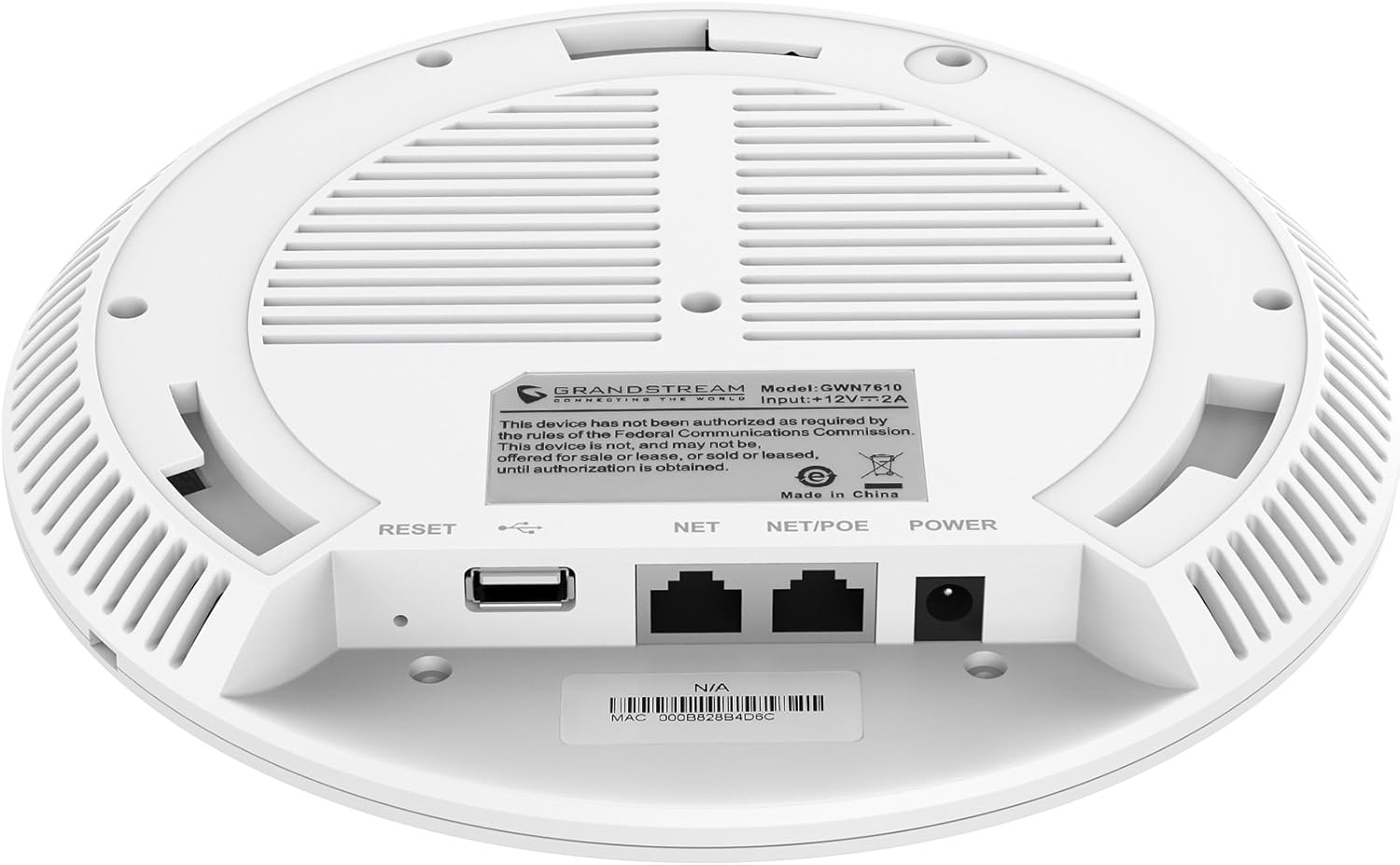
Mynd 3.2: Neðst view of the GWN7610 Access Point, highlighting the connectivity ports and regulatory information.
- RESET hnappur: Used to reset the device to factory default settings. Press and hold for 10 seconds while the device is powered on.
- USB tengi: For future applications such as location-based services and other IoT (Internet of Things) applications.
- NET/POE Port: Gigabit Ethernet port that supports Power over Ethernet (PoE/PoE+) for both data and power supply.
- POWER Port: DC power input (12V===2A) if not using PoE.
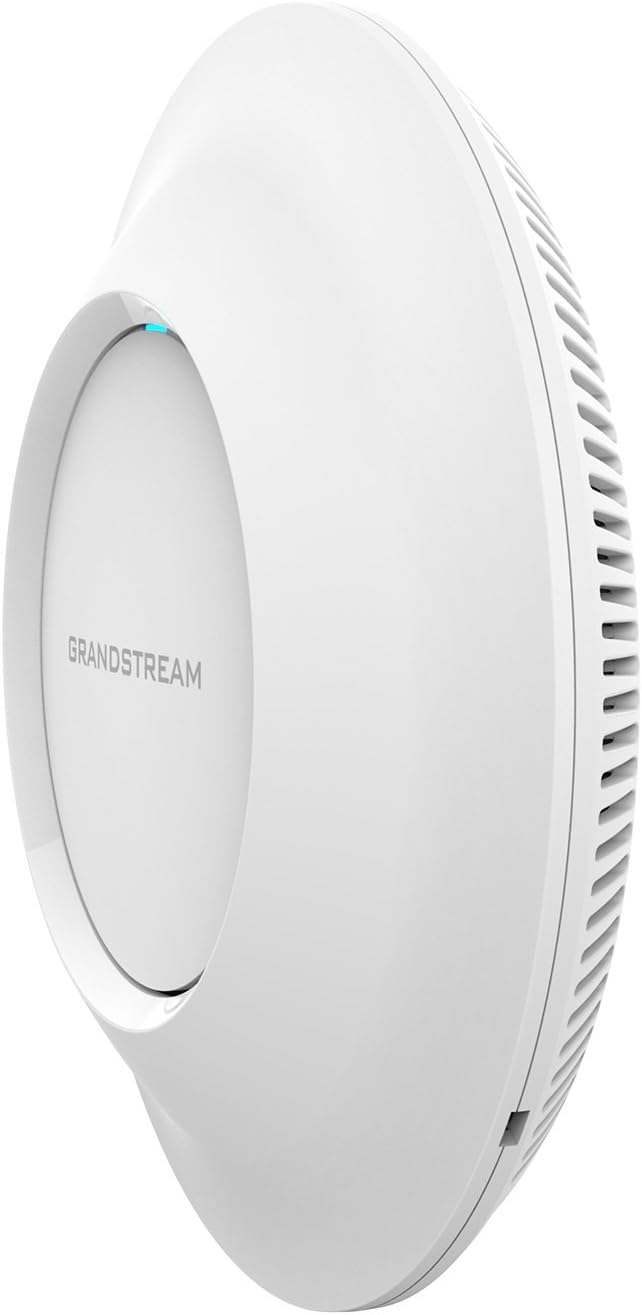
Mynd 3.3: Hlið view of the GWN7610 Access Point, illustrating its sleek profile.
4. Uppsetning og uppsetning
The GWN7610 can be mounted on a wall or ceiling. The included mounting equipment facilitates installation. For optimal wireless coverage, choose a central location free from obstructions and sources of interference. Ensure the device is positioned away from large metal objects, concrete walls, and other electronic devices that may cause signal degradation.
Refer to the specific instructions provided with the mounting kit for detailed steps on securing the access point.
5. Uppsetning
The GWN7610 features embedded network management, allowing for easy setup and configuration without the need for external controllers. Follow these general steps for initial setup:
- Kveikt á: Connect the GWN7610 to a PoE/PoE+ enabled switch or injector using an Ethernet cable, or connect a 12V===2A DC power adapter to the POWER port.
- Nettenging: Connect the NET/POE port to your network infrastructure (router or switch).
- Aðgangur að Web Tengi: Once powered on and connected, the GWN7610 will obtain an IP address via DHCP. You can discover the device's IP address using Grandstream's discovery tools or by checking your DHCP server's client list. Enter the IP address into a web browser to access the management interface.
- Upphafleg stilling: Log in with the default credentials (usually found in the Quick Installation Guide or on the device label) and proceed with configuring your Wi-Fi networks (SSIDs), security settings, and other network parameters.
6. Notkunarleiðbeiningar
The GWN7610 is designed for robust and efficient wireless operation. Key operational features include:
- Margar SSID-númer: Supports up to 16 SSIDs per radio, allowing for flexible network segmentation (e.g., separate networks for employees, guests, IoT devices).
- Viðskiptavinargeta: Capable of supporting over 250 concurrent Wi-Fi clients, making it suitable for high-density environments.
- Dual-Band MIMO: Utilizes dual-band 3x3:3 MIMO technology for enhanced performance and reliability across both 2.4GHz and 5GHz frequencies.
- Mikil afköst: Delivers a maximum network throughput of up to 1.75Gbps, ensuring fast data transfer rates.
- Aukin umfang: Provides an expanded coverage range of up to 175 meters, minimizing dead zones.
- Innbyggður stjórnandi: Manage multiple GWN7610 units from a single master access point, simplifying network administration.
7. Viðhald
Regular maintenance ensures optimal performance and longevity of your GWN7610 Access Point.
- Uppfærsla vélbúnaðar: Athugaðu Grandstream reglulega website for the latest firmware versions. Firmware updates often include performance improvements, security patches, and new features. Follow the instructions provided by Grandstream for updating firmware. Note that some updates may require using a TFTP server.
- Þrif: Haldið tækinu hreinu og ryklausu. Notið mjúkan, þurran klút til að þrífa. Notið ekki fljótandi hreinsiefni eða úðabrúsa.
- Umhverfisskilyrði: Gakktu úr skugga um að tækið virki innan tilgreinds hitastigs- og rakastigs til að koma í veg fyrir skemmdir.
8. Bilanagreining
If you encounter issues with your GWN7610, consider the following troubleshooting steps:
- Enginn kraftur: Verify that the device is properly connected to a PoE/PoE+ source or a compatible 12V===2A power adapter. Check the power indicator light.
- Engin nettenging: Ensure the Ethernet cable is securely connected to the NET/POE port and your network switch/router. Check the status of your network infrastructure.
- Ekki er hægt að nálgast Web Tengi: Confirm the device has an IP address and that your computer is on the same network segment. Try pinging the device's IP address. If the IP address is unknown, use Grandstream's discovery utility.
- Léleg Wi-Fi afköst: Check for sources of interference (e.g., microwaves, cordless phones). Ensure the access point is optimally placed. Adjust Wi-Fi channel settings to avoid congestion.
- Tækið svarar ekki: Perform a soft reboot by disconnecting and reconnecting power. If the issue persists, perform a factory reset using the RESET button (refer to Section 3).
9. Tæknilýsing
| Eiginleiki | Forskrift |
|---|---|
| Þráðlaus gerð | 802.11a/g/n/ac |
| Fjöldi USB 2.0 tengi | 1 |
| Vörumerki | Grandstream |
| Röð | Grandstream GWN7610 |
| Tegundarnúmer vöru | GWN7610 |
| Stýrikerfi | RouterOS |
| Þyngd hlutar | 1.9 pund |
| Vörumál (LxBxH) | 9 x 9 x 3 tommur |
| Litur | Hvítur |
| Framleiðandi | Grandstream |
10. Öryggisupplýsingar
Vinsamlegast lestu og fylgdu þessum öryggisleiðbeiningum til að koma í veg fyrir skemmdir á tækinu eða meiðsli á þér:
- Ekki láta tækið verða fyrir vatni eða raka.
- Do not open or attempt to repair the device. Refer all servicing to qualified personnel.
- Use only the power sources specified (PoE/PoE+ or 12V===2A DC adapter).
- Settu tækið upp á vel loftræstu svæði.
- Tillaga 65 Viðvörun: Þessi vara getur innihaldið efni sem Kaliforníuríki þekkir til að valda krabbameini og fæðingargöllum eða öðrum æxlunarskaða.
11. Reglufestingar
This device complies with relevant regulatory standards. Please note the following:
FCC Warning: This device has not been authorized as required by the rules of the Federal Communications Commission. This device is not, and may not be, offered for sale or lease, or sold or leased, until authorization is obtained.
Users are advised to ensure compliance with local regulations regarding wireless device operation.
12. Ábyrgð og stuðningur
Fyrir upplýsingar um ábyrgð og tæknilega aðstoð, vinsamlegast vísið til opinberu Grandstream website or contact your authorized reseller. Keep your purchase receipt for warranty claims.