
1. Inngangur
This manual provides essential information for the safe and efficient use of your TCL 55P607 55-Inch 4K Ultra HD Roku Smart LED TV. Please read these instructions thoroughly before operating your television and retain them for future reference.
Helstu eiginleikar:
- 55-inch 4K Ultra HD display for clear picture clarity.
- Integrated Roku TV smart functionality with access to over 4,000 streaming channels.
- Dolby Vision HDR (High Dynamic Range) compatibility for enhanced contrast, color, and detail.
- Full-array LED backlighting with 72 local dimming zones for deep blacks and excellent picture quality.
- 120Hz refresh rate for smooth motion in fast-paced scenes.
- Multiple inputs including 3 HDMI 2.0 with HDCP 2.2 (one with HDMI ARC), 1 USB (media player), RF, Composite, Headphone Jack, Optical Audio Out, and Ethernet.
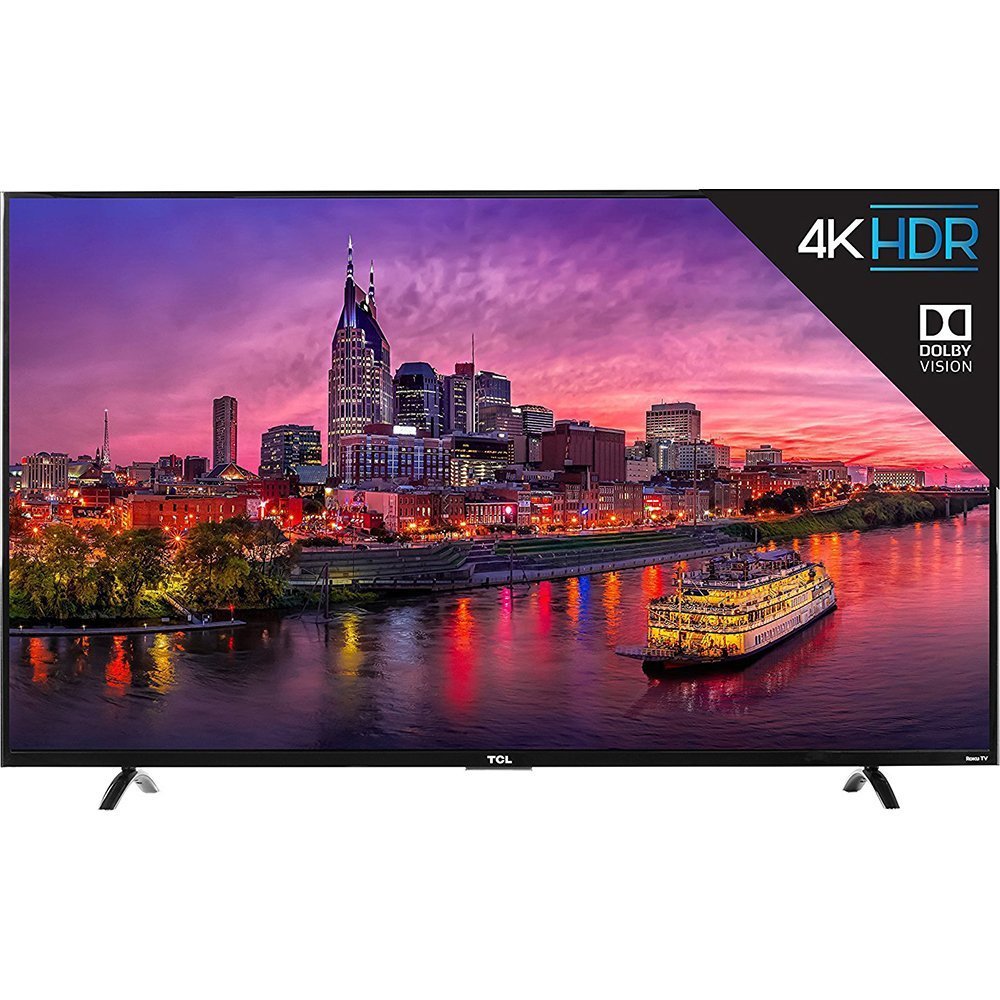
Mynd 1.1: Framan view of the TCL 55P607 55-Inch 4K Ultra HD Roku Smart LED TV.
2. Uppsetning
2.1 Upptaka og staðsetning
Takið sjónvarpið varlega úr umbúðunum. Vegna stærðar og þyngdar einingarinnar er mælt með því að tveir séu með í för til að tryggja örugga meðhöndlun. Setjið sjónvarpið á stöðugt, slétt yfirborð eða festið það örugglega á vegg með samhæfri VESA-festingu (seld sér).

Mynd 2.1: The TCL 55P607 TV displayed on a media console, illustrating typical placement.
2.2 Festing sjónvarpsstandsins
If you are not wall-mounting the TV, attach the included stand feet. Ensure the TV is placed face down on a soft, clean surface to prevent screen damage. Align each stand foot with the corresponding screw holes on the bottom of the TV and secure them with the provided screws. Refer to the diagram below for dimensions.

Mynd 2.2: Diagram showing the dimensions of the TCL 55P607 TV: 49" (width), 30.1" (height with stand), and 8.3" (depth with stand).
2.3 Tenging við rafmagn og tæki
Connect the power cord to the TV and then to a wall outlet. Connect your external devices (e.g., cable box, Blu-ray player, gaming console) to the appropriate HDMI, AV, or other input ports on the TV. The TV features 3 HDMI 2.0 ports with HDCP 2.2, including one with HDMI ARC, 1 USB port, RF input, Composite input, Headphone Jack, and Optical Audio Out.
3. Notkunarleiðbeiningar
3.1 Initial Setup and Roku TV Interface
Upon first power-on, the TV will guide you through the initial setup process, including connecting to your Wi-Fi network and activating your Roku account. The Roku TV interface provides easy access to streaming channels, inputs, and settings.
Video 3.1: Yfirview of the TCL 55P607 55-Inch 4K Ultra HD Roku Smart LED TV, demonstrating its features and the Roku interface. This video is provided by Merchant Video.
3.2 Aðgerðir fjarstýringar
The included Roku remote control is designed for simplicity. It features dedicated buttons for popular streaming services like Netflix and Hulu, as well as navigation controls for the Roku interface. The remote also includes a headphone jack for private listening, with earbuds included.
Video 3.2: An expert review of the TCL P Series, highlighting the intuitive Roku remote control and its features, including dedicated app buttons and the headphone jack for private listening. This video is provided by Digital Trends Review.
3.3 Input Selection and Customization
You can easily switch between connected devices and streaming apps. The Roku TV allows you to rename inputs (e.g., "HDMI 1" to "Blu-ray Player") and organize them on your home screen for quick access.
3.4 Myndastillingar
Stilltu myndstillingar til að hámarka viewing experience. The TV offers various picture modes (e.g., Movie, Sports) and advanced settings for brightness, contrast, sharpness, color, and tint. Note that some picture settings may need to be adjusted within specific streaming apps for optimal performance.
Video 3.3: A tilvísunview from Digital Trends discussing the best TVs under $1,000, which includes the TCL 55P607, and touches upon its picture quality and features.
Video 3.4: A tilvísunview from Digital Trends discussing the best TVs under $500, which includes the TCL 55P607, and highlights its value and performance.
4. Viðhald
4.1 Þrif á sjónvarpinu
Til að þrífa skjáinn skaltu þurrka hann varlega með mjúkum, lólausum klút. Fyrir þrjósk bletti skaltu þurrka hann létt.ampen the cloth with water or a screen-specific cleaning solution. Avoid using harsh chemicals or abrasive materials. For the TV casing, notið mjúkan, þurran klút.
4.2 Almenn umönnun
- Taktu sjónvarpið úr sambandi við rafmagn áður en þú þrífur það eða framkvæmir viðhald.
- Avoid blocking ventilation openings on the back of the TV to prevent overheating.
- Do not expose the TV to direct sunlight, extreme temperatures, or high humidity.
- Verndaðu rafmagnssnúruna gegn því að gengið sé á hana eða hún klemmi hana.
5. Bilanagreining
If you encounter issues with your TCL 55P607 TV, refer to the following common solutions:
5.1 Enginn kraftur
- Gakktu úr skugga um að rafmagnssnúran sé vel tengd bæði við sjónvarpið og virkan rafmagnsinnstungu.
- Athugaðu hvort innstungan virki með því að tengja annað tæki.
- Ýttu á rofann á sjónvarpinu sjálfu, ekki bara á fjarstýringunni.
5.2 Engin mynd eða léleg myndgæði
- Staðfestu að rétt inntaksuppspretta sé valin.
- Athugaðu allar kapaltengingar milli sjónvarpsins og ytri tækja.
- Adjust picture settings (brightness, contrast, etc.) in the TV menu.
- If using an antenna, ensure it is properly connected and positioned.
5.3 Ekkert hljóð eða léleg hljóðgæði
- Hækkið hljóðstyrkinn bæði í sjónvarpinu og öllum tengdum hljóðtækjum.
- Athugaðu hljóðsnúrutengingar.
- Gakktu úr skugga um að sjónvarpið sé ekki hljóðlaust.
- If using external speakers, verify they are powered on and correctly configured.
5.4 Fjarstýring virkar ekki
- Replace the batteries in the remote control (2 AAA batteries are included).
- Gakktu úr skugga um að engar hindranir séu á milli fjarstýringarinnar og innrauða skynjarans á sjónvarpinu.
- If using the Roku mobile app as a remote, ensure your smartphone is connected to the same Wi-Fi network as the TV.
Video 5.1: Ítarleg umview of the TCL 55P607 55-Inch 4K Ultra HD Roku Smart LED TV, covering various aspects including picture quality, sound, and smart features, which can be helpful for troubleshooting. This video is provided by RTINGS.com.
6. Tæknilýsing
| Eiginleiki | Smáatriði |
|---|---|
| Vörumerki | TCL |
| Gerðarnúmer | 55P607 |
| Skjástærð | 55 tommur |
| Skjátækni | LED |
| Upplausn | 4K Ultra HD |
| Endurnýjunartíðni | 120 Hz |
| HDR samhæfni | Dolby Vision HDR |
| Baklýsing | Full-array LED with 72 local dimming zones |
| Snjall pallur | Roku sjónvarp |
| Tengitækni | HDMI, Wi-Fi |
| HDMI inntak | 3 (HDMI 2.0 with HDCP 2.2, one with HDMI ARC) |
| USB tengi | 1 (media player) |
| Önnur inntak/úttak | RF, Composite, Headphone Jack, Optical Audio Out, Ethernet |
| Mál (B x H x D) án stands | 49" x 28.3" x 3" |
| Mál (B x H x D) með standi | 49" x 30.1" x 8.3" |
| Þyngd hlutar | 33.1 pund |
| Innifalið íhlutir | Remote Control, Power Cord, Batteries |
| Orkunýting | Energy Star vottað |
7. Ábyrgð og stuðningur
For detailed warranty information and customer support, please refer to the warranty card included with your product or visit the official TCL support webGeymið kaupkvittunina sem sönnun fyrir kaupum ef um ábyrgðarkröfur er að ræða.
TCL is committed to providing high-quality products and excellent customer service. Should you require assistance with setup, troubleshooting, or any other aspect of your TV, please contact TCL customer support.