
1. Inngangur
This manual provides detailed instructions for the proper use and maintenance of your Paww SilkSound Headphones. Please read this manual thoroughly before operating the device to ensure optimal performance and longevity.
2. Innihald vöru
The Paww SilkSound Headphones package includes the following items:
- Paww SilkSound Headphones
- Custom Carry Pouch
- Micro-USB hleðslusnúra
- 3.5 mm Aux snúru
3. Vöru lokiðview
The Paww SilkSound Headphones feature a unique, foldable design for portability and comfort. They are equipped with Bluetooth 4.1 for wireless connectivity and include a built-in microphone for hands-free calling.
Mynd 3.1: Labeled components of the Paww SilkSound Headphones.
- MFB: Fjölvirka hnappur (Power, Pairing, Play/Pause, Answer/End Calls/Reject)
- Hljóðstyrkur + (næsta)
- Volume - (Previous)
- LED vísir
- MicroUSB hleðslutengi
- Hljóðnemi
- 3.5 mm Audio In

Mynd 3.2: Paww SilkSound Headphones in use, demonstrating their discreet on-ear fit.
4. Uppsetning
4.1 Hleðsla heyrnartólanna
Before first use, fully charge your Paww SilkSound Headphones. Connect the Micro-USB Charging Cable to the MicroUSB Charging Port (E) on the headphones and the other end to a USB power source. The LED Indicator (D) will show charging status.

Mynd 4.1: Included Micro-USB charging cable and 3.5mm auxiliary cable.
4.2 Bluetooth pörun
- Gakktu úr skugga um að slökkt sé á heyrnartólunum.
- Press and hold the Multi-Function Button (A) until the LED Indicator (D) flashes blue and red, indicating pairing mode.
- Virkjaðu Bluetooth í tækinu þínu (snjallsíma, spjaldtölvu, fartölvu) og leitaðu að tiltækum tækjum.
- Select "Paww SilkSound" from the list of devices.
- Once connected, the LED Indicator (D) will flash blue slowly.
The headphones can be paired with multiple devices simultaneously. To switch between devices, ensure the headphones are connected to both, then play audio from the desired device.
5. Notkunarleiðbeiningar
5.1 Kveikt/slökkt
- Kveikt á: Press and hold the Multi-Function Button (A) until the LED Indicator (D) flashes blue.
- Slökkva á: Press and hold the Multi-Function Button (A) until the LED Indicator (D) flashes red and then turns off.
5.2 Tónlist spilun
- Spila / gera hlé: Press the Multi-Function Button (A) once.
- Næsta lag: Press the Volume + (B) button once.
- Fyrra lag: Press the Volume - (C) button once.
- Hækka: Press and hold the Volume + (B) button.
- Hljóðstyrkur niður: Press and hold the Volume - (C) button.
5.3 Símtalsstjórnun
- Svara/slíta símtali: Press the Multi-Function Button (A) once.
- Hafna símtali: Press and hold the Multi-Function Button (A) for 2 seconds.
- Endurval síðasta númer: Double-press the Multi-Function Button (A).
5.4 Raddaðstoðarmaður
To activate your device's voice assistant (Siri, Google Assistant), press the Multi-Function Button (A) twice quickly.
6. Flytjanleiki og hönnun
The SilkSound headphones are designed for convenience and style. Their slim, lightweight structure allows them to fold compactly for storage.

Mynd 6.1: The headphones fold compactly into their stylish carrying case, designed to fit easily into bags.

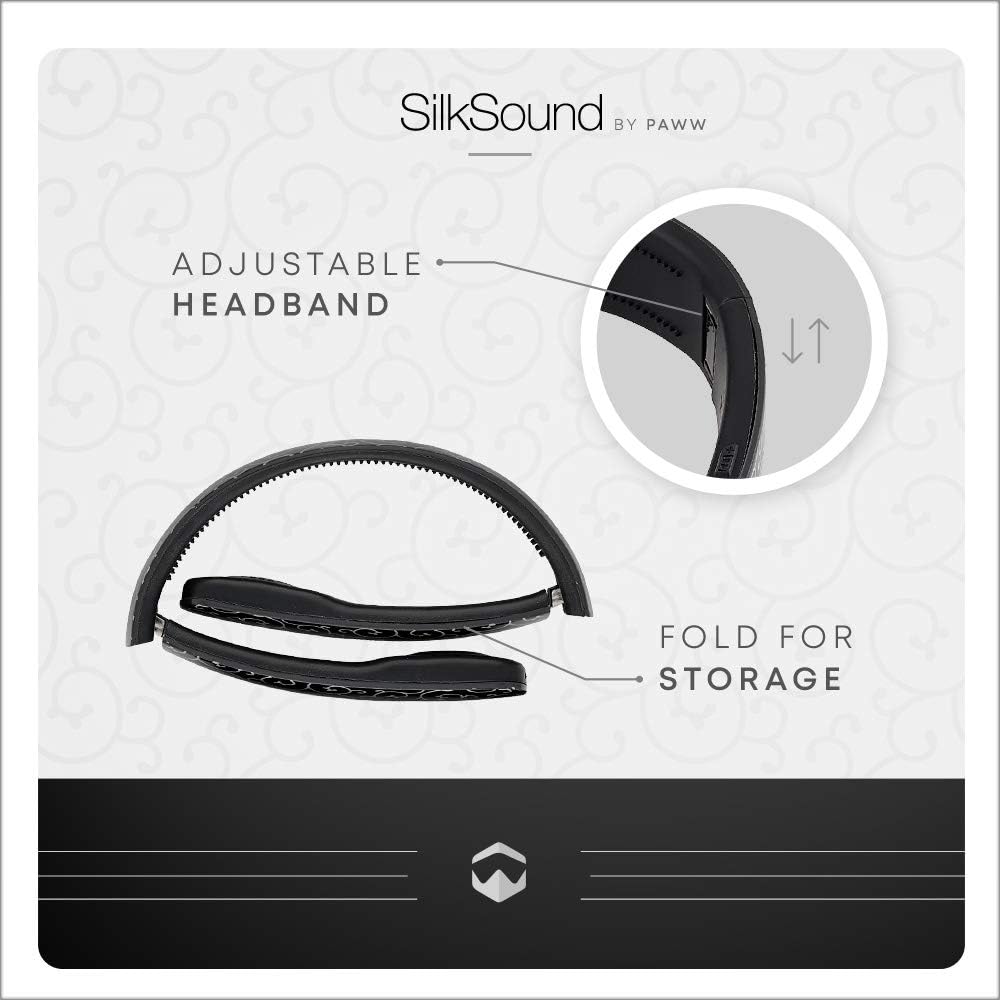
Mynd 6.2: The adjustable headband and folding mechanism for easy storage.

Mynd 6.3: The product packaging, highlighting its premium presentation.
7. Viðhald
- Þrífið heyrnartólin með mjúkum, þurrum klút. Notið ekki slípiefni eða leysiefni.
- Store the headphones in their custom carry pouch when not in use to protect them from dust and damage.
- Forðist að láta heyrnartólin verða fyrir miklum hita, raka eða beinu sólarljósi.
- The headphones are not water-resistant. Avoid contact with liquids.
8. Bilanagreining
| Vandamál | Lausn |
|---|---|
| Heyrnartólin kveikjast ekki. | Ensure the headphones are fully charged. Connect to a power source using the Micro-USB cable. |
| Ekki er hægt að para við tæki. | Ensure headphones are in pairing mode (LED flashing blue/red). Turn off and on Bluetooth on your device. Move closer to the device (within 10 meters). |
| Ekkert hljóð eða lágt hljóðstyrkur. | Check volume levels on both headphones and the connected device. Ensure headphones are properly paired. Try reconnecting. |
| Vandamál með gæði símtala. | Ensure the microphone (F) is not obstructed. Move to an area with less background noise. Check device's signal strength. |
9. Tæknilýsing
- Fyrirmyndarheiti: SilkSound Bluetooth Headband Over-Ear Headphones with Microphone (Onyx Black)
- Gerðarnúmer: PW-2018SS01-BR
- Tengingar: Þráðlaust (Bluetooth 4.1)
- Bluetooth svið: Allt að 10 metrar (33 fet)
- Rafhlöðuending: Allt að 10 tíma leiktími
- Hleðsluport: Ör USB
- Lögun heyrnartóls: Eyrnatól
- Þyngd: Um það bil 1.24 pund (0.56 kg)
- Sérstakur eiginleiki: Léttur, samanbrjótanlegur
- Innifalið íhlutir: Headphones, Carry Pouch, Micro-USB Cable, 3.5mm Aux Cable
10. Opinbert vörumyndband
Video 10.1: Yfirview of the Paww SilkSound Headphones, showcasing their design, portability, and features. This video highlights the unique headband, folding capability, and wireless functionality.
11. Ábyrgð og stuðningur
For warranty information and customer support, please refer to the official Paww webvefsíðu eða hafið samband við þjónustuver þeirra. Geymið kaupkvittunina vegna hugsanlegra ábyrgðarkrafna.