
BoxWave bw-1173-16092-8831
BoxWave SlimKeys Bluetooth Keyboard User Manual
Model: bw-1173-16092-8831
Inngangur
The BoxWave SlimKeys Bluetooth Keyboard is a portable, ultra-thin keyboard designed for seamless connectivity with your Bluetooth-enabled devices, including the Samsung Galaxy A6 (2018). Its chiclet-style keys provide a comfortable typing experience, making it ideal for productivity on the go. This manual provides detailed instructions for setting up, operating, maintaining, and troubleshooting your SlimKeys Bluetooth Keyboard.
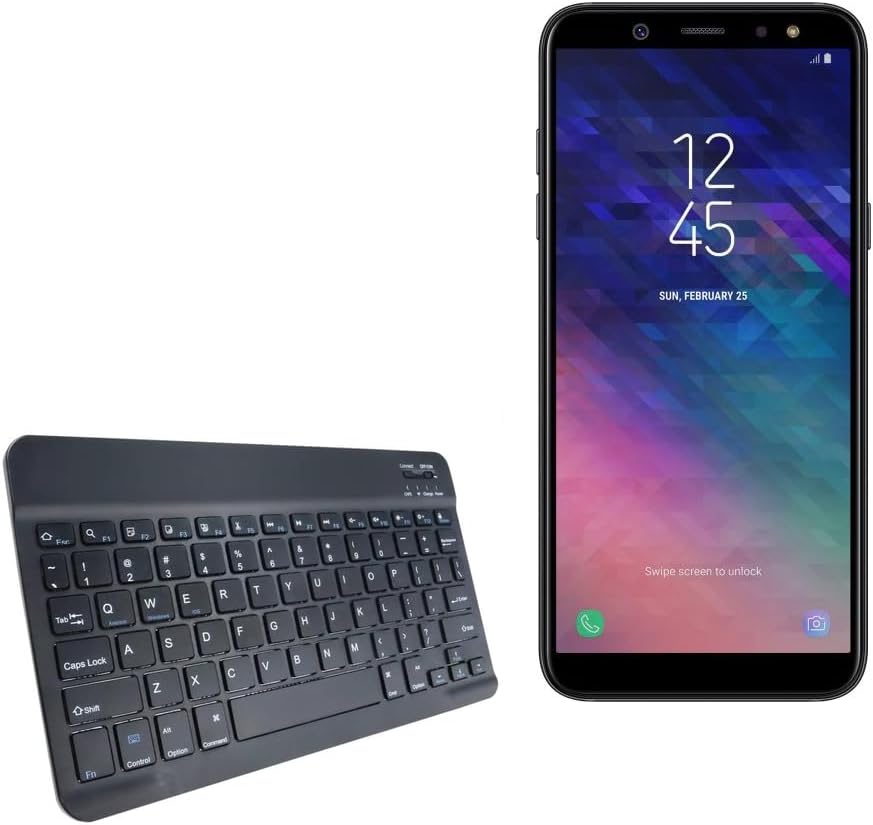
Image: The SlimKeys Bluetooth Keyboard shown alongside a compatible Samsung Galaxy A6 (2018) device, highlighting its compact size.
Uppsetning
Hleðsla lyklaborðsins
Before initial use, ensure your SlimKeys Bluetooth Keyboard is fully charged. Use the included charging cable to connect the keyboard to a USB power source (e.g., computer USB port, USB wall adapter). The charging indicator light will illuminate during charging and turn off when fully charged.

Mynd: Ítarleg view of the keyboard's charging port, demonstrating how to connect the charging cable for its long-lasting battery.
Bluetooth pörun
- Kveikt á: Locate the ON/OFF switch on the keyboard (usually on the top right) and slide it to the 'ON' position. The power indicator light will briefly illuminate.
- Farðu í pörunarham: Press the 'Connect' button (often located near the ON/OFF switch or as a dedicated key). The Bluetooth indicator light will start blinking, indicating the keyboard is in pairing mode.
- Virkjaðu Bluetooth í tækinu þínu: On your Samsung Galaxy A6 (2018) or other compatible device, go to 'Settings' > 'Connections' > 'Bluetooth' and turn Bluetooth ON.
- Veldu lyklaborð: Your device will scan for available Bluetooth devices. Select 'BoxWave SlimKeys Keyboard' (or similar name) from the list.
- Staðfestu pörun: Follow any on-screen prompts to complete the pairing process. You may be asked to enter a code displayed on your device using the keyboard and then press Enter. Once paired, the Bluetooth indicator light on the keyboard will stop blinking.
The keyboard supports Bluetooth 3.0 for quick and reliable pairing across Android, Windows, and iOS platforms.
Notkunarleiðbeiningar
Grunnnotkun
Once paired, the SlimKeys Bluetooth Keyboard functions like a standard keyboard. Simply open any application that requires text input (e.g., messaging app, word processor) and begin typing. The chiclet-style keys are designed for quiet and comfortable typing.

Image: A user's hands demonstrating comfortable and efficient typing on the SlimKeys keyboard.
Sérhæfðir aðgerðarlyklar
The SlimKeys Bluetooth Keyboard includes specialized function keys (F1-F12) that provide quick access to common commands. These functions are typically accessed by pressing the Fn takkann samtímis við viðkomandi virknihnapp.
| Lyklasamsetning | Virka |
|---|---|
| Fn + Esc (F1) | Heim |
| Fn + F2 | leit |
| Fn + F3 | Veldu Allt |
| Fn + F4 | Afrita |
| Fn + F5 | Skerið |
| Fn + F6 | Slepptu til baka |
| Fn + F7 | Spila / gera hlé |
| Fn + F8 | Slepptu áfram |
| Fn + F9 | Hljóðstyrkur niður |
| Fn + F10 | Hljóðstyrkur upp |
| Fn + F11 | Birtustig niður |
| Fn + F12 | Birtustig upp |
| Fn + Eyða | Læsa |

Image: A visual guide to the specialized function keys available on the SlimKeys keyboard for quick access to various commands.
Viðhald
Þrif
To clean your keyboard, gently wipe the surface with a soft, lint-free cloth. For stubborn dirt or grime, slightly dampÞurrkið klútinn með vatni eða mildri, ekki slípandi hreinsilausn. Forðist mikinn raka og úðið ekki hreinsiefnum beint á lyklaborðið.
Geymsla
When not in use, store the keyboard in a cool, dry place away from direct sunlight and extreme temperatures. Its ultra-thin design allows for easy storage in bags or cases, making it ideal for travel.

Image: The SlimKeys keyboard being stored in a bag, emphasizing its convenience for travel and compact design.
Úrræðaleit
- Lyklaborð tengist/parast ekki:
- Gakktu úr skugga um að lyklaborðið sé hlaðið og kveikt á.
- Gakktu úr skugga um að kveikt sé á Bluetooth í tækinu þínu.
- Ensure the keyboard is in pairing mode (Bluetooth indicator blinking).
- Gleymdu tækinu í Bluetooth-stillingum símans og reyndu að para það aftur.
- Restart both the keyboard (turn off/on) and your device.
- Lyklar svara ekki:
- Check if the keyboard is still connected via Bluetooth.
- Gakktu úr skugga um að rafhlaðan í lyklaborðinu sé nægilega hlaðin.
- Reyndu að para lyklaborðið aftur við tækið þitt.
- Seinkað eða tafið inntak:
- Ensure there are no strong interferences (e.g., other Bluetooth devices, Wi-Fi routers) nearby.
- Færðu þig nær tækinu þínu.
- Endurhlaða lyklaborðið.
Tæknilýsing
- Gerðarnúmer: bw-1173-16092-8831
- Tengingartækni: Bluetooth 3.0
- Lýsing á lyklaborði: Wireless, Chiclet-Style Keys
- Litur: Jet Black
- Þyngd hlutar: 7.7 aura
- Stærðir pakka: 11.06 x 6.81 x 0.55 tommur
- Sérstakur eiginleiki: Lightweight, Ultra-Thin Design (3/16 inch thick)
- Rafhlöður: 1 vörusérstök rafhlaða (fylgir með)
- Framleiðandi: BoxWave
- Upprunaland: Kína

Image: A diagram illustrating the precise dimensions of the SlimKeys keyboard, emphasizing its compact and lightweight form factor.
Ábyrgð og stuðningur
For warranty information or technical support, please contact BoxWave Corporation directly. Refer to the product packaging or the official BoxWave websíðuna fyrir nýjustu upplýsingar um tengiliði og ábyrgðarskilmála.
BoxWave Corporation
Websíða: www.boxwave.com
Ask a question about this manual
Ask about setup, troubleshooting, compatibility, parts, safety, or missing instructions. Manuals+ will review the question and use this page’s manual context to help answer it.