
1. Inngangur
The TC Helicon GO GUITAR is a portable audio interface designed for connecting electric guitars, bass guitars, and other line-level instruments to mobile devices and computers. This device allows users to record high-quality audio directly to iOS, Android, Mac, and PC platforms, integrating seamlessly with various music applications and software.
2. Öryggisleiðbeiningar
- Ekki láta tækið verða fyrir rigningu, raka eða miklum hita.
- Forðist að missa tækið eða láta það verða fyrir miklum höggum.
- Ekki reyna að taka tækið í sundur eða breyta því. Látið hæft starfsfólk sjá um alla þjónustu.
- Use only specified accessories and cables.
- Geymið þar sem börn ná ekki til.
3. Innihald pakka
Gakktu úr skugga um að allir hlutir séu til staðar í pakkanum þínum:
- TC Helicon GO GUITAR Portable Guitar Interface
- Leiðbeiningar um hraða notkun (ef við á)

Image: The TC Helicon GO GUITAR unit with its integrated cable, illustrating the compact design and primary connection.
4. Vöru lokiðview
The GO GUITAR features a simple and intuitive design for ease of use.

Mynd: Hornlaga view of the GO GUITAR, highlighting the 'GAIN' knob on the side and the output jack at the bottom.
Lykilhlutir:
- Integrated TRRS Cable: Connects to your mobile device's headphone/microphone jack or computer's combo jack.
- 1/4" hljóðfærisinntak: For connecting your electric guitar, bass, or other line-level instrument.
- 1/8" Headphone Output: For monitoring your audio with headphones.
- Gain Control: Adjusts the input level of your instrument.
- Beltiklemma: For convenient attachment to clothing or a strap.

Mynd: Nærmynd view of the bottom of the GO GUITAR, clearly showing the 1/4-inch instrument input and the 1/8-inch headphone output jacks.
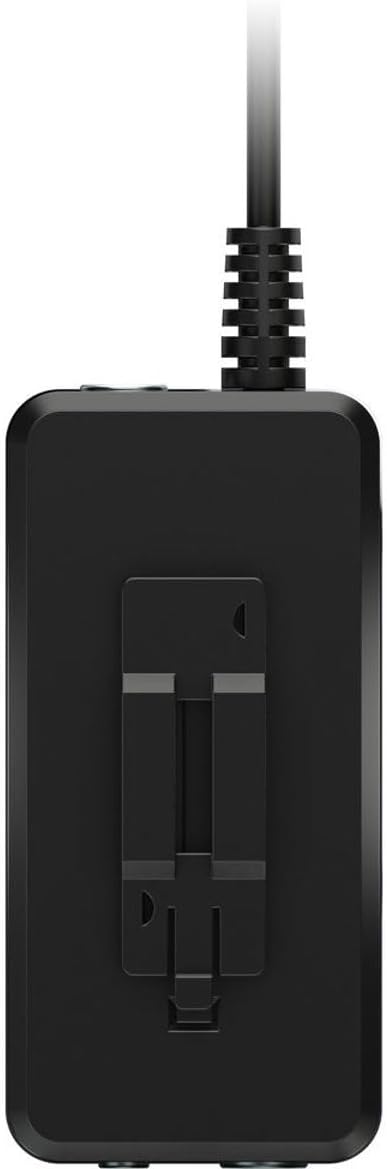
Mynd: Hlið view of the GO GUITAR, illustrating the integrated belt clip for portable use.
5. Uppsetning
- Tengjast tæki: Plug the integrated TRRS cable of the GO GUITAR into the headphone/microphone jack of your iOS/Android device or the combo jack of your Mac/PC.
- Tengja hljóðfæri: Plug your electric guitar, bass, or other line-level instrument into the 1/4" Instrument Input jack on the GO GUITAR.
- Tengja heyrnartól (valfrjálst): For monitoring your sound, plug your headphones into the 1/8" Headphone Output jack.
- Ræsa forrit: Open your preferred recording or music application on your mobile device or computer. Ensure the application recognizes the GO GUITAR as an audio input.
6. Rekstur
- Stilla ávinning: While playing your instrument, slowly turn the 'GAIN' knob on the GO GUITAR until you achieve a strong signal without clipping (distortion). Most applications will have a visual indicator for input level.
- Skjár hljóð: If headphones are connected, you will hear your instrument's sound through them. Adjust the volume on your connected device or within the application.
- Skrá: Use your chosen application's recording functions to capture your performance.
- Experiment with Apps: The GO GUITAR is compatible with a wide range of iOS apps, Android apps, and desktop software. Explore different applications to find the sounds and effects that suit your needs.
Athugið: The GO GUITAR is a passive device and does not require batteries or external power. It draws power directly from the connected mobile device or computer.
7. Viðhald
- Þrif: Þurrkið tækið með mjúkum, þurrum klút. Notið ekki fljótandi hreinsiefni eða leysiefni.
- Geymsla: Store the GO GUITAR in a cool, dry place away from direct sunlight when not in use.
- Kapalumhirða: Avoid sharp bends or excessive pulling on the integrated cable to prevent damage.
8. Bilanagreining
| Vandamál | Möguleg lausn |
|---|---|
| No sound from instrument. |
|
| Sound is distorted or clipping. |
|
| Ekkert hljóð úr heyrnartólum. |
|
9. Tæknilýsing
| Vörumerki | TC Helicon |
| Fyrirmynd | ÁFRAM GÍTAR |
| Tengitækni | USB (via TRRS jack) |
| Fjöldi rása | 1 |
| Samhæf tæki | iOS, Android, Mac, PC |
| Styður hugbúnaður | TC Helicon mobile apps, popular iOS apps, 3rd-party vendors' apps, and software |
| Aflgjafi | Bus-powered (from connected device) |
10. Ábyrgð og stuðningur
For detailed warranty information and technical support, please refer to the official TC Helicon webvefsíðu eða hafðu samband við þjónustuver þeirra beint. Geymdu kaupkvittunina vegna ábyrgðarkröfu.
Tilföng á netinu: www.tchelicon.com