
Inngangur
This manual provides detailed instructions for the setup, operation, and maintenance of your Rip Curl A1139G-1000 Next Tide Women's Watch. Please read this manual thoroughly to ensure proper use and to maximize the lifespan of your watch.
Úrhlutar og stjórntæki
Familiarize yourself with the main components and control buttons of your watch.

Mynd 1: Framan view of the Rip Curl A1139G-1000 Next Tide Watch. This image displays the digital screen, the 'LIGHT' button on the top left, the 'MODE' button on the bottom left, the 'UP' button on the top right, and the 'DOWN' button on the bottom right. The watch face shows time, date, and a tide graph.
- LJÓSHNAPPUR (efst til vinstri): Virkjar baklýsinguna til að auka sýnileika í lítilli birtu.
- HAM-hnappur (neðst til vinstri): Cycles through different display modes (e.g., Time, Tide, Timer).
- UP Button (Top Right): Notað til að aukaasing values during setting or navigating menus.
- DOWN Button (Bottom Right): Notað til úrskurðarasing values during setting or navigating menus.
Uppsetning
1. Initial Power On / Battery
Your watch is powered by a CR2032 battery, designed for approximately 24 months of life. The watch should be operational upon receipt. If the display is blank, the battery may need replacement (refer to the Maintenance section).
2. Stilling á tíma og dagsetningu
- Ýttu á MODE hnappinn endurtekið þar til þú nærð tímastillingarstillingunni (oft gefin til kynna með blikkandi tölustöfum).
- Notaðu UP og NIÐUR hnappa til að stilla klukkustundina.
- Ýttu á MODE button again to move to minutes, then repeat adjustment.
- Haltu áfram að ýta á MODE til að fletta í gegnum stillingar fyrir ár, mánuð og dag, aðlaga hverja með UP og NIÐUR.
- Þegar allar stillingar eru réttar, ýttu á MODE til að hætta stillingarstillingu og fara aftur í venjulega tímasýn.
3. Setting Tide Function
The Next Tide watch features a digital tide display. To ensure accurate tide information, you must set your local tide location or calibrate it.
- Ýttu á MODE button until the Tide display appears.
- Haltu í MODE button for a few seconds to enter Tide Setting mode.
- Notaðu UP og NIÐUR buttons to select your nearest surf break or a pre-programmed tide location. Refer to the Rip Curl website or a local tide chart for specific location codes if needed.
- If your location is not pre-programmed, you may need to manually calibrate the tide by setting the current tide state (e.g., high tide, low tide, or specific height) and time. Follow the on-screen prompts using UP, NIÐUR, og MODE hnappa.
- Ýttu á MODE to confirm and exit the tide setting.
Að stjórna úrinu
1. Grunntímaskjár
In the default mode, the watch displays the current time, day of the week, and date.
2. Using the Tide Display
Ýttu á MODE button until the tide graph or tide data is shown. The display will typically show a graphical representation of the tide cycle, indicating high and low tides, and potentially the current tide height or direction.

Mynd 2: Hornað view of the Rip Curl A1139G-1000 Next Tide Watch. This perspective highlights the watch's profile and the textured silicone strap, along with the 'UP' and 'DOWN' buttons on the right side of the case.
3. Baklýsingarvirkni
Ýttu á LJÓS button (top left) to illuminate the display for a few seconds. This is useful in dark environments.
4. Vatnsþol
The watch is tested to be 100m/330ft waterproof. This makes it suitable for swimming, surfing, and snorkeling. Do not operate buttons underwater to maintain water resistance integrity.
Viðhald
1. Þrif á úrinu þínu
Þurrkið úrkassann og ólina með mjúkum klút.amp cloth. For the silicone strap, mild soap and water can be used. Rinse thoroughly with fresh water after exposure to saltwater or chlorine to prevent corrosion and material degradation. Avoid harsh chemicals or abrasive cleaners.
2. Skipt um rafhlöðu
When the display becomes dim or stops functioning, the CR2032 battery may need replacement. It is recommended to have the battery replaced by a qualified watch technician to ensure the water resistance seal is properly maintained. Improper battery replacement can compromise the watch's water resistance.
3. Crystal Care
The watch features a hardened mineral crystal. While durable, it is not scratch-proof. Avoid contact with sharp or abrasive objects to prevent damage.
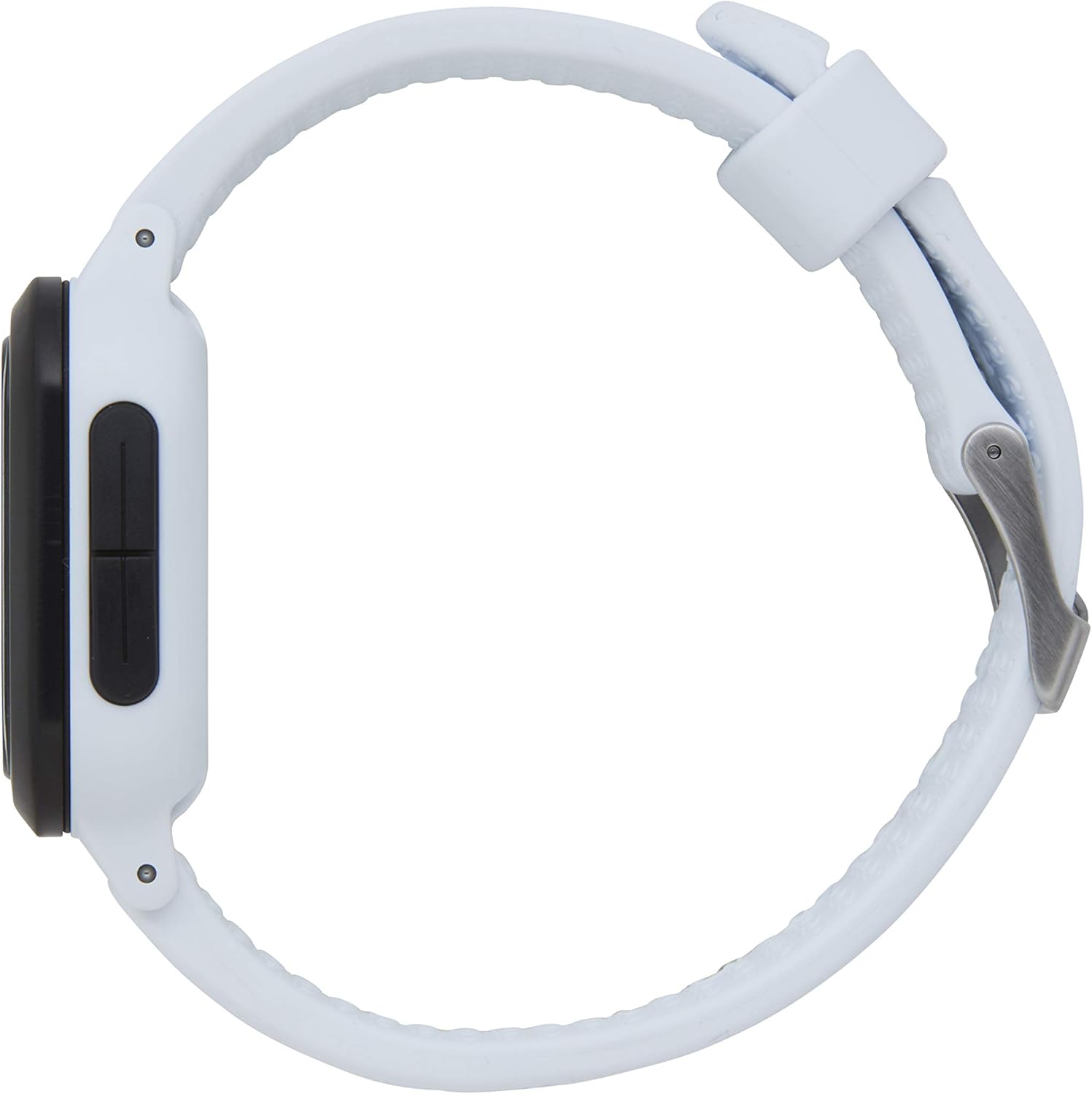
Mynd 3: Hliðarmaðurfile view of the Rip Curl A1139G-1000 Next Tide Watch. This image shows the watch's thickness and the design of the silicone strap as it wraps around the wrist, secured by the buckle.
Úrræðaleit
- Skjárinn er auður: The battery may be depleted. Replace the CR2032 battery (professional replacement recommended).
- Tíminn er rangur: Re-enter the Time Setting mode and adjust the time and date as described in the Setup section.
- Tide data is inaccurate: Ensure your tide location is correctly set or calibrated. Re-enter the Tide Setting mode and verify the settings. Local environmental factors can sometimes influence tide accuracy.
- Hnappar svara ekki: Ensure the watch is not in a locked mode (if applicable, though not specified for this model). If the issue persists, a battery replacement might be necessary, or contact support.
Tæknilýsing
| Gerðarnúmer | A1139G-1000 |
| Málsefni | ABS Fiber Reinforced Plastic |
| Málsstærð | 39 mm |
| Ól efni | Kísill |
| Ólbreidd | 22 mm |
| Bezel Efni | Gegnheilt ryðfrítt stál |
| Efni fyrir sylgju | 316L Marine-Grade Stainless Steel |
| Kristalefni | Hert steinefnakristall |
| Vatnsþol | 100m / 330ft |
| Tegund rafhlöðu | CR2032 |
| Rafhlöðuending | Um það bil 24 mánuðir |

Mynd 4: Til baka view of the Rip Curl A1139G-1000 Next Tide Watch. This image focuses on the watch's strap and the 316L marine-grade stainless steel buckle, which features the 'RIP CURL' logo.
Ábyrgð og stuðningur
For information regarding warranty coverage, please refer to the warranty card included with your purchase or visit the official Rip Curl website. For further assistance or technical support, please contact Rip Curl þjónustu við viðskiptavini í gegnum opinberar rásir þeirra.