
1. Inngangur
This manual provides detailed instructions for the installation, operation, and maintenance of your COOAU 4MP Wireless Security Camera, Model 827S-400. Designed for indoor use, this camera offers advanced features such as 4MP Ultra HD video, Pan/Tilt/Zoom (PTZ) functionality, two-way audio, and intelligent detection capabilities to enhance your home monitoring experience.
2. Vöru lokiðview
The COOAU 4MP Wireless Security Camera is a versatile indoor monitoring device. Familiarize yourself with its components and key features:
2.1 Íhlutir
- COOAU 4MP Wireless Security Camera Unit
- Rafmagns millistykki
- USB aflstrengur
- Festingarbúnaður (skrúfur, veggfestingar)
- Notendahandbók (þetta skjal)
2.2 Helstu eiginleikar
- 4MP Ultra HD myndband: Tekur skýrar og nákvæmar myndirtage.
- Hringja/halla/aðdráttur (PTZ): Býður upp á 360° lárétta og 120° lóðrétta snúning fyrir alhliða þekju.
- Tvíhliða hljóð: Innbyggður hljóðnemi og hátalari fyrir samskipti.
- Greind uppgötvun: Features sound detection, motion detection, and motion tracking with alerts.
- Aukin nætursjón: Provides clear monitoring in low-light conditions.
- Sveigjanleg geymsla: Supports local storage via Micro SD card (up to 128GB, not included) and cloud storage options.
- Alexa eindrægni: Integrates with Amazon Alexa for voice control.

Image: The COOAU 4MP Wireless Security Camera, highlighting its compact design and key functionalities like 360-degree coverage and 4MP HD view.
3. Uppsetning
Follow these steps to set up your COOAU Wireless Security Camera:
3.1 Uppsetning forrita
- Scan the QR code provided in the camera's packaging or search for "MIPC" in your device's app store (Apple App Store for iOS or Google Play Store for Android).
- Sæktu og settu upp MIPC appið.
- Opnaðu appið og stofnaðu nýjan notandareikning eða skráðu þig inn ef þú ert nú þegar með einn.
3.2 Rafmagnstenging
- Tengdu USB-snúruna við rafmagnstengi myndavélarinnar.
- Stingdu straumbreytinum í venjulega rafmagnsinnstungu.
- The camera will power on and initiate its startup sequence. Wait for a voice prompt indicating it's ready for connection.
3.3 Network Configuration (Wi-Fi)
- In the MIPC app, tap the '+' icon to add a new device.
- Select the camera type (e.g., "Wireless IP Camera").
- Choose "Wi-Fi connection" as the network connection method.
- Follow the on-screen instructions to enter your Wi-Fi network details (SSID and password).
- The app may instruct you to scan a QR code displayed on your phone with the camera, or to place your phone near the camera for sound pairing.
- Once connected, you will hear a confirmation sound from the camera, and the app will indicate successful addition.
- Set a new password for the camera for security purposes.
Video: Demonstrates the indoor camera connection steps, including app installation, power connection, and Wi-Fi setup.
3.4 Uppsetning myndavélarinnar
The camera can be placed on a flat surface or mounted to a ceiling. Use the provided mounting accessories for ceiling installation. Ensure the camera is positioned to cover the desired monitoring area.
4. Notkunarleiðbeiningar
Learn how to utilize the various features of your COOAU camera:
4.1 Í beinni View og PTZ-stýring
- Open the MIPC app and select your camera from the device list to access the live video feed.
- Use the on-screen controls to pan (rotate horizontally up to 355°), tilt (move vertically up to 120°), and digitally zoom the camera view.
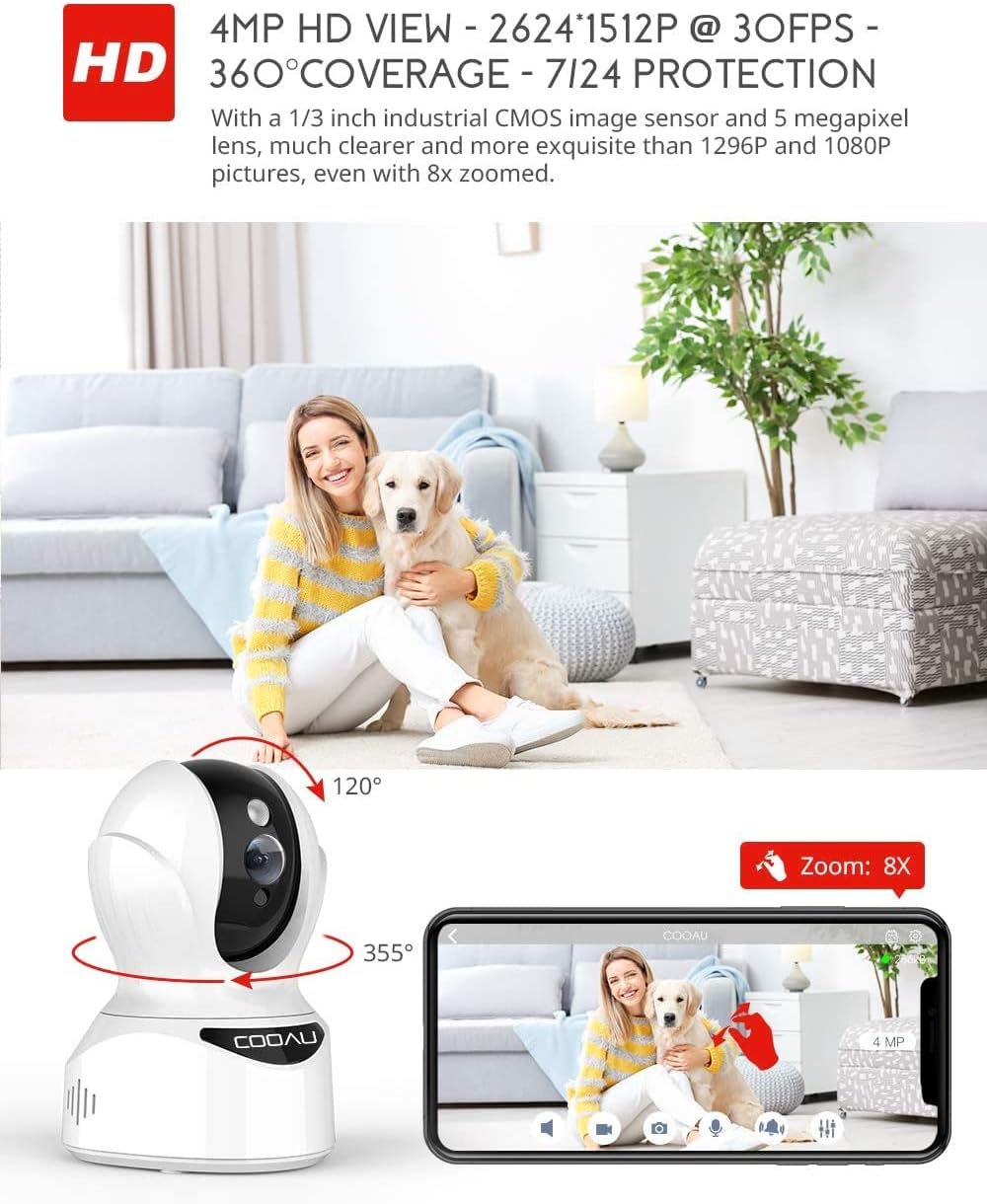
Image: Illustrates the camera's Pan/Tilt capabilities, offering 355° horizontal and 120° vertical rotation for comprehensive room coverage.
4.2 Tvíhliða hljóð
- Meðan í beinni view, pikkaðu á hljóðnematáknið í appinu til að tala í gegnum hátalara myndavélarinnar.
- Innbyggði hljóðneminn í myndavélinni gerir þér kleift að heyra hljóð frá staðsetningu myndavélarinnar.

Image: Depicts the two-way audio feature, enabling clear communication through the camera's built-in anti-noise and echo cancellation microphone and speaker.
4.3 Intelligent Detection and Alerts
- Access the camera settings in the MIPC app to configure motion detection, sound detection, and motion tracking.
- Enable push notifications to receive alerts on your smartphone when activity is detected.
- Motion tracking allows the camera to automatically follow moving objects within its field of view.
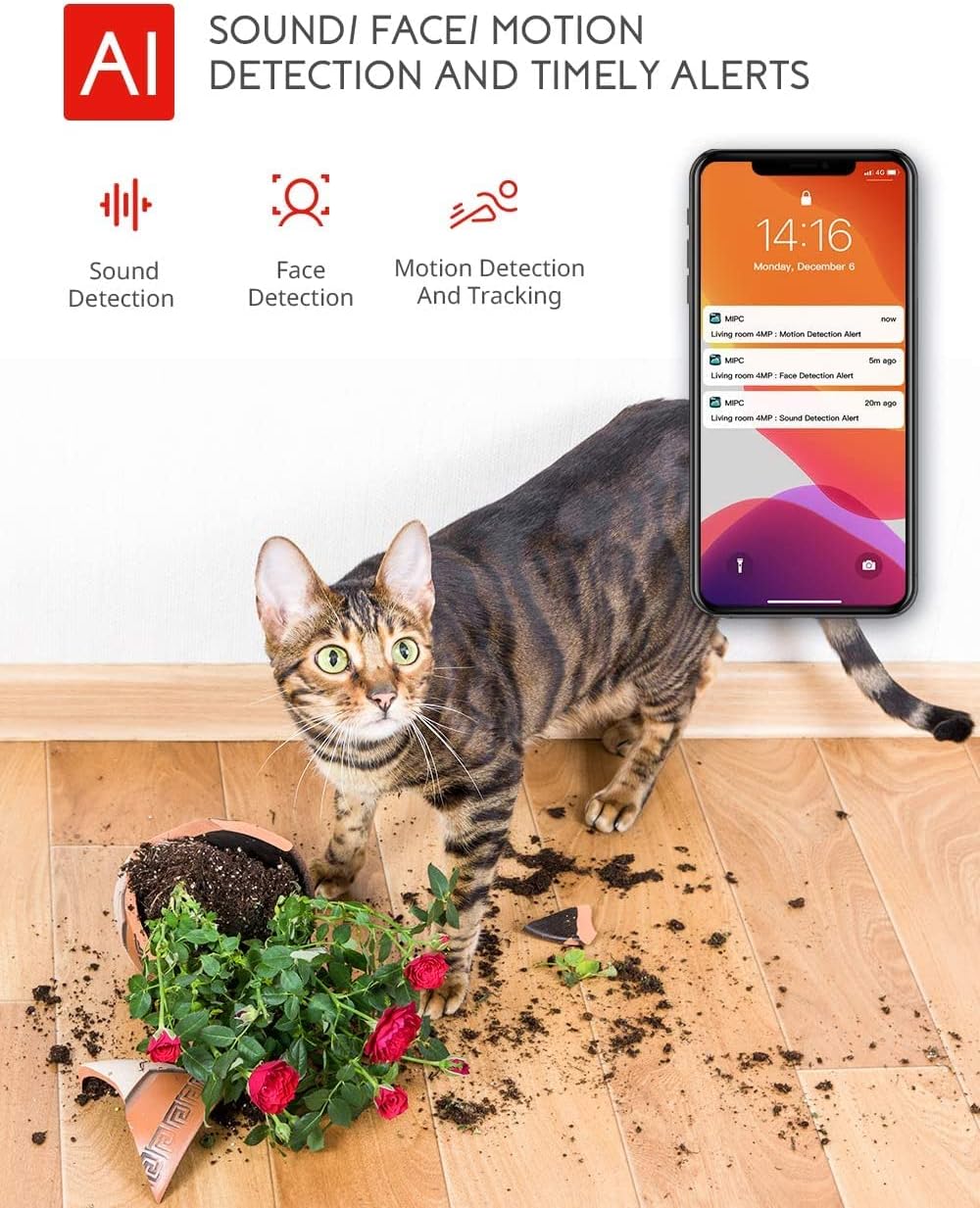
Image: Highlights the AI-powered sound, face, and motion detection features, with timely alerts sent to your smartphone.
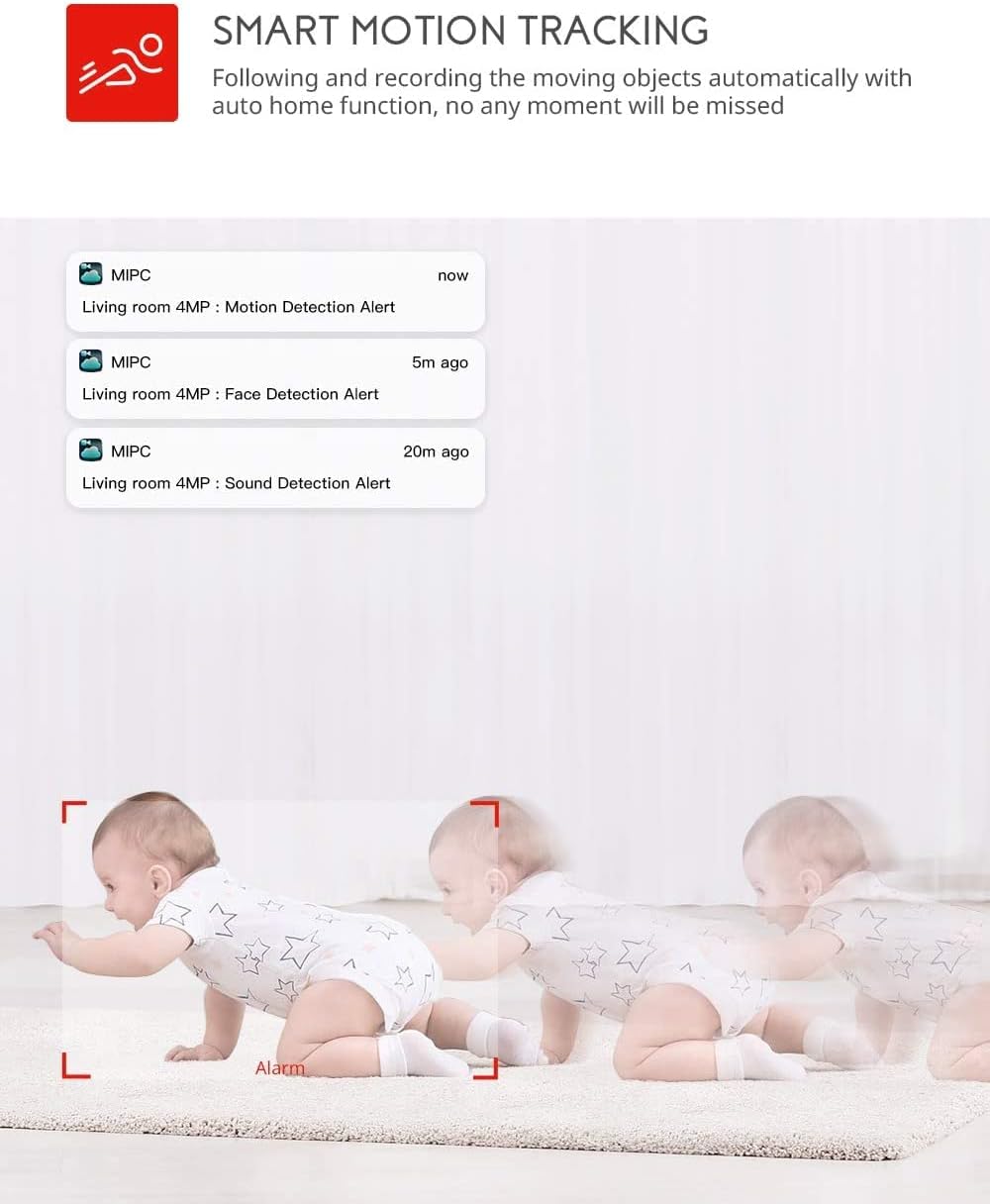
Image: Illustrates the smart motion tracking feature, where the camera automatically follows and records moving objects.
4.4 Nætursjón
- Myndavélin skiptir sjálfkrafa yfir í nætursjónarstillingu við litla birtu.
- This feature provides clear black and white video footage without additional light sources.
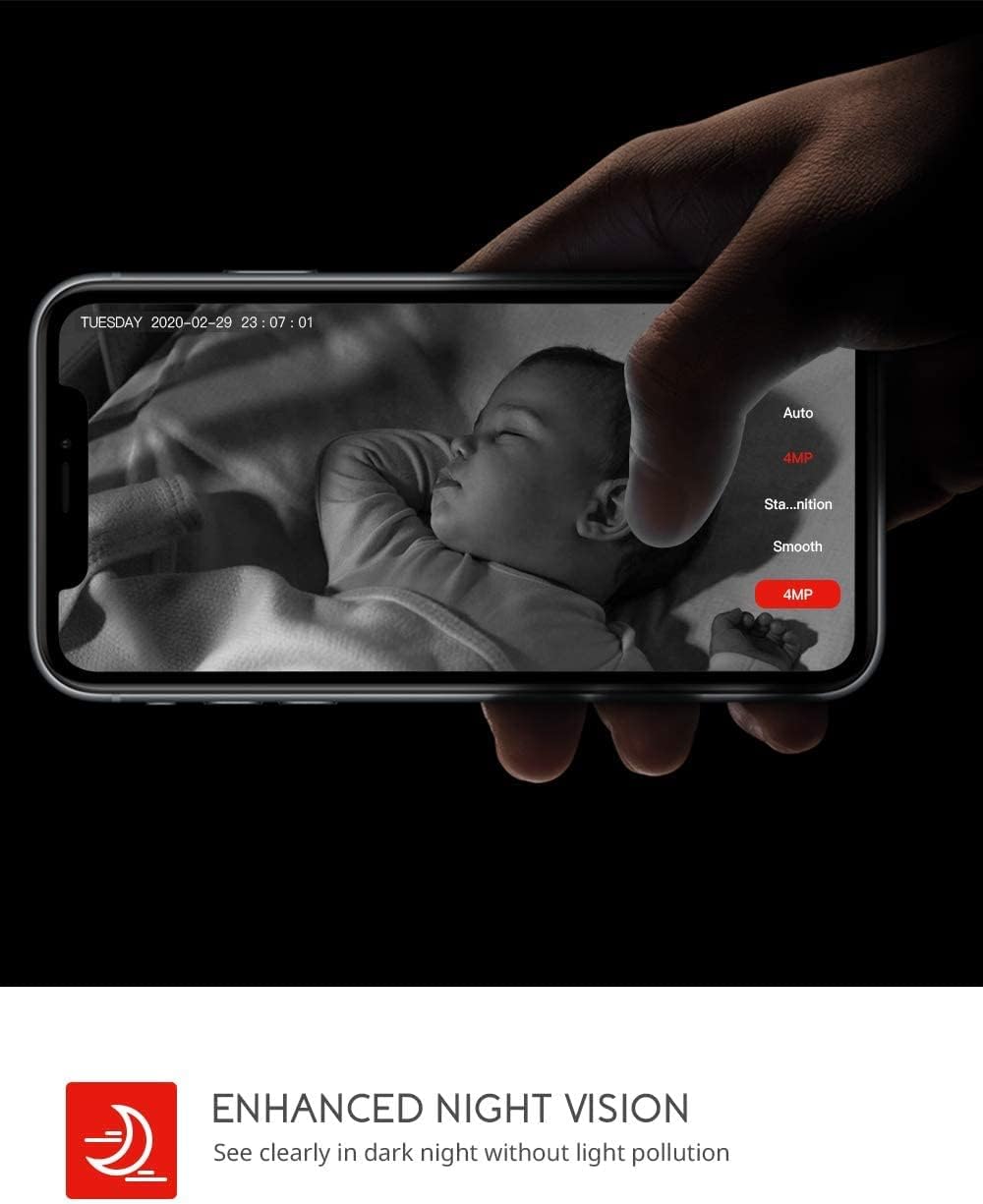
Image: Demonstrates the enhanced night vision capability, providing clear visibility in dark environments.
4.5 Geymsluvalkostir
- Micro SD kort: Insert a Micro SD card (up to 128GB, Class 10 or higher recommended) into the designated slot for local video recording.
- Skýgeymsla: The MIPC app offers optional cloud storage services for secure off-site backup of your recordings.
4.6 Multi-User Support
- Share camera access with family members or trusted individuals through the MIPC app.
- This allows multiple users to view the live feed and receive alerts simultaneously.

Image: Illustrates the camera's support for multiple devices and users, allowing footage sharing across various platforms.
5. Viðhald
Rétt viðhald tryggir langlífi og bestu mögulegu afköst myndavélarinnar:
- Þrif: Notið mjúkan, þurran klút til að þrífa myndavélarlinsuna og húsið. Forðist slípiefni eða leysiefni.
- Staðsetning: Gakktu úr skugga um að myndavélin sé staðsett á stöðugum stað, fjarri beinu sólarljósi, hitagjöfum og miklum raka.
- Hugbúnaðaruppfærslur: Regularly check the MIPC app for firmware updates to ensure your camera has the latest features and security enhancements.
- Aflgjafi: Notið aðeins upprunalega straumbreytinn sem fylgir myndavélinni.
6. Bilanagreining
Ef þú lendir í vandræðum með myndavélina þína skaltu skoða eftirfarandi algeng vandamál og lausnir:
| Vandamál | Lausn |
|---|---|
| Myndavélin tengist ekki við Wi-Fi. | Ensure your Wi-Fi password is correct. Check if the camera is within range of your Wi-Fi router. Reset the camera by pressing the reset button for 1 second and try connecting again. Ensure your router is 2.4GHz compatible. |
| Léleg myndgæði. | Check your internet connection speed. Ensure the camera lens is clean. Adjust the video resolution settings in the MIPC app. |
| Hreyfiskynjun virkar ekki. | Verify that motion detection is enabled in the app settings. Adjust the sensitivity level. Ensure there are no obstructions blocking the camera's view. |
| Tvíhliða hljóð er óljóst. | Ensure your phone's volume is up. Check for any interference or background noise near the camera or your phone. |
| Camera is offline. | Check the power connection to the camera. Verify your Wi-Fi network is active and stable. Restart the camera and your router. |
7. Tæknilýsing
Detailed technical specifications for the COOAU 4MP Wireless Security Camera (Model 827S-400):
| Eiginleiki | Forskrift |
|---|---|
| Gerðarnúmer | 827S-400 |
| Árangursrík kyrrupplausn | 4 MP |
| Árangursrík myndbandsupplausn | 4 MP |
| Tengitækni | Þráðlaust (Wi-Fi) |
| Inni/úti notkun | Innandyra |
| Sérstakir eiginleikar | Motion Sensor, Sound Detection, Motion Tracking, 2-Way Audio, Night Vision |
| Gerð stjórnanda | Amazon Alexa |
| Tegund festingar | Loftfesting |
| Geymsluvalkostir | Cloud/SD Storage (up to 128GB) |
| Rammahlutfall | 30 fps |
| Stærðir hlutar | 3.35 x 3.35 x 4.72 tommur |
| Aflgjafi | AC/DC |
| GTIN / UPC | 889328768553 |
8. Ábyrgð og stuðningur
For warranty information or technical support, please contact COOAU customer service. You can reach us via:
- Opinber pósthólf: info@cooau.net
- Opinber Facebook: COOAU Official