
1. Inngangur
This manual provides detailed instructions for the installation, operation, and maintenance of your GREATHTEK 1x4 HDMI Extender Splitter. This device is designed to extend HDMI audio/video signals to multiple displays over Cat5e/Cat6/Cat7 Ethernet cables, supporting resolutions up to 1080P@60Hz over distances up to 50 meters (165 feet).
Vinsamlegast lesið þessa handbók vandlega áður en varan er notuð til að tryggja rétta uppsetningu og bestu mögulegu virkni. Geymið þessa handbók til síðari viðmiðunar.
2. Vörueiginleikar
- Lengri sendisvið: Extends HDMI audio/video signals up to 50 meters (165 feet) at 1080p@60Hz using Cat5e/Cat6/Cat7 Ethernet cables.
- Hljóðstuðningur: Supports surround sound up to 7.1-channel or stereo digital audio.
- HDCP samræmi: Compatible with HDCP compliant devices and content.
- Einföld uppsetning: Driver-free setup with automatic signal feedback, equalization, and amplification.
- Varanlegur hönnun: Features a surface-mountable metal housing for durability and reduced EMI/RFI noise interference.
- EDID stjórnun: EDID copy function recognizes display device parameters for optimal source matching.
- Power Over Cable (POC): Only one power adapter is required at the transmitter (TX) unit to power the entire system, simplifying installation.
- Hár eindrægni: Built-in automatic adjustment and ESD protection systems ensure stable and clear transmission quality across various display devices.
- Fjölhæf forrit: Suitable for education, outdoor/indoor LED displays, video conferencing, multimedia home theaters, and more.

Image: The GREATHTEK HDMI Extender Splitter showcasing its key features: 50-meter extension, 1080P@60Hz support, and Power Over Cable (POC) functionality.
3. Innihald pakka
Vinsamlegast staðfestu að allir hlutir sem taldir eru upp hér að neðan séu innifaldir í pakkanum þínum:
- 1x HDMI 1x4 Extender Transmitter Unit
- 4x HDMI Extender Receiver Units
- 1x straumbreytir (DC 12V)
- 1x Notendahandbók
- 1x ábyrgðarkort
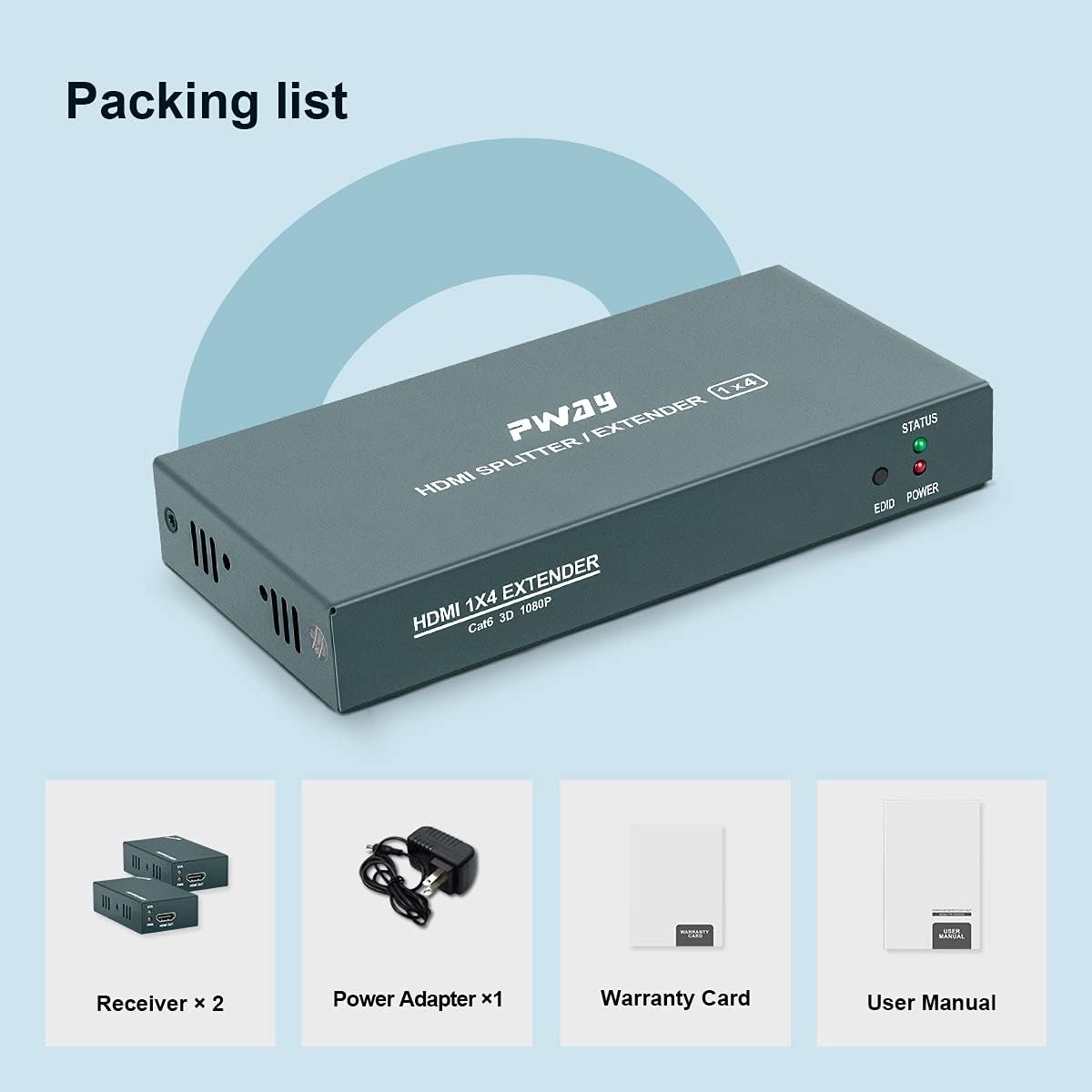
Image: Visual representation of the package contents, including the main extender unit, four receiver units, power adapter, user manual, and warranty card.
4. Uppsetningarleiðbeiningar
Follow these steps to set up your HDMI Extender Splitter:
- Tengdu HDMI uppsprettu: Connect your HDMI source device (e.g., PC, TV Box, DVD player, game console) to the HDMI IN port on the Transmitter Unit using a high-quality HDMI cable.
- Tengdu Ethernet snúrur: Connect Cat5e/Cat6/Cat7 Ethernet cables from the Cat6 output ports on the Transmitter Unit to the Cat6 input ports on each of the four Receiver Units. Ensure the cables are securely plugged in.
- Tengdu HDMI skjái: Connect each Receiver Unit to its respective HDMI display (e.g., TV, monitor) using high-quality HDMI cables.
- Kveikt á: Connect the provided DC 12V power adapter to the Transmitter Unit. Due to the Power Over Cable (POC) function, the Receiver Units will draw power directly from the Transmitter Unit via the Ethernet cables and do not require separate power adapters.
- Staðfestu tengingu: Once all connections are made and power is supplied, check the STATUS and POWER indicator lights on both the Transmitter and Receiver units. A stable light indicates a successful connection.

Image: A detailed connection diagram illustrating how to connect the HDMI source to the transmitter, the transmitter to multiple receivers via Cat5e/6/7 cables, and each receiver to a display.
5. Notkunarleiðbeiningar
After successful setup, operating the HDMI Extender Splitter is straightforward:
- Kveikt á tækjum: Ensure your HDMI source device and all connected displays are powered on.
- Upprunaval: Select the correct HDMI input on your displays to view the content from the HDMI source.
- Sjálfvirk stilling: The extender splitter features an automatic adjustment system that optimizes the signal quality based on cable length and display characteristics. No manual configuration is typically required for video output.
- EDID stjórnun: The EDID copy function automatically detects and matches the display's EDID information to the source, ensuring compatibility and optimal resolution.
- Gaumljós:
- POWER LED (Transmitter): Illuminates when the unit receives power.
- STATUS LED (Transmitter/Receivers): Illuminates when a stable HDMI signal is detected and transmitted/received.
- EDID LED (Transmitter): Indicates EDID status.

Mynd: Nærmynd view of the indicator lights on the extender unit, showing the STATUS, EDID, and POWER LEDs.
6. Viðhald
To ensure the longevity and optimal performance of your GREATHTEK HDMI Extender Splitter, follow these maintenance guidelines:
- Þrif: Use a soft, dry cloth to clean the exterior of the units. Do not use liquid cleaners or aerosols, as they may damage the device.
- Loftræsting: Gangið úr skugga um að tækin séu staðsett á vel loftræstum stað til að koma í veg fyrir ofhitnun. Ekki loka neinum loftræstiopum.
- Kapalstjórnun: Keep all cables neatly organized and avoid sharp bends or excessive tension, which can damage the cables or ports.
- Umhverfisskilyrði: Operate the device within recommended temperature and humidity ranges. Avoid extreme temperatures or direct sunlight.
- Rafmagnstenging: Disconnect the power adapter from the main unit if the device will not be used for an extended period.
7. Bilanagreining
If you encounter issues with your HDMI Extender Splitter, refer to the following troubleshooting steps:
| Vandamál | Möguleg orsök | Lausn |
|---|---|---|
| Engin myndútgangur á skjánum. |
|
|
| Flickering or unstable video. |
|
|
| Ekkert hljóð. |
|
|
| STATUS LED not lit on receiver. |
|
|
If the problem persists after trying these solutions, please contact GREATHTEK customer support for further assistance.
8. Tæknilýsing
| Eiginleiki | Smáatriði |
|---|---|
| Gerðarnúmer | PW-HT226P4 |
| HDMI útgáfa | Supports 1080P@60Hz, 3D |
| Sendingarfjarlægð | Up to 50m (165ft) over Cat5e/Cat6/Cat7 cable |
| Stutt hljóðsnið | 7.1-channel surround sound, stereo digital audio |
| HDCP samræmi | Já |
| EDID stjórnun | EDID Copy function |
| Aflgjafi | DC 12V (Transmitter only, POC for receivers) |
| Húsnæðisefni | Málmur |
| Þyngd | 0.91 Kilograms (Total package weight) |
| Vottanir | FCC, CE, RoHS samhæft |
9. Upplýsingar um ábyrgð
This GREATHTEK product comes with a limited warranty. Please refer to the included Warranty Card in your package for specific terms, conditions, and duration of the warranty. Retain your proof of purchase for any warranty claims.
10. Þjónustudeild
For technical assistance, troubleshooting beyond this manual, or warranty inquiries, please contact GREATHTEK customer support. Contact information can typically be found on the product packaging, the included warranty card, or the official GREATHTEK websíða.
"Please don’t hesitate to contact with us if you have any questions on our product, we will provide you a satisfied solution on time."