Inngangur
The Aluratek 2K HD Webcam (Model AWC2KF) is designed to provide high-quality video and audio for your communication needs. Featuring 2K HD resolution, dual stereo noise-cancelling microphones, auto-focus, and automatic low-light correction, this webcam ensures clear visuals and crisp audio for video calls, recordings, and live streaming. Its plug-and-play design offers universal compatibility with various operating systems and popular video conferencing applications.
Helstu eiginleikar
- Full HD 2K Video: Delivers high-resolution video for clear and detailed visuals during calls, webinars, and recordings.
- Dual Stereo Noise-Cancelling Microphones: Captures clear audio while reducing background noise, ensuring your voice is heard distinctly.
- Automatic Low-Light Correction: Adjusts color and brightness automatically to maintain natural lighting conditions, even in dimly lit environments.
- Sjálfvirkur fókus: Ensures a sharp and clear image by automatically adjusting the focus.
- Wide 80-Degree Angle: Tekur á breitt svið af view without distortion, suitable for individual or group presentations.
- Built-in Tripod Mount: Offers versatile mounting options for stability and optimal positioning.
- Plug-n-Play Ready: Requires no driver installation for quick and easy setup.
Innihald pakka
- Aluratek 2K HD Webcam (AWC2KF)
- USB snúra (meðfylgjandi)
- Leiðbeiningar um hraða notkun (ekki innifaldar í þessari handbók)
Uppsetning
The Aluratek 2K HD Webcam is designed for simple plug-and-play installation, requiring no additional drivers for most operating systems.
Uppsetning á Webkambur
The webcam features a versatile mounting clip that allows it to be securely placed on various surfaces:
- On a Laptop or Monitor: Gently open the universal mounting clip and place the webcam on top of your laptop screen or desktop monitor. Ensure the front lip of the clip rests securely on the top edge of the screen, and the rear part of the clip is pressed against the back of the screen for stability.
- On a Table Surface: Fold the universal mounting clip to create a stable stand, allowing the webcam to sit upright on any flat surface.
- Á þrífóti: The webcam includes a built-in tripod mount (6 mm / .25 in. screw) on the bottom of the clip, enabling attachment to standard tripods for more flexible positioning.

Mynd 1: Ítarleg view af webcam's components and mounting features.

Mynd 2: Webcam securely mounted on a laptop.
Tengist tölvunni þinni
Connect the integrated USB cable from the webcam to an available USB port on your computer. The webcam is plug-and-play, meaning your operating system (Windows or macOS) should automatically detect and install the necessary drivers. No manual driver installation is typically required.
Einu sinni tengdur, the webcam is ready for use with your preferred video conferencing or recording software.
Notkunarleiðbeiningar
The Aluratek 2K HD Webcam is designed for seamless integration with various applications for video communication and content creation.
Using with Video Conferencing Software
The webcam is compatible with popular video calling clients such as Skype, Zoom, WeChat, Google Hangouts, Microsoft Teams, GoToMeeting, and more. To use the webkambur:
- Launch your desired video conferencing application (e.g., Zoom, Skype).
- Navigate to the application's settings or preferences, usually found under "Audio & Video" or "Camera/Microphone" settings.
- Select "Aluratek 2K HD Web„cam“ sem myndinntakstæki.
- Select "Aluratek 2K HD Web„cam“ eða svipaða færslu og hljóðneminntakstækið þitt.
- Adjust any additional settings within the application, such as video resolution or mirror effects, as desired.

Mynd 3: Webcam in use for video conferencing.
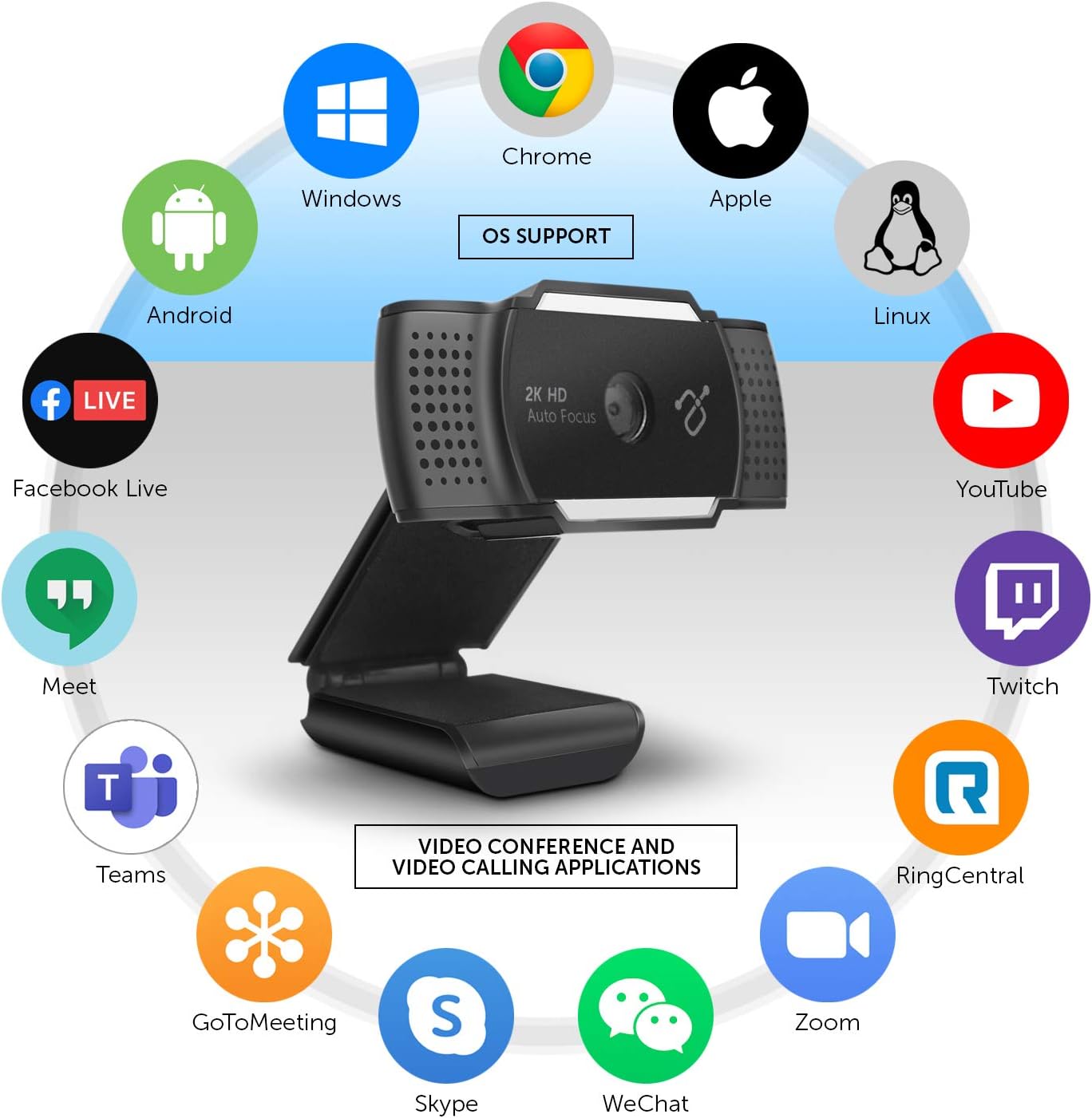
Figure 4: Operating System and Application Compatibility.
Adjusting the Integrated Light
The Aluratek 2K HD Webcam features an integrated light with three adjustable brightness levels to enhance your visibility in various lighting conditions. To cycle through the brightness settings:
- Fyrsta pressa: Activates the lowest brightness setting.
- Önnur pressa: Increases to medium brightness.
- Þriðja pressa: Activates the highest brightness setting.
- Fjórða pressa: Slekkur ljósið.
This feature is particularly useful for improving image quality in low-light environments or for adding fill light to your face.

Mynd 5: Framan view af webcam, highlighting the integrated light.
The camera eye can also be adjusted up to 30 degrees to perfectly frame your face or desired area.
Viðhald
To ensure the longevity and optimal performance of your Aluratek 2K HD Webmyndavél, fylgdu þessum einföldu viðhaldsleiðbeiningum:
- Þrif á linsunni: Use a soft, lint-free cloth specifically designed for optics to gently wipe the camera lens. Avoid abrasive materials or harsh cleaning chemicals, which can scratch or damage the lens.
- Hreinsun líkamans: Þurrkaðu að utan webkambur með mjúkri, damp cloth. Do not use excessive moisture or allow water to enter any openings.
- Geymsla: Þegar það er ekki í notkun, geymið webGeymið myndavélina á hreinum, þurrum stað fjarri miklum hita og beinu sólarljósi.
- Kapalumhirða: Avoid bending or crimping the USB cable excessively, as this can damage the internal wires.
- Persónuvernd: Utilize the integrated privacy lens cover when the webcam is not in use to protect the lens from dust and ensure privacy.
Úrræðaleit
If you encounter issues with your Aluratek 2K HD Webmyndavél, vísaðu til eftirfarandi algengra skrefa í bilanaleit:
No Image or Video
- Athugaðu USB tengingu: Tryggðu að webcam's USB cable is securely plugged into a working USB port on your computer. Try a different USB port.
- Endurræsa forrit/tölvu: Close and reopen your video conferencing application. If the issue persists, restart your computer.
- Verify Camera Selection: In your application's video settings, confirm that "Aluratek 2K HD Webcam" is selected as the active camera device.
- Check Privacy Settings: On Windows, go to Stillingar > Persónuvernd > Myndavél and ensure "Allow apps to access your camera" is enabled. On macOS, go to System Preferences > Security & Privacy > Camera and ensure your application has camera access.
- Persónuvernd: Ensure the physical privacy lens cover is open and not obstructing the lens.
Poor Image Quality (Blurry, Dark, Grainy)
- Lýsing: Ensure adequate lighting in your environment. Utilize the webcam's integrated light by pressing the button on top of the webcam to cycle through brightness levels.
- Hrein linsa: Hreinsaðu varlega webÞurrkaðu myndavélarlinsuna með mjúkum, lólausum klút.
- Sjálfvirkur fókus: The webcam features auto-focus. Ensure there are no obstructions in front of the lens that might interfere with focusing.
- Stillingar forrita: Check if your application's video settings allow for resolution adjustments. Higher resolutions require more bandwidth.
Ekkert hljóð eða léleg hljóðgæði
- Verify Microphone Selection: In your application's audio settings, confirm that "Aluratek 2K HD Webcam" or a similar entry is selected as the active microphone device.
- Check Microphone Levels: Adjust the microphone input level in your computer's sound settings (Windows: Sound Settings > Sound Control Panel > Recording; macOS: Kerfisstillingar > Hljóð > Inntak).
- Persónuverndarstillingar: On Windows, go to Settings > Privacy > Microphone and ensure "Allow apps to access your microphone" is enabled. On macOS, go to System Preferences > Security & Privacy > Microphone and ensure your application has microphone access.
- Umhverfishávaði: Á meðan webcam has noise-cancelling microphones, excessive background noise can still affect audio quality. Try to minimize ambient sounds.
Tæknilýsing
| Fyrirmynd | AWC2KF |
| Myndbandsupplausn | 2592x1944 (2K HD) |
| Ljósmyndaskynjaratækni | CMOS |
| Svið af View | 80 gráður |
| Hljóðnemar | Dual Stereo Noise Cancelling |
| Sérstakir eiginleikar | Auto Focus, Low Light Correction, Built-in Tripod Mount |
| Tengitækni | USB |
| Vélbúnaðarvettvangur | Mac, PC, fartölva |
| Mál (LxBxH) | 1.25 x 1.25 x 1.25 tommur |
| Þyngd hlutar | 1 eyri |
Ábyrgð og stuðningur
For warranty information and technical support, please refer to the official Aluratek webvefsíðu eða hafðu samband við þjónustuver þeirra beint. Geymdu kaupkvittunina sem sönnun fyrir kaupum ef þú vilt gera kröfu um ábyrgð.
Aluratek Support: www.aluratek.com/support