
1. Inngangur
The Ducky Feather Lightweight Gaming Mouse is engineered for precision and speed, featuring the PixArt PMW3389DM optical sensor. Designed for both left and right-handed users, this mouse weighs approximately 65g and utilizes durable Omron switches for reliable performance. This manual provides essential information for setting up, operating, maintaining, and troubleshooting your Ducky Feather gaming mouse.
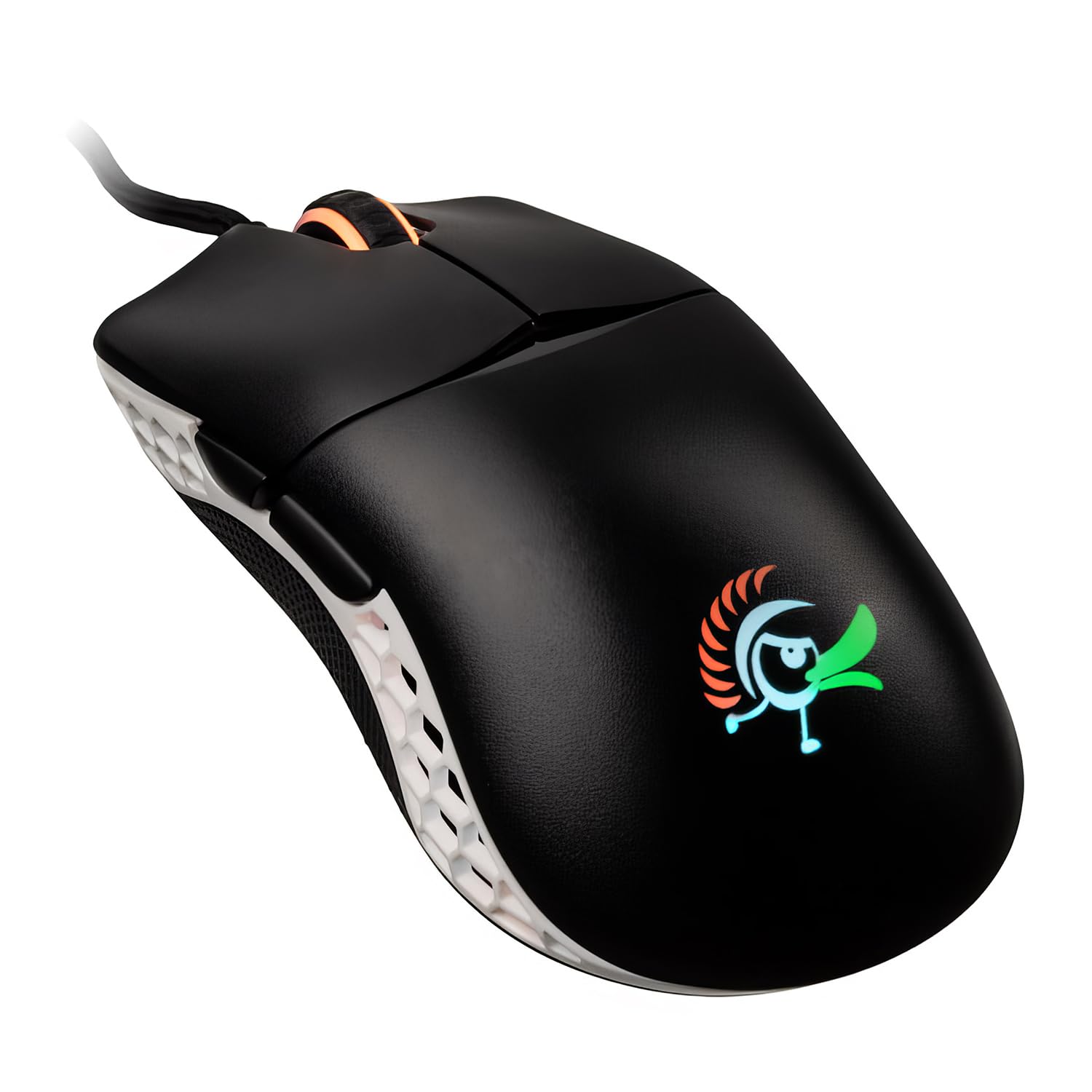
Image: The Ducky Feather Lightweight Gaming Mouse, showcasing its ergonomic design and lightweight build.
2. Innihald pakka
Vinsamlegast staðfestu að allir hlutir séu í pakkanum þínum:
- Ducky Feather Lightweight Gaming Mouse
- USB tengi snúru
- Notendahandbók (þetta skjal)
3. Uppsetning
Follow these steps to set up your Ducky Feather gaming mouse:
- Tengdu músina: Plug the USB connection cable from the Ducky Feather mouse into an available USB port on your computer.
- Uppsetning ökumanns: The mouse is typically plug-and-play and does not require additional drivers for basic functionality. Your operating system should automatically detect and install the necessary drivers.
- Hugbúnaður (valfrjálst): For advanced customization, such as DPI settings, button remapping, and macro creation, please visit the official Ducky website to download any available software for the Feather mouse.
Video: A detailed guide on setting up and configuring the Ducky Feather Gaming Mouse (1:39 duration).
4. Notkunarleiðbeiningar
The Ducky Feather mouse offers intuitive controls for an optimized gaming experience:
- DPI leiðrétting: Use the dedicated DPI button (usually located behind the scroll wheel) to cycle through different sensitivity levels. The mouse may have an indicator light to show the current DPI setting.
- Forritanlegir hnappar: The mouse features multiple buttons, including side buttons. These can often be customized using the Ducky software to perform specific functions or macros.
- Ambidextrous hönnun: The symmetrical design allows comfortable use for both left and right-handed users. Ensure any software settings are adjusted to match your preferred hand orientation if applicable.
Myndband: Yfirview of the Ducky Feather Gaming Mouse features and basic operation (0:33 duration).
5. Viðhald
Proper maintenance ensures the longevity and performance of your Ducky Feather mouse:
- Þrif á skynjaranum: Periodically clean the optical sensor on the underside of the mouse with a soft, dry cloth or a cotton swab. Avoid using harsh chemicals.
- Hreinsun yfirborðsins: Wipe the mouse surface with a slightly damp, soft cloth. Do not immerse the mouse in water or use abrasive cleaners.
- Kapalumhirða: Forðist skarpar beygjur eða of mikla togkraft í USB snúruna til að koma í veg fyrir skemmdir.
- Geymsla: Geymið músina á hreinum og þurrum stað þegar hún er ekki í notkun.
6. Bilanagreining
If you encounter issues with your Ducky Feather mouse, refer to the following common solutions:
| Vandamál | Möguleg lausn |
|---|---|
| Mús fannst ekki |
|
| Óregluleg hreyfing bendils |
|
| Hnappar svara ekki |
|
7. Tæknilýsing
Key technical specifications for the Ducky Feather Lightweight Gaming Mouse:
- Gerðarnúmer: DMFE20O-OAZPA7V
- Skynjari: PixArt PMW3389DM Optical Sensor
- Rofar: Omron (60M click lifespan)
- Þyngd: Um það bil 2.29 únsur (65 g)
- Stærðir: 4.88 x 2.32 x 1.42 tommur
- Tengingar: USB
- Sérstakur eiginleiki: Lightweight, Ambidextrous Design
- Litur: Svartur, hvítur
- Framleiðandi: Duckychannel International Co., Ltd.
- ASIN: B0928GLWYS
8. Ábyrgð og stuðningur
Ducky products are manufactured to high-quality standards. For warranty information, technical support, or to access additional resources, please visit the official Ducky websíðuna eða hafið samband við næsta söluaðila.
Þú getur líka heimsótt Ducky Store on Amazon for product information and customer service.