
Redzeo BH510A
Redzeo MDots Wireless Earbuds Instruction Manual
Gerð: BH510A
Inngangur
Thank you for choosing Redzeo MDots Wireless Earbuds. This manual provides detailed instructions on how to set up, operate, maintain, and troubleshoot your new earbuds. Please read this manual carefully before use to ensure optimal performance and longevity of your device.
Innihald pakka
- Redzeo MDots Wireless Earbuds (Left and Right)
- Þráðlaus hleðslutaska
- USB hleðslusnúra
- Margar stærðir af eyrnatöppum (S/M/L)
- Multiple Sizes of Earwings (S/M/L)
- Notendahandbók
Uppsetning
1. Upphafleg hleðsla
Fyrir fyrstu notkun skal hlaða hleðsluhulstrið og eyrnatólin að fullu.
- Settu eyrnatólin í hleðsluhulstrið. Gakktu úr skugga um að þau séu rétt sett í viðeigandi raufar.
- Tengdu USB hleðslusnúruna við hleðslutengið á hulstrinu og hinn endann við USB-aflgjafa (t.d. tölvu, veggtengi).
- The indicator light on the charging case will show charging status. A full charge for the case takes approximately 2.0 hours. The earbuds provide 4.0 hours of playback per charge, and the case provides up to 4 full charges, totaling 20 hours of enjoyment.

Image: The Redzeo MDots earbuds and charging case, illustrating the 20 hours total playtime with the case, 4.0 hours playback per earbud charge, and 2.0 hours to fully charge the case.
2. Pörun við tækið þitt
Eyrnatólin fara sjálfkrafa í pörunarstillingu þegar þau eru tekin úr hleðsluhulstrinu.
- Opnaðu hleðsluhulstrið og fjarlægðu bæði eyrnatólin. Þau munu kvikna sjálfkrafa og reyna að tengjast hvort öðru.
- Farðu í Bluetooth-stillingarnar á Bluetooth-tækinu þínu (snjallsíma, spjaldtölvu o.s.frv.).
- Leitaðu að new devices and select "Redzeo MDots" from the list.
- Þegar tengingin er komin upp heyrirðu staðfestingartón og eyrnatólin eru tilbúin til notkunar.

Image: The Redzeo MDots wireless earbuds resting inside their open charging case, ready for pairing or charging.
3. Að setja upp eyrnatappa
For optimal sound quality and comfort, choose the correct size of eartips and earwings.
- Experiment with the different sizes of eartips (S/M/L) to find the best seal for your ear canal. A good seal is crucial for bass response and noise isolation.
- Select the appropriate earwings (S/M/L) that fit snugly into your ear's concha, providing stability during movement.
- Gently insert the earbuds into your ears and twist slightly until they feel secure and comfortable.
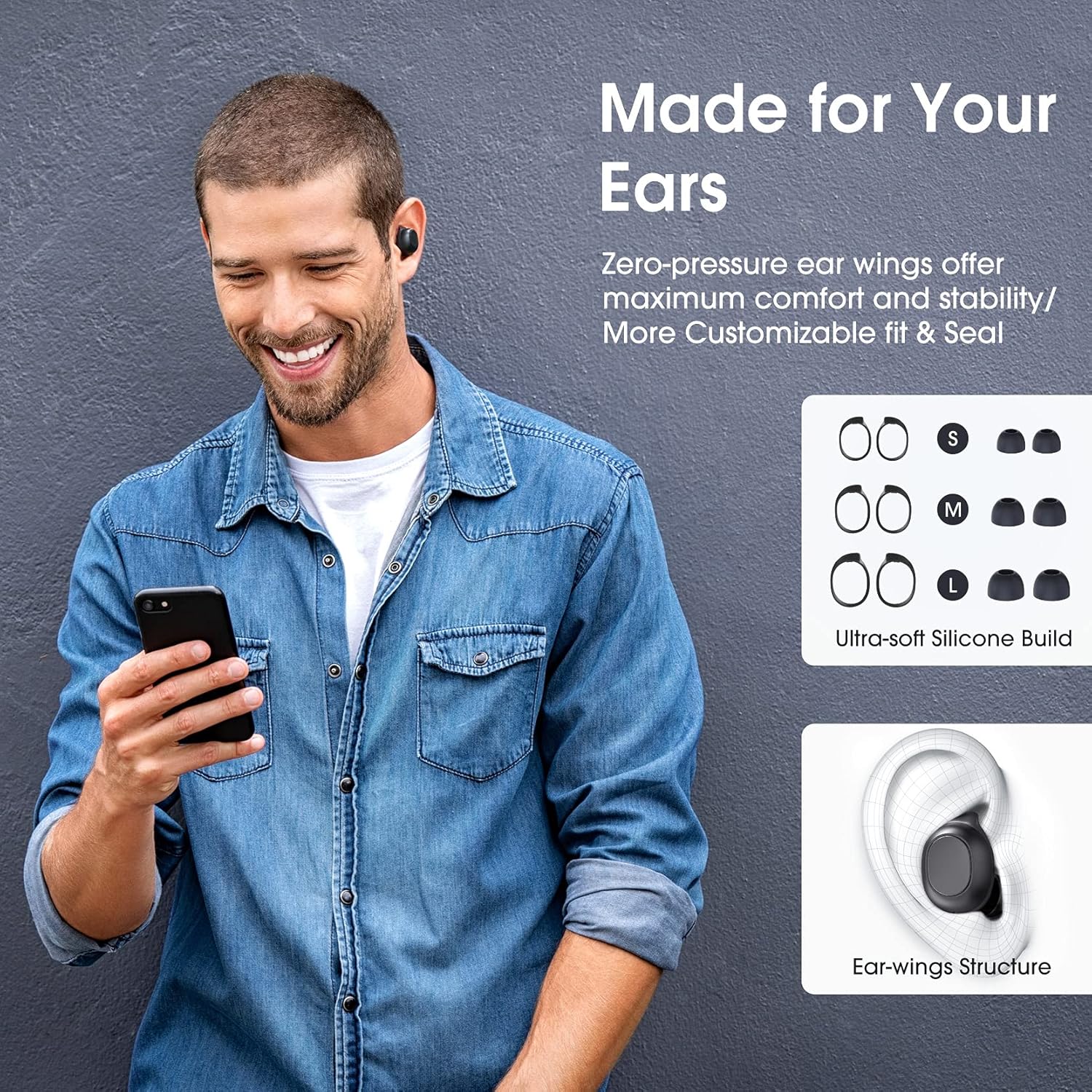
Image: A man wearing the Redzeo MDots earbuds, demonstrating their comfortable fit. The image also shows diagrams of various earwing sizes (S, M, L) and an illustration of how the earwing structure fits into the ear for maximum comfort and stability.
Notkunarleiðbeiningar
Hnappastýringar
The Redzeo MDots earbuds feature two easy-to-press buttons on each earbud for comprehensive control.
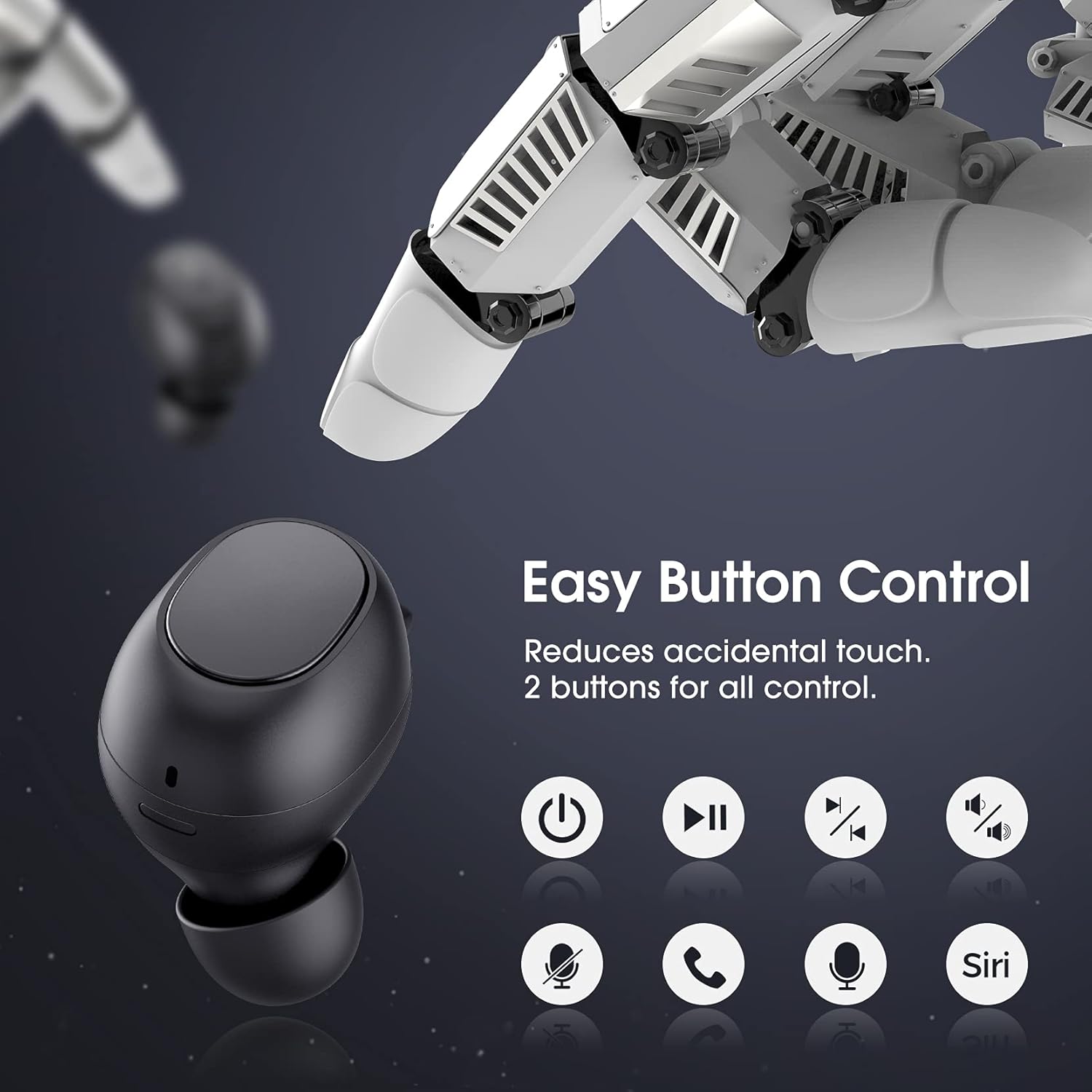
Image: A visual representation of the easy button controls on the Redzeo MDots earbuds, with icons indicating functions such as power on/off, play/pause, skip track, volume control, microphone mute, call answer/end, and voice assistant activation (Siri/Google Assistant).
| Virka | Aðgerð |
|---|---|
| Kveikt á | Taka úr hleðsluhulstri |
| Slökktu á | Place back into charging case |
| Spila / gera hlé | Single press on either earbud |
| Næsta lag | Double press on the Right earbud |
| Fyrra lag | Double press on the Left earbud |
| Hljóðstyrkur upp | Haltu inni hægri eyrnatólinu |
| Hljóðstyrkur niður | Haltu inni vinstri eyrnatólinu |
| Svara/slíta símtali | Single press on either earbud |
| Hafna símtali | Ýttu á og haltu öðru hvoru heyrnartólinu |
| Virkjaðu raddaðstoðarmanninn (Siri/Google aðstoðarmanninn) | Triple press on either earbud |
Mono Mode and Twin Stereo Mode
The Redzeo MDots earbuds offer flexible listening options:
- Einháttar stilling: Each earbud can be used independently. This allows you to leave one ear free to hear your surroundings while still enjoying audio. Simply take one earbud out of the case to use it in mono mode.
- Tvöfaldur stereóstilling: Use both earbuds simultaneously for an immersive true wireless stereo sound experience. This mode is ideal for enjoying music or blocking out surrounding noise.

Image: A visual guide demonstrating the different listening modes: Right Mono Mode (using only the right earbud), Left Mono Mode (using only the left earbud to hear ambient sound), and Twin Stereo Mode (using both earbuds for immersive sound).
Hljóðgæði
The MDots wireless earbuds deliver well-balanced sound with stereo bass. For the best audio experience, ensure you have selected the optimal eartips for a proper seal, which enhances bass and overall sound clarity.

Image: An exploded diagram illustrating the internal components of the Redzeo MDots earbud, highlighting the driver and acoustic structure responsible for delivering magical immersive sound with rich, high-quality audio.
Viðhald
Þrif
Regluleg þrif hjálpa til við að viðhalda hljóðgæðum og hreinlæti.
- Notið mjúkan, þurran og lólausan klút til að þurrka eyrnatappa og hleðsluhulstur.
- For eartips, remove them from the earbuds and clean with a mild soap solution if necessary, then rinse thoroughly and dry completely before reattaching.
- Fjarlægið varlega eyrnamerg eða óhreinindi af möskva eyrnatappa með litlum, mjúkum bursta eða bómullarpinna.
Geymsla
Geymið eyrnatólin alltaf í hleðsluhulstrinu þegar þau eru ekki í notkun til að vernda þau og halda þeim hlaðnum.
Vatnsþol (IPX6)
The Redzeo MDots earbuds feature an IPX6 waterproof nano-coating design, making them resistant to sweat, water splashes, and rain. They are suitable for strenuous exercise and all-weather conditions.

Image: The Redzeo MDots earbuds resting on a wet surface, visually representing their IPX6 waterproof capability, which provides water protection for daily use and resistance to sweat, water, and rain, making them ideal for running, yoga, and gym activities.
Mikilvæg athugasemd: Do not use the earbuds for swimming or immerse them in heavy rain. The IPX6 rating protects against strong jets of water, but not continuous submersion.
Úrræðaleit
Algeng vandamál og lausnir
- Eyrnatól parast ekki við tækið:
- Gakktu úr skugga um að kveikt sé á Bluetooth í tækinu þínu.
- Gakktu úr skugga um að heyrnartólin séu hlaðin.
- Settu eyrnatólin aftur í hulstrið, lokaðu því, bíddu í nokkrar sekúndur, opnaðu þau síðan og fjarlægðu þau til að fara aftur í pörunarstillingu.
- Forget/delete "Redzeo MDots" from your device's Bluetooth list and try pairing again.
- Aðeins einn eyrnatól virkar:
- Gakktu úr skugga um að bæði heyrnartólin séu hlaðin.
- Place both earbuds back into the charging case, close the lid, and then open it again. This should force them to re-sync.
- Ef vandamálið er enn til staðar skaltu reyna að endurstilla eyrnatólin (sjá leiðbeiningar framleiðanda). website or contact support for specific reset instructions if not detailed here).
- Ekkert hljóð eða lágt hljóðstyrkur:
- Athugaðu hljóðstyrkinn bæði í tækinu þínu og eyrnatólunum.
- Gakktu úr skugga um að eyrnatólin séu rétt tengd við tækið þitt.
- Clean any debris from the earbud mesh that might be obstructing sound.
- Prófaðu mismunandi stærðir af eyrnatappa til að tryggja góða þéttingu í eyranu.
- Hleðsluhylki hleðst ekki:
- Gakktu úr skugga um að hleðslusnúran sé vel tengd bæði við hulstrið og aflgjafann.
- Prófaðu aðra USB snúru eða straumbreyti.
- Athugið hvort einhverjar óhreinindi séu á hleðslutenginu.
Tæknilýsing
| Eiginleiki | Smáatriði |
|---|---|
| Gerðarnúmer | BH510A |
| Vörumerki | Redzeo |
| Tengitækni | Þráðlaust (Bluetooth 5.0) |
| Staðsetning eyrna | In Ear |
| Form Factor | In Ear |
| Heyrnartólstengi | USB |
| Litur | Ljóssvartur |
| Efni | Plast |
| Vörumál | 6.35 x 2.49 x 1.98 cm |
| Þyngd hlutar | 91 g |
| Einkunn fyrir vatnsþol | IPX6 |
| Spilunartími (heyrnartól) | Allt að 4 klst |
| Heildarspilunartími (með hleðsluhulstri) | Allt að 20 klst |
| Hleðslutími (hylki) | U.þ.b. 2 klst |
| Innifalið íhlutir | Þráðlaus hleðslutaska |
| Dagsetning fyrst í boði | 31. maí 2021 |
Ábyrgð og stuðningur
Redzeo products are designed and manufactured to the highest quality standards. For information regarding warranty coverage, technical support, or customer service, please refer to the warranty card included in your product packaging or visit the official Redzeo websíða. Vinsamlegast geymið kaupkvittunina vegna hugsanlegra ábyrgðarkröfu.
For further assistance, you may contact Redzeo customer support through the contact information provided on their official websíða.
Ask a question about this manual
Ask about setup, troubleshooting, compatibility, parts, safety, or missing instructions. Manuals+ will review the question and use this page’s manual context to help answer it.