
Rossetta Star Projector-RT008
Rossetta Galaxy Projector User Manual
Model: Star Projector-RT008 | Brand: Rossetta
Inngangur
The Rossetta Star Projector is a versatile 4-in-1 device designed to enhance your environment. It functions as a galaxy projector, a nightlight lamp, a white noise machine, and a Bluetooth speaker. This device projects stunning stars and nebula clouds in 14 vibrant colors, transforming any room into a serene or dynamic cosmic space. It is suitable for all ages, from children's rooms to adult living spaces, and is certified for safety (FCC, RoHS, CE).
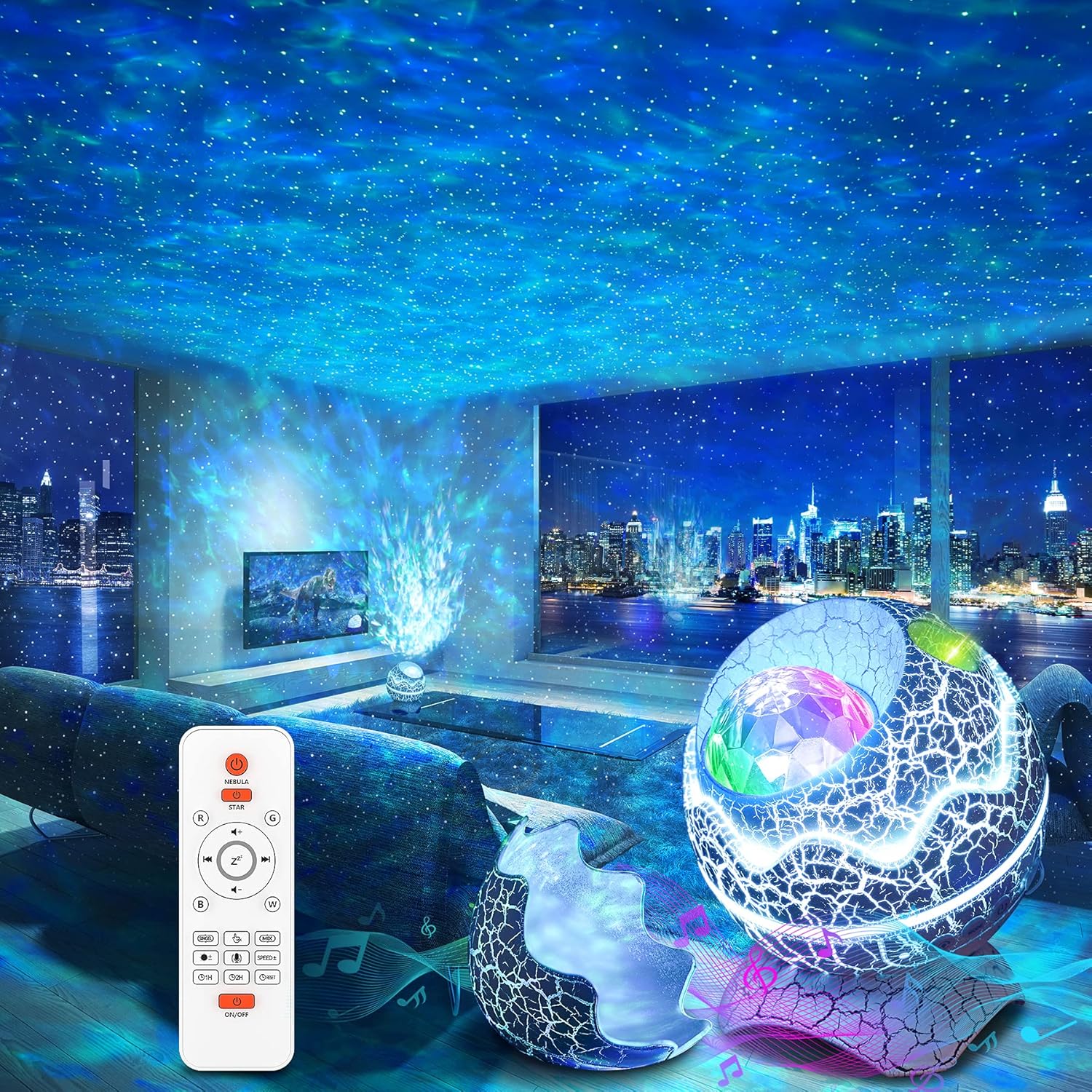
Figure 1: The Rossetta Galaxy Projector creating a starry night effect in a living room, with the remote control visible.
Innihald pakka
Vinsamlegast hakaðu við reitinn fyrir eftirfarandi atriði:
- Rossetta Star Projector
- Fjarstýring
- Rafmagnssnúra
- Notendahandbók (þetta skjal)
Eiginleikar vöru
- 4-í-1 virkni: Combines a galaxy projector, nightlight lamp, white noise machine, and Bluetooth speaker for a comprehensive audio-visual experience.
- Vibrant Projection: Projects shining stars and mesmerizing nebula clouds in 14 vibrant colors, with 15 projection varieties.
- White Noise hljóðvél: Includes 10 popular white noise sounds to aid relaxation, sleep, or meditation.
- Bluetooth 5.1 hátalari: Built-in speaker allows connection to your device via Bluetooth to play music, podcasts, or audiobooks. Features sound-activated mode where lights flash and change rhythmically to music or claps.
- Fjarstýring og tímamælir: Full control over color lighting, projection mode, brightness, speed, music selection, volume, and timer settings (1 or 2 hours). Automatic power-off after 4 hours if no timer is set.
- Varanlegur og öruggur hönnun: Designed for durability and ease of use, with FCC, RoHS, and CE certifications.
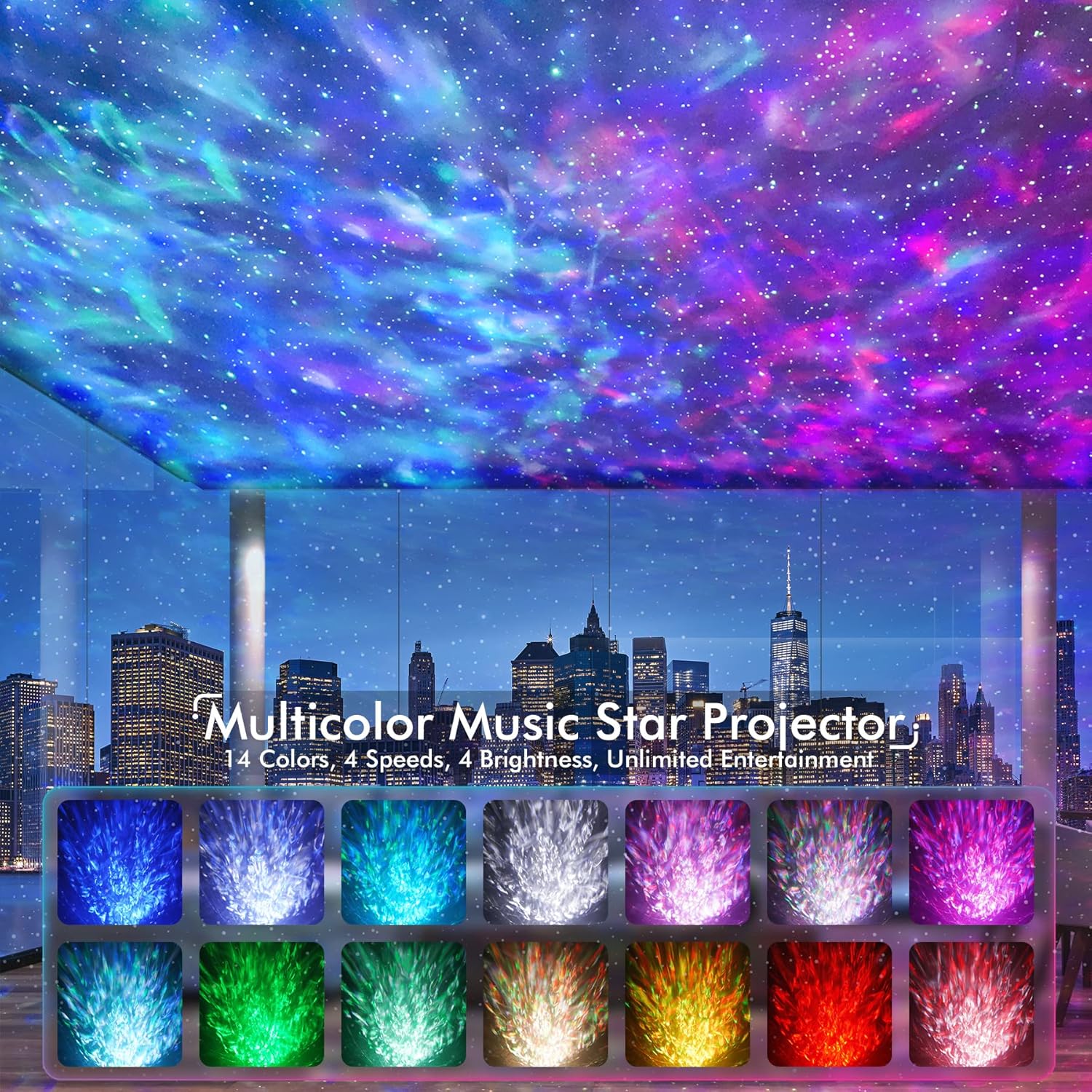
Figure 2: Visual representation of the 14 available color modes for the projector.

Figure 3: The projector's Bluetooth 5.1 speaker functionality, allowing music playback from connected devices.

Figure 4: Illustration of the white noise sound machine feature, showing various sound options like train, bird, bonfire, fan, rain, sea, soft music, and frog.
Uppsetning
- Taktu upp: Fjarlægðu alla íhluti varlega úr umbúðunum.
- Rafmagnstenging: Connect the provided power cable to the projector and plug the adapter into a standard electrical outlet.
- Rafhlöður í fjarstýringu: Insert 2 AAA batteries (not included) into the remote control, ensuring correct polarity.
- Staðsetning: Place the projector on a stable, flat surface. For optimal projection, position it in a dark room, ideally facing a ceiling or wall.

Figure 5: The remote control and timer functions of the projector, indicating 1-hour and 2-hour auto-off options.
Notkunarleiðbeiningar
Kveikt/slökkt
Ýttu á ON/OFF button on the projector or the remote control to turn the device on or off.
Vörpustýring
- Notaðu ÞOKKA button on the remote to cycle through nebula colors and effects.
- Notaðu STJARA button to control the green stars (on/off, brightness).
- Adjust brightness with the B+ og B- hnappa.
- Change projection speed with the HRAÐI+ og HRAÐI- hnappa.
- Select specific colors (Red, Green, Blue, White) using the R, G, B, W hnappa.
Hvít hávaðavél
Ýttu á Hvítur hávaði button on the remote to activate the white noise function. Use the arrow buttons to cycle through the 10 available sounds. Adjust volume with the VOL+ og VOL- hnappa.
Bluetooth hátalari
To use the Bluetooth speaker:
- Gakktu úr skugga um að kveikt sé á skjávarpanum.
- On your mobile device, enable Bluetooth and search for "Star Projector".
- Select "Star Projector" to pair. A confirmation sound will indicate successful pairing.
- Play music from your device. The projector lights can sync to the music rhythm when sound-activated mode is enabled.
Activate sound-activated mode by pressing the Hljóðnematákn button on the remote. The lights will respond to music or claps.
Tímamælir aðgerð
Set an automatic shut-off timer using the remote control:
- Ýttu á 1H for a 1-hour timer.
- Ýttu á 2H for a 2-hour timer.
- If no timer is set, the projector will automatically power off after 4 hours of continuous operation.
Viðhald
The Rossetta Galaxy Projector is designed for easy maintenance.
- Þrif: To clean the projector, gently wipe the exterior with a soft, dry cloth. Do not use abrasive cleaners or immerse the device in water.
- Geymsla: When not in use, store the projector in a cool, dry place away from direct sunlight and extreme temperatures. The removable top portion of the "egg" design can be re-attached to protect the projector lens from dust.
Úrræðaleit
| Vandamál | Möguleg orsök/lausn |
|---|---|
| Skjávarpinn kveikir ekki á sér. | Ensure the power cable is securely connected to both the projector and the power outlet. Try a different outlet. |
| Fjarstýring virkar ekki. | Check if the batteries are inserted correctly and are not depleted. Replace with new AAA batteries if necessary. If the issue persists, unplug the projector from power for a few seconds, then plug it back in. |
| Vandamál með Bluetooth-tengingu. | Ensure Bluetooth is enabled on your device and the projector is in pairing mode. Move your device closer to the projector. Disconnect and re-pair the device. |
| Lights turn off unexpectedly. | Check if a timer (1H or 2H) has been set. The device also has an automatic 4-hour shut-off feature. Ensure stable power supply. |
| Vörpun er dauf eða óskýr. | Ensure the room is sufficiently dark. Adjust brightness settings using the remote. Clean the projector lens if it appears dusty. |
Tæknilýsing
| Eiginleiki | Smáatriði |
|---|---|
| Nafn líkans | Star Projector-RT008 |
| Vörumál | 6.3" D x 4.3" B x 6.3" H |
| Þyngd hlutar | 0.96 pund (15.4 únsur) |
| Aflgjafi | Rafmagn með snúru |
| Voltage | 5 volt (DC) |
| Hvaðtage | 6 Watt |
| Tegund ljósgjafa | LED |
| Tengitækni | Bluetooth 5.1 |
| Eftirlitsaðferð | Fjarstýring, þrýstihnappur |
| Sérstakir eiginleikar | 360° Projection, Bluetooth, Color Changing, Green Stars, White Noise, Sound Activated |
| Efni | Plast |
| Litur | Hvítur |
| Vottanir | CE, FCC, RoHS |
| Aldursbil (lýsing) | Allar aldir |
Ábyrgð og stuðningur
Rossetta is committed to providing high-quality products and customer satisfaction. Your Rossetta Galaxy Projector is backed by:
- 24/7 skjót svör: Dedicated customer service available around the clock.
- Easy Return/Replacement: Hassle-free process for returns or replacements if needed.
- Ævilangur faglegur stuðningur: Ongoing technical assistance and support for the lifespan of your product.
For any inquiries or support, please visit the official Rossetta store or contact customer service through your purchase platform.
Ask a question about this manual
Ask about setup, troubleshooting, compatibility, parts, safety, or missing instructions. Manuals+ will review the question and use this page’s manual context to help answer it.