
1. Inngangur
This manual provides comprehensive instructions for the setup, operation, and maintenance of your VTech CS2001 DECT 2 Handset Cordless Telephone system. Please read this manual thoroughly before using your new telephone to ensure proper functionality and to familiarize yourself with all features.

Image: The VTech CS2001 DECT 2 Handset Cordless Telephone system, showing one handset on its main base unit and a second handset on its auxiliary charging cradle. Both handsets feature a digital display and a standard telephone keypad.
2. Uppsetning
Follow these steps to set up your VTech CS2001 DECT Cordless Telephone system.
2.1 Innihald pakka
Gakktu úr skugga um að allir íhlutir séu til staðar:
- 1 grunneining
- 2 straumbreytar
- 2 battery packs (NiMH)
- 2 þráðlaus símtól
- 2 chargers (for auxiliary handset)
- Flýtileiðarvísir
- Símalína snúra
2.2 Uppsetning og hleðsla rafhlöðu
- Opnaðu rafhlöðulokið aftan á hvoru handtæki.
- Connect the battery pack connector securely into the socket inside the compartment.
- Settu rafhlöðupakkann í hólfið.
- Lokaðu rafhlöðuhólfinu.
- Place each handset onto its respective base unit or charger. Ensure the "Charge" indicator on the base/charger illuminates.
- Leyfðu handtækin að hlaðast í að minnsta kosti 16 klukkustundir fyrir fyrstu notkun til að tryggja bestu mögulegu rafhlöðuafköst.
2.3 Tenging við grunneiningu
- Tengdu annan endann á símasnúrunni við TEL LINE tengið á grunnstöðinni.
- Tengdu hinn endann á símasnúrunni við símatengið í vegg.
- Connect the AC adaptor to the POWER jack on the base unit.
- Stingdu riðstraumsmillistykkinu í venjulega rafmagnsinnstungu.
- For the auxiliary charger, connect its AC adaptor to the charger and then to an electrical outlet.
Athugið: Use only the supplied power adaptors and battery packs. Incorrect adaptors may damage the unit.
3. Notkunarleiðbeiningar
3.1 Hringt og móttekið símtöl
- Til að hringja: Ýttu á TALA, then dial the number. Alternatively, dial the number first and then press TALA.
- Til að svara símtali: Þegar síminn hringir, ýttu á TALA.
- Til að ljúka símtali: Ýttu á END eða setja handtækið aftur á basa/hleðslutækið.
3.2 Virkni hátalara
The handsfree speakerphone allows you to converse without holding the handset.

Image: A VTech CS2001 handset is shown on a kitchen counter, with a person in the background engaged in an activity, illustrating the convenience of the handsfree speakerphone feature.
- Til að virkja: Ýttu á á meðan á símtali stendur Hátalari button (usually marked with a speaker icon).
- Til að gera óvirk: Ýttu á Hátalari button again or lift the handset to switch back to normal mode.
3.3 Símtal og símtalsflutningur
The two handsets can communicate with each other and transfer calls.
- kallkerfi: Ýttu á INT button on one handset to call the other.
- Símtalsflutningur: Meðan á utanaðkomandi símtali stendur, ýttu á INT, select the other handset, and once connected, press FLUTNINGUR.
4. Helstu eiginleikar
4.1 DECT Technology and Long Range
The VTech CS2001 utilizes DECT (Digital Enhanced Cordless Telecommunications) technology, ensuring clear sound quality and secure communication. It offers a reliable long operating range of up to 300 meters outdoors.

Image: A woman is shown talking on a VTech cordless phone in a spacious, modern home environment, with graphic elements illustrating the phone's reliable long-range capability.
4.2 Hindrandi símtöl
This feature helps manage unwanted calls. You can block specific numbers or calls from unknown numbers. The system can store up to 30 blacklisted numbers. An option to block all calls during a programmable period is also available.
Athugið: This feature requires a Caller Display service subscription from your network provider, which may be chargeable.

Image: A man is depicted relaxing on a sofa, reading a book, with a VTech CS2001 handset on a table beside him. A graphic overlay signifies the call blocker feature, promoting peace of mind from unwanted calls.
4.3 Símaskrá
Store up to 30 names and numbers in the phonebook directory. Entries added to one handset are automatically shared with the other.

Image: A VTech CS2001 handset is shown on its charging base, accompanied by a graphic representation of a phonebook list, highlighting the 30 name and number storage capacity.
4.4 Símtal í bið
The system records up to 20 names and numbers for Caller ID. It also supports Call Waiting functionality.
Athugið: These features require a Caller Display service subscription from your network provider, which may be chargeable.
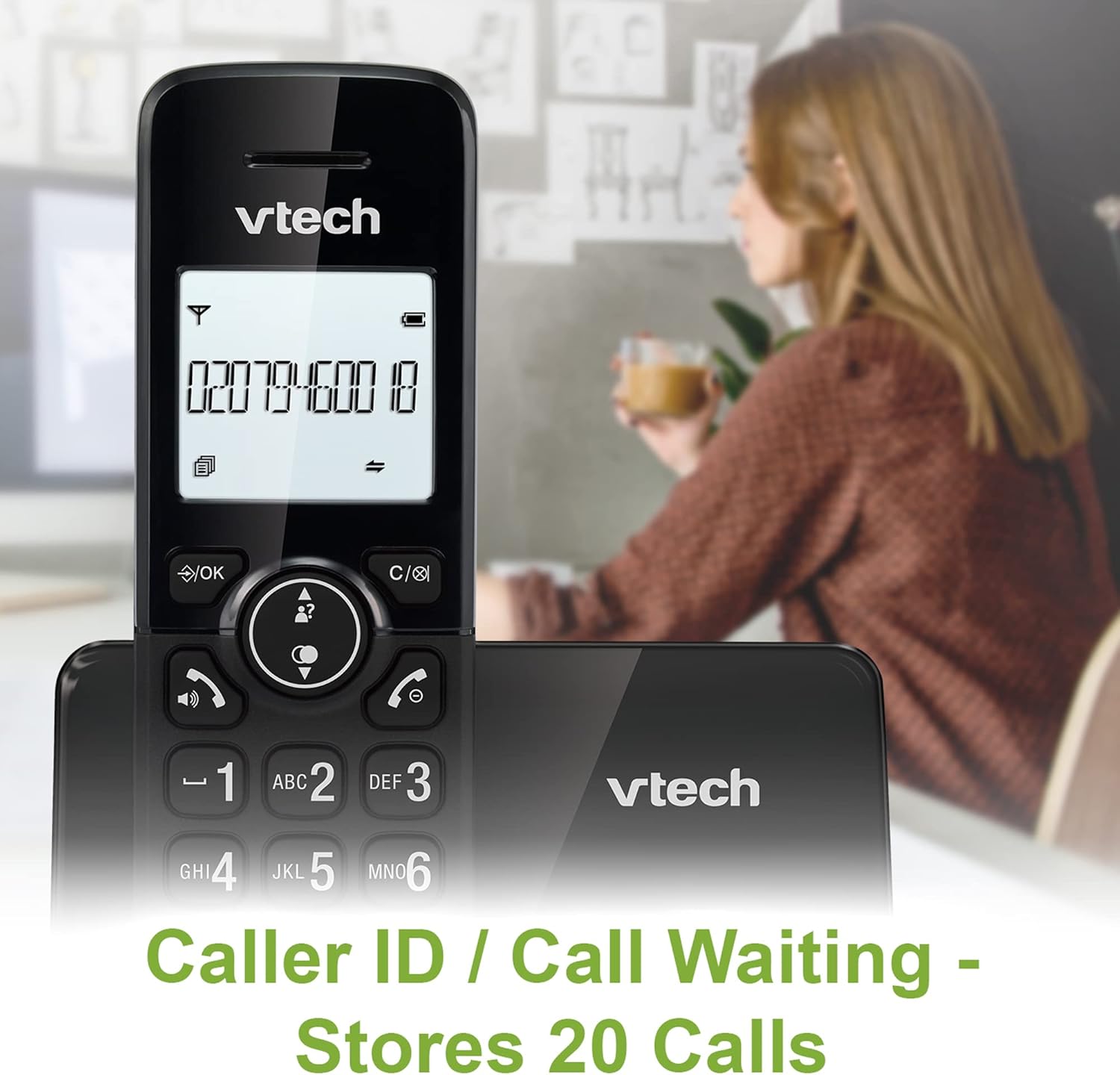
Image: A VTech CS2001 handset is positioned on its base, with its screen clearly displaying a phone number, illustrating the Caller ID feature. A person is visible in the blurred background.
4.5 1.8" Backlit Display
Each handset features a 1.8-inch backlit display, enhancing visibility and readability, especially in low-light conditions.

Mynd: Nærmynd view of the VTech CS2001 handset's 1.8-inch backlit display, clearly showing the text "HANDSET 1", demonstrating its enhanced visibility.
4.6 Stillanlegt hringihljóðstyrk og laglína
Customize your phone experience by adjusting the ring volume and selecting from various melodies.

Image: A VTech CS2001 handset rests on a wooden table, with a graphic overlay highlighting the adjustable ring volume and melody features, allowing for personalized sound settings.
4.7 ECO Mode
The handset automatically adjusts the radio frequency strength based on its distance from the base station, optimizing power consumption.
4.8 Viðvörun og hljóðdeyfing
The phone includes an alarm function and a mute feature for privacy during calls.

Image: A split image visually represents the alarm and mute functions. One side shows a woman exercising with an alarm clock icon, while the other shows a couple relaxing with a music note icon, symbolizing the phone's versatile features.
5. Viðhald
- Þrif: Þurrkið handtólin og grunnstöðina með mjúkum klút.amp klút. Notið ekki hreinsiefni eða slípiefni.
- Umhirða rafhlöðu: Replace batteries when their performance significantly degrades. Use only NiMH battery packs specified for this model.
- Umhverfi: Keep the telephone away from heat sources, direct sunlight, and moisture.
6. Bilanagreining
If you experience issues with your VTech CS2001, refer to the following common problems and solutions:
| Vandamál | Lausn |
|---|---|
| Enginn hringitónn |
|
| Símtólið hleðst ekki |
|
| Léleg hljóðgæði / Stöðugleiki |
|
| Get ekki hringt/móttekið símtöl |
|
7. Tæknilýsing
| Eiginleiki | Smáatriði |
|---|---|
| Vörumerki | VTech |
| Fyrirmynd | CS2001 |
| Tegund síma | Þráðlaus (DECT) |
| Fjöldi símtóla | 2 |
| Skjár | 1.8" Backlit |
| Stærð símaskrár | 30 nöfn og númer |
| Caller ID Records | 20 nöfn og númer |
| Getu til að loka fyrir símtöl | Allt að 30 tölur |
| Endurval á síðustu tölu | 10 plötur |
| Aflgjafi | Battery Powered (AC adaptors for base/chargers) |
| Tegund rafhlöðu | NiMH (2 AAA batteries per handset, included) |
| Útvarpshljómsveitir studdar | 1.9 GHz (DECT) |
| Útivistarsvið | Allt að 300m |
| Þyngd hlutar | 680 g |
| Litur | Svartur |
8. Ábyrgð og stuðningur
Fyrir upplýsingar um ábyrgð og tæknilega aðstoð, vinsamlegast skoðið skjöl sem fylgja vörunni eða heimsækið opinberu vefsíðu VTech. webvefsíða. Geymið kaupkvittunina sem sönnun fyrir kaupunum.