
1. Inngangur
Thank you for choosing Kinganda Q71 Bluetooth Earbuds. This manual provides detailed instructions for setting up, operating, and maintaining your new wireless earbuds. Please read this manual carefully before use to ensure proper functionality and to maximize your listening experience.
2. Öryggisupplýsingar
- Ekki láta eyrnatólin eða hleðsluhulstrið verða fyrir miklum hita, raka eða tærandi umhverfi.
- Forðastu að hlusta á háum hljóðstyrk í langan tíma til að koma í veg fyrir heyrnarskaða.
- Haltu tækinu frá börnum og gæludýrum.
- Ekki reyna að taka vöruna í sundur eða breyta henni. Það ógildir ábyrgðina.
- Þrífið eyrnatólin og hleðsluhulstrið eingöngu með mjúkum, þurrum klút.
3. Innihald pakka
Vinsamlegast athugið hvort allir hlutir séu í pakkanum ykkar:
- Kinganda Q71 Bluetooth Earbuds (Left and Right)
- Hleðslutaska
- USB hleðslusnúra
- Margar stærðir af eyrnatöppum
- Notendahandbók
4. Vöru lokiðview
Familiarize yourself with the components of your Kinganda Q71 Bluetooth Earbuds.
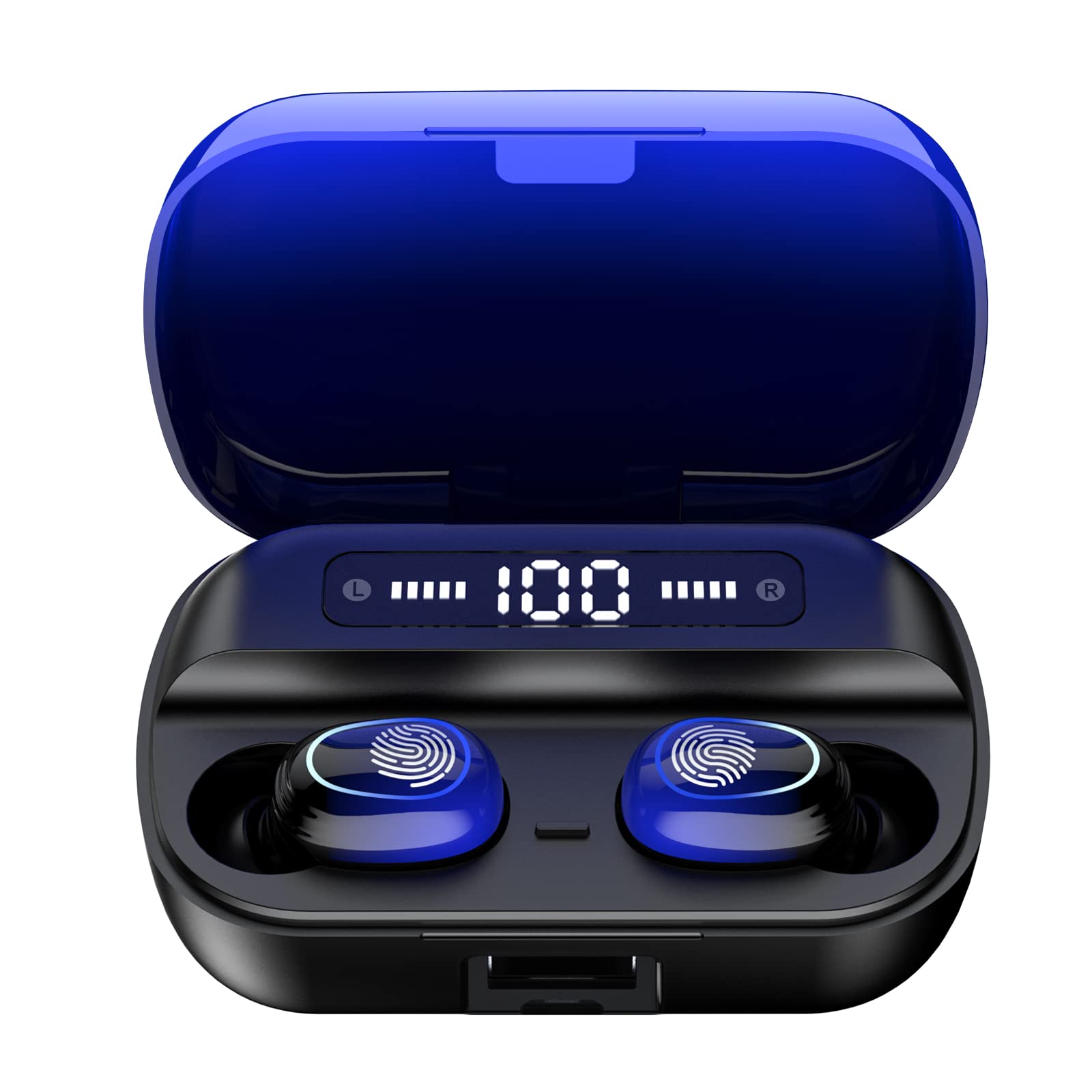
Mynd 4.1: Lokiðview of Kinganda Q71 Bluetooth Earbuds and key features including Bluetooth 5.1, low latency, low power consumption, touch control, clear calls, 10mm speakers, compatibility with iOS and Android, and a 33-foot signal range.
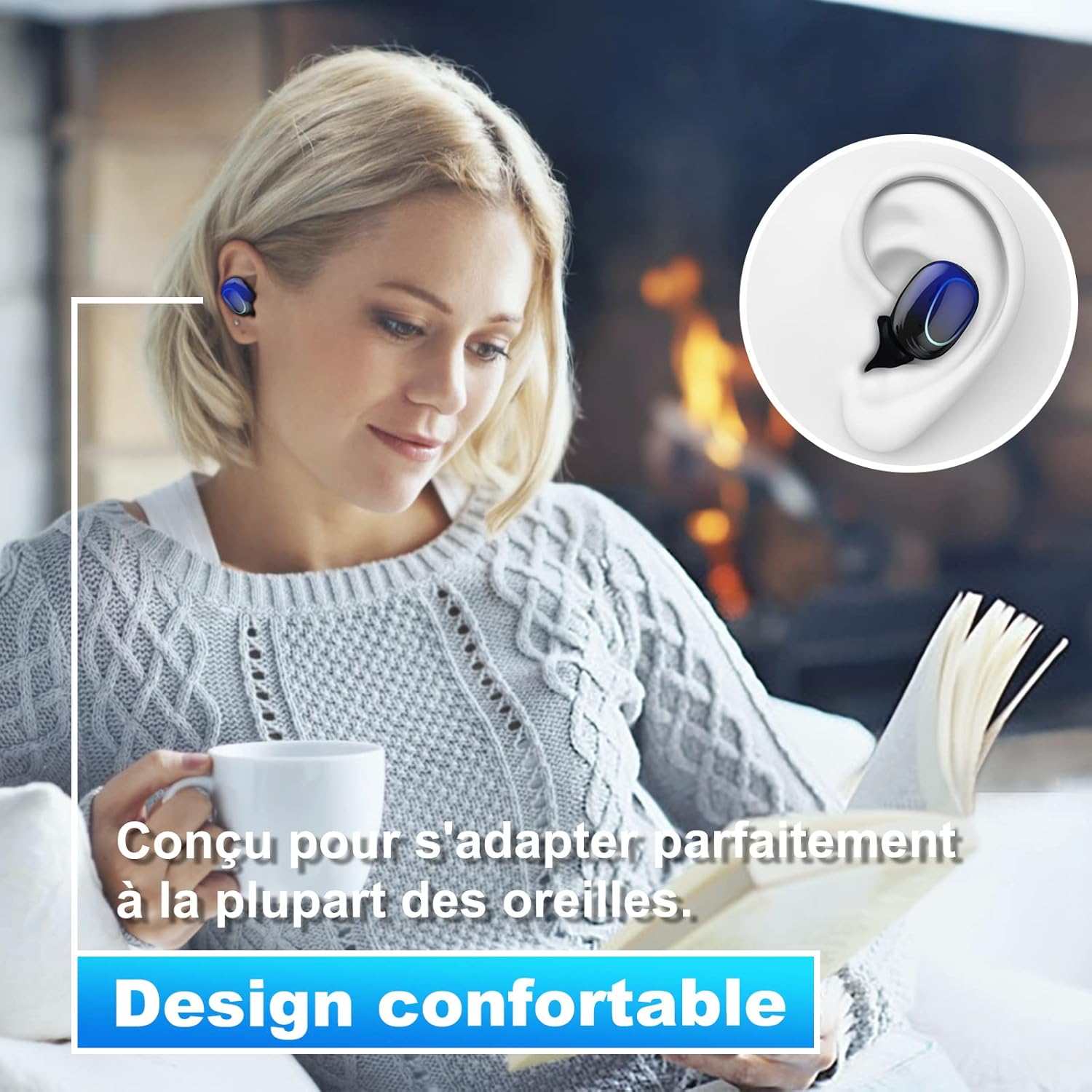
Image 4.2: The Kinganda Q71 earbuds are designed for a comfortable and secure fit in most ears.
5. Uppsetning
5.1 Hleðsla eyrnatólanna og hulstrsins
Fyrir fyrstu notkun skal hlaða hleðsluhulstrið og eyrnatólin að fullu.
- Settu eyrnatólin í hleðsluhulstrið. Gakktu úr skugga um að þau séu rétt sett.
- Tengdu USB hleðslusnúruna við hleðslutengið á hulstrinu og við aflgjafa (t.d. USB-millistykki, USB-tengi tölvu).
- Ljósljósin á hulstrinu sýna hleðslustöðuna. Þegar hleðslunni er fullhlaðið gefa þau til kynna að henni sé lokið eða slokkna.

Image 5.1: The charging case has a 3500mAh battery. Earbuds provide approximately 5 hours of playback, and the case extends total usage to about 150 hours. A full recharge takes approximately 1.5 hours.
5.2 Pörun við Bluetooth tæki
Eyrnatólin nota Bluetooth 5.1 fyrir stöðuga tengingu.
- Opnaðu hleðsluhulstrið. Eyrnatólin munu sjálfkrafa kveikja á sér og fara í pörunarstillingu.
- Virkjaðu Bluetooth í tækinu þínu (snjallsíma, spjaldtölvu o.s.frv.).
- Leitaðu að available Bluetooth devices and select "Kinganda Q71" (or similar name) from the list.
- Þegar tengingin er komin upp heyrist staðfestingartónn og vísirljósin á eyrnatólunum breytast.
5.3 Að nota eyrnatólin
For optimal sound quality and comfort, choose the correct ear tip size and ensure a snug fit.
- Select the ear tips that best fit your ear canals.
- Gently insert each earbud into your ear, twisting slightly until it feels secure and comfortable.
6. Notkunarleiðbeiningar
The Kinganda Q71 earbuds feature touch controls for easy operation.

Image 6.1: Touch controls for various functions including power, music playback, call management, and voice assistant activation.
6.1 Grunnaðgerðir
- Kveikt/slökkt: Earbuds power on automatically when removed from the case and power off when placed back in the case. Alternatively, long-press the touch area for manual power on/off.
- Spila / gera hlé: Bankaðu einu sinni á annað hvort heyrnartólið.
- Næsta lag: Ýttu tvisvar á hægri heyrnartólið.
- Fyrra lag: Ýttu tvisvar á vinstri heyrnartólið.
- Svara/slíta símtali: Ýttu einu sinni á hvorn eyrnatólið sem er meðan á símtali stendur.
- Hafna símtali: Long-press on either earbud during an incoming call.
- Virkjaðu raddaðstoðarmanninn (Siri): Ýttu þrisvar á hvorn eyrnatólinn sem er.
6.2 Notkunarstillingar
The Kinganda Q71 earbuds support various listening modes.

Image 6.2: The earbuds can be used in mono mode (single earbud) to stay aware of surroundings, TWS stereo mode for immersive sound, or twin mode to share music with another person.
- Einháttar stilling: Use a single earbud (left or right) to listen to audio while keeping the other ear open to your surroundings. Simply remove one earbud from the case.
- TWS Stereo Mode: Use both earbuds for a full stereo audio experience. Both earbuds will automatically connect to each other and your device when removed from the case.
- Tvíburastilling: Share your music with a friend by giving them one earbud. Both earbuds will play the same audio.
7. Viðhald
7.1 Þrif
Regluleg þrif hjálpa til við að viðhalda hljóðgæðum og hreinlæti.
- Notið mjúkan, þurran og lólausan klút til að þurrka eyrnatappa og hleðsluhulstur.
- Remove ear tips and clean them with mild soap and water if necessary, then dry thoroughly before reattaching.
- Ekki nota sterk efni eða slípiefni.
7.2 Geymsla
Þegar eyrnatólin eru ekki í notkun skal geyma þau í hleðsluhulstrinu til að vernda þau og halda þeim hlaðnum.
8. Bilanagreining
Ef þú lendir í vandræðum skaltu prófa eftirfarandi lausnir:
- Eyrnatól parast ekki: Ensure both earbuds are charged. Place them back in the case, close it, then open it again to re-initiate pairing mode. Check your device's Bluetooth settings and try reconnecting.
- Aðeins einn eyrnatól virkar: Place both earbuds back in the charging case, close the lid, wait a few seconds, then open the lid and remove them simultaneously. This should force them to re-sync.
- Ekkert hljóð: Check the volume level on your device and ensure the earbuds are properly connected.
- Hleðsluvandamál: Ensure the charging cable is securely connected to both the case and the power source. Try a different charging cable or power adapter.
- Léleg hljóðgæði: Ensure the earbuds are clean and properly seated in your ears. Try different ear tip sizes for a better seal.
9. Tæknilýsing
| Nafn líkans | Q71 |
| Vörumerki | Iðnaður |
| Tengitækni | Þráðlaust (Bluetooth 5.1) |
| Wireless Range | Allt að 33 fet (10 metrar) |
| Gerð hljóðbílstjóra | Dynamískur hátalari (10 mm) |
| Eftirlitsaðferð | Touch Control |
| Efni | Plast, sílikon |
| Vatnsþolsstig | Vatnsheldur (IPX7) |
| Rafhlöðuending heyrnartól | U.þ.b. 5 klst |
| Hleðsluhylki Endingartími rafhlöðu | Approx. 150 hours (with case) |
| Hleðsluhylki | 3500mAh |
| Hleðslutími | U.þ.b. 1.5 klst |
| Samhæf tæki | Bluetooth-enabled devices (iOS, Android) |
| Sérstakur eiginleiki | Léttur |

Image 9.1: The 10mm immersive drivers deliver enhanced sound quality with deeper bass.

Image 9.2: With an IPX7 waterproof rating, the earbuds are protected against sweat and water splashes, making them suitable for sports.
10. Ábyrgð og stuðningur
Kinganda products are designed for reliability and performance. This product comes with a standard manufacturer's warranty. For specific warranty details, please refer to the warranty card included in your package or contact Kinganda customer support.
If you have any questions, require technical assistance, or need to claim warranty service, please contact our customer support team through the contact information provided on the Kinganda official websíðuna eða kaupvettvanginn þinn.