
Fuegobird B09R73DF6G
Fuegobird Mini Projector User Manual
Model: B09R73DF6G
1. Inngangur
This manual provides essential instructions for the safe and efficient operation of your Fuegobird Mini Projector, Model B09R73DF6G. Please read this manual thoroughly before using the product and retain it for future reference.
The Fuegobird Mini Projector is a portable LCD video projector designed for home entertainment, offering a versatile viewing experience with support for HD 1080P content.
2. Vörueiginleikar
- Superior Home Theater Experience: Features a 2000:1 contrast ratio and supports 1080p resolution, delivering brighter images for an enhanced viewupplifun.
- Stórskjávarp: Offers a projection size from 72 inches to 240 inches, with a recommended projection distance between 6.8 feet and 22 feet. The optimal projection distance is 9.5 feet.
- Innbyggðir hátalarar: Integrated speakers provide audio without the need for external sound systems.
- Tengimöguleikar með mörgum tækjum: Connects easily to laptops, smartphones, tablets, and USB drives. For smartphone connection, an additional HDMI adapter is required.
- 1080P HD Supported: Enjoy home entertainment such as movies, TV shows, video games, and music with 1080P HD supported content and native 720P resolution.
- Fyrirferðarlítil og flytjanleg hönnun: This pocket-sized projector measures approximately 21.9cm x 15.1cm x 7.6cm and weighs 0.475kg. Its portability allows for use in various settings, including home, outdoor camping, eða aðilar.
3. Vöru lokiðview

Image 3.1: Fuegobird Mini Projector with smartphone connected.

Image 3.2: Projector demonstrating its compact and portable size.
3.1 Tengiskjár

Image 3.3: Projector Interface Diagram.
- Focusing Pulley: Stillir skýrleika myndarinnar.
- Slökkt hnappur: Kveikt/slökkt.
- Valmyndarhnappur: Opnar valmöguleika í valmyndinni.
- Main interface button: Navigates to the main screen.
- Hægri ör hnappur: Navigates right in menus.
- Enter hnappur: Staðfestir val.
- Skilalykill: Fer aftur á fyrri skjáinn.
- DC 12V inntak: Rafinntakstengi.
- DC 5V inntak: Alternative power input port.
- Gaumljós: Shows power/status.
- USB tengi: Connects USB storage devices.
- IR: Innrauður móttakari fyrir fjarstýringu.
- Tengi fyrir heyrnartól: Tengir utanaðkomandi hljóðtæki.
3.2 Fjarstýring
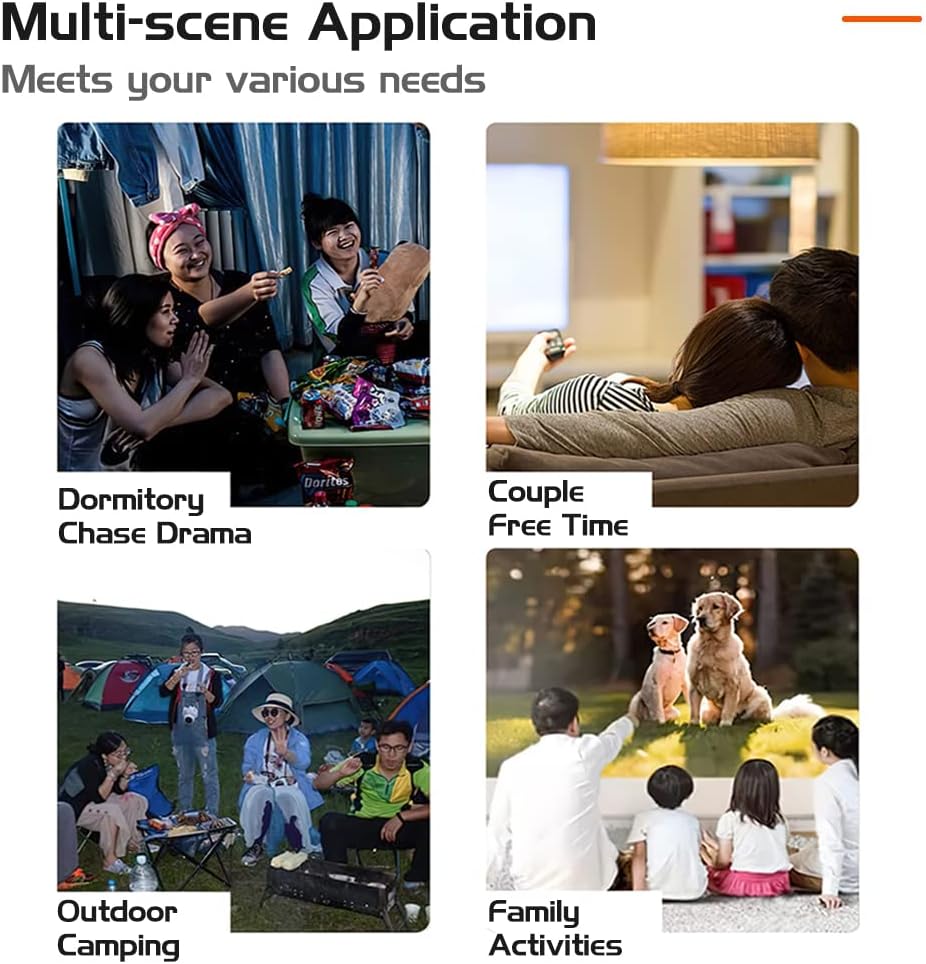
Image 3.4: Remote Control Layout.
The remote control allows for convenient operation of the projector from a distance. Key functions include power on/off, volume control, menu navigation, and input selection.
4. Uppsetning
4.1 Staðsetning
Settu skjávarpann á stöðugan, sléttan flöt. Fyrir bestu mögulegu viewing, place the projector with the lens facing the wall or screen. Ensure there is adequate ventilation around the projector.

Image 4.1: Recommended Projection Distances and Screen Sizes.
Refer to the table below for recommended projection distances and screen sizes:
| Myndvarpsfjarlægð | Skjástærð |
|---|---|
| 0.8m (2.6ft) | 30 tommur |
| 2.5m (8.2ft) | 80 tommur |
| 3.8m (12.5ft) | 110 tommur |
| Optimal: 9.5ft | Optimal: 72-240 inches |
4.2 Rafmagnstenging
- Connect the power adapter to either the DC 12V input or DC 5V input port on the projector.
- Stingdu straumbreytinum í viðeigandi rafmagnsinnstungu.
4.3 Fyrsta kveiking og fókusstilling
- Press the 'Off' button on the projector or the 'ON/OFF' button on the remote control to power on the device.
- Once the projector is on, adjust the Focusing Pulley (refer to Image 3.3) until the projected image appears clear and sharp on the screen.
5. Rekstur
5.1 Val á inntaksuppsprettu
To display content from an external device:
- Connect your device (e.g., USB drive, laptop via HDMI) to the appropriate port on the projector.
- Press the 'Menu' button on the projector or remote control to access the input source options.
- Use the navigation buttons (e.g., 'Right arrow' on the projector or directional buttons on the remote) to select the desired input source (e.g., USB, HDMI).
- Press the 'Enter' or 'OK' button to confirm your selection.
5.2 Media Playback (USB Input)
When using a USB drive:
- Insert the USB drive into the USB interface port.
- Veldu „USB“ sem inntaksuppsprettu.
- Navigate through the on-screen menu to select the type of media you wish to play (e.g., Movies, Music, Picture, Text).
- Veldu viðkomandi file and press 'Enter' or 'OK' to begin playback.
5.3 Hljóðstyrkur
Adjust the volume using the 'Vol+' and 'Vol-' buttons on the remote control. You can also mute the audio using the 'Mute' button on the remote.
5.4 Multi-Scene Application

Mynd 5.1: Dæmiamples of projector use in various environments.
The projector is suitable for a variety of uses, including:
- Home cinema for movies and TV shows.
- Outdoor movies and camping skemmtun.
- Gaming with connected consoles or devices.
- Sharing photos and videos with family and friends.
6. Tengingar
The Fuegobird Mini Projector offers multiple connectivity options:
- USB: Til að spila fjölmiðla files beint frá USB geymslutækjum.
- HDMI: Connects to laptops, gaming consoles, and other HDMI-enabled devices. An additional HDMI adapter is required for smartphone connection.
- Heyrnartólstengi: Til að tengja ytri heyrnartól eða hátalara.
- Wireless Connectivity (via adapter/device): Supports WIFI, AIRPLAY, MIRACAST, WIRECAST, DLNA functions when connected to compatible external devices or adapters.
7. Viðhald
7.1 Remote Control Battery Care
- Ekki blanda saman gömlum og nýjum rafhlöðum.
- Ef fjarstýringin verður ekki notuð í langan tíma skal fjarlægja rafhlöðurnar til að koma í veg fyrir leka.
- Gakktu úr skugga um að rafhlöðurnar séu settar í með réttri pólun.
7.2 Þrif
- Notið mjúkan, þurran klút til að þrífa ytra byrði skjávarpans.
- Fyrir linsuna skal nota sérstakan linsuhreinsiklút og lausn til að forðast rispur.
- Ekki nota slípiefni eða leysiefni.
8. Bilanagreining
Ef þú lendir í vandræðum með skjávarpann þinn skaltu skoða eftirfarandi algengar lausnir:
- Enginn kraftur: Ensure the power adapter is securely connected to both the projector and a working electrical outlet. Try a different outlet.
- Engin mynd: Check that the correct input source is selected. Verify all cables (HDMI, USB) are properly connected. Adjust the focus ring.
- óskýr mynd: Adjust the Focusing Pulley until the image is clear. Ensure the projection distance is within the recommended range.
- Ekkert hljóð: Check the volume settings on both the projector and the connected device. Ensure the projector is not muted. If using external speakers, verify their connection and power.
- Fjarstýring virkar ekki: Athugið rafhlöðurnar í fjarstýringunni. Gakktu úr skugga um að engar hindranir séu á milli fjarstýringarinnar og innrauðs móttakara skjávarpans.
Fyrir frekari aðstoð, vinsamlegast hafið samband við þjónustuver.
9. Tæknilýsing
| Eiginleiki | Forskrift |
|---|---|
| Myndeining | TFT LCD |
| Innfæddur upplausn | 320x240 |
| Stuðningsupplausn | 1920x1080 (1080P háskerpa) |
| Lamp Tegund | LED |
| Lamp Lífið | 20000 klst |
| Orkunotkun | 20W (hámark) |
| Aflgjafi | 12V-1.5A |
| Linsa | Húðuð linsa |
| Notkunarhamur | Handbók/fjarstýring |
| Myndvarpsfjarlægð | 60-400cm (6.8ft - 22ft) |
| Vörpustærð | 16-110 inches (72-240 inches stated in features) |
| Mál (LWH) | 21.9 x 15.1 x 7.6 cm |
| Nettóþyngd | 0.475 kg |
| Hlutfall | 16:9/4:3 |
| Ræðumaður | 4Ω2W |
| Aðgangsstöð | USB, 5V-2A power in |
| Úttaksstöð | Heyrnartól |
| Tengitækni | HDMI, USB |
| Sérstakir eiginleikar | Innbyggður hátalari, flytjanlegur |
| Gerð uppsetningar | Festing fyrir borðplötu |
| Voltage | 5 volt |
| Hvaðtage | 60 vött |
| Skjátækni | LCD |
10. Ábyrgð og stuðningur
For warranty information, product registration, and customer support, please refer to the retailer's website where you purchased the product or contact the manufacturer directly. Keep your purchase receipt as proof of purchase.
Ask a question about this manual
Ask about setup, troubleshooting, compatibility, parts, safety, or missing instructions. Manuals+ will review the question and use this page’s manual context to help answer it.