
Inngangur
This manual provides essential instructions for setting up, operating, and maintaining your Epson EcoTank L121 A4 Ink Tank Printer. Please read this guide thoroughly before using the printer to ensure correct operation and to maximize its lifespan.

Mynd: Framan view of the Epson EcoTank L121 A4 Ink Tank Printer. This image shows the compact design and the front paper output tray.
1. Uppsetning
1.1 Upptaka
Carefully remove the printer from its packaging. Ensure all protective tapes and materials are removed from the exterior and interior of the printer. Keep the packaging materials for future transport if needed.
1.2 Fylling blektanka
The EcoTank L121 uses refillable ink tanks. Use only genuine Epson 664 series ink bottles (6641 Black, 6642 Cyan, 6643 Magenta, 6644 Yellow) for optimal performance and to prevent damage.
- Opnaðu hlífina á blektankinum á hlið prentarans.
- Open the cap for the corresponding color ink tank you wish to fill.
- Carefully uncap the ink bottle and insert it into the filling port. The ink will automatically start to fill the tank. Do not squeeze the bottle.
- Þegar blektankurinn er fullur skaltu fjarlægja blekflöskuna og loka blektankslokinu vandlega.
- Endurtakið fyrir alla aðra liti.
- Lokaðu hlífinni á blektankinum.
After filling, press and hold the Viðhald button (often depicted as a droplet or triangle with a lightning bolt) for 3 seconds to initiate ink charging. This process takes approximately 20 minutes. Do not turn off the printer during ink charging.
1.3 Tenging við tölvu
The Epson EcoTank L121 connects via USB 2.0.
- Ensure the printer is powered on and ink charging is complete.
- Tengdu annan endann á USB snúrunni við USB tengi prentarans.
- Tengdu hinn endann á USB snúrunni við tiltækt USB tengi á tölvunni þinni.
1.4 Uppsetning hugbúnaðar
Insert the provided software CD into your computer's CD-ROM drive. If the installer does not start automatically, browse the CD and run the setup file. Follow the on-screen instructions to install the printer drivers and utility software. If you do not have a CD drive, download the latest drivers from the official Epson support websíða.
2. Notkun prentarans
2.1 Að hlaða pappír
The printer supports A4 paper size.
- Open the paper support and pull it up.
- Slide the edge guides to the width of your paper.
- Load paper print-side up into the rear paper feeder. Ensure the stack is even and does not exceed the maximum load line.
- Adjust the edge guides against the sides of the paper.
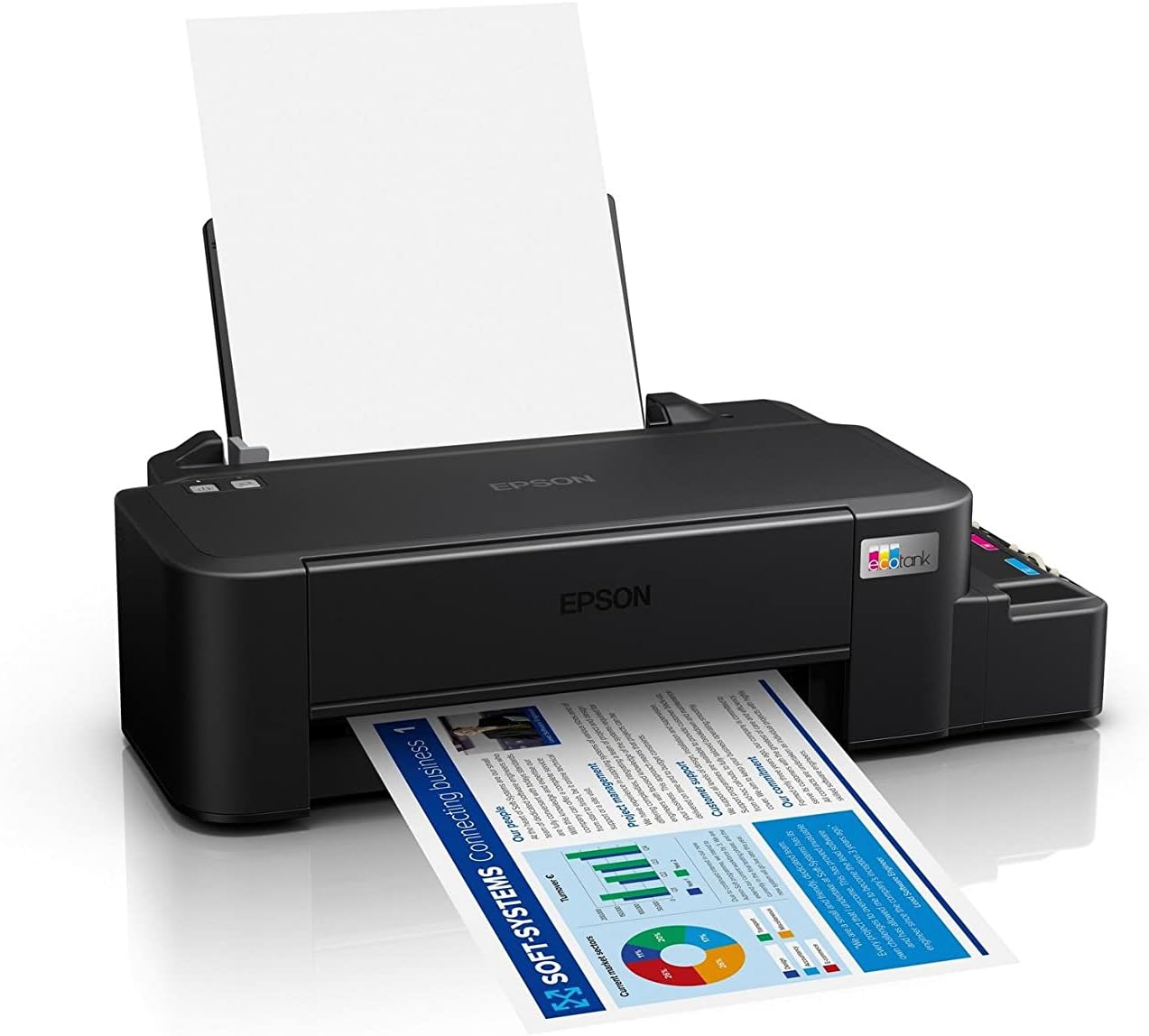
Image: The Epson EcoTank L121 printer actively printing a document. This illustrates paper being fed from the rear tray and exiting the front output tray.
2.2 Grunnprentun
To print a document or image from your computer:
- Opnaðu skjalið eða myndina sem þú vilt prenta.
- Veldu Prenta úr valmynd forritsins (t.d. File > Prenta).
- Choose your Epson EcoTank L121 printer from the list of available printers.
- Stilltu prentstillingar eins og pappírsstærð, prentgæði og fjölda afrita eftir þörfum.
- Smelltu Prenta.
3. Viðhald
3.1 Athugun á blekmagni
Visually inspect the ink tanks on the side of the printer. The transparent tanks allow you to monitor ink levels. Refill ink when levels approach the lower line to prevent air from entering the system, which can affect print quality.

Mynd: Hornlaga view of the Epson EcoTank L121 printer, highlighting the external ink tanks. This view clearly shows the four color ink reservoirs.
3.2 Þrif á prenthaus
If print quality declines (e.g., missing lines, incorrect colors), perform a print head cleaning. This can be done through the printer utility software on your computer:
- Open the Epson printer utility on your computer.
- Farðu í Viðhald or Gagnsemi flipa.
- Veldu Höfuðhreinsun og fylgdu leiðbeiningunum á skjánum.
Alternatively, you can perform a head cleaning by holding down the Viðhald button on the printer for 3 seconds until the power light starts flashing. Release the button and wait for the cleaning cycle to complete.
3.3 Stútprófun
After a head cleaning, or if you suspect print quality issues, perform a nozzle check to verify if all nozzles are firing correctly. This can also be done via the printer utility software or by holding the Viðhald button for a shorter duration (e.g., 1 second) to print a nozzle check pattern.
4. Bilanagreining
Þessi kafli fjallar um algeng vandamál sem þú gætir lent í með Epson EcoTank L121 prentaranum þínum.
- Prentari svarar ekki:
- Ensure the printer is powered on and connected securely via USB.
- Check if the printer drivers are correctly installed on your computer.
- Endurræstu bæði prentarann og tölvuna þína.
- Léleg prentgæði:
- Framkvæmið stútaskoðun til að bera kennsl á stíflaðar stútar.
- Run a print head cleaning cycle if nozzles are clogged.
- Athugaðu blekmagn og fylltu á ef þörf krefur.
- Gakktu úr skugga um að þú notir ekta Epson blek.
- Pappírsstopp:
- Slökktu á prentaranum og fjarlægðu varlega allan fastan pappír úr inntaksskúffunni, úttaksskúffunni eða inni í prentaranum.
- Gakktu úr skugga um að pappírinn sé rétt settur í og ekki krumpaður eða brotinn.urlútg.
- Ekki ofhlaða pappírsskúffuna.
- Ink Light Flashing:
- This usually indicates low ink. Check the ink tanks and refill any low colors.
- After refilling, press the Viðhald button to reset the ink level indicator.
Fyrir ítarlegri bilanaleit, vinsamlegast skoðið þjónustudeild Epson. webvefsíðu eða alla rafrænu handbókina.
5. Tæknilýsing
| Eiginleiki | Smáatriði |
|---|---|
| Vörumerki | Epson |
| Nafn líkans | EcoTank L121 |
| Prenttækni | Inkjet |
| Tengitækni | USB 2.0 |
| Printer Output | Litur |
| Hámarks prentupplausn (litur) | 720 x 720 dpi |
| Hámarksprentunarhraði (svartur) | 9 ppm (ISO) |
| Hámarksprenthraði (litur) | 4.8 ppm (ISO) |
| Sérstakir eiginleikar | Refillable Ink Tank |
| Þyngd hlutar | 2.4 kíló |
| Stærðir hlutar (D x B x H) | 21.5D x 46.1W x 13H sentimetrar |
| Hámarksstærð miðils | A4 |
| Samhæft blek | Epson 664 series (6641/6642/6643/6644) |
| Tvíhliða prentun | Handbók |
6. Upplýsingar um ábyrgð
The Epson EcoTank L121 printer comes with a warranty of 2-years or 20,000 pages, whichever comes first. Please retain your proof of purchase for warranty claims. For full terms and conditions, refer to the official Epson warranty documentation included with your product or visit the Epson support websíða.
7. Stuðningur
For further assistance, driver downloads, FAQs, and additional support resources, please visit the official Epson support websíða:
Þegar þú hefur samband við þjónustuver skaltu hafa prentarann þinn (L121) og raðnúmer tilbúna.