
Rii K18S IT
Rii Mini i18S Wireless + Bluetooth Keyboard
Notendahandbók
1. Inngangur
The Rii Mini i18S is a compact, versatile keyboard featuring both 2.4G wireless and Bluetooth connectivity. It integrates a large touchpad and LED backlighting, making it suitable for a wide range of devices including Smart TVs, TV Boxes, Tablets, Smartphones, Consoles, and PCs. This manual provides detailed instructions for setup, operation, maintenance, and troubleshooting to ensure optimal use of your device.

Figure 1: Rii Mini i18S keyboard demonstrating its dual wireless and Bluetooth connectivity.
2. Innihald pakka
Vinsamlegast athugið hvort eftirfarandi atriði séu í pakkanum:
- Rii Mini i18S Wireless + Bluetooth Keyboard
- USB RF 2.4 GHz Receiver
- USB hleðslusnúra
- USB framlengingarkapall
- Notendahandbók (þetta skjal)
3. Vöru lokiðview
The Rii Mini i18S features a QWERTY layout keyboard. It has a large multi-touch touchpad, and dedicated multimedia keys. It is designed for comfortable and efficient input across various platforms.
3.1 Helstu eiginleikar
- Tvöföld tenging: 2.4G Wireless and Bluetooth 4.0.
- Stór snertiflötur: High sensitivity with multi-touch gestures.
- LED baklýsing: Two selectable colors (blue, green) for use in low-light conditions.
- Endurhlaðanleg rafhlaða: Built-in lithium polymer battery.
- Margmiðlunarstýringar: Dedicated keys for media playback.
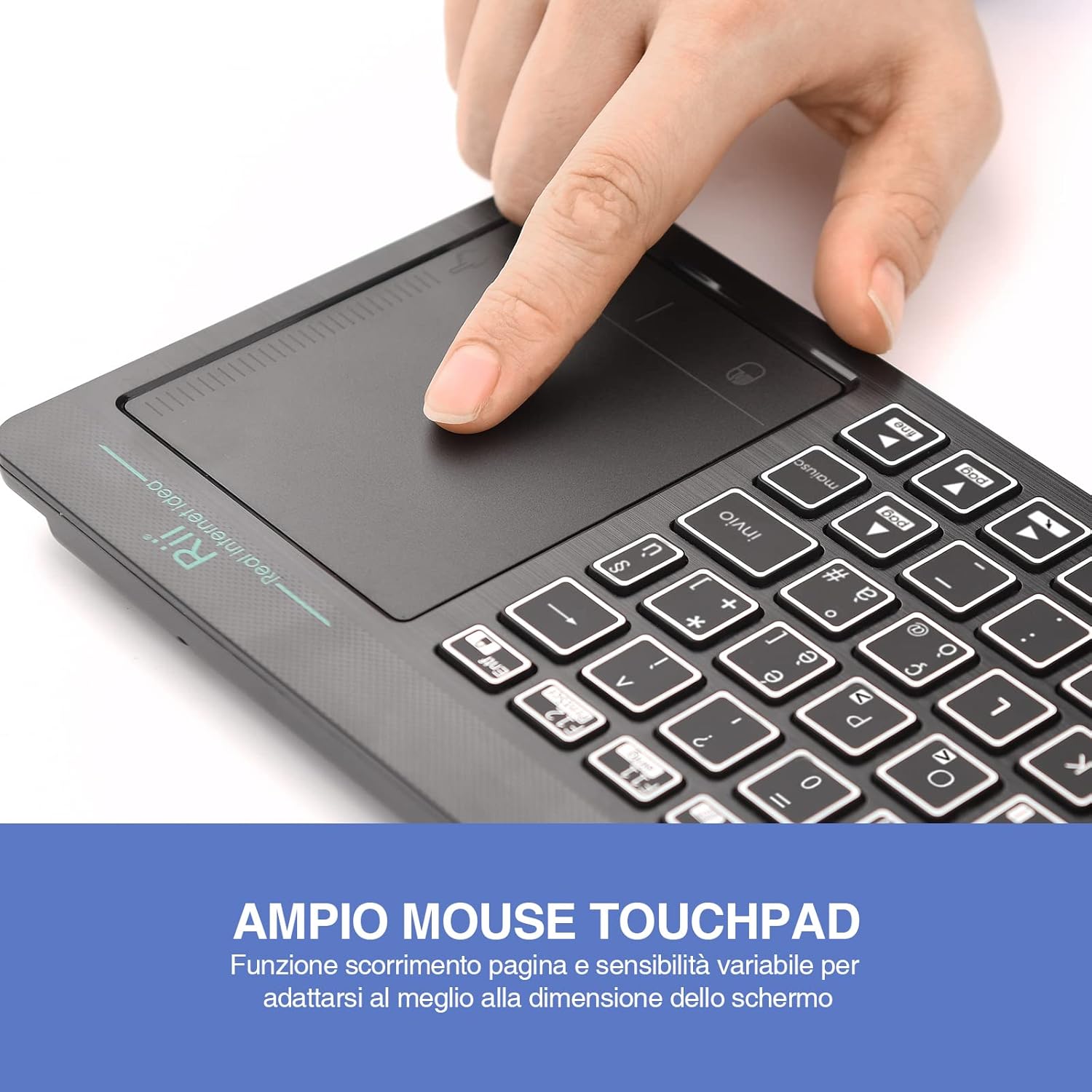
Figure 2: The large, sensitive touchpad of the Rii Mini i18S, supporting multi-touch gestures.

Figure 3: The Rii Mini i18S keyboard showcasing its two-color LED backlighting (blue and green).
4. Uppsetning
4.1 Hleðsla lyklaborðsins
Before initial use, fully charge the keyboard. Connect the provided USB charging cable to the keyboard's microUSB port and the other end to a USB power source (e.g., computer USB port, USB wall adapter).
- LED-ljósið fyrir hleðslu mun lýsa upp meðan á hleðslu stendur.
- The LED will turn off or change color when fully charged.
- Rafhlöðugeta: 400mAh.
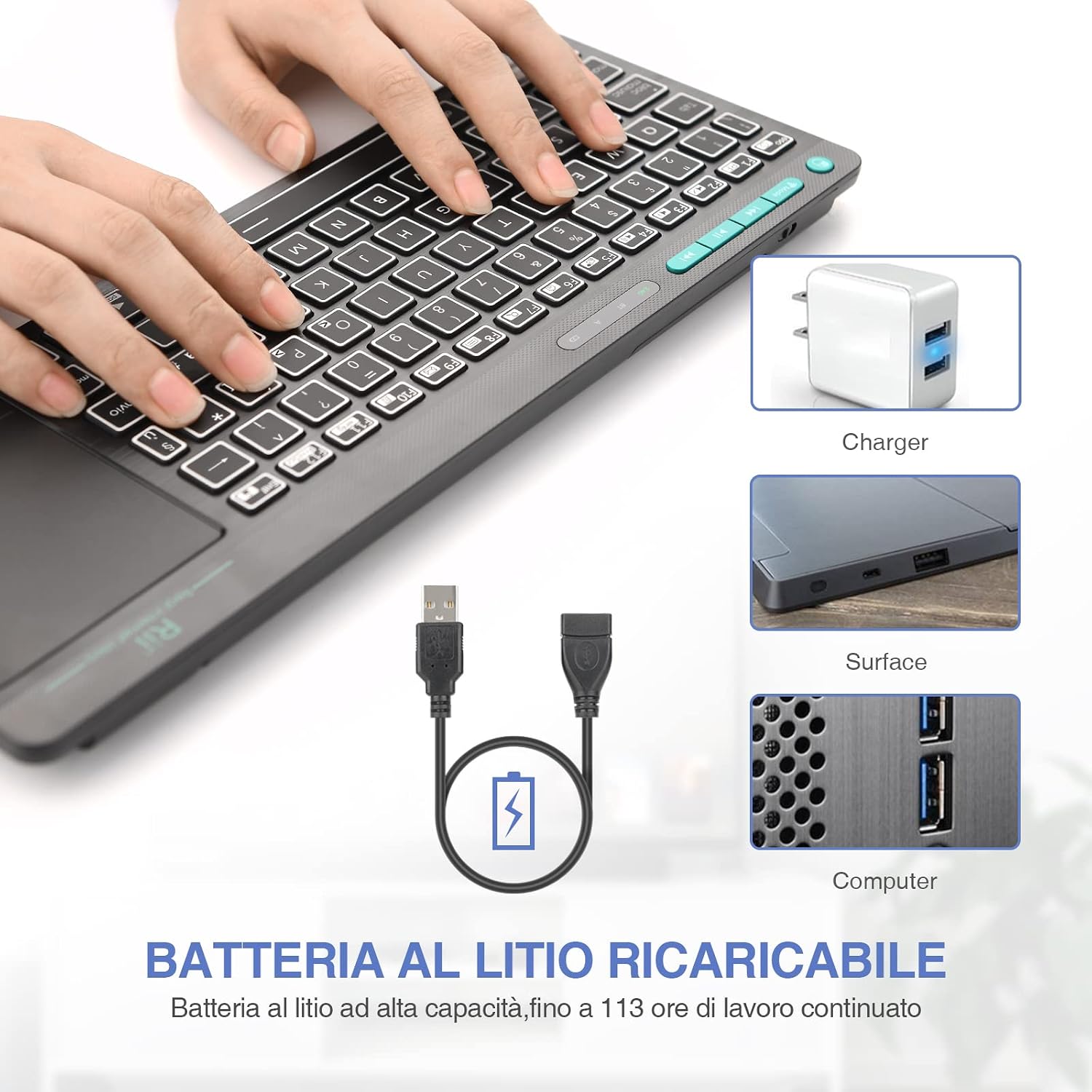
Figure 4: The Rii Mini i18S keyboard being charged using the included USB cable, connected to a power source.
4.2 2.4G þráðlaus tenging
For 2.4G wireless connection, use the included USB receiver.
- Locate the USB receiver in the back compartment of the keyboard.
- Insert the USB receiver into an available USB port on your device (Smart TV, PC, TV Box, etc.).
- Ýttu á MODE button on the keyboard until the 2.4G indicator LED is active.
- The keyboard should automatically connect to your device. If not, try pressing Fn + RF to re-pair.

Figure 5: The USB wireless receiver stored securely in the back compartment of the Rii Mini i18S keyboard.
4.3 Bluetooth-tenging
For Bluetooth connection, ensure your device has Bluetooth enabled.
- Ýttu á MODE button on the keyboard until the BT indicator LED is active.
- Farðu í Bluetooth-stillingar í tækinu þínu og leitaðu að nýjum tækjum.
- Select "Rii Mini i18S" from the list of available devices to pair.
- Fylgdu öllum leiðbeiningum á skjánum til að ljúka pörunarferlinu.
The dual connection technology allows you to manage up to two devices simultaneously: one via Bluetooth and one via 2.4G wireless.

Figure 6: The Rii Mini i18S keyboard demonstrating its dual mode connectivity, shown here connected to a tablet.
5. Notkunarleiðbeiningar
5.1 Grunnvirkni lyklaborðsins
The keyboard features a standard QWERTY layout. All keys function as labeled. Use the Fn key in combination with other keys for special functions (e.g., multimedia controls).
- CAPS LOCK: Press to toggle uppercase/lowercase. An indicator LED will show its status.
5.2 Snertiflatarvirkni
The integrated touchpad supports various gestures:
- Bankaðu með einum fingri: Vinstri smelltu.
- Tveir fingur Ýta: Hægrismella.
- Tveggja fingra skrun: Drag two fingers up or down to scroll pages.
- Single Finger Drag: Færðu bendilinn.
- Vinstri músarhnappur: A physical left mouse button is also available on the top-left side of the keyboard for convenience.
5.3 Baklýsingastýring
The keyboard features LED backlighting with two selectable colors.
- Ýttu á lykill fyrir ljósaperutákn to cycle through backlight colors (blue, green) or turn it off.
5.4 Margmiðlunarlyklar
Notaðu Fn key in conjunction with the F1-F12 keys (or other labeled keys) to access multimedia functions such as volume control, play/pause, and track skipping.
6. Viðhald
6.1 Þrif
Til að þrífa lyklaborðið skal nota mjúkan, þurran klút. Fyrir þrjósk óhreinindi skal þurrka örlítiðampÞvoið klútinn með vatni eða mildri hreinsilausn. Forðist að nota sterk efni eða slípiefni.
6.2 Umhirða rafhlöðu
- Forðastu að útsetja lyklaborðið fyrir miklum hita.
- Charge the keyboard regularly, even if not in frequent use, to maintain battery health.
- The keyboard features a programmable standby mode (3 minutes or 2 hours) to conserve battery life.
7. Bilanagreining
7.1 Lyklaborðið svarar ekki
- Athugaðu rafhlöðu: Ensure the keyboard is charged. Connect it to a power source.
- Athugaðu tengingu:
- For 2.4G Wireless: Ensure the USB receiver is properly inserted and the keyboard is in 2.4G mode. Try a different USB port.
- For Bluetooth: Ensure Bluetooth is enabled on your device and the keyboard is in Bluetooth mode. Re-pair the device if necessary.
- Endurræsa: Turn the keyboard off and on again. Restart your connected device.
7.2 Touchpad Not Working Correctly
- Hreinsa snertiflötinn: Gakktu úr skugga um að yfirborð snertifletisins sé hreint og laust við óhreinindi.
- Næmi: Adjust touchpad sensitivity if available in your device's settings.
7.3 Baklýsing virkar ekki
- Athugaðu rafhlöðu: Low battery might disable backlighting. Charge the keyboard.
- Skipta: Press the light bulb icon key to ensure it's not turned off.
8. Tæknilýsing
| Fyrirmynd | K18S IT |
| Tengingar | 2.4 GHz RF Wireless, Bluetooth 4.0 |
| Rekstrarsvið | Up to 10 meters (2.4 GHz RF), Up to 8 meters (Bluetooth) |
| Lyklaborðsuppsetning | QWERTY (Italian layout) |
| Touchpad Resolution | Allt að 1000 DPI |
| Bakljós litir | Blue, Green (selectable) |
| Tegund rafhlöðu | Endurhlaðanlegt litíum fjölliða |
| Rafhlöðugeta | 400mAh |
| Hleðsluport | MicroUSB (5V 350mA) |
| Mál (L x B x H) | 31.7 x 12.3 x 1.8 cm |
| Þyngd | 340g |
| Samhæft stýrikerfi | Windows (XP/Vista/7/8/10/11), Mac OS, Linux (Ubuntu 11.04+), Android (2.3+), iOS, Raspbian, PlayStation (PS3/PS4/PS5), Xbox (360/One/S/X), Fire TV |
| Vottanir | CE, RoHS, FCC |
9. Ábyrgð og stuðningur
Rii products are designed for reliability and performance. For warranty information and technical support, please refer to the official Rii webeða hafið samband við dreifingaraðila á staðnum. Geymið kaupkvittunina vegna ábyrgðarkröfu.
Opinber websíða: www.riitek.com
Ask a question about this manual
Ask about setup, troubleshooting, compatibility, parts, safety, or missing instructions. Manuals+ will review the question and use this page’s manual context to help answer it.