
Inngangur
This manual provides detailed instructions for the installation, operation, and maintenance of your EZoneTronics PCD001 Portable Wireless Car Stereo. Please read this manual thoroughly before using the device to ensure proper functionality and to prevent damage.
Vara lokiðview
Helstu eiginleikar
- 7-Inch Touchscreen Display: Provides a clear and responsive interface for navigation and media control.
- Þráðlaus Apple CarPlay og Android Auto: Seamlessly integrates with Apple and Android smartphones for navigation, music, and communication.
- FM Sendandi: Connects to your vehicle's original radio system via AUX Out or FM Out for audio output.
- Plug and Play uppsetning: Designed for easy setup without modifying existing car equipment.
- Fjölhæfir uppsetningarvalkostir: Can be mounted on the dashboard or windshield using a suction cup holder.
- Viðbótaraðgerðir: Supports Bluetooth connectivity, hands-free calling, voice control (Siri/Google Assistant), video playback, and music streaming.
- Samhæfni fjölmiðla: Supports SD card and USB devices for media playback.
Hvað er í kassanum
Staðfestið að allir íhlutir séu til staðar við upppakkningu:
- 1 x EZoneTronics PCD001 Portable Wireless Car Stereo Unit
- 1 x Mounting Bracket (for dash or windshield)
- 1 x Car Charger (power adapter)
- 1 x Driving Recorder (if included in your package)
- 1 x SD Card (if included in your package)
- 1 x Webcam (if included in your package)
Note: The inclusion of the Driving Recorder, SD Card, and Webcam may vary by package.
Uppsetning og uppsetning
Uppsetning tækisins
The device can be mounted on your car's dashboard or windshield. Choose a location that does not obstruct your view eða trufla stjórntæki ökutækis.
- Hreinsaðu yfirborðið: Ensure the chosen mounting surface (dashboard or windshield) is clean and dry.
- Festu sogskálina: Press the suction cup firmly onto the surface and engage the locking mechanism to secure it.
- Stilltu hornið: Use the adjustable arm and swivel joint to position the screen for optimal viewing. The mount allows for 360-degree rotation and 180-degree angle adjustment.
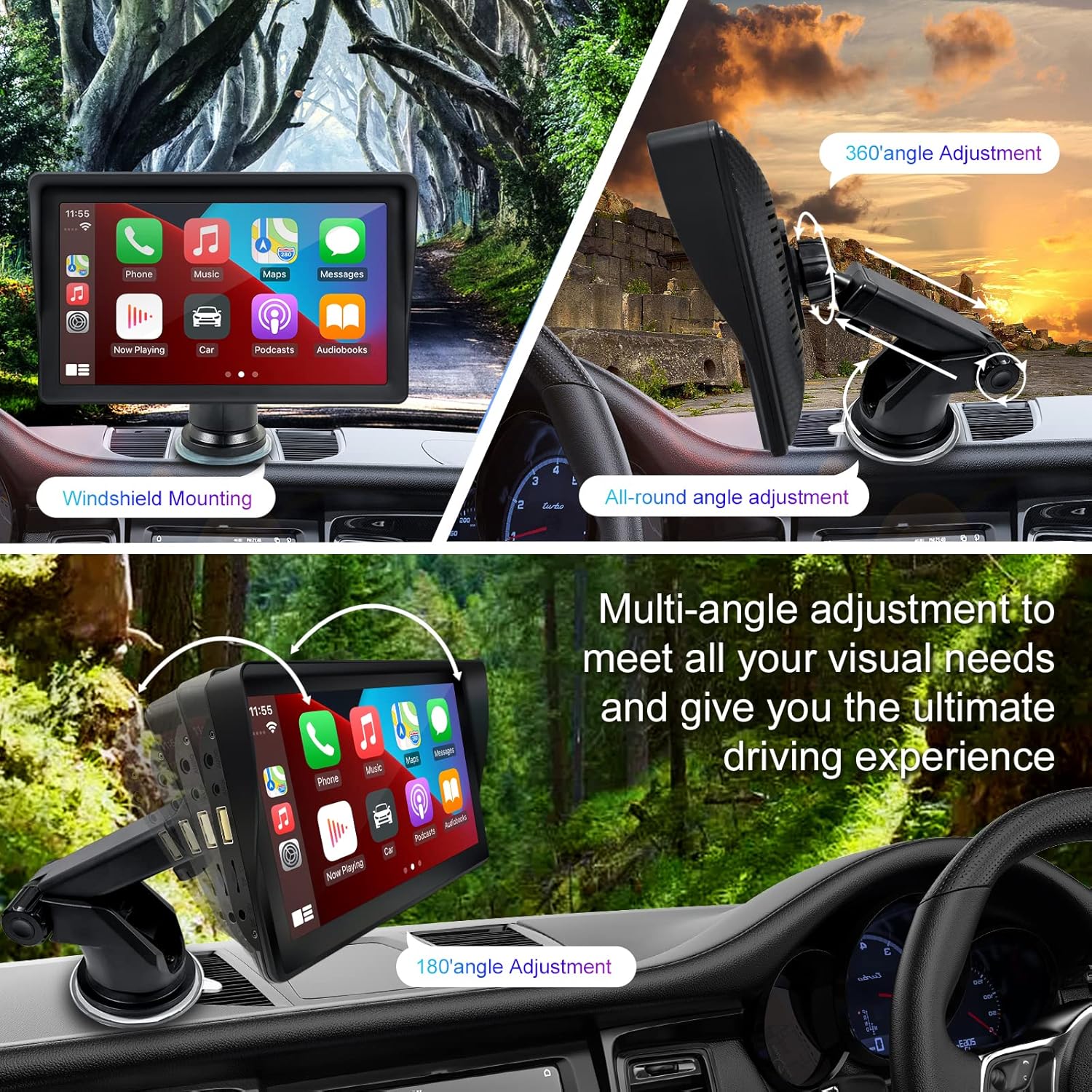
Figure 1: Mounting options and angle adjustments for the portable car stereo.
Rafmagnstenging
Connect the provided car charger to the device's power input port and then into your vehicle's 12V power outlet (cigarette lighter socket). The device supports 12-24V power input.
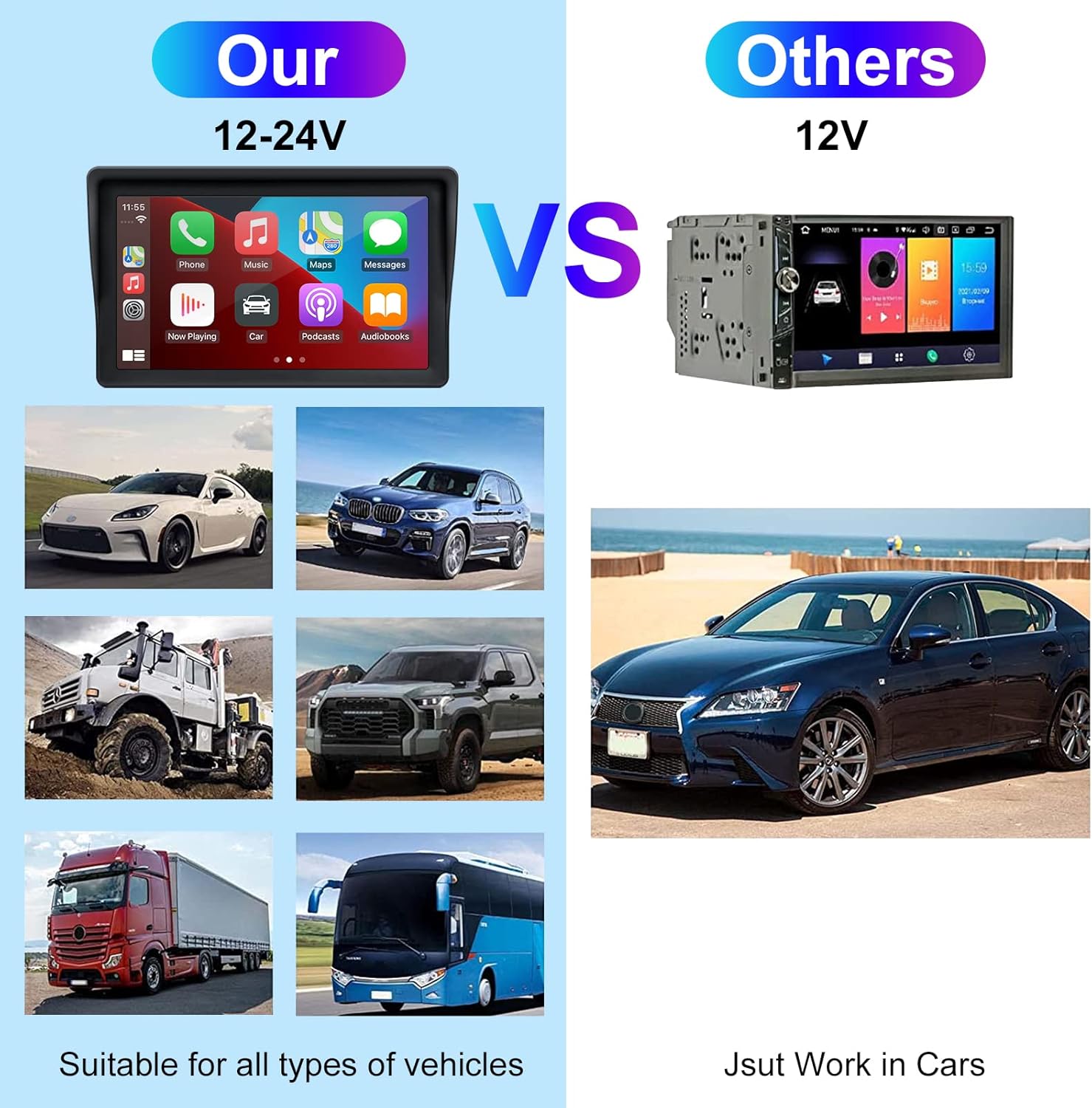
Figure 2: The EZoneTronics unit is compatible with 12-24V vehicle power systems.
Notkunarleiðbeiningar
Initial Power On and Interface
Once powered, the device will boot up and display the main interface. This interface provides access to Apple CarPlay, Android Auto, and other functions.

Figure 3: Main interface displaying Apple CarPlay.
Connecting to Apple CarPlay or Android Auto
The device supports wireless connection for both Apple CarPlay and Android Auto.
- Virkja Bluetooth og Wi-Fi: Gakktu úr skugga um að bæði Bluetooth og Wi-Fi séu virk í snjallsímanum þínum.
- Para tæki: On the car stereo, navigate to the Bluetooth settings and pair with your smartphone.
- Sjálfvirk tenging: Once paired, the device should automatically prompt you to connect to Apple CarPlay or Android Auto. Follow the on-screen instructions on both the car stereo and your phone to complete the setup.
- Mirror Link: For devices not supporting CarPlay or Android Auto, or if you prefer, you can use the Mirror Link function to display your phone's screen on the unit.

Figure 4: Wireless connection for Apple CarPlay and Android Auto.
Audio Output (FM Transmitter / AUX Out)
To output audio from the car stereo to your vehicle's sound system, you have two primary options:
- FM Sendandi:
- On the EZoneTronics unit, select the FM Transmitter function.
- Choose an unused FM frequency.
- Tune your vehicle's FM radio to the same frequency. Audio from the portable stereo will now play through your car's speakers.
- AUX út:
- Connect an AUX cable from the AUX Out port on the EZoneTronics unit to your vehicle's AUX In port.
- Select AUX input on your vehicle's audio system.


Figure 5: FM Transmitter and other core functions.
Voice Control (Siri / Google Assistant)
Once connected to Apple CarPlay or Android Auto, you can activate your smartphone's voice assistant (Siri or Google Assistant) for hands-free control. This allows you to make calls, send messages, get directions, and play music using voice commands.
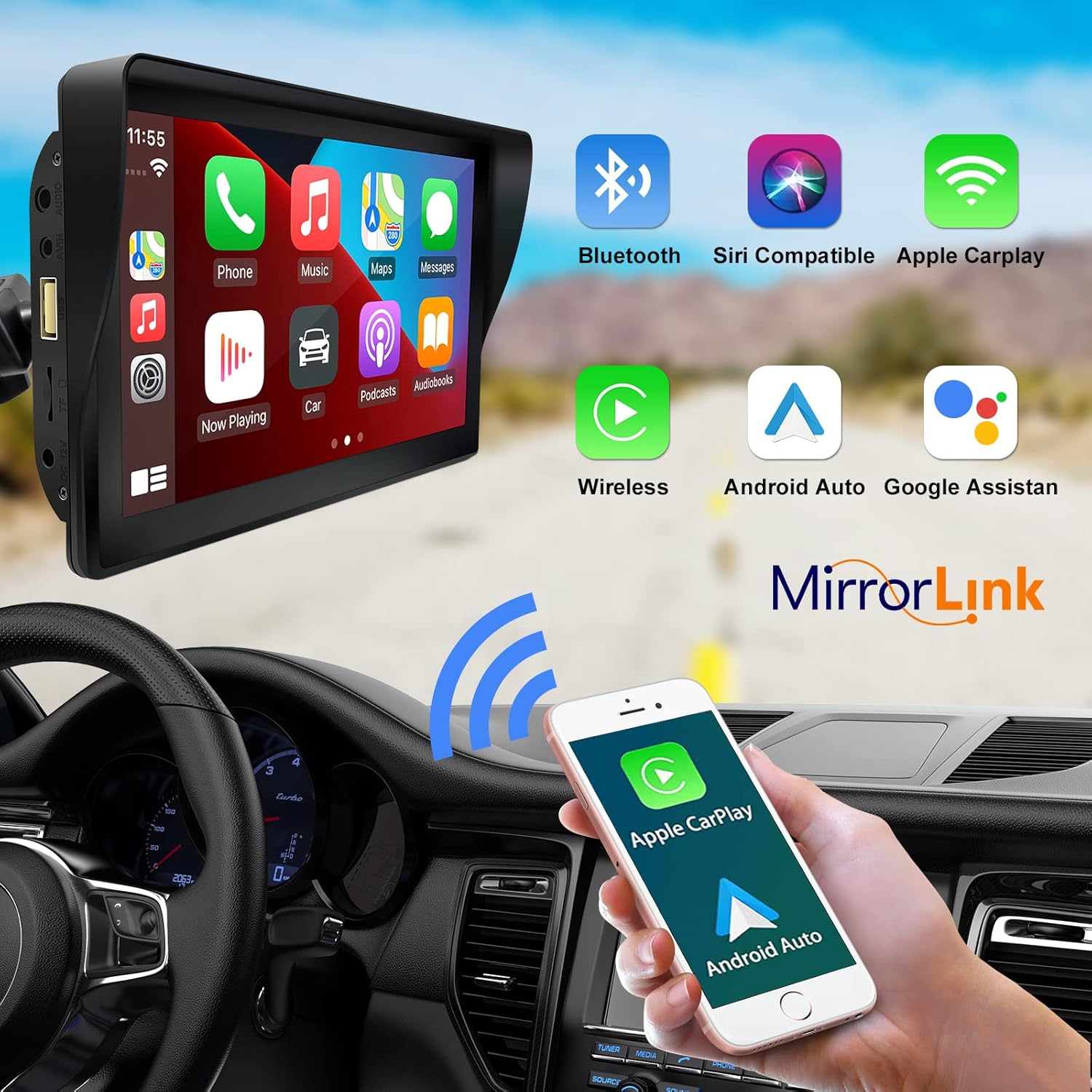
Figure 6: Voice control and connectivity features.
Media Playback (SD Card / USB)
The unit supports media playback from SD cards and USB devices.
- Insert an SD card into the designated slot or a USB drive into the USB port.
- Navigate to the media player application on the car stereo.
- Veldu hljóð- eða myndbandsupptöku files fyrir spilun.


Figure 7: USB and SD card media playback options.
Úrræðaleit
If you encounter issues with your EZoneTronics PCD001, refer to the following common problems and solutions:
| Vandamál | Möguleg orsök/lausn |
|---|---|
| Ekki kveikir á tækinu. |
|
| Cannot connect to Apple CarPlay / Android Auto wirelessly. |
|
| Ekkert hljóð kemur út úr hátalurum bílsins. |
|
| Snertiskjárinn svarar ekki. |
|
| GPS navigation is inaccurate or not working. |
|
Tæknilýsing
| Eiginleiki | Smáatriði |
|---|---|
| Nafn líkans | PCD001 |
| Vörumerki | EZoneTronics |
| Skjástærð | 7 tommur |
| Skjár Tegund | IPS |
| Gerð snertiskjás | Rafrýmd |
| Stýrikerfi | Android (Internal OS for unit functions, supports CarPlay/Android Auto) |
| Tengitækni | Wireless CarPlay, Wireless Android Auto, Bluetooth, FM Transmitter, AUX Out |
| Hljóðútgangsstilling | AUX, Stereo |
| Stutt gervihnattaleiðsögukerfi | GPS (via connected smartphone) |
| Gerð uppsetningar | Dashboard Mount, Windshield Mount |
| Samhæf tæki | Smartphones (Apple iOS and Android) |
| Þjónustutegund ökutækja | Car (Universal 12-24V compatibility) |
Viðhald
Proper maintenance ensures the longevity and optimal performance of your EZoneTronics PCD001.
- Að þrífa skjáinn: Notið mjúkan, lólausan klút til að þurrka skjáinn varlega. Fyrir þrjósk bletti, strjúkið örlítiðampÞurrkið klútinn með vatni eða skjáþolnu hreinsiefni. Forðist sterk efni eða slípiefni.
- Kapalstjórnun: Ensure all cables are neatly routed and secured to prevent entanglement or damage.
- Hitastig: Forðist að láta tækið verða fyrir miklum hita, bæði heitu og köldu, í langan tíma.
- Hugbúnaðaruppfærslur: Athugaðu reglulega upplýsingar framleiðanda website or device settings for any available software updates to improve performance and add features.
Ábyrgð og stuðningur
Upplýsingar um ábyrgð
The EZoneTronics PCD001 Portable Wireless Car Stereo comes with a eins árs ábyrgð frá kaupdegi. Þessi ábyrgð nær yfir framleiðslugalla og bilanir við eðlilega notkun. Hún nær ekki til tjóns sem orsakast af misnotkun, slysum, óheimilum breytingum eða óviðeigandi uppsetningu.
Vinsamlegast geymdu sönnunina þína fyrir kaupum fyrir ábyrgðarkröfur.
Þjónustudeild
For technical assistance, warranty claims, or further inquiries, please contact EZoneTronics customer support:
- Websíða: www.ezonetronics.com
- Netfang: support@ezonetronics.com
When contacting support, please provide your product model (PCD001) and a detailed description of the issue.