
1. Inngangur
The JBL Bar 300 is a compact 5.0 channel all-in-one soundbar designed to deliver an immersive 3D surround sound experience. Featuring MultiBeam technology and Dolby Atmos, this soundbar enhances your home entertainment with powerful and clear audio for movies, music, and games. Its streamlined design integrates seamlessly into any living space, providing a premium audio solution without the need for additional speakers or subwoofers.
2. Innihald pakka
Gakktu úr skugga um að allir hlutir sem taldir eru upp hér að neðan séu innifaldir í pakkanum þínum:
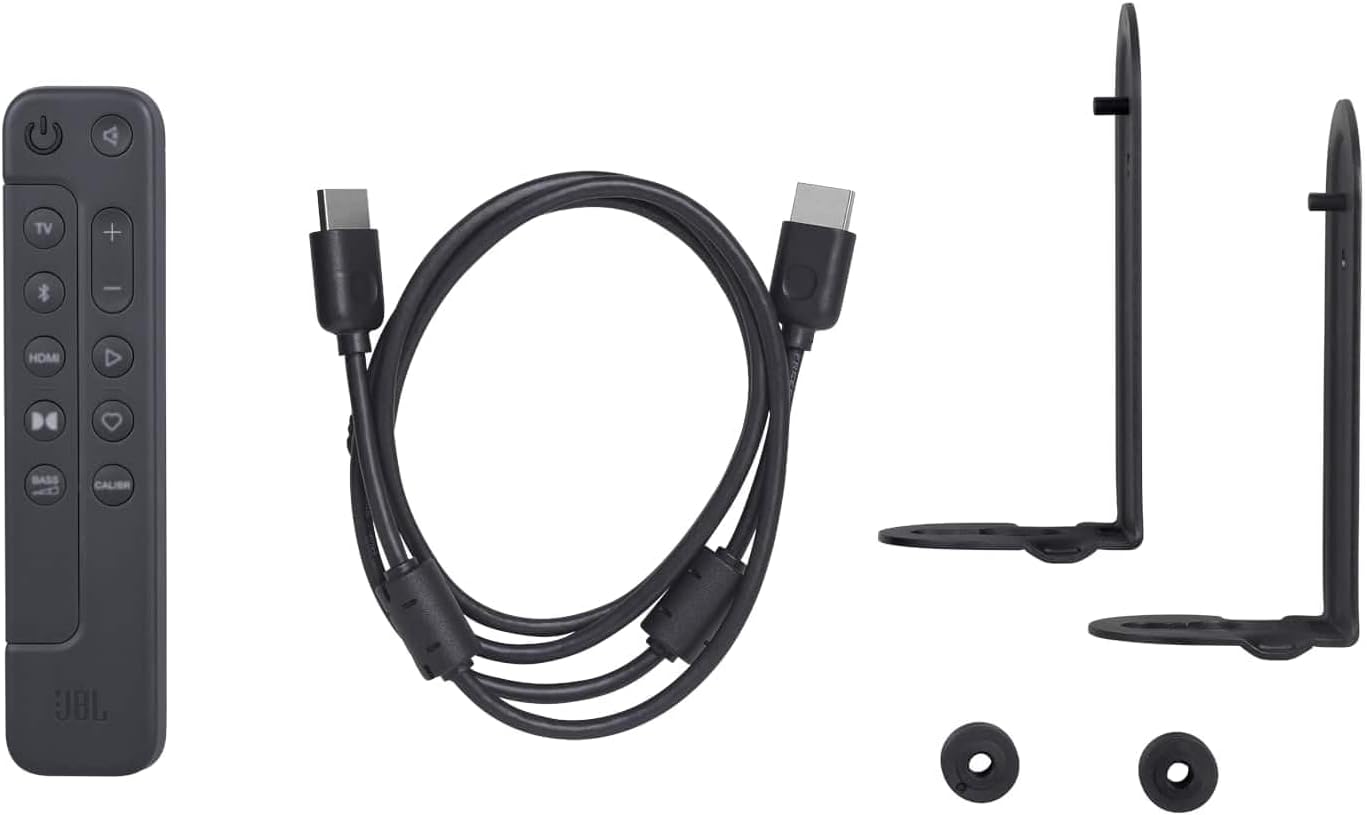
- 1 x JBL Bar 300 Soundbar
- 1 x Remote control with 2 batteries
- Power cables (up to 8 pieces depending on region SKUs)
- 1 x HDMI snúru
- 2 x Wall mount brackets with screws
- 1 x Flýtileiðarvísir
- Warranty/Warning (W/!)
- Product safety sheet/QSG (S/I)
3. Uppsetning
3.1 Staðsetning
Place the JBL Bar 300 soundbar directly in front of your television on a flat surface, ensuring it does not obstruct the TV's remote sensor. Alternatively, you can wall-mount the soundbar using the provided brackets.

3.2 Tengingar
- Tengjast við sjónvarp: Use the supplied HDMI cable to connect the soundbar's HDMI OUT (TV ARC) port to your TV's HDMI ARC/eARC input. If your TV does not have an HDMI ARC port, use an optical cable (not included) to connect the soundbar's OPTICAL port to your TV's optical output.
- Rafmagnstenging: Tengdu rafmagnssnúruna við hljóðstikuna og síðan í rafmagnsinnstungu.
- Nettenging: For Wi-Fi streaming and software updates, connect the soundbar to your home Wi-Fi network using the JBL One app.

4. Notkunarleiðbeiningar
4.1 Grunnstýringar
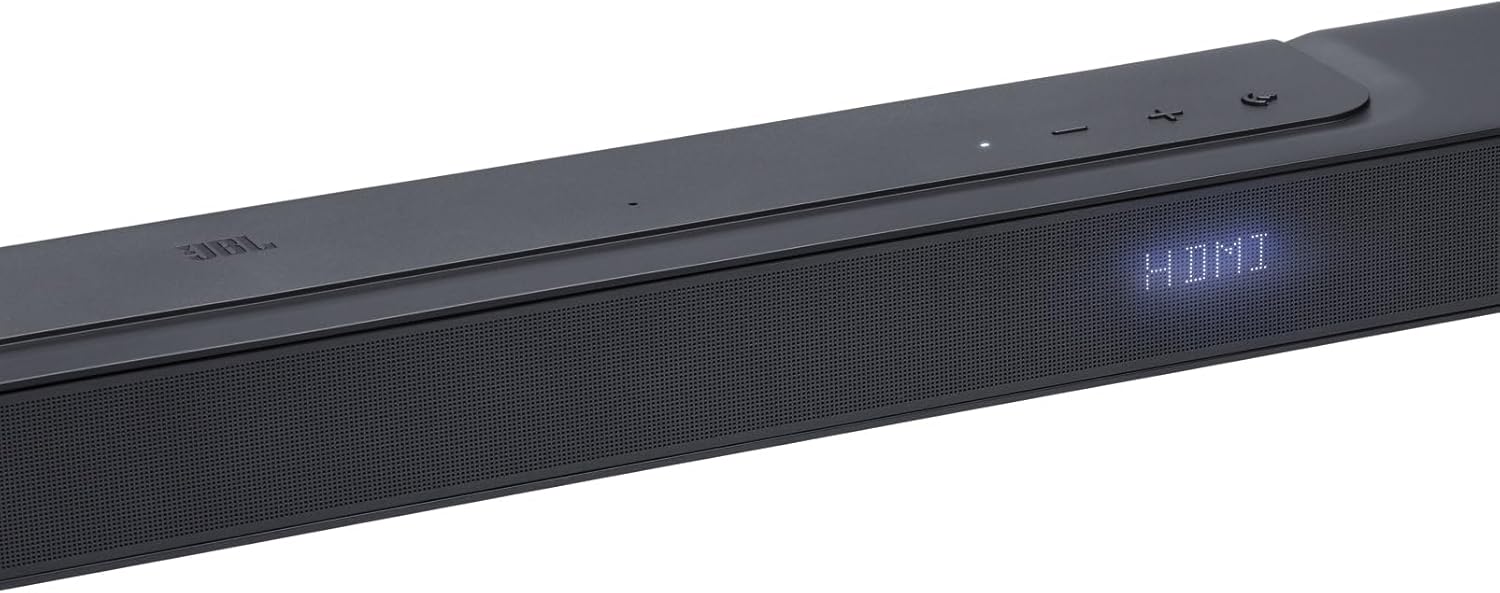
Use the included remote control or the buttons on the top panel of the soundbar to control power, volume, and input selection.
- Aflhnappur: Ýttu á til að kveikja eða slökkva á hljóðstikunni.
- Hljóðstyrkstakkar (+/-): Stilltu aðalhljóðstyrkinn.
- Uppruni hnappur: Cycle through available audio input sources (HDMI, Bluetooth, Wi-Fi).

4.2 Advanced Control with JBL One App
Download the JBL One app to unlock full control and personalization options for your soundbar, including sound calibration, equalizer settings, and access to over 300 streaming services via AirPlay, Alexa MRM, and Chromecast built-in.
5. Eiginleikar
- Fyrirferðarlítil allt-í-einn hönnun: Offers a 3D surround sound experience without additional surround speakers or subwoofers.
- MultiBeam and Dolby Atmos: Transforms your movies into an immersive 3D cinematic experience.
- Djúpur bassi: Integrated bass port enhances action scenes and music with powerful low frequencies.
- Þráðlaus streymi: Access over 300 streaming services via AirPlay, Alexa MRM, and Chromecast built-in. Wi-Fi connectivity also enables automatic software updates.
- Hreinsa samtal: Advanced audio processing ensures clear and understandable dialogue.
6. Tæknilýsing
| Eiginleiki | Smáatriði |
|---|---|
| Vörumerki | JBL |
| Nafn líkans | SoundBar 300 Speaker |
| Gerðarnúmer | JBLBAR300PROBLKEP |
| Tengitækni | Bluetooth, WiFi |
| Hljóðkóðun | Dolby Atmos |
| Hljóðútgangsstilling | Umhverfi |
| Hámarksútgangsafl hátalara | 25 Watt |
| Tíðni svörun | 20 KHz |
| Fjöldi hljóðrása | 5.0 |
| Stærðir hlutar (D x B x H) | 10.4D x 82W x 5.6H sentimetrar |
| Þyngd hlutar | 4.1 kíló |
| Eftirlitsaðferð | Fjarstýring |
| Efni | Plast |
| Litur | Svartur |
| Mælt er með notkun | Home cinema systems, TV evenings, video games |
7. Bilanagreining
If you encounter any issues with your JBL Bar 300 soundbar, please consider the following general troubleshooting steps:
- Enginn kraftur: Ensure the power cable is securely connected to both the soundbar and a working power outlet.
- Ekkert hljóð: Check that the correct input source is selected on the soundbar and your TV. Verify that the volume is not muted on either device. Ensure all audio cables are properly connected.
- Vandamál með Bluetooth-tengingu: Make sure the soundbar is in Bluetooth pairing mode and your device's Bluetooth is enabled. Try unpairing and re-pairing the device.
- Bjagað hljóð: Reduce the volume on both the soundbar and your connected device. Check for any physical obstructions or interference.
For more detailed troubleshooting, refer to the full user manual available on the JBL support websíðuna eða hafðu samband við þjónustuver.
8. Viðhald
To ensure the longevity and optimal performance of your JBL Bar 300 soundbar, follow these maintenance guidelines:
- Þrif: Gently wipe the soundbar with a soft, dry, lint-free cloth. Avoid using abrasive cleaners, waxes, or solvents as they may damage the finish.
- Loftræsting: Ensure adequate airflow around the soundbar. Do not block any ventilation openings.
- Geymsla: Ef hljóðstikan er geymd í langan tíma skal aftengja hana frá rafmagninu og geyma hana á köldum, þurrum stað fjarri beinu sólarljósi og miklum hita.
9. Ábyrgð og stuðningur
Your JBL Bar 300 soundbar comes with a 2 árs ábyrgð framleiðanda. Þessi ábyrgð nær til galla í efni og framleiðslu við venjulega notkun.
For warranty claims, technical support, or additional product information, please visit the official JBL support webvefsíðu eða hafið samband við þjónustuver þeirra. Geymið kaupkvittunina til að staðfesta ábyrgðina.