
BPXX XP-D463B
BPXX Bluetooth Thermal Label Printer User Manual
Gerð: XP-D463B
1. Inngangur
This manual provides comprehensive instructions for the setup, operation, and maintenance of your BPXX Bluetooth Thermal Label Printer (Model XP-D463B). This printer is designed for efficient and high-quality printing of various labels, including shipping labels, for both personal and business use. It supports both Bluetooth and USB connectivity, offering flexibility across multiple operating systems and devices.
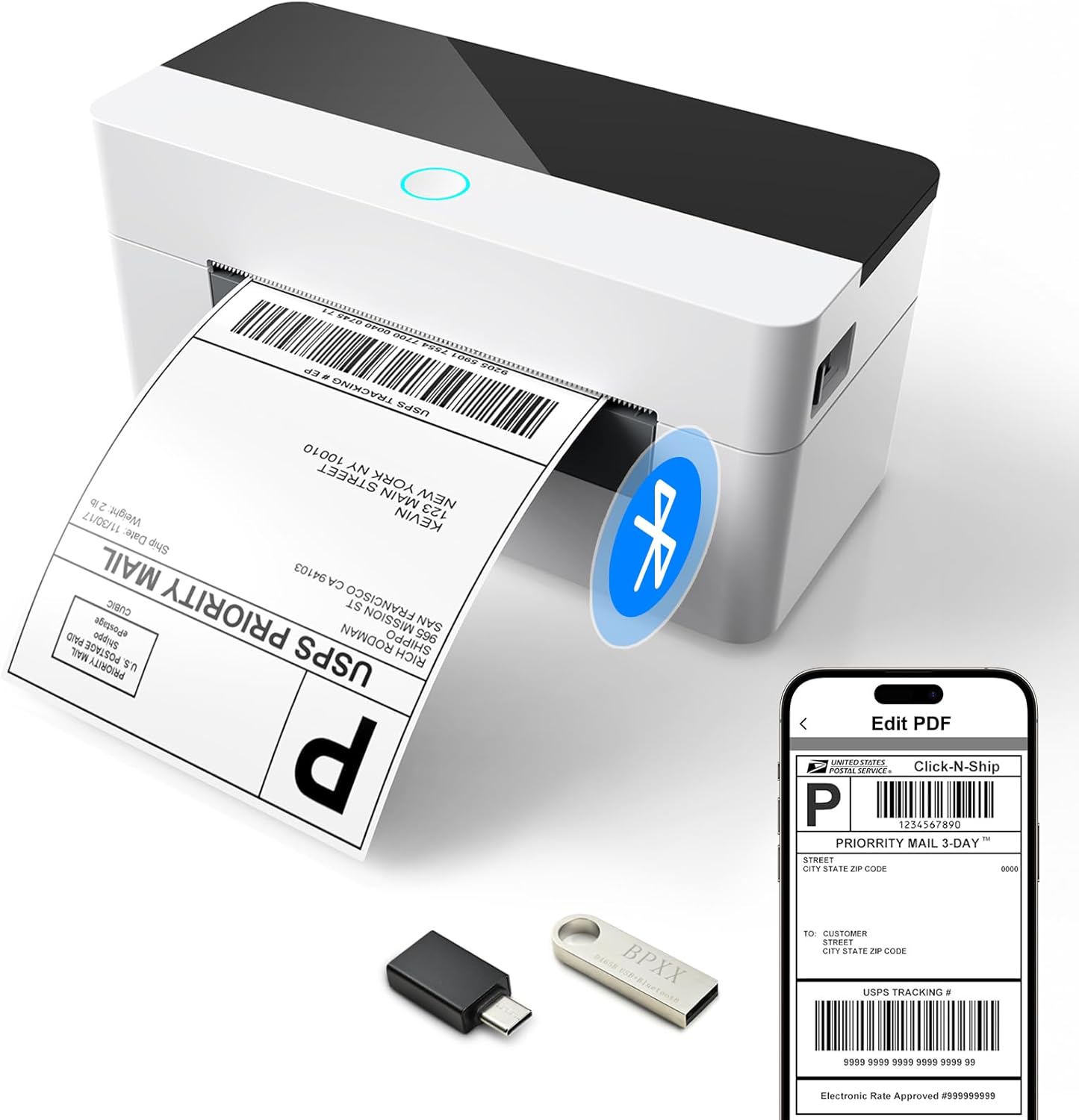
Image 1.1: The BPXX Bluetooth Thermal Label Printer, showcasing its compact design and wireless printing capability with a smartphone.
2. Hvað er í kassanum
Vinsamlegast staðfestu að allir eftirfarandi íhlutir séu innifaldir í pakkanum þínum:
- BPXX Bluetooth and USB Thermal Printer
- Fljótleg uppsetningarleiðbeiningar
- OTG millistykki
- U Disk (USB flash drive containing drivers and detailed manual)
- USB snúru
- Rafmagnssnúra
- Rafmagns millistykki

Image 2.1: Contents of the BPXX Thermal Label Printer package.
3. Uppsetning
3.1. Rafmagnstenging
- Tengdu straumbreytinn við aflgjafainntak prentarans.
- Stingdu rafmagnssnúrunni í viðeigandi rafmagnsinnstungu.
- Press the power button on the printer to turn it on. The indicator light should illuminate.
3.2. Hleðsla merkimiða
The printer supports labels up to 4.1 inches in width and features auto label size detection.
- Opnaðu prentaralokið.
- Stilltu merkimiðaleiðarana þannig að þeir passi við breidd merkimiðanna.
- Insert the labels into the printer, ensuring the print side is facing up. The printer will automatically feed a few labels to detect the size and calibrate.
- Lokaðu prentaralokinu örugglega.
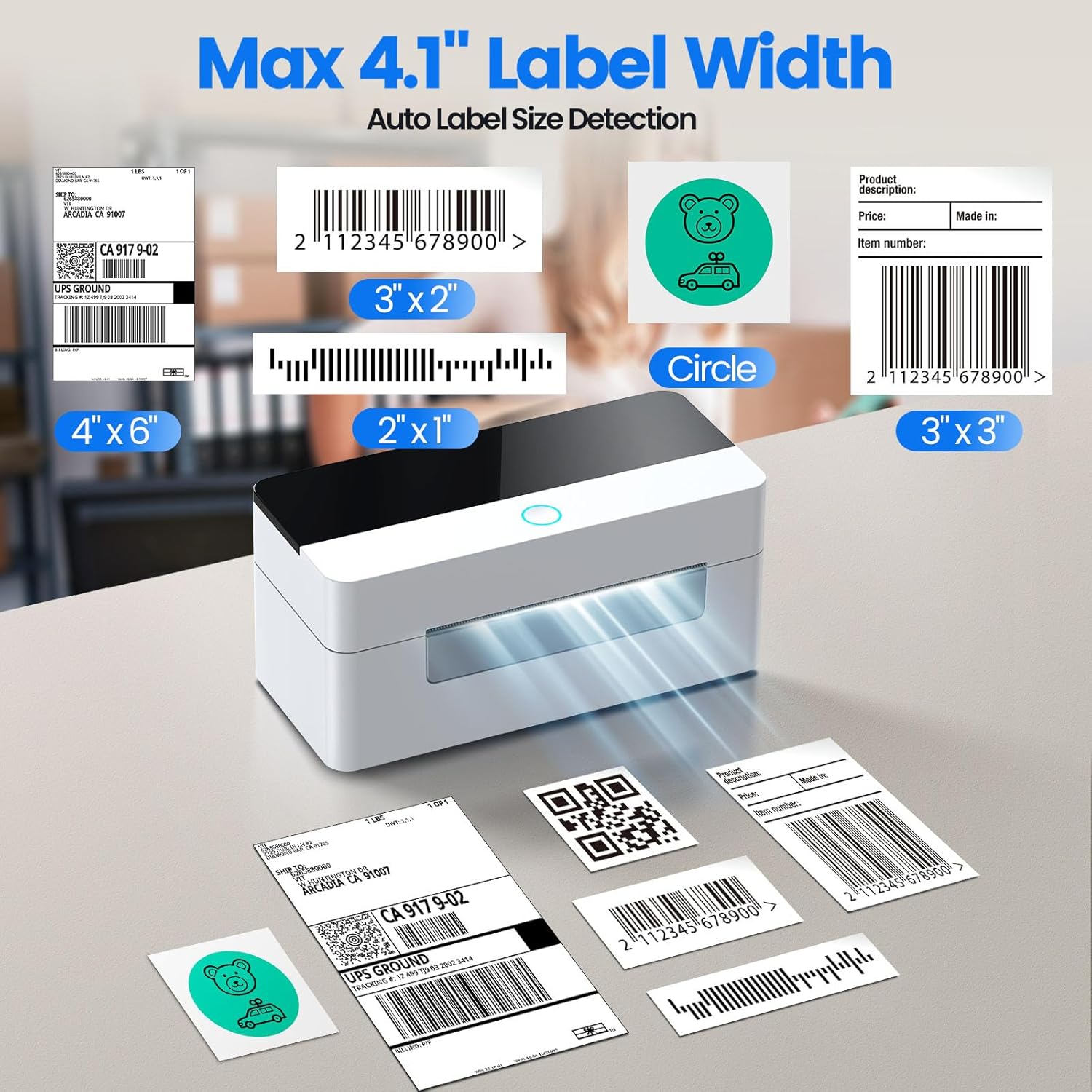
Image 3.1: The printer supports a maximum label width of 4.1 inches and various label types.
3.3. Driver Installation & Connectivity
The included U Disk contains the necessary drivers and a detailed installation guide video. It is highly recommended to use this U Disk for initial setup.
- Insert the provided U Disk into your computer's USB port.
- Follow the instructions in the installation guide video or PDF on the U Disk to install the printer drivers for your operating system (Windows, Mac OS, Linux, ChromeOS).
3.3.1. Bluetooth Connection (for iOS, Android, Windows)
For wireless printing, connect via Bluetooth:
- Download the "4Barcode" app from your device's app store (iOS/Android) or ensure Bluetooth is enabled on your Windows PC.
- Open the "4Barcode" app or go to your device's Bluetooth settings.
- Leitaðu að and select the BPXX printer (Model XP-D463B) to pair.
- Once paired, you can print directly from the app or your device's print function.
3.3.2. USB Connection (for Windows, Mac OS, Linux, ChromeOS)
For wired printing, use the USB cable:
- Connect one end of the provided USB cable to the printer's USB port.
- Connect the other end of the USB cable to your computer's USB port.
- Ensure the printer drivers are installed as per section 3.3.
- Your computer should recognize the printer, and you can select it from your printing options.

Image 3.2: Connectivity options: Bluetooth for phones/tablets and USB for various computer operating systems.
4. Notkunarleiðbeiningar
The BPXX Thermal Label Printer offers fast and clear printing for various applications.
4.1. Prentun merkimiða
- Ensure the printer is powered on and labels are properly loaded.
- Prepare your label design or shipping information using your preferred software or the "4Barcode" app.
- Select the BPXX printer from your device's print dialogue.
- Adjust print settings (e.g., label size, orientation) as needed to match your label stock.
- Initiate the print command. The printer will quickly produce your label at a speed of up to 152mm/s (72 sheets of 4x6 labels per minute).

Image 4.1: High-speed and high-definition printing capabilities.
4.2. Print Quality
The D463B thermal label printer provides a high-definition printing resolution of 203dpi, ensuring clear and sharp images, texts, and barcodes without ink stains. The intelligent temperature adjustment feature helps maintain stable operation and prolongs the print head's lifespan.
5. Viðhald
5.1. Cleaning the Print Head and Rubber Roller
Regular cleaning ensures optimal print quality and extends the life of your printer.
- Slökktu á prentaranum og taktu rafmagnssnúruna úr sambandi.
- Opnaðu prentaralokið.
- Use a cotton swab dipped in 100% alcohol to gently clean the print head (the heated element that creates the image) and the rubber roller (the roller that feeds the labels).
- Allow the components to dry completely before closing the cover and turning the printer back on.
5.2. Replacing the Label Roll and Printer Head
The BPXX printer features an easy-load and replaceable design for both the label roll and the printer head, simplifying maintenance and extending product longevity.

Image 5.1: Easy-Load and Replaceable Design for label roll and printer head.
Refer to the detailed manual on the included U Disk for specific instructions on replacing these components.
6. Bilanagreining
If you encounter issues with your BPXX Thermal Label Printer, try the following solutions:
| Vandamál | Möguleg orsök/lausn |
|---|---|
| Printer not turning on or responding. |
|
| Labels not printing or feeding correctly. |
|
| Printed labels are blank, faded, or have lines. |
|
| Bluetooth connection issues or prints are cut off/scaled incorrectly. |
|
7. Tæknilýsing
| Eiginleiki | Smáatriði |
|---|---|
| Vörumál | 3.35" D x 7.28" B x 3.35" H |
| Þyngd hlutar | 1.59 pund (722 grömm) |
| Tengitækni | Bluetooth, USB |
| Prenttækni | Hitauppstreymi |
| Hámarksupplausn fyrir svart-hvíta prentun | 203 Dots Per Inch (203 x 203 DPI) |
| Hámarksprentunarhraði (einlita) | 152mm/s (72 sheets 4x6 labels/min) |
| Samhæf tæki | Android smartphones, iOS smartphones, Tablets, Windows computers, Mac OS computers, Chrome OS computers, Linux computers |
| Blaðstærð | Up to 4x6 Inches |
| Eftirlitsaðferð | App (4Barcode), USB |
| Sérstakur eiginleiki | Portable, Aluminum Alloy Printer Head, Intelligent Temperature Control |

Image 7.1: Compact dimensions of the BPXX Thermal Label Printer.
8. Ábyrgð og stuðningur
For warranty information, technical support, or further assistance, please refer to the detailed User Manual provided on the included U Disk. You may also visit the official BPXX store on Amazon for additional resources and contact information.
Official BPXX Store: https://www.amazon.com/stores/BPXX/page/54DF0CCA-C712-41CE-9AE4-3355AD4A1C5D
Tengd skjöl - XP-D463B
 |
BPXX D463B-USB+Bluetooth Thermal Barcode Printer Quick Start Guide Quick start guide for the BPXX D463B-USB+Bluetooth thermal barcode printer, covering installation, media loading, driver setup, LED status, specifications, and maintenance. |
 |
BPXX D463B Thermal Barcode Printer User Manual Comprehensive user manual for the BPXX D463B Thermal Barcode Printer, covering installation, operation, troubleshooting, and maintenance for USB and Bluetooth connectivity across Windows, macOS, Linux, iOS, Android, and ChromeOS. |
 |
Vretti D463B USB User Manual: Installation and Operation Guide Comprehensive user manual for the Vretti D463B USB barcode label printer. Includes installation, setup, troubleshooting, and maintenance guides for Windows, macOS, and Linux. |
 |
BPXX D465B Thermal Barcode Printer: Quick Start Guide for Setup and Operation Get started with your BPXX D465B thermal barcode label printer. This comprehensive quick start guide covers installation, media loading, driver setup, specifications, LED status, and maintenance tips for optimal performance. |
 |
DMD Collective DMD133 4x6" Thermal Label Printer: User Manual & Setup Guide Comprehensive guide for the DMD Collective DMD133 4x6" Thermal Label Printer, covering setup, connection, driver installation, printing, wireless setup, troubleshooting, and safety information. |
 |
Notendahandbók fyrir Xprinter XP-470B/XP-450B/XP-460B/XP-DT425B serían með beinum hitastýrðum strikamerkjaprentara Notendahandbók fyrir Xprinter XP-470B, XP-450B, XP-460B og XP-DT425B seríurnar með beinum hitaprenturum með strikamerkjum. Þessi handbók fjallar um uppsetningu, notkun, viðhald, bilanaleit og ítarlega eiginleika til að hámarka afköst. |
Ask a question about this manual
Ask about setup, troubleshooting, compatibility, parts, safety, or missing instructions. Manuals+ will review the question and use this page’s manual context to help answer it.