
Inngangur
This manual provides essential information for the safe and efficient use of your ADEQWAT Magnetic Wall Charger with USB-C Cable. Please read these instructions carefully before using the product and retain them for future reference.
Öryggisupplýsingar
- Ekki láta hleðslutækið verða fyrir vatni, raka eða miklum hita.
- Do not attempt to disassemble, repair, or modify the charger. This may void the warranty and pose safety risks.
- Geymið þar sem börn ná ekki til.
- Ensure the charger is plugged into a compatible power outlet.
- Aftengdu hleðslutækið úr rafmagnsinnstungunni þegar það er ekki í notkun eða í stormi.
- Forðist að láta hleðslutækið detta eða verða fyrir hörðum höggum.
Innihald pakka
Gakktu úr skugga um að allir hlutir séu til staðar í pakkanum:
- ADEQWAT Magnetic Wall Charger
- Innbyggð USB-C snúra
- Additional Metallic Plate (for magnetic attachment)
Uppsetning
- Opnaðu klóna: Gently pull out the retractable plug from the back of the charger until it locks into place.

Mynd: Aftur view of the charger with the retractable plug extended.
- Tengdu við rafmagnsinnstungu: Insert the charger's plug into a standard wall power outlet.

Image: The charger plugged into a wall outlet, demonstrating its use with a smartphone and tablet.
- Optional: Attach Metallic Plate: If you wish to use the magnetic feature with a device that is not inherently magnetic, attach the provided metallic plate to the back of your smartphone or its case. Ensure the plate is securely positioned.
Í rekstri
- Charging with USB-C Cable: Connect the integrated USB-C cable to your compatible device's USB-C port. Charging will begin automatically.
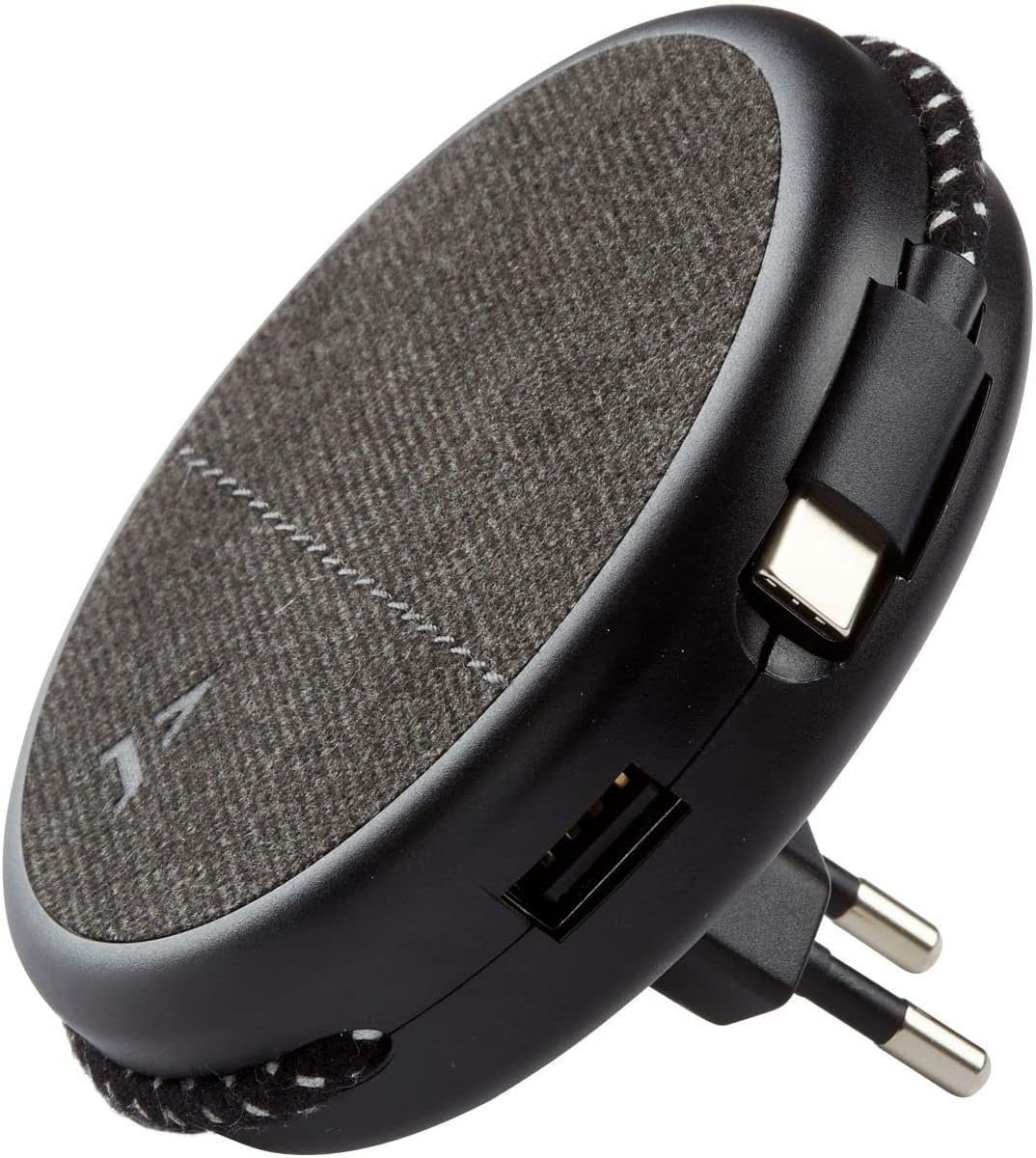
Image: Close-up of the charger, highlighting the integrated USB-C cable and an additional USB-A port.
- Charging with USB-A Port: For devices requiring a USB-A connection, use your own USB-A cable and plug it into the USB-A port on the charger.
- Notkun segulmagnsins: Once the charger is plugged into a wall outlet, you can magnetically attach your smartphone (with or without the metallic plate) to the charger's surface for convenient holding while charging.
Viðhald
- Þrif: Disconnect the charger from the power outlet before cleaning. Use a soft, dry cloth to wipe the surface. Do not use liquid cleaners or abrasive materials.
- Geymsla: When not in use, store the charger in a cool, dry place, away from direct sunlight and extreme temperatures. The retractable plug can be folded back into the charger for compact storage.
Úrræðaleit
| Vandamál | Möguleg orsök | Lausn |
|---|---|---|
| Tæki hleðst ekki. | Hleðslutækið er ekki rétt tengt. Bilaður snúra tækisins. Device incompatible. | Ensure the charger is fully inserted into the wall outlet. Prófaðu aðra snúru. Verify device compatibility with USB charging standards. |
| Segulfestingin er veik. | Device not magnetic. Metallic plate not properly attached. | Ensure your device has a magnetic back or use the provided metallic plate. Re-position or re-attach the metallic plate securely. |
| Hleðslutækið er heitt. | Venjulegur rekstur. Ofhleðsla. | A slight warmth during charging is normal. If it becomes excessively hot, disconnect immediately and contact support. Avoid charging multiple high-power devices simultaneously if it causes overheating. |
Tæknilýsing
| Vörumerki | ADEQWAT |
| Gerðarnúmer | 8005668 |
| Litur | Svartur |
| Tengingar | USB (Integrated USB-C Cable, 1x USB-A Port) |
| Sérstakur eiginleiki | Segulmagnaðir |
| Samtals USB tengi | 1 (USB-A) + 1 (Integrated USB-C) |
| Samhæf tæki | Cellular Phones, Tablets |
| Power Output | 17 Watt |
| Fjöldi hluta | 2 (Charger + Metallic Plate) |
| Aflgjafi | Rafmagn með snúru |
| Færanlegt | Já |
Ábyrgð og stuðningur
For warranty information or technical support, please refer to the documentation provided with your purchase or visit the official ADEQWAT webGeymið kaupkvittunina vegna ábyrgðarkröfu.