
1. Mikilvægar öryggisupplýsingar
Please read all safety instructions carefully before using the BYINTEK P70 Smart WiFi Projector. Keep this manual for future reference.
- Aflgjafi: Notið aðeins meðfylgjandi straumbreyti. Gakktu úr skugga um að hljóðstyrkurinn sé réttur.tage uppfyllir kröfur skjávarpans.
- Öryggi rafhlöðu: The projector contains a built-in lithium-ion battery. Do not expose to extreme temperatures, puncture, or disassemble.
- Loftræsting: Tryggið góða loftræstingu í kringum skjávarpann til að koma í veg fyrir ofhitnun. Ekki loka loftræstiopum.
- Hiti: The projector may become warm during operation. This is normal. Avoid touching the lens or vents immediately after use.
- Ljósbirting: Ekki horfa beint í linsuna á skjávarpanum þegar ...amp is on, as the bright light can cause eye strain or damage.
- Vatn og raki: Haldið skjávarpanum frá vatni, rigningu og miklum raka. Notið hann ekki með blautum höndum.
- Þrif: Aftengdu rafmagnið áður en þú þrífur. Notið mjúkan, þurran klút. Notið ekki fljótandi hreinsiefni eða úðabrúsa.
- Börn: Keep the projector and its accessories out of reach of children.
2. Vöru lokiðview
The BYINTEK P70 is a portable smart DLP projector designed for versatile entertainment and presentation needs. It features an 8000mAh built-in battery, Android 9.0 operating system, auto-focus, and 3D support.
2.1 Innihald pakka
- BYINTEK P70 Projector x 1
- Fjarstýring x 1
- Rafmagnsbreytir x 1
- Lítill þrífótur x 1
- Geymslupoki x 1
- Notendahandbók x 1
2.2 Helstu eiginleikar
- Færanleg hönnun: Fyrirferðarlítill og léttur til að auðvelda flutning.
- Innbyggð rafhlaða: 8000mAh battery provides 1.5 to 3 hours of playback.
- Smart Android OS: Android 9.0 for app downloads, online streaming, and gaming.
- Sjálfvirkur fókus: Sjálfvirk fókusstilling fyrir skýrar myndir.
- 6D Keystone Leiðrétting: Advanced keystone correction for flexible placement.
- 3D stuðningur: Enjoy immersive 3D content.
- Þráðlaus tenging: Supports wireless screen mirroring from Android, iOS, and PC devices.
- Þráðlaus tenging: USB data cable sync for iOS and select Android devices.
- Stór vörpun stærð: Allt að 200 tommur.
- 4K Playback: Supports up to 4K video input.
- Langt LED-ljós Lamp Líf: 30,000 klst.
- Tvöfaldur stereóhátalari: Integrated 2x5W speakers for clear audio.

Image: Infographic detailing the BYINTEK P70's features including 4K support, DLP display, 6D keystone, 8000mAh battery, 3D, Type-C charge, 2G+32G memory, Android OS, and stereo speakers.
3. Uppsetning
3.1 Hleðsla skjávarpans
Before first use, fully charge the projector. Connect the provided power adapter to the projector's Type-C port and plug it into a power outlet. The charging indicator will show the charging status.

Image: The BYINTEK P70 projector connected to a power bank via a Type-C cable, illustrating its portable charging capability.
3.2 Upphafleg staðsetning
Settu skjávarpann á stöðugt, slétt yfirborð. Fyrir bestu mögulegu viewing, position it directly in front of your projection screen or wall. The included mini tripod can be used for angle adjustments.
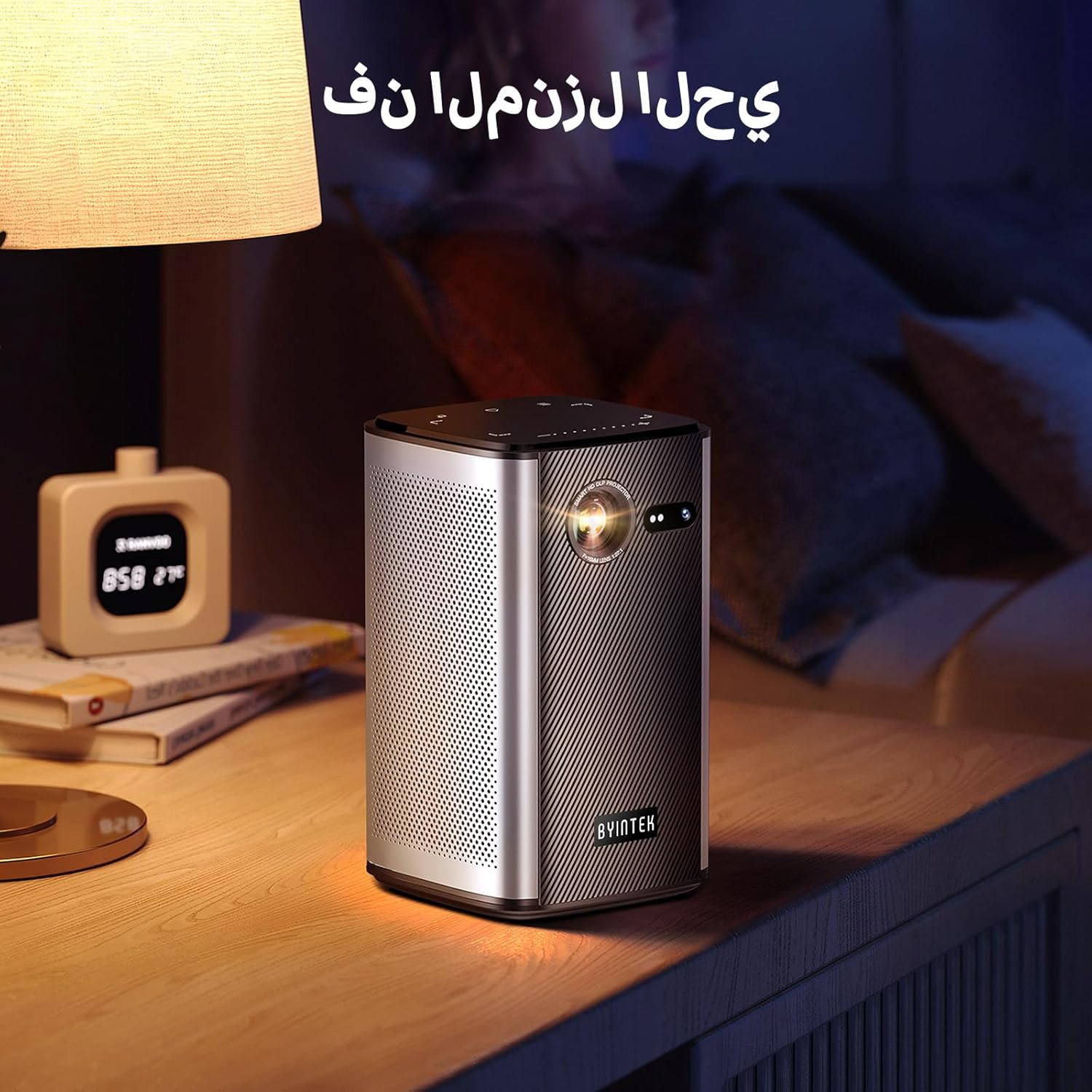
Image: The BYINTEK P70 projector placed on a bedside table, ready for indoor use.
3.3 Kveikt/slökkt
Press and hold the power button on the projector or remote control to turn the device on or off.
3.4 Fókus og leiðrétting á lykilþráðum
The BYINTEK P70 features automatic focus. For keystone correction, navigate to the settings menu using the remote control. The 6D keystone correction allows for precise image adjustment, even with side projection.

Image: A visual representation of the projector's auto-focus feature, showing a clear image projected onto a wall.
4. Notkunarleiðbeiningar
4.1 Að vafra um Android stýrikerfið
Use the remote control to navigate the Android 9.0 interface. The home screen provides access to pre-installed apps and settings. You can download additional applications from the app store.

Image: The projector displaying its Android operating system interface with various application icons like Miracast, Settings, AirPlay, Market, File Explorer, YouTube, and Netflix.
4.2 Þráðlaus skjáspeglun
The projector supports wireless screen mirroring for Android, iOS, and PC devices. Access the 'Miracast' or 'AirPlay' app on the projector's home screen and follow the on-screen instructions to connect your device.
4.3 Wired Screen Mirroring
For iOS devices and some Android devices, you can use a USB data cable for wired screen synchronization. Connect your device to the projector's USB port using its original data cable.
4.4 3D spilun
The BYINTEK P70 supports 3D content. To enjoy 3D movies, ensure your media file is in a compatible 3D format (e.g., Blu-ray 3D, SBS, TNB) and use active shutter 3D glasses (sold separately).

Image: A family wearing 3D glasses, enjoying a 3D movie projected by the BYINTEK P70, showcasing its 3D capability.
4.5 Stafrænn aðdráttur
Adjust the image size from 50% to 100% using the digital zoom function on the remote control. This allows you to fit the image perfectly to your screen without moving the projector.
5. Viðhald
5.1 Þrif á linsunni
Notið mjúkan, lólausan klút sem er sérstaklega hannaður fyrir sjónlinsur til að þurrka varlega af skjávarpalinsunni. Forðist að nota slípiefni eða sterk efni.
5.2 Hreinsun að utan
Wipe the exterior of the projector with a soft, dry cloth. Do not use liquid cleaners or sprays directly on the device.
5.3 Geymsla
When not in use, store the projector in a cool, dry place, away from direct sunlight and extreme temperatures. Use the provided storage bag to protect it from dust and scratches.
5.4 Umhirða rafhlöðu
Til að lengja líftíma rafhlöðunnar skal forðast að tæma hana alveg oft. Ef hún er geymd í langan tíma skal hlaða rafhlöðuna upp í um 50% og endurhlaða hana á nokkurra mánaða fresti.
6. Bilanagreining
| Vandamál | Möguleg orsök | Lausn |
|---|---|---|
| Engin mynd varpað | Projector not powered on; input source not selected; cable not connected. | Ensure projector is on. Select correct input source (HDMI, USB, Wireless). Check cable connections. |
| Myndin er óskýr | Out of focus; projector too close/far from screen; lens dirty. | Allow auto-focus to adjust. Adjust projector distance. Clean the lens. |
| Fjarstýring virkar ekki | Batteries low/dead; remote not paired; obstruction. | Replace remote batteries. Ensure line of sight to projector's IR receiver. Re-pair remote if necessary (refer to specific pairing instructions in the full manual). |
| Ekkert hljóð | Volume too low; external audio device connected; audio format not supported. | Increase projector volume. Disconnect external audio devices. Check audio format compatibility. |
| Vandamál með þráðlausa speglun | Poor Wi-Fi signal; device compatibility; firewall settings. | Ensure strong Wi-Fi signal. Check device compatibility with Miracast/AirPlay. Disable firewalls temporarily for testing. |
| Myndvarpi ofhitnar | Blocked ventilation; prolonged use in hot environment. | Ensure vents are clear. Operate in a well-ventilated area. Allow projector to cool down. |
7. Tæknilýsing
| Eiginleiki | Forskrift |
|---|---|
| Vörumerki | BYINTEK |
| Gerðarnúmer | P70 |
| Vörumál | 8.2 x 8.2 x 14.2 cm |
| Þyngd hlutar | 1.58 kíló |
| Rafhlaða | 1 Lithium Ion battery (included), 8000mAh, 29.6 Wh |
| Stýrikerfi | Android |
| Skjáupplausn | 960 x 540 |
| Hámarks skjáupplausn | 4K Ultra HD Megapixel |
| Tengitækni | Wi-Fi |
| Sérstakir eiginleikar | Auto-focus, 3D Ready, Built-in Wi-Fi Receiver |
| Mælt er með notkun | Heimabíó |
| Skjár Tegund | DLP |
| Form Factor | Færanlegt |
| Gerð uppsetningar | Þrífótfesting |
| USB 3.0 tengi | 1 |
| HDMI tengi | 1 |
| Voltage | 12 volt |
| Hvaðtage | 25 Watt |
| Aflgjafi | AC & rafhlaða |
8. Ábyrgð og stuðningur
The BYINTEK P70 Smart WiFi Projector comes with a standard manufacturer's warranty. For specific warranty details, please refer to the warranty card included in your product packaging or contact BYINTEK customer support.
If you encounter any issues or have questions regarding your projector, please contact BYINTEK customer support through their official website or the contact information provided in your product documentation. Please have your model number (P70) and purchase details ready when contacting support.