
Inngangur
This manual provides detailed instructions for the setup, operation, maintenance, and troubleshooting of your Divoom Songbird Karaoke Bluetooth Speaker. Please read this manual thoroughly before using the product to ensure proper function and longevity.

Figure 1: The Divoom Songbird Karaoke Bluetooth Speaker system, including the main speaker unit, two wireless microphones, and their charging base.
Innihald pakka
Before proceeding with setup, please verify that all components are present in the package:
- 1 x SongBird-HQ Speaker Unit
- 2 x þráðlausir hljóðnemar
- 1 x Microphone Charging Base
- 1 x Notendahandbók (þetta skjal)
- 1 x USB-C hleðslusnúra
- 1 x Aux kapall
- 1 x Giftbag (packaging)

Figure 2: All items included in the Divoom Songbird Karaoke Bluetooth Speaker package, showing the speaker, microphones, cables, and manual.
Uppsetning
1. Hleður tækið
The Divoom Songbird speaker and microphones are powered by internal Lithium Ion batteries. For optimal performance, fully charge all components before first use.
- Connect the provided USB-C cable to the charging port on the speaker unit and to a compatible USB power adapter (not included).
- Place the two microphones onto their charging base. Ensure they are seated correctly for charging.
- Charging indicators (LEDs) on the speaker and microphones will illuminate during charging and turn off or change color when fully charged.
2. Fyrsta ræsing
- To power on the speaker, locate the power button (refer to Figure 3 for control layout) and press and hold it until you hear an audible prompt or see an indicator light.
- To power on the microphones, slide the power switch on each microphone to the 'ON' position.

Figure 3: Top panel of the Divoom Songbird speaker, illustrating the various control knobs and buttons for operation.
Notkunarleiðbeiningar
1. Bluetooth-tenging
The Divoom Songbird speaker uses Bluetooth for wireless audio streaming.
- Gakktu úr skugga um að hátalarinn sé kveikt á og í Bluetooth-pörunarstillingu (venjulega gefið til kynna með blikkandi LED-ljósi).
- On your mobile device or computer, navigate to the Bluetooth settings.
- Leitaðu að available devices and select "Divoom Songbird" from the list.
- Þegar tengingin er komin mun hátalarinn gefa frá sér hljóðmerki og LED-ljósið mun lýsa stöðugt.
2. Tenging við aukabúnað (AUX)
For wired audio playback, use the provided 3.5mm Aux cable.
- Connect one end of the Aux cable to the 3.5mm Aux-in port on the speaker.
- Connect the other end to the headphone jack or audio output of your audio source (e.g., smartphone, MP3 player).
- Hátalarinn skiptir sjálfkrafa yfir í AUX-stillingu eða gæti þurft að velja hann handvirkt með stillingarhnappi.
3. Using the Microphones for Karaoke
The two wireless microphones are designed for karaoke functionality.
- Ensure both the speaker and microphones are powered on.
- The microphones should automatically pair with the speaker. If not, refer to the troubleshooting section.
- Adjust microphone volume and echo effects using the dedicated knobs on the speaker's top panel (refer to Figure 3).
- Sing into the microphone while playing music through the speaker via Bluetooth or AUX.

Figure 4: The two wireless microphones for the Divoom Songbird speaker, shown resting in their charging base.
Viðhald
1. Þrif
Til að viðhalda útliti og virkni hátalarans:
- Þurrkið ytra yfirborð með mjúkum, þurrum og lólausum klút.
- Notið ekki slípiefni, alkóhól, bensen eða önnur efnaleysiefni, þar sem þau geta skemmt áferðina.
- Forðist að raki komist inn í op.
2. Geymsla
Þegar ekki er verið að nota í langan tíma:
- Store the speaker and microphones in a cool, dry place, away from direct sunlight and extreme temperatures.
- Ensure the batteries are partially charged (around 50%) before long-term storage to preserve battery health.
3. Umhirða rafhlöðu
The device contains a built-in rechargeable Lithium Ion battery. To maximize battery lifespan:
- Forðastu að tæma rafhlöðuna alveg oft.
- Avoid leaving the device plugged in constantly after it's fully charged.
- Charge the device at least once every three months if not in regular use.
Úrræðaleit
If you encounter issues with your Divoom Songbird speaker, refer to the following common problems and solutions:
| Vandamál | Möguleg orsök | Lausn |
|---|---|---|
| Enginn rafmagn/Tækið kveikir ekki á sér | Rafhlaðan er tæmd. | Charge the speaker and microphones fully using the provided USB-C cable. |
| Get ekki tengst í gegnum Bluetooth | Hátalarinn er ekki í pörunarstillingu; Bluetooth tækisins er slökkt; of langt frá hátalaranum. | Ensure speaker is in pairing mode. Turn Bluetooth off and on again on your device. Move closer to the speaker (within 10 meters). Forget the device on your phone and re-pair. |
| Ekkert hljóð frá hátalara | Volume is too low; incorrect input mode; audio source issue. | Increase volume on both the speaker and your audio source. Ensure the correct input mode (Bluetooth/AUX) is selected. Check if the audio source is playing correctly. |
| Hljóðnemar virka ekki | Microphones are off; not charged; not paired with speaker. | Ensure microphones are powered on and charged. Power cycle both the speaker and microphones. They should automatically pair. |
Tæknilýsing
Detailed technical specifications for the Divoom Songbird Karaoke Bluetooth Speaker:
- Gerðarnúmer: 90100058218
- Vörumerki: Divoom
- Vörumál: 28 x 10 x 25 cm
- Þyngd hlutar: 1.3 kg
- Aflgjafi: Rafhlöðuknúin (1 Lithium Ion rafhlaða fylgir)
- Hljóðstyrkur: 50 Watt
- Hljóðnemar: Dual Microphone 24bit
- Rafhlöðuending: Um það bil 8 klst
- Tengingartækni: Hjálpartæki, Bluetooth
- Gerð tengis: 3.5 mm Jack
- Sérstakir eiginleikar: Bluetooth, flytjanlegur
- Litur: Grænn
- Mælt er með notkun: For music players, Karaoke
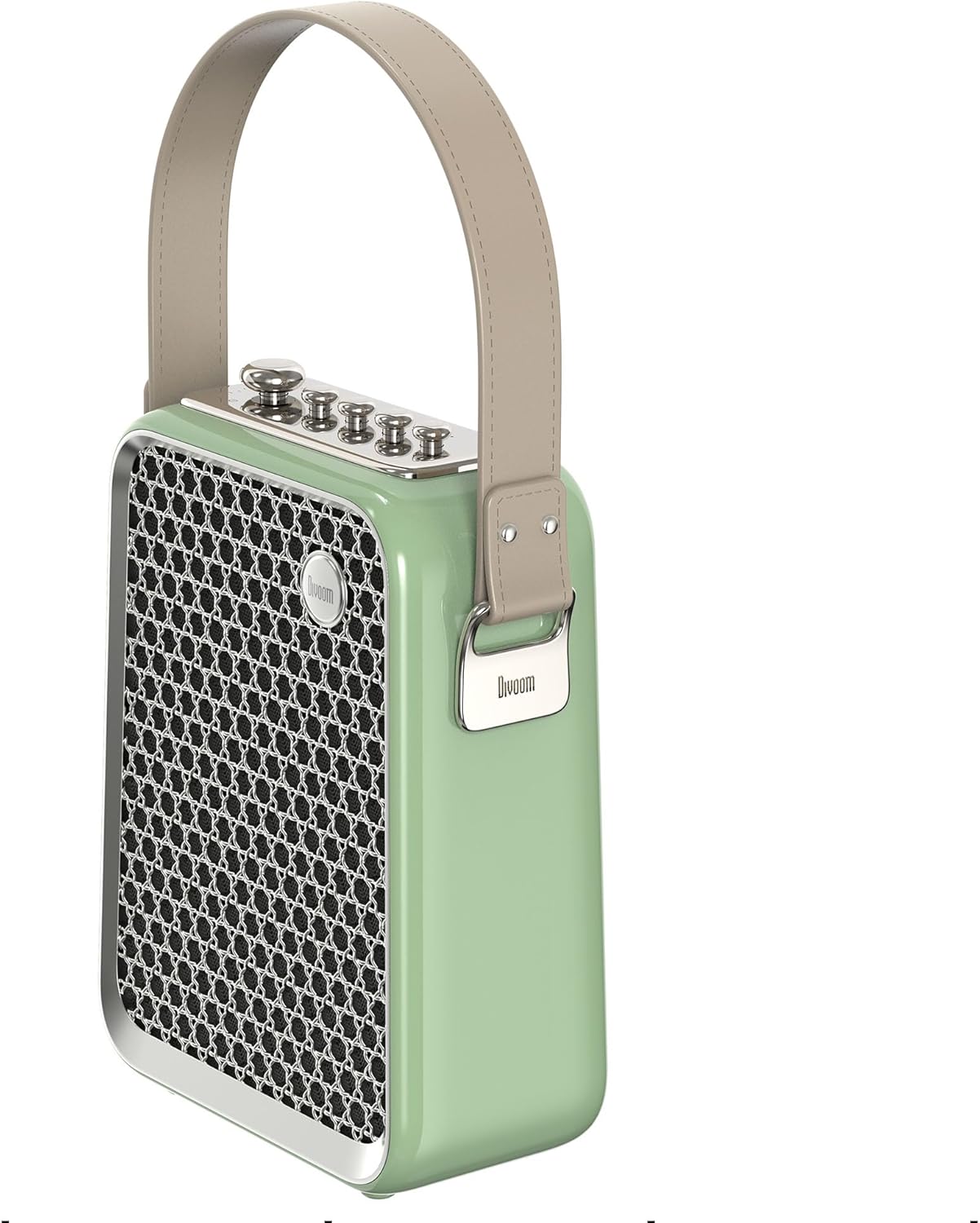
Mynd 5: Hliðarprofile of the Divoom Songbird speaker, highlighting its compact dimensions and integrated carrying handle.
Ábyrgð og stuðningur
Upplýsingar um ábyrgð
This product may be eligible for extended warranty plans and accidental damage protection plans. Please refer to your purchase documentation or contact your retailer for specific warranty terms and conditions applicable to your region.
- 1 árs framlengd ábyrgðaráætlun: Fáanlegt til kaups.
- 1 árs áætlun um vernd gegn slysaskemmdum: Fáanlegt til kaups.
- 2 ára framlengd ábyrgðaráætlun: Fáanlegt til kaups.
Þjónustudeild
For technical assistance, troubleshooting beyond this manual, or warranty claims, please contact Divoom customer support. Visit the official Divoom webvefsíðunni til að fá upplýsingar um tengiliði eða vísaðu til þjónustuupplýsinga sem fylgja umbúðum vörunnar.
Þú getur líka heimsótt Divoom brand page on Amazon fyrir frekari upplýsingar.