
AWEI WH01 Pro
AWEI Smart Watch WH01 Pro User Manual
Model: WH01 Pro | Brand: AWEI
1. Inngangur
The AWEI Smart Watch WH01 Pro is a rugged and versatile smartwatch designed for active lifestyles. It features a 1.45-inch HD touch screen, Bluetooth call functionality, comprehensive health monitoring, and over 100 sports modes. Built with special aluminum alloy material, it is tested for extreme conditions, offering durability and reliability for both indoor and outdoor activities.
2. Hvað er í kassanum
Upon unboxing your AWEI Smart Watch WH01 Pro, please ensure all the following items are present:
- AWEI Smart Watch WH01 Pro (with Watch Band attached)
- Segulhleðslusnúra
- Notendahandbók
3. Vöru lokiðview
Familiarize yourself with the components of your AWEI Smart Watch WH01 Pro:

Mynd 1: Framan view of the AWEI Smart Watch WH01 Pro, showcasing its circular display and rugged design.
- Skjár: 1.45-inch HD full touch color screen for clear visuals and interactive experience.
- Hliðarhnappar: Located on the right side of the watch, these buttons provide quick access to various functions such as power on/off, home, and sport modes.
- Skynjarar: Located on the back of the watch, these sensors are used for heart rate monitoring, blood oxygen measurement, and activity tracking.
- Hleðslutengi: Magnetic charging points are located on the back of the watch for convenient power replenishment.

Mynd 2: Aftan view of the AWEI Smart Watch WH01 Pro, highlighting the health sensors and magnetic charging points.
4. Uppsetning
4.1 Upphafshleðsla
Before first use, fully charge your smartwatch. Connect the magnetic charging cable to the charging points on the back of the watch and plug the USB end into a power adapter (not included) or a computer's USB port. A full charge typically takes 2 hours.
4.2 Kveikt/slökkt
- Kveikt á: Ýttu á og haltu inni aflrofann (venjulega efsta hægra takkann) þar til skjárinn lýsist upp.
- Slökkva á: Haltu inni rofanum og veldu síðan „Slökkva“ á skjánum.
4.3 Uppsetning og pörun appa
To unlock the full potential of your AWEI Smart Watch, download and install the companion app (e.g., Veryfit APP) on your smartphone. The app is available for both Android and iOS devices.
- Scan the QR code displayed on the watch screen or in the user manual to download the app.
- Virkjaðu Bluetooth á snjallsímanum þínum.
- Open the app and follow the on-screen instructions to search for and pair with your AWEI Smart Watch (e.g., AWEI WH1 Pro).
- Staðfestu pörunarbeiðnina bæði í símanum þínum og úrinu.

Figure 3: Visual guide for connecting the AWEI Smart Watch to your smartphone via the companion app.
Myndband 1: Yfirview of the AWEI Smart Watch, including unboxing, initial power-on, and a demonstration of its user interface and features.
5. Notkunarleiðbeiningar
5.1 Leiðsögn
Navigate the watch interface using touch gestures and physical buttons:
- Strjúktu upp/niður: Fletta í gegnum valmyndir og tilkynningar.
- Strjúktu til vinstri/hægri: Access different feature screens (e.g., activity data, heart rate, weather).
- Bankaðu á: Veldu hlut eða staðfestu aðgerð.
- Ýttu á hliðarhnappana: Return to the home screen or access specific modes (Home/Sport).
5.2 Aðlaga úrskífur
The AWEI Smart Watch offers 200+ free watch faces via the app. You can also customize your dial wallpaper with personal photos.
- From the home screen, long-press the display to enter watch face selection.
- Swipe left or right to browse pre-installed faces.
- For more options, open the companion app and navigate to the watch face store to download new designs or upload your own photos.
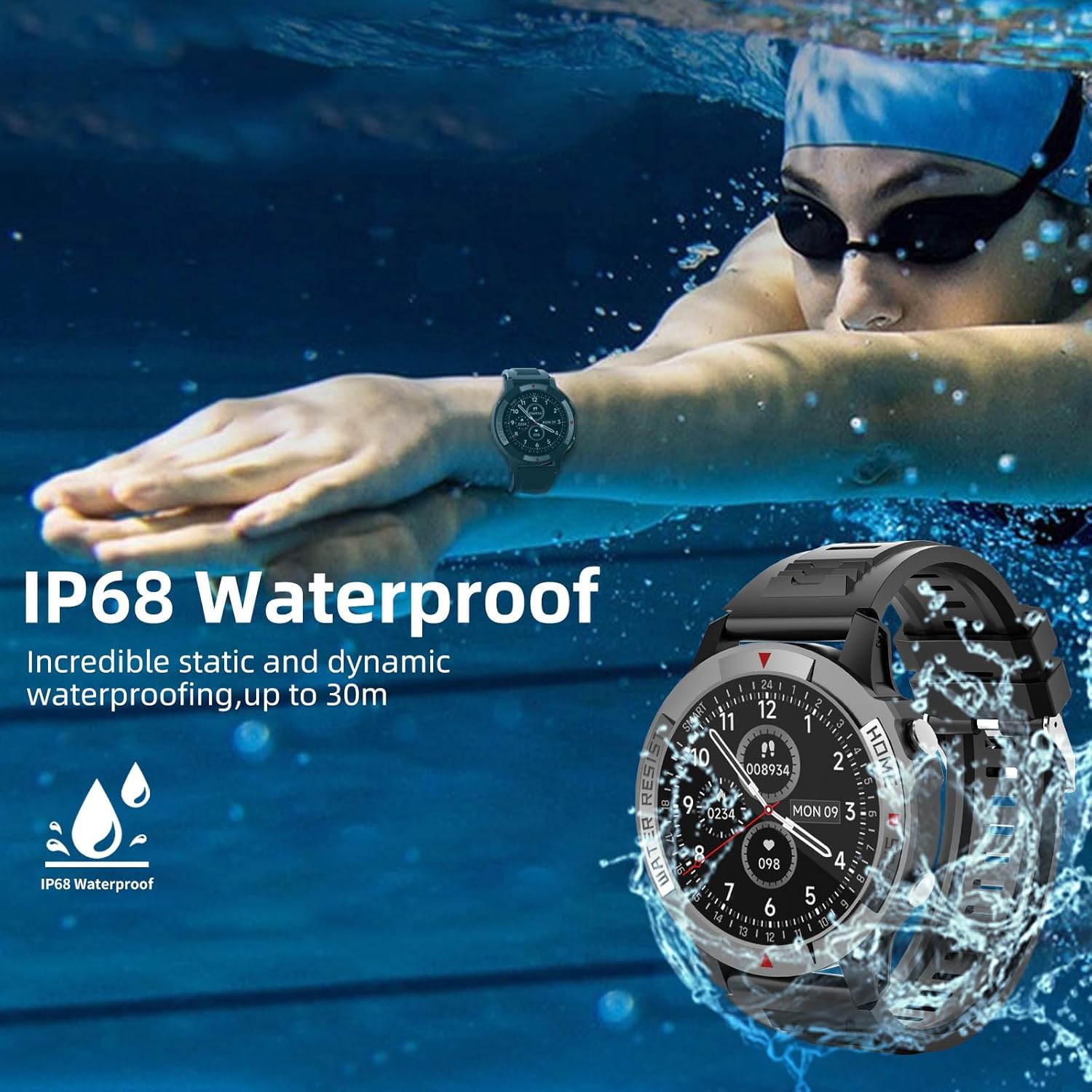
Figure 4: The watch display showing various customizable watch faces, including options for personalized photos.
5.3 Bluetooth Call and Message Reminder
With its built-in speakers and Bluetooth connectivity, the watch allows you to make and receive calls directly from your wrist. It also supports information reminders and social media notifications.
- Gakktu úrið þitt er parað við snjallsímann þinn í gegnum Bluetooth.
- Þegar símtal berst er hægt að svara því eða hafna því beint í úrinu.
- Notifications from your phone (calls, messages, app alerts) will be displayed on your wrist and accompanied by a vibration.

Figure 5: The watch displaying an incoming call and icons representing call logs, microphone, and dial pad features.
6. Heilsufarseftirlit
The AWEI Smart Watch provides continuous monitoring of key health metrics:
- Hjartsláttartíðni: Accurately monitors your heart rate in real-time throughout the day.
- Svefnmæling: Records your sleep patterns and provides a detailed analysis of your sleep quality.
- Súrefnismettun í blóði (SpO2): Measures your blood oxygen levels to help you understand your physical state.
Access these features by swiping through the watch interface or selecting them from the main menu.

Figure 6: The watch interface showing real-time heart rate, blood oxygen saturation, and daily activity data.
7. Íþróttastillingar
The smartwatch supports over 100 sports modes, both indoors and outdoors. During exercise, it automatically records daily steps, distance, calories burned, and active minutes.
- To select a sport mode, navigate to the 'Sport' section on your watch.
- Choose from pre-selected modes or add more via the companion app.
- The watch will track your workout statistics in real-time.

Figure 7: The watch displaying a selection of over 100 available sports modes for tracking various physical activities.
8. Rafhlöðuending
The AWEI Smart Watch WH01 Pro is equipped with a 300 mAh Lithium Polymer battery, offering extended usage times:
- Mikil notkun: 5-7 dagar
- Dagleg notkun: 10-15 dagar
- Biðtími: Allt að 60 dagar
Actual battery life may vary based on usage patterns, features enabled, and environmental factors.

Figure 8: A visual representation of the AWEI Smart Watch's battery performance under different usage scenarios.
9. Vatnsþol
The AWEI Smart Watch WH01 Pro is IP68 waterproof, meaning it is resistant to dust and can withstand immersion in water up to 1.5 meters for 30 minutes. This allows you to wear it while washing hands, in the rain, or during swimming activities.
Athugið: While IP68 rated, it is not recommended for hot showers, saunas, or diving, as steam and high water pressure may compromise the seal.
Figure 9: The watch submerged in water, illustrating its IP68 waterproof capability.
10. Viðhald
Til að tryggja endingu og bestu mögulegu virkni snjallsímans skaltu fylgja þessum viðhaldsleiðbeiningum:
- Þrif: Hreinsið úrskjáinn og ólina reglulega með mjúkum, þurrum klút.amp klút. Forðist að nota sterk efni eða slípiefni.
- Umhirða skynjara: Keep the heart rate and blood oxygen sensors on the back of the watch clean for accurate readings.
- Geymsla: Geymið úrið á köldum og þurrum stað þegar það er ekki í notkun. Forðist mikinn hita.
- Hleðsla: Notið aðeins meðfylgjandi segulhleðslusnúru.
11. Bilanagreining
If you encounter issues with your AWEI Smart Watch, try the following solutions:
- Úrið kveiknar ekki á sér: Ensure the watch is fully charged. If the battery is completely drained, it may take a few minutes of charging before the screen responds.
- Unable to Pair:
- Gakktu úr skugga um að kveikt sé á Bluetooth á snjallsímanum þínum.
- Gakktu úrið úr innan Bluetooth-drægni símans.
- Endurræstu bæði úrið og snjallsímann.
- Hreinsaðu Bluetooth skyndiminnið í símanum þínum og reyndu að para aftur.
- Ónákvæmar heilsufarsmælingar:
- Gakktu úrið úr því að sitja þétt á úlnliðnum, ekki of þröngt né of laust.
- Hreinsið skynjarana aftan á úrinu.
- Verið kyrr meðan á mælingum stendur.
- Tilkynningar birtast ekki:
- Athugaðu tilkynningastillingar forritsins í símanum þínum og í fylgiforritinu.
- Gakktu úr skugga um að úrið sé tengt í gegnum Bluetooth.
For persistent issues, refer to the detailed troubleshooting section in the companion app or contact AWEI customer support.
12. Tæknilýsing
| Eiginleiki | Forskrift |
|---|---|
| Vörumerki | AWEI |
| Gerðarnúmer | WH01 Pro |
| Skjástærð | 1.45 tommur |
| Skjár lögun | Umferð |
| Tengitækni | Bluetooth |
| Þráðlaus samskiptastaðall | Bluetooth |
| Stýrikerfi | Android (Compatible with Android & iOS) |
| Rafhlöðugeta | 300 milljóniramp Klukkutímar |
| Tegund rafhlöðu | Lithium Polymer |
| Vatnsþol | IP68 |
| Þyngd hlutar | 4.6 únsur (130 grömm) |
| Vörumál | 6.54 x 3.07 x 1.46 tommur |
| Sérstakir eiginleikar | Heart Rate Monitor, Time Display, Sleep Monitor, Email, Calendaring, Sedentary Reminder, Text Messaging, Alarm Clock, Activity Tracker, Pedometer, Camera, Notifications |
13. Ábyrgð og stuðningur
For warranty information, technical support, or service inquiries regarding your AWEI Smart Watch WH01 Pro, please refer to the warranty card included with your product or visit the official AWEI websíðu. Þú getur einnig haft samband við seljandann beint til að fá aðstoð.
Ask a question about this manual
Ask about setup, troubleshooting, compatibility, parts, safety, or missing instructions. Manuals+ will review the question and use this page’s manual context to help answer it.