
Inngangur
Thank you for choosing the AWEI A996BL Bluetooth Over-Ear Headphones. This manual provides detailed instructions for setting up, operating, and maintaining your headphones to ensure optimal performance and longevity. Please read this manual carefully before use.
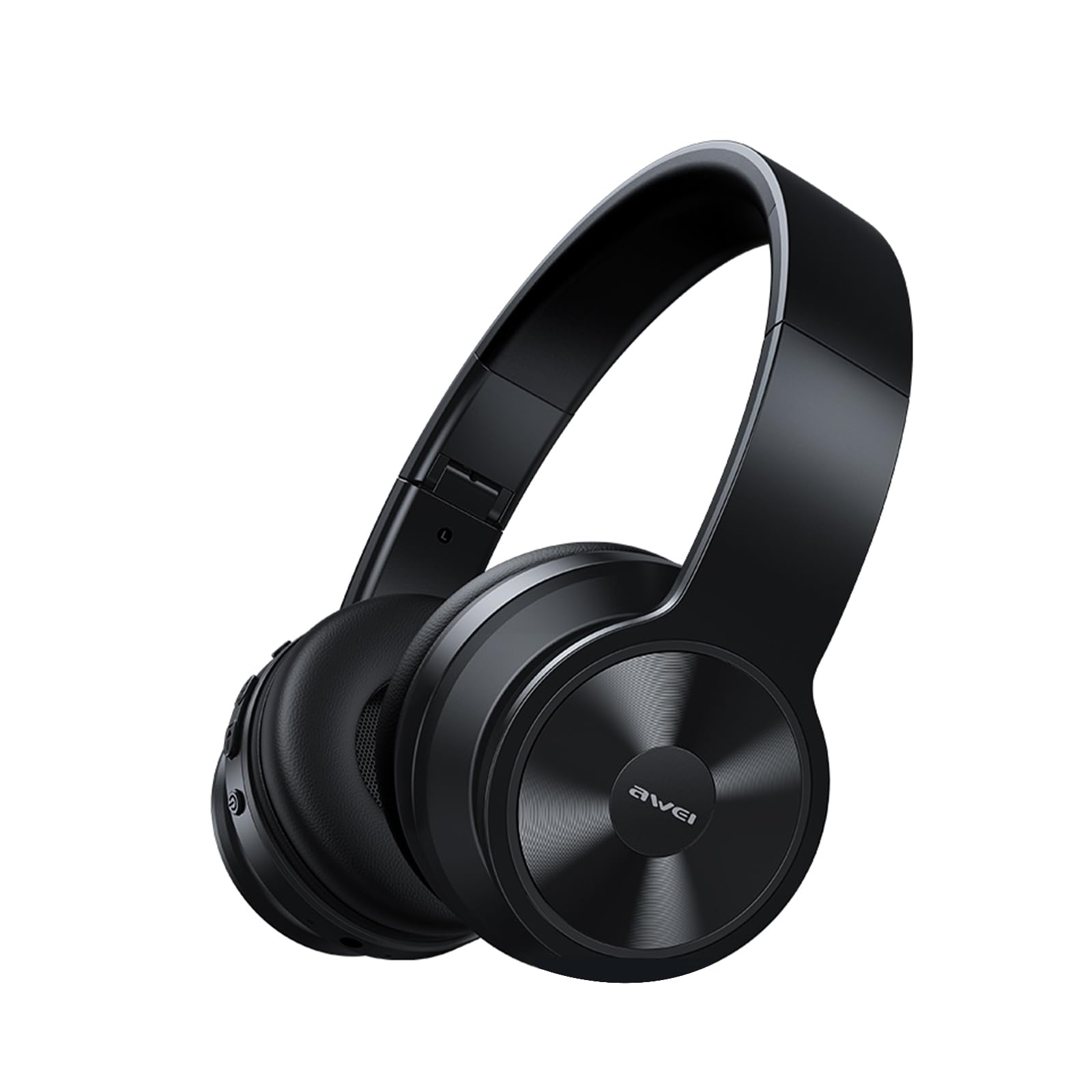
Image: AWEI A996BL over-ear headphones, showcasinhönnun þeirra.
The AWEI A996BL headphones feature advanced Bluetooth 5.3 technology for stable connections, 40mm drivers for immersive stereo sound, and a comfortable, foldable design with soft protein earpads. Enjoy up to 16 hours of playtime on a single charge, with the flexibility of both wireless and wired (AUX) listening modes.
Innihald pakka
- AWEI A996BL Bluetooth Over-Ear Headphones
- USB hleðslusnúra
- Notendahandbók
- (Note: An AUX cable may be included for wired connection, depending on the specific package.)
Vara lokiðview
Kynntu þér íhluti og stjórntæki heyrnartólanna.

Image: Right earcup of the AWEI A996BL headphones, highlighting the control buttons.
Stýringar og vísar:
- Fjölnota hnappur (MFB): Power On/Off, Play/Pause, Answer/End Call, Reject Call, Activate Voice Assistant.
- Hnappur til að hækka hljóðstyrk / næsta lag: Stutt ýting til að hækka hljóðstyrk, langt ýting fyrir næsta lag.
- Hnappur til að lækka hljóðstyrk / Fyrri lag: Stutt ýting til að lækka hljóðstyrk, lengi ýting til að velja fyrra lag.
- LED vísir: Sýnir stöðu rafmagns, pörunarstillingu og hleðslu.
- Hljóðnemi: Fyrir handfrjáls símtöl.
- USB-C hleðslutengi: Til að hlaða heyrnartólin.
- 3.5 mm AUX tengi: Fyrir hljóðtengingu með snúru.
Uppsetning
1. Hleðsla heyrnartólanna
Hleðdu heyrnartólin að fullu fyrir fyrstu notkun. Full hleðsla tekur um það bil 2 klukkustundir.
- Connect the USB charging cable to the USB-C charging port on the headphones.
- Tengdu hinn endann á snúrunni við USB-straumbreyti (fylgir ekki með) eða USB-tengi tölvu.
- The LED indicator will show a red light during charging and turn off or blue when fully charged.

Image: Visual representation of the 300mAh battery capacity, indicating long battery life.
2. Kveikja / slökkva á
- Kveikt á: Press and hold the Multi-function Button (MFB) for approximately 3 seconds until the LED indicator flashes blue and a voice prompt confirms "Power On".
- Slökkva á: Press and hold the Multi-function Button (MFB) for approximately 3 seconds until the LED indicator flashes red and a voice prompt confirms "Power Off".
3. Bluetooth-pörun (þráðlaus stilling)
The headphones use Bluetooth 5.3 for a stable connection.
- Gakktu úr skugga um að heyrnartólin séu fullhlaðin og slökkt.
- Press and hold the Multi-function Button (MFB) for approximately 5-7 seconds until the LED indicator flashes blue and red alternately. This indicates pairing mode.
- Virkjaðu Bluetooth í tækinu þínu (snjallsíma, spjaldtölvu, tölvu) og leitaðu að tiltækum tækjum.
- Veldu „AWEI A996BL“ af listanum yfir fundin tæki.
- Once paired, the LED indicator will flash blue slowly, and a voice prompt will confirm "Connected".
- Ef lykilorð er krafist skal slá inn „0000“.

Image: Headphones connected wirelessly to a laptop and smartphone, demonstrating a stable Bluetooth connection. Note: The product features Bluetooth 5.3 for enhanced performance.
4. Þráðlaus tenging (AUX-stilling)
You can use the headphones in wired mode even when the battery is depleted or with non-Bluetooth devices.
- Connect one end of a 3.5mm audio cable (not included) to the AUX port on the headphones.
- Tengdu hinn endann við 3.5 mm hljóðútgang tækisins.
- The headphones will automatically switch to wired mode. Note that controls on the headphones (volume, play/pause) may not function in wired mode; control playback from your connected device.

Image: Headphones showing both USB-C charging port and 3.5mm AUX port, illustrating wired and wireless options.
Notkunarleiðbeiningar
Að vera með heyrnartólin
Adjust the headband for a comfortable fit. The soft protein earpads are designed for extended wear.

Image: A person wearing the AWEI A996BL headphones, highlighting their lightweight and comfortable design with adjustable headband and bendable earmuffs.
Basic Functions (Wireless Mode)
| Virka | Rekstur |
|---|---|
| Spila / gera hlé á tónlist | Short press the Multi-function Button (MFB). |
| Hljóðstyrkur upp | Short press the "Volume Up / Next Track" button. |
| Hljóðstyrkur niður | Short press the "Volume Down / Previous Track" button. |
| Næsta lag | Long press the "Volume Up / Next Track" button. |
| Fyrra lag | Long press the "Volume Down / Previous Track" button. |
| Svara/slíta símtali | Short press the Multi-function Button (MFB). |
| Hafna símtali | Long press the Multi-function Button (MFB). |
| Virkjaðu raddaðstoðarmann | Ýttu tvisvar á fjölnotahnappinn (MFB). |
Viðhald
Þrif
- Þurrkið heyrnartólin með mjúkum, þurrum og lólausum klút.
- Notið ekki slípiefni, alkóhól eða efnafræðileg leysiefni.
- Forðist að raki komist inn í op.
Geymsla
- Þegar heyrnartólin eru ekki í notkun skal geyma þau á köldum, þurrum stað, fjarri beinu sólarljósi og miklum hita.
- Heyrnartólin eru með samanbrjótanlegri hönnun sem auðveldar geymslu og flytjanleika.
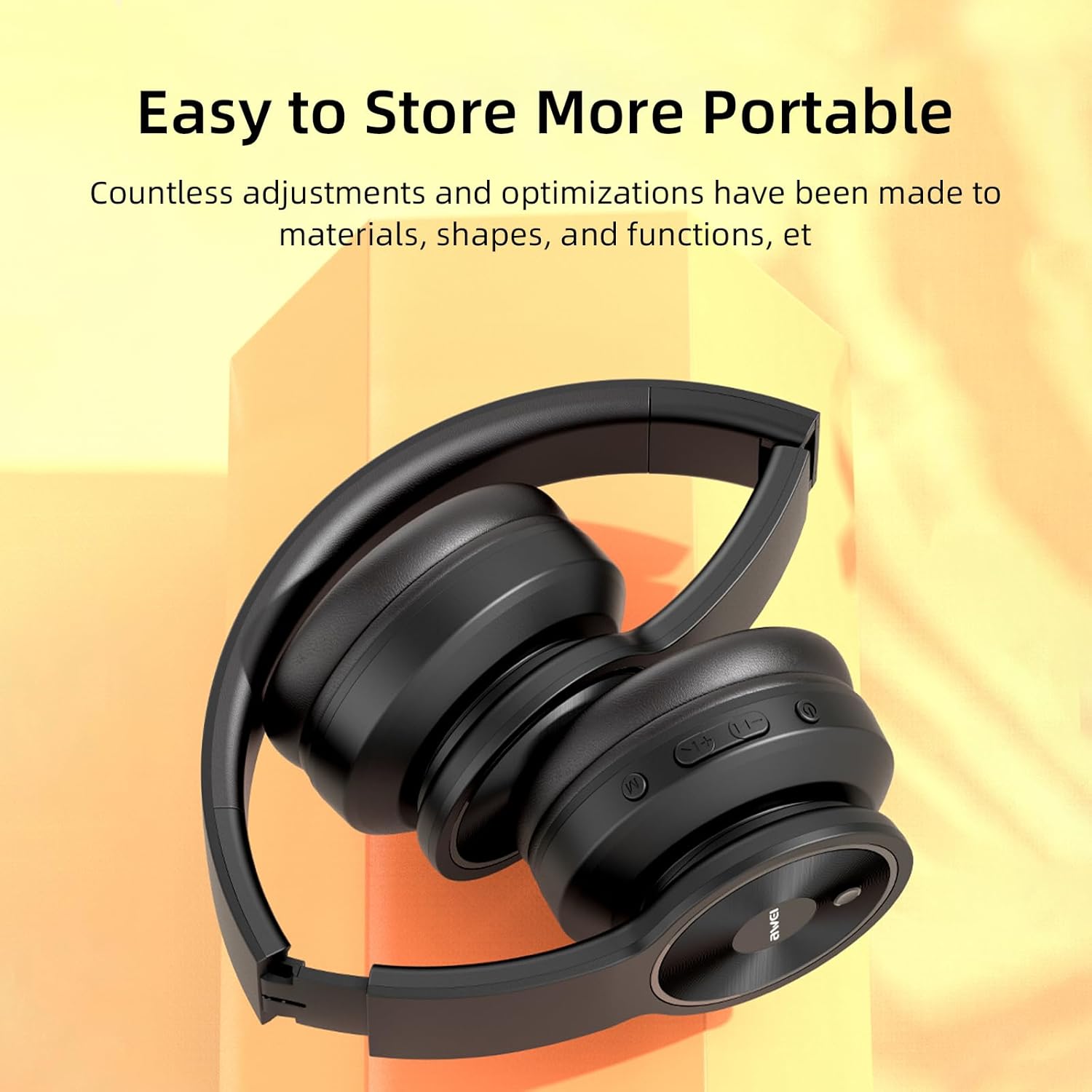
Image: The AWEI A996BL headphones in a folded position, demonstrating their portable and easy-to-store design.
Umhirða rafhlöðu
- To preserve battery life, charge the headphones regularly, even if not used frequently.
- Forðist að tæma rafhlöðuna alveg í langan tíma.
- Ekki útsetja rafhlöðuna fyrir háum hita.
Úrræðaleit
| Vandamál | Lausn |
|---|---|
| Heyrnartólin kveikjast ekki. | Gakktu úr skugga um að heyrnartólin séu hlaðin. Tengdu þau við aflgjafa með USB snúrunni. |
| Ekki er hægt að para við tækið. |
|
| Ekkert hljóð eða lágt hljóðstyrkur. |
|
| Hljóðgæðin eru léleg eða óregluleg. |
|
| Hljóðnemi virkar ekki. |
|
Tæknilýsing
| Eiginleiki | Smáatriði |
|---|---|
| Fyrirmynd | A996BL |
| Bluetooth útgáfa | 5.3 |
| Stærð bílstjóra | 40 mm |
| Rafhlöðugeta | 300mAh |
| Spilatími | Allt að 16 klst |
| Hleðslutími | Um það bil 2 klst |
| Wireless Range | Allt að 33 fet (10 metrar) |
| Tengingar | Þráðlaust (Bluetooth), Hljóðtengt (3.5 mm AUX) |
| Sérstakir eiginleikar | Ergonomic, Lightweight, Foldable design |
| Staðsetning eyrna | Yfir Eyra |
Ábyrgð og stuðningur
AWEI provides a 12-month warranty for the A996BL headphones from the date of purchase, covering manufacturing defects. A 30-day return policy is also available. For any questions, technical support, or warranty claims, please contact our customer service team.
Þjónustudeild:
- Netfang: support@awei.com
- Websíða: www.awei.com
Við stefnum að því að svara öllum fyrirspurnum innan sólarhrings.