
1. Inngangur
This user manual provides essential information for the safe and effective operation of your Hubsan H-58X Brushless Drone. Please read this manual thoroughly before operating the drone to ensure proper usage and to prevent damage or injury. The H-58X is equipped with advanced features such as obstacle sensors, a brushless motor, and a dual camera system for an enhanced flying experience.
2. Hvað er í kassanum
Upon unboxing your Hubsan H-58X drone, please verify that all components listed below are present and in good condition:
- Hubsan H-58X Drone
- Fjarstýring
- 2 x Lithium-Polymer Batteries
- USB hleðslutæki
- Skrúfaverðir
- Burðartaska
- Ábyrgðarkort
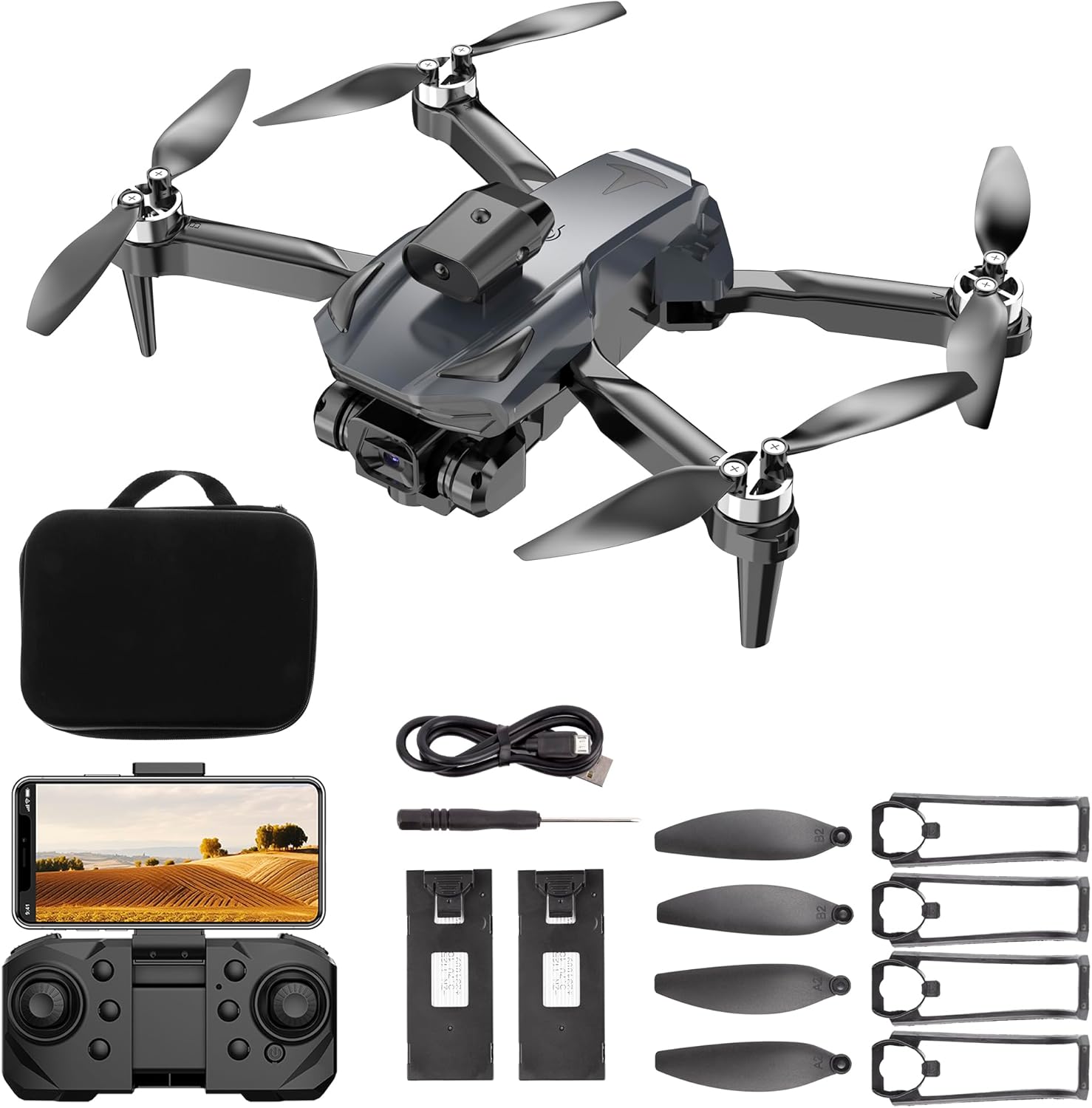
Image 2.1: All components included with the Hubsan H-58X drone, including the drone itself, remote control, batteries, charger, propeller guards, and carrying case.
3. Uppsetning
3.1 Uppsetning og hleðsla rafhlöðu
The Hubsan H-58X drone requires two Lithium-Polymer batteries for operation. Ensure batteries are fully charged before first use.
- Insert the fully charged Lithium-Polymer battery into the designated battery compartment on the rear of the drone. Ensure it clicks securely into place.
- To charge the batteries, connect the provided USB charger to a power source and then to the battery. The charging indicator will show the charging status.
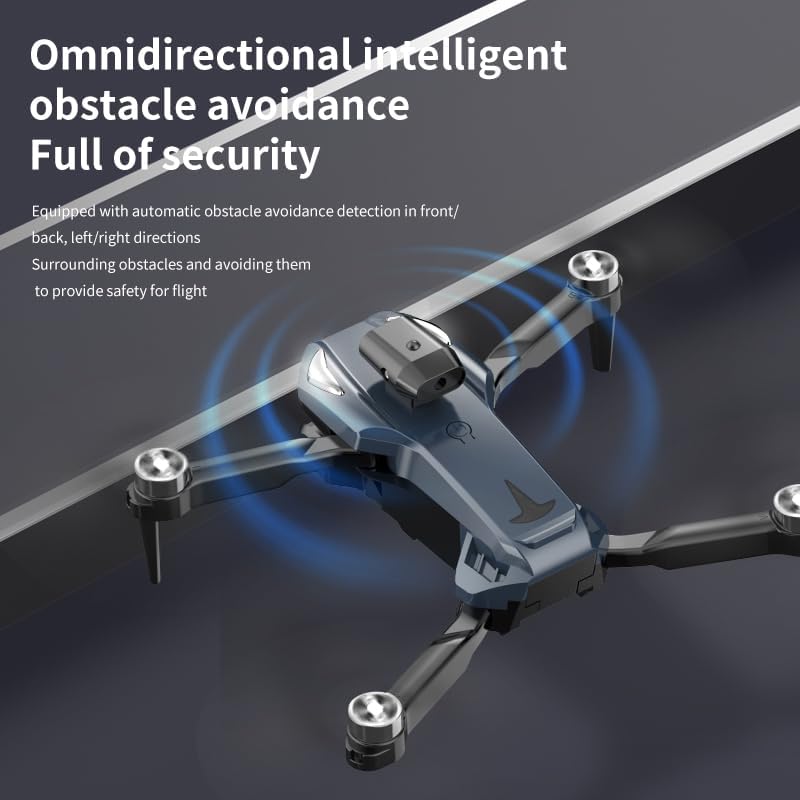
Image 3.1: Illustrates the easy installation of the modular large battery into the drone's compartment.
3.2 Uppsetning skrúfuhlífar
For added safety, especially during initial flights, attach the propeller guards:
- Identify the four propeller guards.
- Carefully snap each guard onto the corresponding arm of the drone, ensuring a snug fit around the propellers.
3.3 Uppsetning fjarstýringar
Ensure the remote control has sufficient power. If it uses replaceable batteries, insert them according to the polarity markings. The remote control is essential for operating the drone's flight and camera functions.
4. Notkunarleiðbeiningar
4.1 Kveikja/slökkva og pörun
- Kveikt á: Place the drone on a flat, level surface. Press and hold the power button on the drone until the indicator lights illuminate. Power on the remote control.
- Pörun: The drone and remote control should automatically pair. If not, follow the specific pairing sequence outlined in the quick start guide (usually involves moving the throttle stick up and down).
- Slökkva á: Power off the drone first, then the remote control.
4.2 Flugstýringar
Familiarize yourself with the remote control layout before attempting flight:
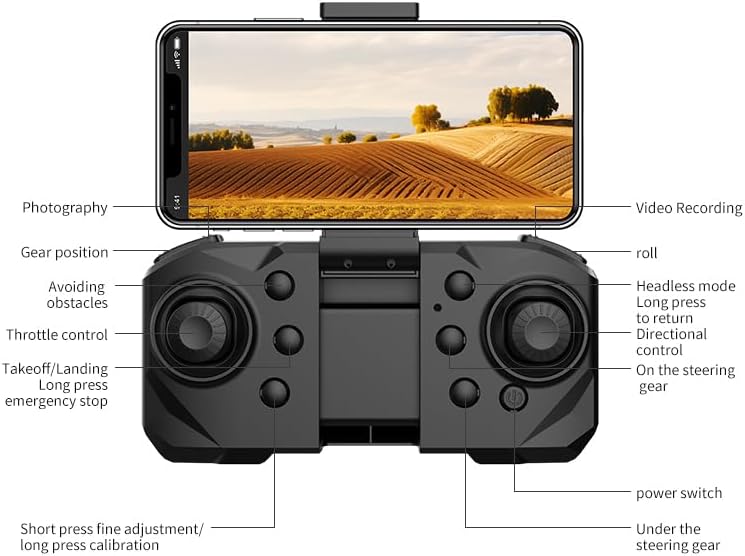
Image 4.1: Detailed layout of the Hubsan H-58X remote control, showing functions such as throttle control, directional control, photography, video recording, obstacle avoidance, and headless mode.
- Inngjöf stjórna: Typically the left stick, controls altitude (up/down).
- Stýristjórnun: Typically the right stick, controls forward/backward, left/right movement.
- Flugtak/lending: Dedicated button or combination stick movement for automated takeoff and landing. Long press for emergency stop.
- Forðast hindrunum: Activate this feature to utilize the drone's 720-degree obstacle sensors.
- 360-Degree Tumbling: Press the designated button and move the right stick in the desired direction to perform a 360-degree flip.
4.3 Notkun myndavélar
The H-58X features a dual camera system capable of 4K video recording.
- Ljósmynd: Press the camera button on the remote to capture still images.
- Myndbandsupptaka: Press the video button to start/stop recording. Ensure a compatible memory card is inserted if required.
- Stillanleg linsa: The electric tuning dual lens allows for remote adjustment of the shooting angle, including a 90-degree control for the bottom screen.
5. Eiginleikar yfirview
The Hubsan H-58X drone incorporates several advanced features designed to enhance flight safety and performance:
5.1 Obstacle Sensors
The H-58X is equipped with 720-degree obstacle sensors that activate during flight. This system minimizes the chance of collisions, making your flight safer and more enjoyable by detecting and avoiding obstacles in front, back, left, and right directions.

Image 5.1: Depicts the omnidirectional intelligent obstacle avoidance system, showing how the drone detects and avoids surrounding obstacles for a safer flight.
5.2 burstalaus mótor
Featuring brushless motors, the H-58X offers significantly reduced wind resistance and provides quieter, smoother, and more stable flights compared to brushed motors. This also contributes to increased durability and efficiency.
5.3 Dual Camera System
Thanks to its dual-camera technology, the H-58X strives for the highest possible fixation to capture sharper photos and 4K video. The electric tuning dual lens allows for flexible adjustment of the shooting angle.

Mynd 5.2: Nærmynd view of the drone's electric tuning dual lens, highlighting its capability to maintain balance and switch shooting angles freely.
5.4 VPS Sensor (Visual Positioning System)
With the Visual Positioning System (VPS) sensor, the drone maintains stability in windless areas and accurately holds its position without requiring constant manual input, ensuring a steady hover.
5.5 360-Degree Tumbling
The H-58X can perform 360-degree tumbling maneuvers in any direction (front, right, or left), adding an exciting element to your flight experience.
6. Viðhald
Regular maintenance ensures the longevity and optimal performance of your drone:
- Þrif: After each flight, gently wipe the drone's body and camera lens with a soft, dry cloth to remove dust and debris. Avoid using liquid cleaners directly on electronic components.
- Skrúfuskoðun: Regularly check propellers for any cracks, bends, or damage. Replace damaged propellers immediately to ensure stable flight.
- Umhirða rafhlöðu: Geymið rafhlöður á köldum og þurrum stað. Ekki ofhlaða eða ofhlaða rafhlöður. Ef þær eru geymdar í langan tíma skal hlaða þær upp í um það bil 50% afkastagetu.
- Skoðun á mótor: Ensure motors are free from obstructions and can spin freely.
7. Bilanagreining
If you encounter issues with your Hubsan H-58X drone, refer to the following common problems and solutions:
- Dróninn kveikir ekki á sér: Gakktu úr skugga um að rafhlaðan sé fullhlaðin og rétt sett í. Athugaðu hvort rofinn virki rétt.
- Drone does not pair with remote: Ensure both the drone and remote are powered on. Try restarting both devices and repeat the pairing process. Ensure no other strong wireless signals are interfering.
- Óstöðugt flug/Rek: Calibrate the drone's gyroscope and compass as per the quick start guide. Check for damaged propellers and replace if necessary. Ensure you are flying in an area with minimal wind.
- Camera not recording/taking photos: Ensure a compatible memory card is inserted correctly (if applicable). Check the camera settings via the app (if applicable) or remote control.
- Að forðast hindranir virkar ekki: Ensure the obstacle avoidance feature is activated. Clean the obstacle sensors to ensure they are not obstructed.
If problems persist, consult the official Hubsan support resources or contact customer service.
8. Tæknilýsing
| Eiginleiki | Smáatriði |
|---|---|
| Fyrirmynd | H-58X |
| Vörumerki | HUBSAN |
| Þyngd | 144 g |
| Mál | 14 x 8 x 5 cm |
| Rafhlöður | 2 Lithium-Polymer (included) |
| Upplausn myndbandsupptöku | 4K |
| Sérstakir eiginleikar | 360-Degree Tumbling, Integrated Camera, Obstacle Avoidance, Lightweight, High Sensitivity Sensor |
9. Ábyrgð og stuðningur
Your Hubsan H-58X drone comes with a warranty card. Please refer to the warranty card for details regarding coverage and terms. For technical support, troubleshooting assistance beyond this manual, or warranty claims, please contact HUBSAN customer service through their official channels. Keep your proof of purchase for warranty validation.