
BROLEO BROLEOg6hks3q47g-11
BROLEO Portable EVD/DVD Player User Manual
Model: BROLEOg6hks3q47g-11
1. Inngangur
This user manual provides detailed instructions for the operation and maintenance of your BROLEO Portable EVD/DVD Player. This versatile device supports various disc formats, features a built-in TV tuner, card reader, USB interface, and game functions, making it ideal for entertainment on the go or at home.
2. Innihald pakka
Vinsamlegast athugið innihald pakkans vandlega. Ef einhverjar vörur vantar eða eru skemmdar, hafið samband við söluaðila.
- BROLEO Portable EVD/DVD Player
- Fjarstýring
- Leikjastýring
- AC Power Adapter (US Plug)
- Bílastraumbreytir
- AV Cable
- Sjónvarpsloftnet
- Notendahandbók (þetta skjal)

Image: The BROLEO Portable DVD Player shown with its included accessories: remote control, game controller, AC power adapter, car power adapter, AV cable, and TV antenna.
3. Vörueiginleikar
- Samhæfni við margsnið: Fully compatible with AVI/EVD/DVD/SVCD/VCD/CD/CD-R/RW and MPEG-4 disc formats, plus JPG image format. Supports all region coding DVDs (CDs are region-free).
- Rotatable LCD Display: Features a 13.9-inch 16:9 widescreen LCD display that can rotate 270 degrees for optimal viewing horn.
- Sjónvarpsaðgerð: Built-in wired TV signal interface allows presetting hundreds of channels for receiving wired and TV signals. Wireless reception depends on local signal strength.
- Game Functions: Supports various game functions for entertainment.
- DOLBY/DTS Decoding: Built-in double decoding function for enhanced audio experience.
- AV framleiðsla: Connects to a TV for large-screen viewing or to high-grade sound systems for improved audio.
- AV inntak: Allows external video connections, such as cameras or other DVD players.
- High-Speed USB Interface: Connects to mobile hard disks or USB flash drives for playing downloaded movies and music.
- Built-in Card Reader: Directly reads movies, music, and photos stored on MS/MMC storage cards.
- Vernd gegn höggum: Super strong electronic anti-knock circuit provides 3 seconds for DVD, 10 seconds for CD/VCD, and 90 seconds for MP3.
- Hljóðeiginleikar: Built-in 3D sound effect processing and FM radio function.
- Stuðningur á mörgum tungumálum: Supports CD menu language settings in English, French, Spanish, Chinese, Japanese, Korean, Russian, and Thai. Includes CD age control settings.
- Intelligent Power Failure Memory: Automatically resumes playback from the last point after power interruption.
- Endurhlaðanleg rafhlaða: Built-in large capacity rechargeable lithium battery for approximately 2 hours of continuous outdoor use. Playback time may vary.
4. Uppsetningarleiðbeiningar
4.1 Kveikja og hlaða
Before first use, fully charge the player using the provided AC power adapter. Connect the adapter to the DC IN port on the player and plug it into a standard wall outlet. The charging indicator light will illuminate. Once fully charged, the light may change color or turn off.
Alternatively, use the car power adapter to charge or power the device in a vehicle.
4.2 Inserting Discs
- Opnaðu disklokið varlega.
- Setjið diskinn á spúndann með merkimiðanum upp.
- Gently press the center of the disc until it clicks into place.
- Lokaðu disklokinu.

Image: The portable DVD player with its disc tray visible, ready for disc insertion.
4.3 Using the Card Reader and USB Port
Insert an MS/MMC storage card into the designated card slot. For USB devices, plug your USB flash drive or mobile hard disk into the USB port. The player will automatically detect the media and allow you to browse and play supported files.
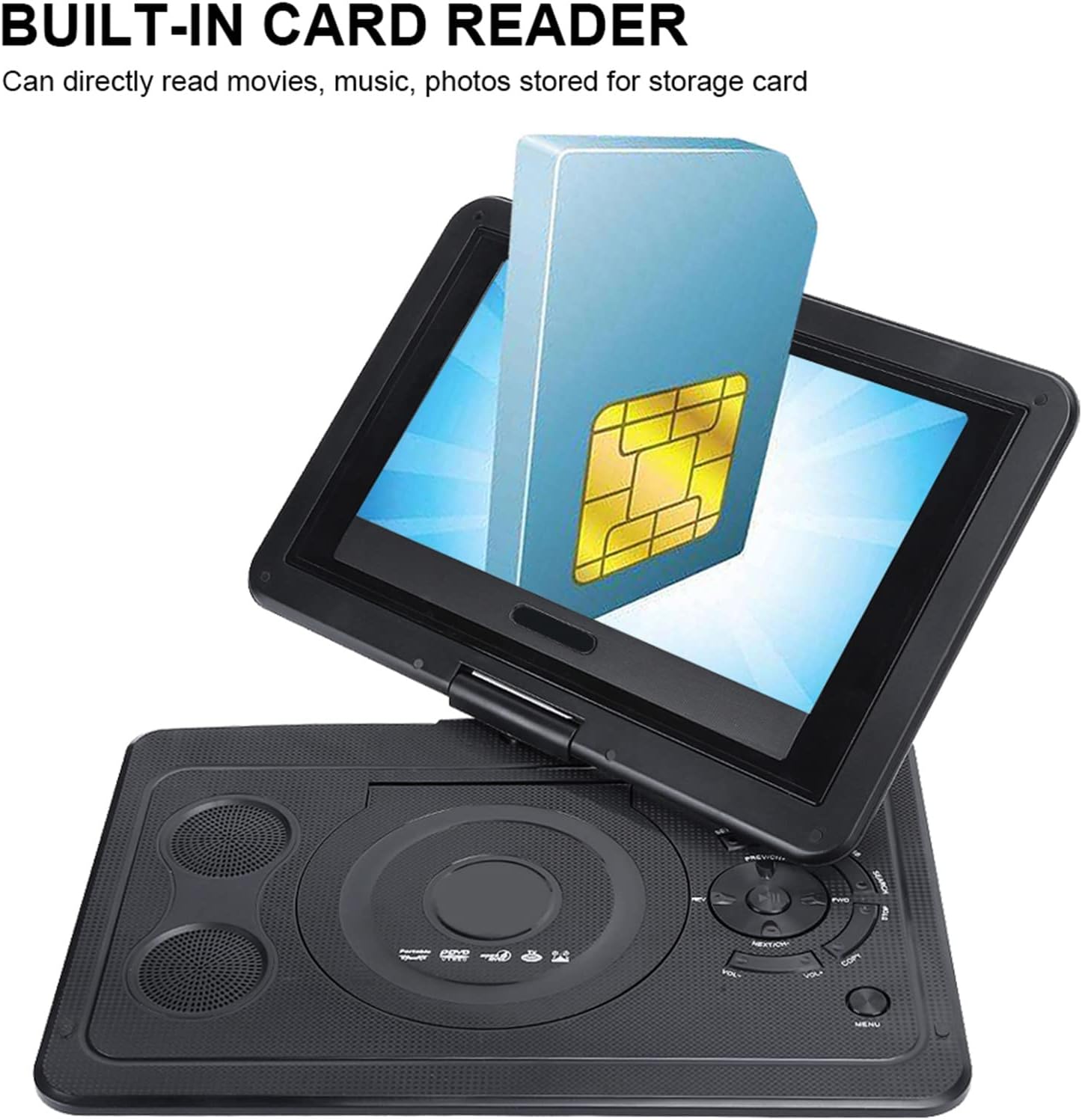
Image: A visual representation of a memory card being inserted into the portable DVD player's built-in card reader.
4.4 Connecting to a TV (AV Output)
Use the provided AV cable to connect the player to a television. Connect the yellow plug to the video input (Video In) on your TV, and the red and white plugs to the audio inputs (Audio In R/L). Select the corresponding AV input on your TV to view the player's output.
4.5 TV Function Setup
Connect the included TV antenna to the TV signal interface on the player. Access the TV function through the main menu and perform a channel scan to find available wired or wireless TV signals in your area.

Mynd: Nærmynd view of the side of the portable DVD player, highlighting the TV antenna input and the USB port.
4.6 Game Function Setup
Connect the game controller to the designated game port on the player. Navigate to the game menu to select and play pre-loaded games or games from compatible media.
5. Notkunarleiðbeiningar
5.1 Grunnspilun
After inserting a disc or connecting a USB/card, the player will typically auto-detect and begin playback. Use the controls on the player or the remote control for Play/Pause, Stop, Fast Forward, Rewind, and Skip functions.
5.2 Notkun fjarstýringarinnar
The remote control provides full functionality for navigating menus, adjusting volume, selecting tracks/chapters, and controlling playback. Refer to the remote control diagram for specific button functions.

Image: The portable DVD player displayed alongside its remote control and game controller, illustrating the full set of input devices.
5.3 Valmyndarleiðsögn og stillingar
Press the "SETUP" button on the remote to access the system settings. Here you can adjust display settings, audio preferences, language, and parental controls. Use the arrow keys and "OK" button to navigate and confirm selections.
5.4 Snúningur skjás
The screen can be rotated up to 270 degrees to achieve the best viewing angle or to fold flat against the player for tablet-like use.

Image: The portable DVD player with its screen rotated, demonstrating its flexible viewing getu.
5.5 Intelligent Power Failure Memory
This player features a memory function that automatically resumes playback from the exact point where it was interrupted due to power loss or manual shutdown. This feature is active for disc playback.
6. Viðhald
6.1 Þrif
- Wipe the player's exterior with a soft, dry cloth.
- Fyrir þrjósk merki, örlítið dýftampÞvoið klútinn með vatni og þurrkið síðan.
- Notið ekki slípiefni, leysiefni eða sterk efni.
- Keep the disc lens clean. Use a specialized lens cleaner disc if necessary.
6.2 Geymsla
Store the player in a cool, dry place away from direct sunlight, extreme temperatures, and high humidity. When not in use for extended periods, ensure the battery is partially charged (around 50%) to prolong its lifespan.
6.3 Umhirða rafhlöðu
- Forðastu að tæma rafhlöðuna alveg oft.
- Hlaðið rafhlöðuna reglulega, jafnvel þótt hún sé ekki í notkun, til að viðhalda heilbrigði hennar.
- Ekki útsetja rafhlöðuna fyrir háum hita.
7. Bilanagreining
| Vandamál | Möguleg orsök | Lausn |
|---|---|---|
| Spilarinn kveikir ekki á sér. | Rafhlaðan er tóm; Straumbreytirinn er ekki rétt tengdur. | Tengdu straumbreytinn og hlaððu rafhlöðuna. Gakktu úr skugga um að rafmagnstengingarnar séu öruggar. |
| Engin mynd á skjánum. | Screen brightness too low; Disc/USB/Card not inserted correctly; Incorrect input selected on TV (if connected). | Adjust brightness in settings. Reinsert media. Select correct AV input on TV. |
| Ekkert hljóð. | Volume too low; Mute function active; Audio settings incorrect. | Increase volume. Deactivate mute. Check audio settings in the menu. |
| Diskur hoppar eða frýs. | Disc is dirty or scratched; Player is on an unstable surface. | Clean the disc with a soft cloth. Place the player on a stable, flat surface. |
| Cannot receive TV channels. | Antenna not connected; Weak signal; Channel scan not performed. | Ensure antenna is securely connected. Try repositioning the antenna. Perform a channel scan in the TV settings. |
8. Tæknilýsing
- Vörumerki: BROLEO
- Gerðarnúmer: BROLEOg6hks3q47g-11
- Skjástærð: 13.9 tommur
- Skjár Tegund: LCD
- Stuðningur við fjölmiðla: AVI, EVD, DVD, SVCD, VCD, CD, CD-R/RW, MPEG-4, JPG (from disc/USB/card)
- Tengingartækni: USB, AV Input/Output, TV Antenna Input
- Rafhlaða: Built-in Rechargeable Lithium Battery (approx. 2 hours playback)
- Stærðir (pakki): 16.92 x 9.84 x 3.15 tommur
- Þyngd hlutar: 2.36 pund
9. Opinbert vörumyndband
Myndband: Opinbert vörumyndbandssýningasing the BROLEO Portable DVD Player's features and various components, including its display, power adapter, disc tray, and connectivity ports.
10. Ábyrgð og stuðningur
This BROLEO product is covered by a standard manufacturer's warranty against defects in materials and workmanship. For specific warranty terms and conditions, please refer to the warranty card included with your purchase or contact the retailer.
For technical support, troubleshooting assistance, or inquiries regarding your product, please contact BROLEO customer service through the contact information provided on the product packaging or the official BROLEO websíða.
Vinsamlegast geymdu sönnunina þína fyrir kaupum fyrir ábyrgðarkröfur.