1. Inngangur
Thank you for choosing the Conambo JBT600 Bluetooth Headset. This headset is designed for clear and stable communication in various environments, including trucking, home office, and general mobile use. It features advanced CVC8.0 three-mic noise cancellation, Bluetooth 5.1 connectivity, and a long-lasting battery. This manual provides detailed instructions on how to set up, operate, and maintain your headset to ensure optimal performance.
2. Innihald pakka
Vinsamlegast athugið innihald pakkans til að ganga úr skugga um að allir hlutir séu til staðar:
- Conambo JBT600 Bluetooth heyrnartól
- USB-C kapall
- Hlífðarmál
- Notendahandbók (þetta skjal)
3. Vöru lokiðview
Familiarize yourself with the components and controls of your Conambo JBT600 headset.

Image: The Conambo JBT600 Bluetooth Headset, showcasing its over-ear design and adjustable microphone boom.
3.1 Helstu eiginleikar
- CVC8.0 Three-Mic Noise Cancellation: Designed to eliminate up to 96% of background noise for clear voice transmission.
- Bluetooth 5.1 tenging: Ensures faster pairing and a stable wireless connection up to 69 feet (21 meters).
- Fjölpunkta tækni: Allows connection to two devices simultaneously.
- Langur rafhlöðuending: Allt að 35 klukkustunda taltími á einni hleðslu.
- Þægileg hönnun: Features large cushioned earcups and medical silicone non-slip cushions for extended wear.
- Auðvelt stjórntæki: Dedicated buttons for volume, multi-function, and mute.
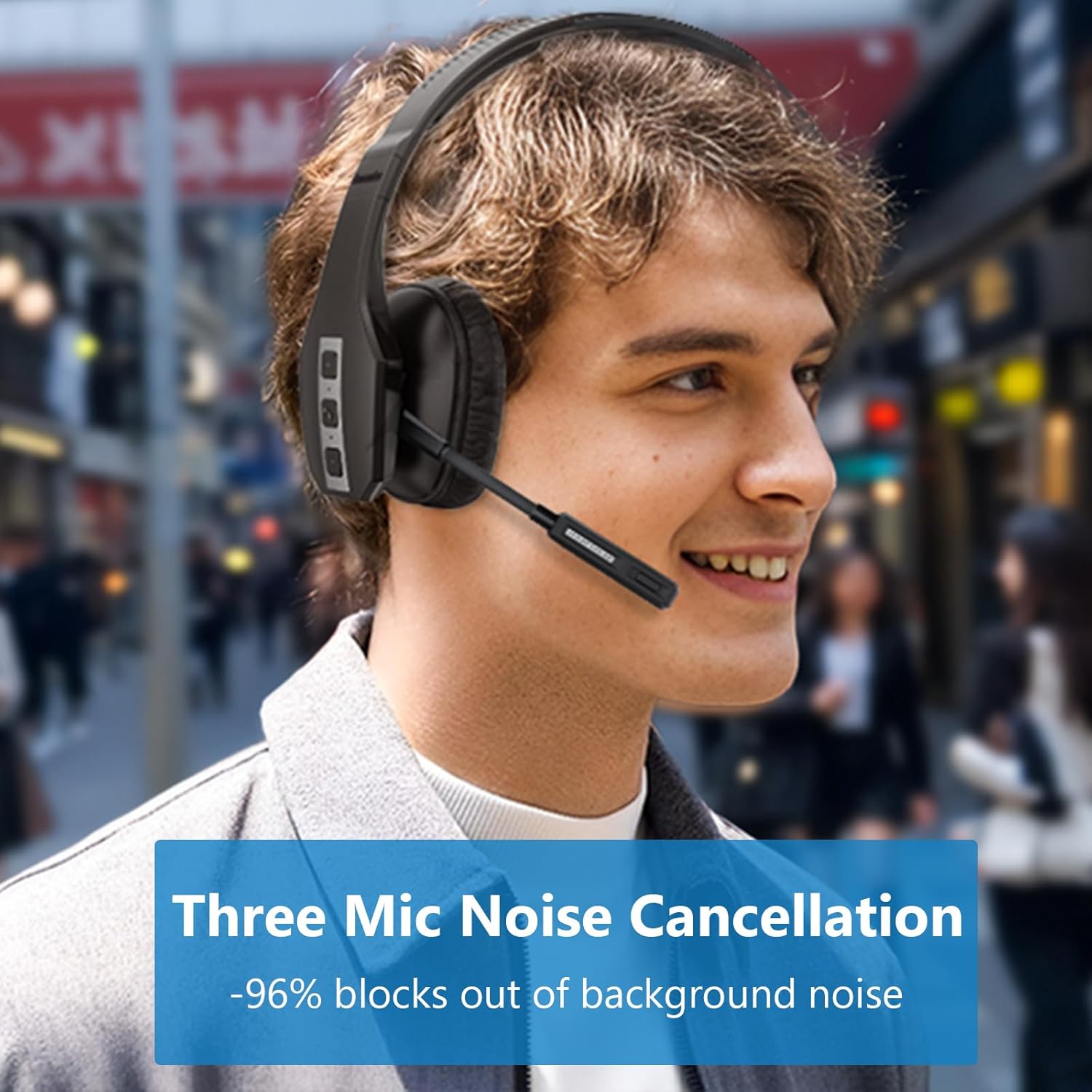
Image: A user wearing the Conambo JBT600 headset, illustrating the effectiveness of its three-mic noise cancellation technology in blocking out background noise.
3.2 Íhlutir heyrnartólsins
- Stillanlegt höfuðband: Fyrir þægilega og örugga passun.
- Cushioned Earcup: Provides comfort for prolonged use.
- Hljóðnemabóm: Flexible arm with three noise-cancelling microphones.
- Fjölnota hnappur (MFB): For power, pairing, call control, and music playback.
- Hnappar upp / niður fyrir hljóðstyrk: Stillir hljóðstyrk.
- Þagga hnappur: Toggles microphone mute. The mute indicator light turns red when active.
- USB-C hleðslutengi: Til að hlaða höfuðtólið.
4. Uppsetning
4.1 Hleðsla heyrnartólanna
Hleðdu heyrnartólin að fullu fyrir fyrstu notkun. Full hleðsla tekur um það bil 2 klukkustundir.
- Connect the provided USB-C cable to the charging port on the headset.
- Tengdu hinn endann á USB-C snúrunni við USB-aflgjafa (t.d. USB-tengi tölvu, veggtengi).
- The LED indicator on the headset will show charging status (e.g., red for charging, blue for fully charged).

Image: The Conambo JBT600 headset illustrating its long battery life, including 35 hours of talk time, 60 hours of music time, and 500 hours of standby time.
4.2 Pörun við Bluetooth tæki
The Conambo JBT600 uses Bluetooth 5.1 for stable connections.
- Kveikt á: Ýttu á fjölnotahnappinn (MFB) og haltu honum inni í 3 sekúndur þar til LED-ljósið blikkar blátt.
- Farðu í pörunarham: With the headset powered on, continue to hold the MFB for an additional 2-3 seconds until the LED indicator flashes red and blue alternately. This indicates the headset is in pairing mode.
- Virkjaðu Bluetooth í tækinu þínu: On your smartphone, tablet, or computer, go to the Bluetooth settings and turn Bluetooth on.
- Veldu heyrnartól: In the list of available devices, select "JBT600".
- Staðfestu tengingu: Once paired, the LED indicator on the headset will flash blue slowly, and you will hear a voice prompt confirming the connection.
The headset can maintain a wireless range of up to 69 feet (21 meters) from your paired device.

Image: The Conambo JBT600 headset showing its ability to connect to two devices simultaneously (multipoint connectivity) and its wireless range of 69 feet (21 meters).
4.3 Fjölpunktatenging
The JBT600 supports multipoint technology, allowing you to connect to two Bluetooth devices simultaneously (e.g., a smartphone and a laptop).
- Paraðu heyrnartólið við fyrsta tækið eins og lýst er í kafla 4.2.
- Disable Bluetooth on the first device. The headset will re-enter pairing mode (red and blue flashing LED).
- Paraðu heyrnartólið við annað tækið.
- Virkjaðu Bluetooth aftur á fyrsta tækinu. Heyrnartólið ætti að tengjast sjálfkrafa báðum tækjunum.
When connected to two devices, the headset will intelligently switch between them for calls or audio playback.
5. Notkunarleiðbeiningar
5.1 Kveikt/slökkt
- Kveikt á: Haltu MFB inni í 3 sekúndur.
- Slökkva á: Haltu MFB inni í 5 sekúndur.
5.2 Símtalsstjórnun
- Svara/slíta símtali: Ýttu einu sinni á MFB.
- Hafna símtali: Haltu MFB inni í 2 sekúndur.
- Endurval síðasta númer: Ýttu tvisvar á MFB.
5.3 Hljóðnemi
The dedicated mute button allows for quick microphone muting.
- Slökkva/kveikja á hljóðnema: Press the Mute button once during a call.
- The mute indicator light on the microphone boom will turn red when muted, serving as a visual reminder.

Image: A user demonstrating the one-button mute feature on the Conambo JBT600 headset, with the microphone's mute indicator glowing red.
5.4 Hljóðstyrksstilling
- Auka hljóðstyrk: Ýttu á hljóðstyrkshnappinn.
- Minnka hljóðstyrk: Ýttu á hljóðstyrkslækkunarhnappinn.
5.5 Virkjun raddaðstoðarmanns
You can activate your device's voice assistant (Siri, Google Assistant, etc.) directly from the headset.
- Virkja raddaðstoðarmann: Ýttu á og haltu Mute hnappinum í 2 sekúndur.
This allows you to make calls, access maps, or perform other voice commands hands-free.
6. Viðhald
Proper care and maintenance will extend the life of your Conambo JBT600 headset.
- Þrif: Notið mjúkan, þurran klút til að þrífa heyrnartólið. Notið ekki slípiefni eða leysiefni.
- Geymsla: When not in use, store the headset in its protective case to prevent damage. Avoid extreme temperatures.
- Umhirða rafhlöðu: Til að spara rafhlöðuendingu skaltu forðast að tæma heyrnartólin alveg oft. Hladdu þau reglulega, jafnvel þótt þau séu ekki í stöðugri notkun.
- Forðastu raka: Haldið heyrnartólinu frá vatni og miklum raka.
7. Bilanagreining
Ef þú lendir í vandræðum með heyrnartólið þitt skaltu skoða eftirfarandi algeng vandamál og lausnir.
| Vandamál | Möguleg orsök | Lausn |
|---|---|---|
| Heyrnartólið kviknar ekki á. | Lítið rafhlaða. | Hladdu heyrnartólið í að minnsta kosti 30 mínútur. |
| Ekki er hægt að para við tækið. | Heyrnartól ekki í pörunarham; Bluetooth slökkt á tækinu; tækið of langt í burtu. | Ensure headset is in pairing mode (red/blue flashing LED). Turn on Bluetooth on your device. Move headset closer to device (within 69 feet). Try restarting both devices. |
| Ekkert hljóð eða léleg hljóðgæði. | Hljóðstyrkur of lágur; heyrnartól ekki tengd; truflanir. | Increase volume on headset and device. Ensure headset is properly paired. Move away from other wireless devices. |
| Hljóðnemi virkar ekki. | Microphone muted; incorrect audio input selected on device. | Press the Mute button to unmute. Check your device's audio settings to ensure the headset is selected as the input device. |
| Heyrnartólið aftengist oft. | Utan seilingar; lítil rafhlaða; truflanir. | Stay within 69 feet of your device. Charge the headset. Reduce interference from other wireless devices. |
8. Tæknilýsing
Detailed technical specifications for the Conambo JBT600 Bluetooth Headset.
| Eiginleiki | Forskrift |
|---|---|
| Nafn líkans | JBT600 |
| Tengitækni | Þráðlaust (Bluetooth) |
| Bluetooth útgáfa | 5.1 |
| Bluetooth svið | 69 fet (21 metrar) |
| Hávaðastýring | Active Noise Cancellation (CVC8.0 Three Mic) |
| Rafhlöðulíftími (taltími) | 35 klukkustundir |
| Hleðslutími | 2 klukkustundir |
| Samhæf tæki | Farsímar |
| Gerð stjórna | Raddstýring, hnappastýring |
| Efni | Plast, sílikon |
| Tíðnisvið | 20 Hz - 20,000 Hz |
| Þyngd hlutar | 12 aura |
| UPC | 644925633945 |
9. Ábyrgð og stuðningur
Conambo is committed to providing high-quality products and customer satisfaction.
- Ábyrgð: The Conambo JBT600 headset typically comes with a 2-year warranty. Please refer to your purchase documentation for specific warranty terms and conditions.
- Þjónustudeild: For technical assistance, troubleshooting beyond this manual, or warranty claims, please contact Conambo customer support through the official websíðuna eða söluaðila þinn.