
SZSINOCAM B0CPXDFVRP
Szsinocam Wi-Fi Camera Outdoor/Indoor User Manual
Model: B0CPXDFVRP | Brand: SZSINOCAM
1. Inngangur
This manual provides detailed instructions for the installation, operation, and maintenance of your Szsinocam Wi-Fi Camera. Designed for both outdoor and indoor surveillance, this camera offers advanced features to enhance your security and monitoring needs. Please read this manual thoroughly before using the product to ensure proper setup and optimal performance.

Figure 1: Szsinocam Wi-Fi Camera and Mobile Application Interface
2. Vörueiginleikar
The Szsinocam Wi-Fi Camera is equipped with a range of features designed for comprehensive surveillance:
- Dual Lens & Dual Screen Monitoring: Features two independent lenses allowing simultaneous monitoring of two different areas.
- Háupplausn myndgreining: Tekur skýrar og nákvæmar myndirtage with 4-megapixel resolution.
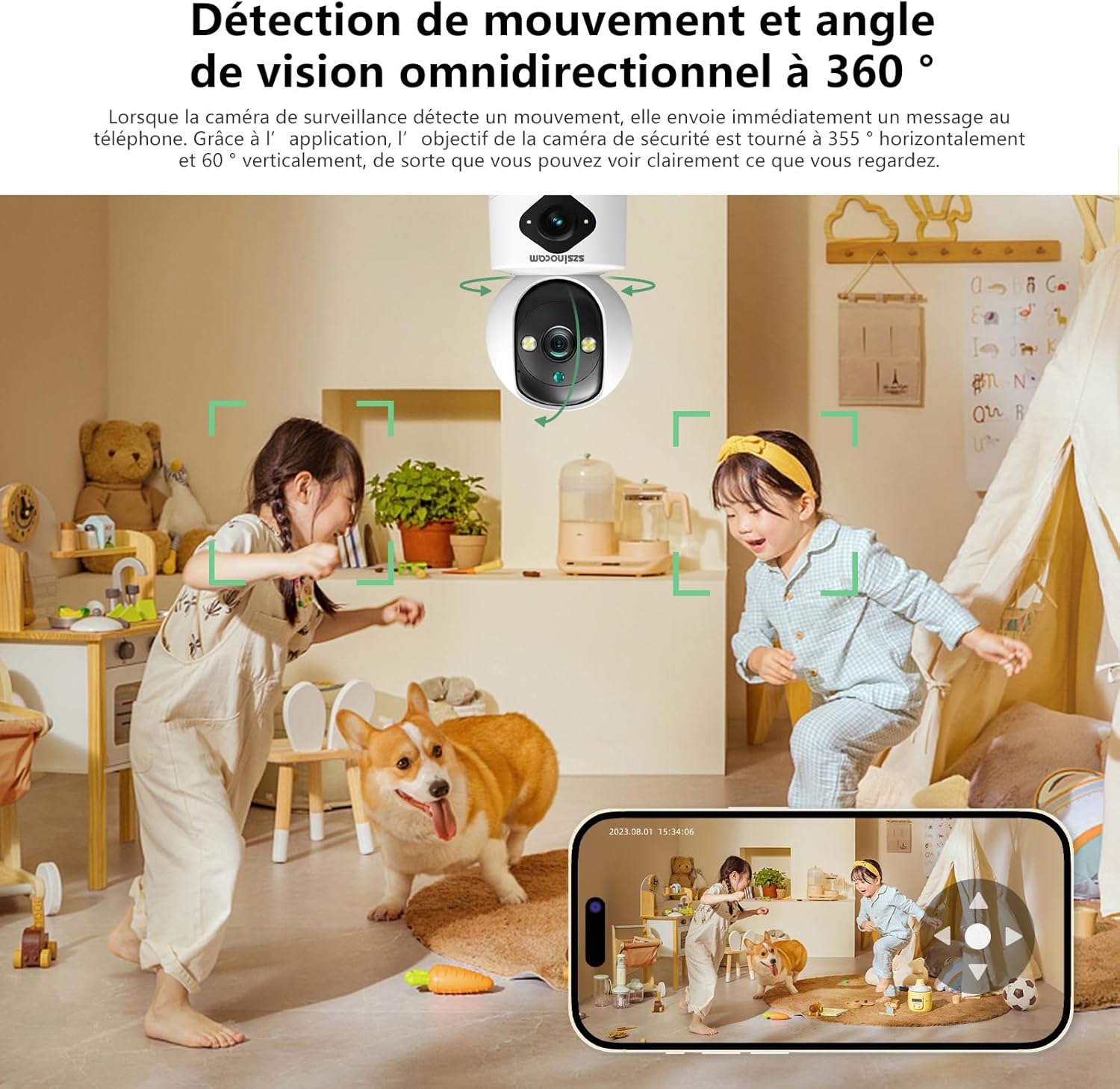
- Flexible Pan & Tilt: Offers a 355° horizontal rotation and 60° vertical tilt for extensive coverage.
- 6x stafrænn aðdráttur: Allows for closer inspection of details within the monitored area.
- Þrjár nætursjónarstillingar: Supports infrared, full-color, and intelligent night vision for clear viewvið aðstæður við litla birtu.
- Hreyfiskynjun og viðvaranir: Automatically detects movement and sends instant notifications to your connected device.
- Tvíhliða hljóð: Gerir kleift að eiga samskipti í rauntíma í gegnum innbyggða hljóðnemann og hátalara myndavélarinnar.
- Margfeldi geymslumöguleikar: Supports both cloud storage and local storage via a Micro SD card (up to 256GB, sold separately).
- Fjölhæf uppsetning: Can be mounted on a wall, placed on a flat surface, or installed on the ceiling.

Figure 2: Dual Lens and Dual Screen Capability

Figure 3: High-Resolution 4MP Image Quality
Mynd 4: Þrjár nætursjónarstillingar
3. Uppsetningarleiðbeiningar
3.1 Innihald pakka
Áður en haldið er áfram skaltu ganga úr skugga um að allir hlutir séu til staðar í pakkanum:
- Szsinocam Wi-Fi Camera
- Rafmagns millistykki
- USB snúru
- Festingarfesting og skrúfur
- Notendahandbók (þetta skjal)
3.2 Að kveikja á myndavélinni
- Tengdu USB snúruna við aflgjafatengi myndavélarinnar.
- Stingdu hinum enda USB snúrunnar í meðfylgjandi rafmagnsmillistykki.
- Stingdu straumbreytinum í venjulega rafmagnsinnstungu. Myndavélin mun kveikja á sér og hefja ræsingarröðina.
3.3 Uppsetning á farsímaforriti
Að stjórna og view your camera, you need to install the dedicated mobile application:
- Scan the QR code provided on the camera packaging or in the quick start guide to download the official application. Alternatively, search for the application name (e.g., "OKAM PRO" or similar) in your device's app store (App Store for iOS, Google Play Store for Android).
- Settu forritið upp á snjallsímanum eða spjaldtölvunni.
- Skráðu nýjan aðgang eða skráðu þig inn ef þú ert nú þegar með einn.
3.4 Myndavélatenging
Follow these steps to pair your camera with the mobile application:
- Ensure your mobile device is connected to a 2.4GHz Wi-Fi network. The camera supports both 2.4GHz and 5GHz Wi-Fi.
- Open the mobile application and select "Add Device" or the '+' icon.
- Choose the camera type (e.g., "Wi-Fi Camera" or "Smart Camera").
- Follow the on-screen prompts to enter your Wi-Fi network name (SSID) and password.
- The application will generate a QR code. Position your camera's lens approximately 15-20 cm (6-8 inches) in front of your phone screen, ensuring the QR code is clearly visible to the camera.
- Wait for the camera to emit a confirmation sound or voice prompt indicating successful connection.
- Þegar þú hefur tengst geturðu nefnt myndavélina þína og byrjað að beina beinni útsendingu viewing.
4. Notkunarleiðbeiningar
4.1 Í beinni View og Control
After successful pairing, tap on the camera's name in the application to access the live view. From here, you can:
- Pan & Tilt: Use the directional controls on the screen to rotate the camera horizontally (355°) and vertically (60°).
- Stafrænn aðdráttur: Pinch to zoom in or out on the live feed (up to 6x).
- Tvíhliða hljóð: Ýttu á hljóðnematáknið til að tala í gegnum hátalara myndavélarinnar og hlustaðu í gegnum hátalara símans.
- Myndataka og upptaka: Capture still images or record video clips directly to your phone's gallery.
4.2 Upptaka og geymsla
Myndavélin styður tvær helstu upptökuaðferðir:
- Micro SD kort geymsla: Insert a Micro SD card (up to 256GB, Class 10 or higher recommended) into the designated slot on the camera. The camera will automatically begin recording based on your settings (continuous, motion-triggered).
- Skýgeymsla: Subscribe to the cloud storage service through the mobile application for secure, off-site video backup. This ensures your footage is safe even if the camera is damaged or stolen.

Figure 5: Recording Options: Cloud and Micro SD Card
4.3 Hreyfiskynjun og viðvaranir
Configure motion detection settings in the application:
- Virkja/slökkva: Turn motion detection on or off.
- Næmi: Adjust the detection sensitivity to minimize false alarms.
- Viðvaranir: Receive push notifications on your mobile device when motion is detected.
- Athafnasvæði: Skilgreindu tiltekin svæði innan myndavélarinnar view fyrir hreyfiskynjun.

Figure 6: Motion Detection and Wide Angle View
4.4 Nætursjónarstillingar
The camera offers three night vision modes for optimal viewing in various low-light conditions:
- Innrautt stilling: Gefur skýrar svart-hvítar myndir í algjöru myrkri með innrauðri LED ljósi.
- Nætursjón í fullum lit: Utilizes built-in spotlights to provide full-color images even in very low light.
- Greindur hamur: Skiptir sjálfkrafa á milli innrauðrar og litríkrar stillingar út frá greindri hreyfingu eða birtuskilyrðum.
5. Uppsetningarvalkostir
The Szsinocam Wi-Fi Camera offers flexible installation to suit your needs:
- Veggfesting: Use the provided mounting bracket and screws to secure the camera to a wall.
- Staðsetning flatt yfirborð: Simply place the camera on any flat surface like a table, shelf, or desk.
- Loftfesting: Attach the camera to the ceiling using the mounting bracket for an overhead view.

Mynd 7: Sveigjanlegir uppsetningarmöguleikar
6. Viðhald
- Þrif: Notið mjúkan, þurran klút til að þrífa myndavélarlinsuna og húsið. Notið ekki fljótandi hreinsiefni eða slípiefni.
- Uppfærsla vélbúnaðar: Regularly check the mobile application for firmware updates. Keeping your camera's firmware updated ensures optimal performance, new features, and security enhancements.
- Umhverfisskilyrði: Ensure the camera is operated within its specified temperature and humidity ranges. Avoid direct exposure to extreme weather conditions if installed outdoors without proper protection.
7. Bilanagreining
| Vandamál | Möguleg orsök | Lausn |
|---|---|---|
| Myndavélin kviknar ekki. | Power adapter or cable faulty; no power from outlet. | Check power connection. Try a different outlet or USB cable/adapter. |
| Unable to pair camera with app. | Incorrect Wi-Fi password; camera too far from router; 5GHz network used; QR code not scanned properly. | Ensure correct 2.4GHz Wi-Fi password. Move camera closer to router. Ensure QR code is clear and camera lens is clean. Reset camera if necessary. |
| Léleg myndgæði. | Óhrein linsa; ófullnægjandi lýsing; vandamál með netbandvídd. | Clean the camera lens. Ensure adequate lighting or enable appropriate night vision mode. Check Wi-Fi signal strength. |
| Hreyfiskynjunarviðvaranir bárust ekki. | Motion detection disabled; app notifications turned off; incorrect sensitivity. | Enable motion detection in app. Check phone notification settings. Adjust sensitivity. |
| SD-kort tekur ekki upp. | SD card full, faulty, or not formatted; recording settings incorrect. | Format SD card via app. Replace SD card if faulty. Check recording schedule/settings. |
8. Tæknilýsing
| Eiginleiki | Smáatriði |
|---|---|
| Vörumerki | SZSINOCAM |
| Fyrirmynd | B0CPXDFVRP |
| Árangursrík kyrrupplausn | 3 MP |
| Hámarks lokarahraði | 1/30 sekúndur |
| Stærðir pakka (L x B x H) | 12.8 x 10.6 x 8.7 sentimetrar |
| Þyngd pakka | 0.36 kíló |
| Tengingar | Þráðlaust net (2.4 GHz/5 GHz) |
| Geymsla | Micro SD kort (allt að 256GB), skýgeymsla |
| Fyrsti laus dagsetning | 16. desember 2023 |
Athugið: Forskriftir geta breyst án fyrirvara.
9. Ábyrgð og stuðningur
For warranty information and technical support, please refer to the contact details provided with your purchase or visit the official SZSINOCAM webGeymið kaupkvittunina sem sönnun fyrir kaup vegna ábyrgðarkröfu.
Til að fá frekari aðstoð geturðu einnig haft samband við seljandann í gegnum þann vettvang þar sem varan var keypt.
Ask a question about this manual
Ask about setup, troubleshooting, compatibility, parts, safety, or missing instructions. Manuals+ will review the question and use this page’s manual context to help answer it.