
1. Inngangur
The BoxWave AllReader SD Card Reader is a versatile and compact device designed for easy file transfer between various digital devices and SD or microSD cards. It features multiple interfaces to ensure broad compatibility with smartphones, tablets, laptops, and desktop PCs. This manual provides instructions for setting up, operating, and maintaining your AllReader SD Card Reader.
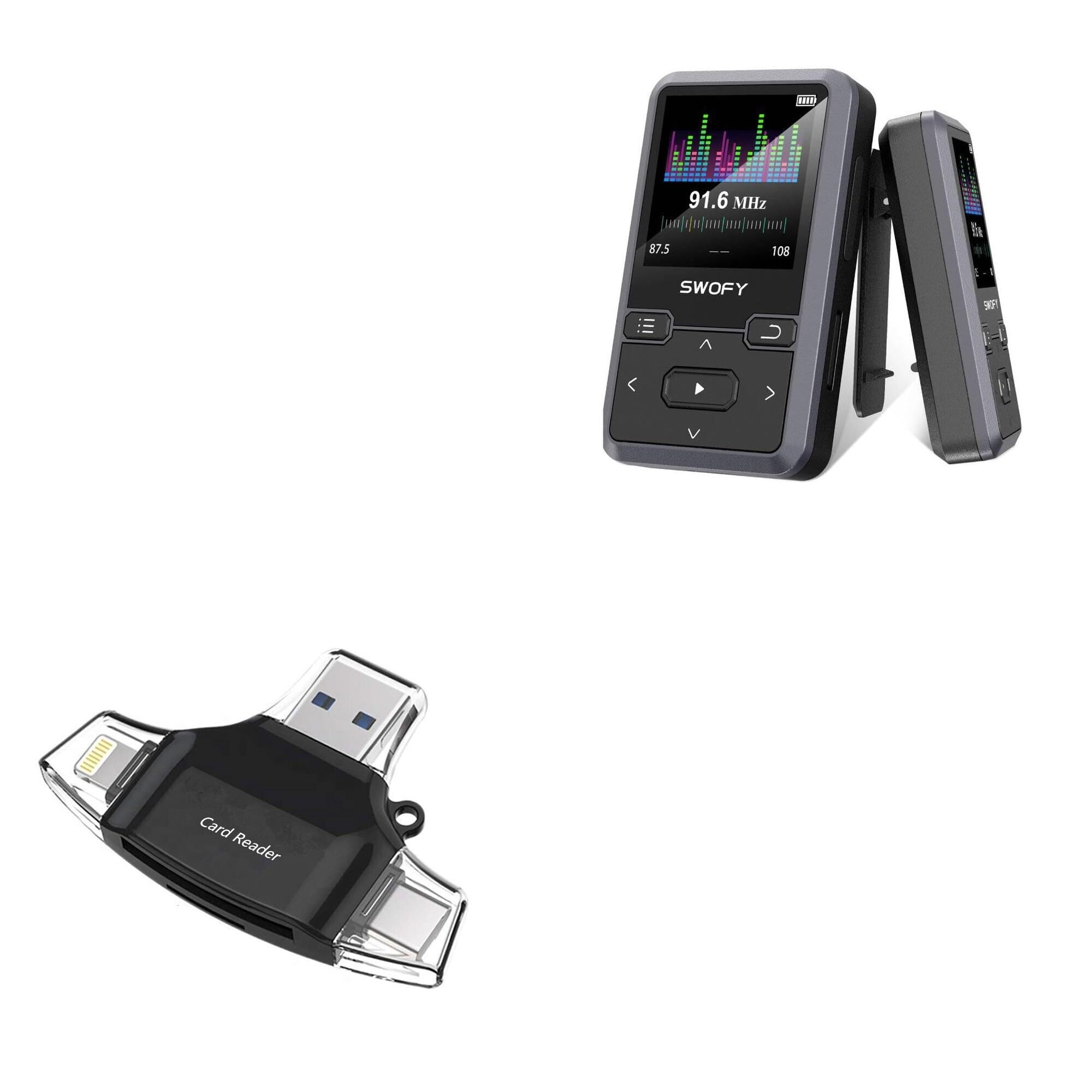
Image: The BoxWave AllReader SD Card Reader, showcasing its compact design and various connector types.
2. Vörueiginleikar
- Four Interfaces: Equipped with USB-C, USB-A, Micro-USB, and Apple/Lightning connectors for maximum device compatibility.
- Auðvelt File Flutningur: Facilitates quick and straightforward transfer of photos, videos, music, and other files between your memory cards and devices.
- Plug and Play: No drivers or complex software installation required. Simply connect and use.
- Fyrirferðarlítil hönnun: Small and portable, designed to fit easily in your pocket, bag, or purse.
- Universal Card Compatibility: Supports both standard SD cards and microSD cards.

Mynd: Ítarleg view of the four distinct interfaces on the AllReader SD Card Reader.
3. Uppsetningarleiðbeiningar
Setting up your BoxWave AllReader SD Card Reader is a simple plug-and-play process.
- Settu minniskort í: Gently insert your SD card or microSD card into the appropriate slot on the AllReader. Ensure the card is fully seated.
- Tengjast tæki: Select the correct connector (USB-C, USB-A, Micro-USB, or Apple/Lightning) for your smartphone, tablet, laptop, or desktop PC. Plug the AllReader into your device's port.
- Aðgangur Files: Your device should automatically detect the AllReader and the inserted memory card. You can then navigate to the card's contents through your device's file stjórnanda eða ljósmyndaforrit.

Image: The AllReader connected to a tablet with an SD card, illustrating the ease of setup and file aðgangur.
4. Notkunarleiðbeiningar
Once connected, the AllReader allows for seamless data management.
- File Vafra: On most devices, the inserted memory card will appear as an external storage device. Open your device's file manager (e.g., "Files" on iOS, "My Files" on Android, "File Explorer" on Windows, "Finder" on macOS) to browse the contents of the card.
- Flytur Files: Til að flytja files, simply copy and paste or drag and drop files between the memory card and your device's internal storage or other connected storage.
- Örugg fjarlæging: Before disconnecting the AllReader from your computer, always safely eject the device through your operating system to prevent data corruption. For mobile devices, simply unplugging is generally safe after file transfers are complete.

Image: The AllReader facilitating file transfers across various devices including smartphones, tablets, laptops, and desktop PCs.
5. Viðhald
To ensure the longevity and optimal performance of your BoxWave AllReader SD Card Reader, follow these maintenance guidelines:
- Halda hreinu: Notið mjúkan, þurran klút til að þrífa ytra byrði tækisins. Forðist að nota fljótandi hreinsiefni eða leysiefni.
- Verndaðu tengi: Keep the connectors free from dust and debris. Avoid touching the metal contacts directly.
- Geymdu rétt: Þegar kortalesarinn er ekki í notkun skal geyma hann á köldum, þurrum stað, fjarri beinu sólarljósi og miklum hita.
- Meðhöndlaðu með varúð: Forðist að láta tækið detta eða verða fyrir hörðum höggum, sem geta skemmt innri íhluti þess.
6. Bilanagreining
If you encounter issues with your AllReader SD Card Reader, consider the following troubleshooting steps:
- Tæki ekki þekkt:
- Ensure the AllReader is firmly plugged into your device's port.
- Try connecting to a different port on your device or a different device altogether to rule out port issues.
- Endurræstu tækið og reyndu aftur.
- Minniskort fannst ekki:
- Ensure the SD or microSD card is correctly and fully inserted into the AllReader.
- Try using a different memory card to determine if the issue is with the card or the reader.
- Check the memory card for physical damage or a locked switch (for SD cards).
- Hægur flutningshraði:
- Transfer speeds can vary based on the memory card's speed class and the device's USB port version.
- Ensure your device's USB port is functioning correctly.
If these steps do not resolve the issue, please contact BoxWave customer support.
7. Tæknilýsing
| Eiginleiki | Smáatriði |
|---|---|
| Vöruheiti | BoxWave AllReader SD-kortalesari |
| Gerðarnúmer | B0CS4HCWLK |
| Viðmót | USB-C, USB-A, Micro-USB, Apple/Lightning |
| Kortasamhæfi | SD, microSD |
| Þyngd | 6 aura |
| Framleiðandi | BoxWave |
| Hönnun | Compact, portable |
8. Ábyrgð og stuðningur
BoxWave is committed to providing high-quality accessories and excellent customer service. If you have any questions, require assistance, or experience any issues with your AllReader SD Card Reader, please do not hesitate to contact our customer support team. We are dedicated to offering real answers and helpful advice to ensure your satisfaction.
For support, please refer to the contact information provided with your product packaging or visit the official BoxWave websíða.