
AUSEK TX3
AUSEK TX3 Android Mini PC Box User Manual
1. Inngangur
This manual provides detailed instructions for the setup, operation, and maintenance of your AUSEK TX3 Android Mini PC Box. Please read this manual thoroughly before using the device to ensure proper functionality and to maximize your user experience. The AUSEK TX3 is designed to transform your television into a smart entertainment hub, offering access to a wide range of applications and media content.
2. Innihald pakka
Þegar þú tekur úr umbúðunum skaltu ganga úr skugga um að allir eftirfarandi hlutir séu í pakkanum:
- AUSEK TX3 Android Mini PC Box
- Fjarstýring (Rafhlöður fylgja ekki)
- Rafmagns millistykki
- HD Data Cable (HDMI Cable)
- Notendahandbók

3. Vöru lokiðview
The AUSEK TX3 Android Mini PC Box is a compact device designed for high-definition media streaming and smart TV functionalities. It features a robust AMLOGIC S905X3 processor, 4GB RAM, and 64GB ROM, ensuring smooth performance for various applications and 4K content playback.

3.1. Eiginleikar tækisins
- Stýrikerfi: Android 10
- Örgjörvi: AMLOGIC S905X3 Quad Core Cortex-A53
- Minni: 4GB RAM, 64GB Internal Storage
- Tengingar: Dual-band Wi-Fi (2.4G/5.8G), Bluetooth 5.0, Ethernet
- Myndbandsúttak: 4K HDR support

3.2. Tengingar og tengi
Familiarize yourself with the various ports on your AUSEK TX3 device:

- TF kortarauf: Til að stækka geymslupláss með MicroSD korti.
- USB 2.0 tengi: Connect external devices such as USB drives, keyboards, or mice.
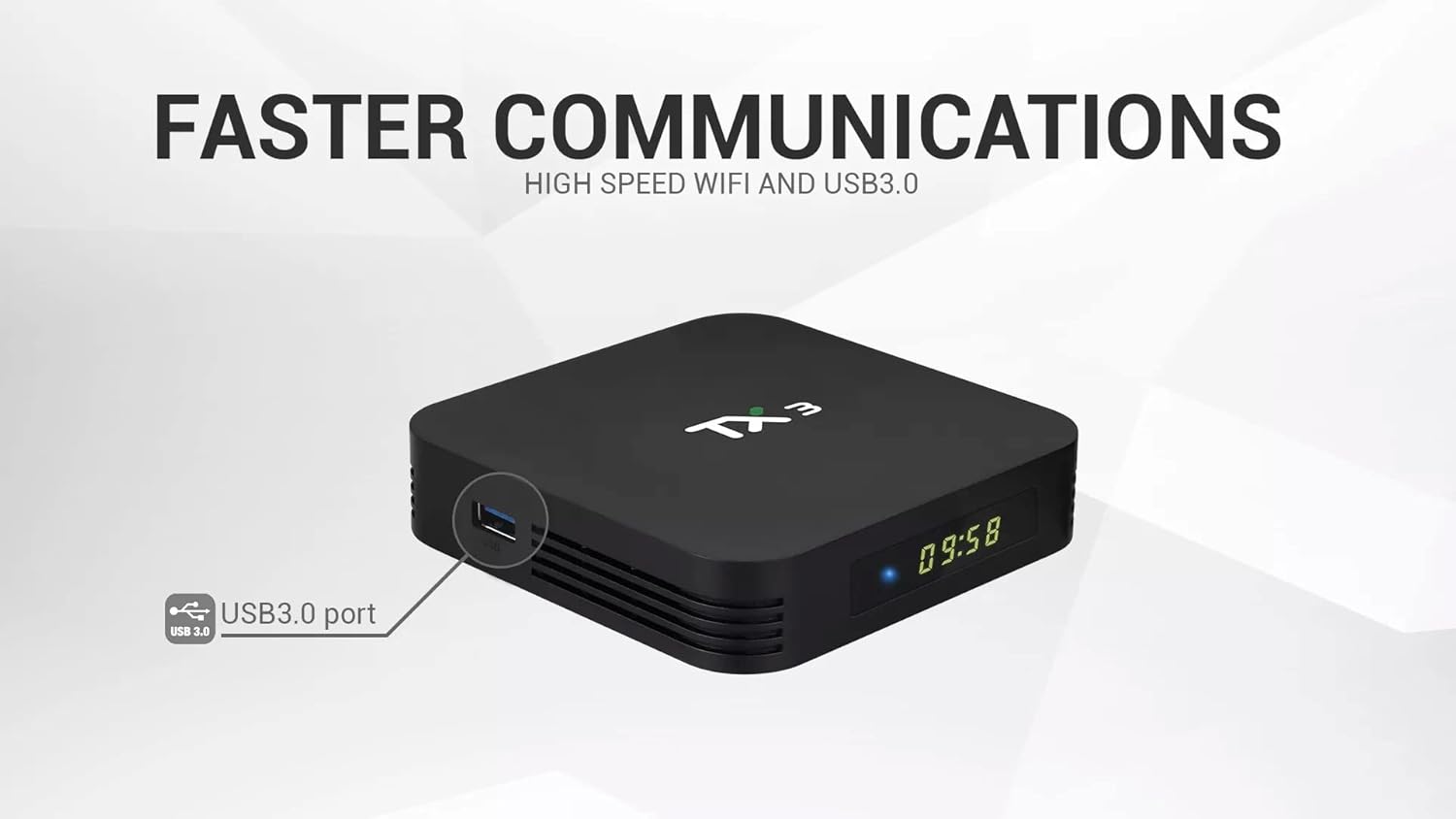
- USB 3.0 tengi: Offers faster data transfer speeds for compatible external storage devices.
- HD Output (HDMI): Tengist sjónvarpinu þínu eða skjánum fyrir mynd- og hljóðúttak.
- Aflgjafi (DC 5V): Tengdu meðfylgjandi rafmagnsmillistykki.
- Ethernet tengi (LAN): Fyrir snúrubundið internettengingu.
- SPDIF úttak: Fyrir stafrænt hljóðúttak í samhæf hljóðkerfi.
4. Uppsetningarleiðbeiningar
Follow these steps to set up your AUSEK TX3 Android Mini PC Box:
- Tengjast við sjónvarp: Connect one end of the provided HDMI cable to the HD Output port on the AUSEK TX3 and the other end to an available HDMI input on your television.
- Tengdu rafmagn: Plug the power adapter into the DC 5V Power Input port on the AUSEK TX3, then plug the adapter into a wall outlet.
- Tengjast internetinu (valfrjálst):
- Þráðlaus tenging: Connect an Ethernet cable from your router to the Ethernet Port on the AUSEK TX3.
- Þráðlaus tenging: You will configure Wi-Fi during the initial software setup.
- Kveikt á: Turn on your television and select the correct HDMI input source. The AUSEK TX3 should automatically power on and display the boot-up screen.
- Uppsetningarhjálp: Follow the on-screen instructions to complete the initial setup, which typically includes language selection, Wi-Fi network connection, and Google account login.
5. Notkunarleiðbeiningar
5.1. Grunnleiðsögn
Use the provided remote control to navigate the Android interface. The directional buttons (up, down, left, right) move the cursor, and the 'OK' button confirms selections. The 'Back' button returns to the previous screen, and the 'Home' button takes you to the main home screen.
5.2. Nettenging
If you did not connect to Wi-Fi during the initial setup, navigate to Stillingar> Net og internet to select your Wi-Fi network and enter the password. For wired connections, ensure the Ethernet cable is securely connected.
5.3. Uppsetning forrita
The AUSEK TX3 comes with the Google Play Store pre-installed. You can download and install a wide variety of applications, including streaming services, games, and utility apps. Navigate to the Play Store icon on your home screen, sign in with your Google account, and browse or search for desired applications.

5.4. Bluetooth-tenging
To connect Bluetooth devices such as headphones, speakers, or game controllers, go to Settings > Connected Devices > Pair new device. Ensure your Bluetooth device is in pairing mode.
5.5. 4K HDR Playback
The AUSEK TX3 supports 4K HDR video playback. For optimal viewing, ensure your television is 4K HDR compatible and that you are playing 4K HDR content. Adjust display settings in Stillingar > Skjár ef þörf krefur.
6. Viðhald
To ensure the longevity and optimal performance of your AUSEK TX3 Android Mini PC Box, follow these maintenance guidelines:
- Þrif: Notið mjúkan, þurran klút til að þrífa tækið. Notið ekki fljótandi hreinsiefni eða slípiefni.
- Loftræsting: Gakktu úr skugga um að tækið sé staðsett á vel loftræstum stað til að koma í veg fyrir ofhitnun. Ekki loka fyrir loftræstiopin.
- Slökkvið á réttan hátt: Always power off the device using the remote control or by navigating to the power options in the system menu before unplugging it.
- Hugbúnaðaruppfærslur: Athugaðu reglulega hvort kerfisuppfærslur séu í boði Stillingar > Tækjastillingar > Um > Kerfisuppfærsla til að tryggja að þú hafir nýjustu eiginleikana og öryggisuppfærslurnar.
7. Bilanagreining
If you encounter issues with your AUSEK TX3, refer to the following common problems and solutions:
| Vandamál | Möguleg orsök | Lausn |
|---|---|---|
| Enginn kraftur | Power adapter not connected; power outlet issue | Ensure power adapter is securely connected to the device and a working power outlet. |
| Engin birting í sjónvarpinu | Incorrect HDMI input selected; loose HDMI cable | Select the correct HDMI input on your TV. Check HDMI cable connections. Try a different HDMI port or cable. |
| Fjarstýring virkar ekki | Dead batteries; line of sight blocked | Replace batteries in the remote. Ensure no obstructions between the remote and the device. |
| Get ekki tengst Wi-Fi | Incorrect password; router issue; device too far from router | Verify Wi-Fi password. Restart your router. Move the device closer to the router or use a wired Ethernet connection. |
| Applications are slow or crashing | Too many apps running; low storage; outdated app version | Close unused applications. Clear cache for problematic apps (Settings > Apps). Update apps from Google Play Store. Restart the device. |
8. Tæknilýsing
Detailed technical specifications for the AUSEK TX3 Android Mini PC Box:
| Eiginleiki | Smáatriði |
|---|---|
| Vörumerki | AUSEK |
| Fyrirmynd | TX3 |
| Stýrikerfi | Android 10 |
| Örgjörvi | AMLOGIC S905X3 Quad Core Cortex-A53, 1.5 GHz |
| vinnsluminni | 4 GB DDR3 SDRAM |
| Innri geymsla (ROM) | 64 GB |
| Hard Drive Size (Internal) | 32 GB (Note: This may refer to a partition or specific storage type) |
| Upplausn | 4K |
| Wi-Fi | Tvöfalt band (2.4G/5.8G) |
| Bluetooth | Bluetooth 5.0 |
| Hafnir | USB 2.0, USB 3.0, HD Output (HDMI), Ethernet, SPDIF, TF Card Slot, DC Power Input |
| Mál (L x B x H) | 10 x 10 x 10 sentimetrar |
| Þyngd hlutar | 400 g |
| Samhæf tæki | Personal Computer (as a mini PC), Televisions |
| Stydd internetþjónusta | Netflix (and others via Play Store) |

9. Ábyrgð og stuðningur
For warranty information and customer support regarding your AUSEK TX3 Android Mini PC Box, please contact the manufacturer directly:
Framleiðandi: AUSHA EXPORTS P LTD
Heimilisfang: 140, Sector 27, Gurugram-122009, India
Þjónustudeild: 08048977694
Vinsamlegast geymdu sönnunina þína fyrir kaupum fyrir ábyrgðarkröfur.
Ask a question about this manual
Ask about setup, troubleshooting, compatibility, parts, safety, or missing instructions. Manuals+ will review the question and use this page’s manual context to help answer it.