
Inngangur
This manual provides detailed instructions for the safe and effective operation of your NBD K100 4K Digital Camera. Please read this manual thoroughly before using the camera and retain it for future reference.
The NBD K100 is a versatile digital camera designed for high-quality photography and video recording, featuring 4K video resolution, 56MP photo capability, and a 180-degree rotatable screen for various shooting angles, including vlogging.
Öryggisupplýsingar
- Ekki láta myndavélina verða fyrir vatni eða raka.
- Forðist að láta myndavélina detta eða verða fyrir hörðum höggum.
- Haldið myndavélinni frá beinu sólarljósi og háum hita.
- Notið aðeins tilgreindar rafhlöður og fylgihluti.
- Ekki reyna að taka myndavélina í sundur eða gera við hana sjálfur. Hafðu samband við þjónustuver viðskiptavina til að fá aðstoð.
- Geymið þar sem börn ná ekki til.
Innihald pakka
Gakktu úr skugga um að allir hlutir séu til staðar í pakkanum:
- NBD K100 4K Digital Camera
- Two Rechargeable Batteries
- 32GB minniskort
- USB snúru
- Rafmagns millistykki
- Úlnliðsól
- Notendahandbók (þetta skjal)
Myndavél lokiðview
Kynntu þér íhluti myndavélarinnar.
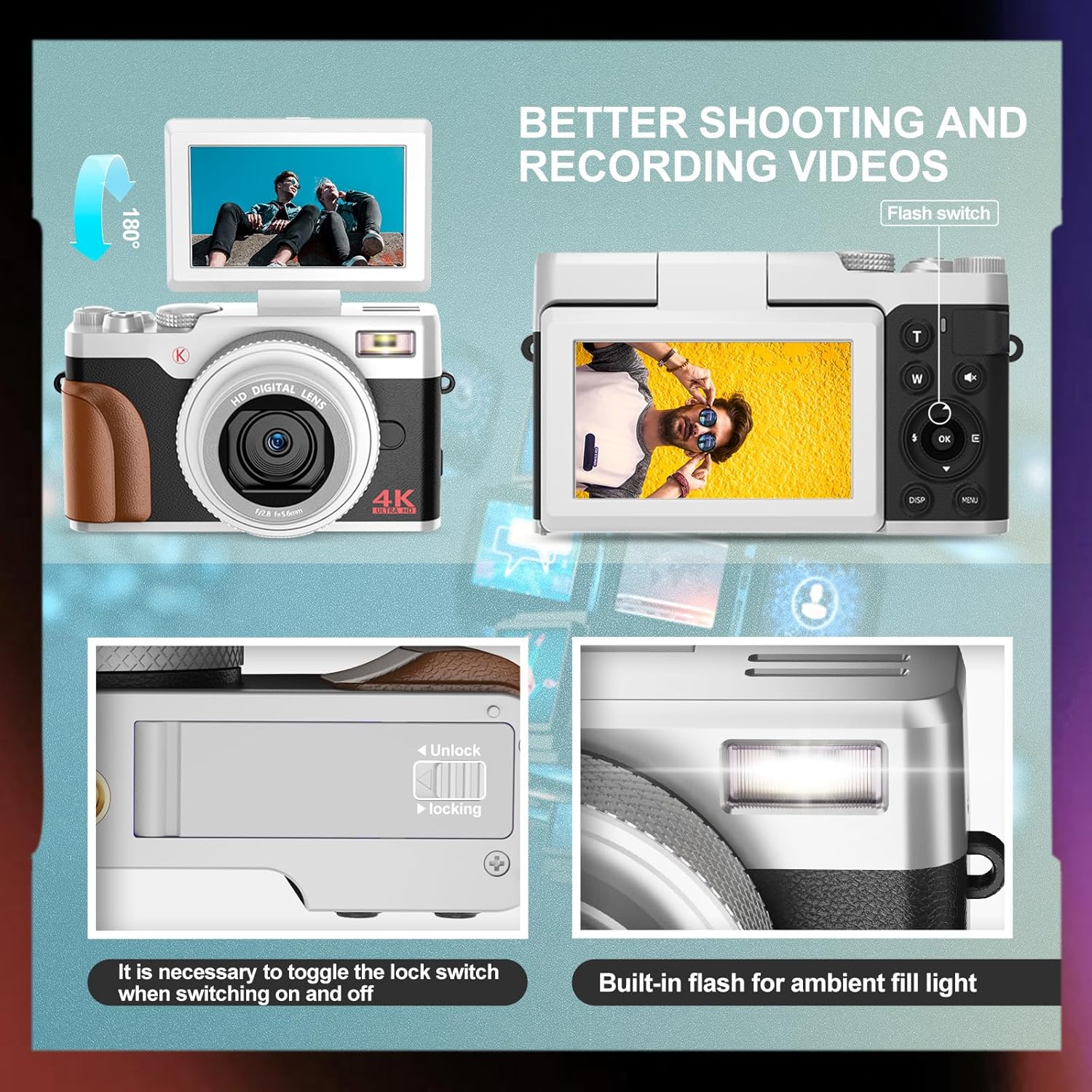
Mynd: Framan og aftan view of the NBD K100 camera, highlighting the adjustable screen, built-in flash, and the battery compartment lock switch.
- Linsa: Aðal sjónrænn íhlutur til að taka myndir.
- Innbyggt flass: Gefur lýsingu við litla birtu.
- 3-inch Rotatable Screen: Sýnir í beinni view, menus, and playback. Can rotate 180 degrees.
- Lokarahnappur: Half-press to activate autofocus, full-press to capture.
- Mode Dial/Rotary Button: Selects shooting modes (Photograph, Video, Slow Motion, Time-lapse, Continuous, Self-timer, Special Effects, Beauty Mode).
- Aðdráttarhnappur (T/W): Adjusts 16X digital zoom.
- Valmyndarhnappur: Opnar stillingar myndavélarinnar.
- OK hnappur: Staðfestir val.
- Stefnuhnappar: Fletta í gegnum valmyndir og stillingar.
- Rafhlöðuhólf: Hýsir endurhlaðanlega rafhlöðuna.
- Minniskortarauf: For inserting the SD card.
- USB tengi: Fyrir hleðslu og gagnaflutning.
Uppsetning
1. Uppsetning rafhlöðu
- Finndu rafhlöðulokið neðst á myndavélinni.
- Slide the lock switch to the "Unlock" position and open the cover.
- Insert the rechargeable battery according to the polarity indicators (+/-).
- Close the battery compartment cover and slide the lock switch to the "Lock" position.
2. Uppsetning minniskorts
The camera supports SD cards up to 32GB (a 32GB card is included).
- Open the memory card slot cover, usually located near the battery compartment or on the side.
- Settu SD-kortið inn með málmtengingunum í rétta átt (sjá myndina inni í raufinni). Ýttu þar til það smellpassar.
- Lokaðu hlífinni yfir minniskortaraufinni.
3. Hleðsla rafhlöðunnar
The camera comes with two rechargeable batteries.
- Tengdu myndavélina við straumbreytinn með meðfylgjandi USB snúru.
- Stingdu millistykkinu í rafmagnsinnstungu.
- Hleðsluljósið mun lýsast. Það slokknar eða skiptir um lit þegar hleðslu er lokið.
- The camera supports recording while charging.
Að stjórna myndavélinni
1. Kveikt/slökkt
- Til að kveikja á, ýttu á og haltu inni Power takkanum.
- Til að slökkva á tækinu, ýttu á og haltu inni aflrofann aftur.
2. Basic Photography and Video Recording

Image: Visual representation of the camera's 4K video and 56MP photo capabilities, demonstrating 16X digital zoom and the difference between 2K and 4K output.
- Veldu ham: Rotate the mode dial (Quick Rotary Button) to select between "Photograph" (still images) or "Video" (video recording).

Image: Diagram illustrating the Quick Rotary Button and its various shooting modes, including Photograph, Video, Slow Motion, and Special Effects.
- Fókus: Half-press the Shutter button to activate autofocus. The camera will adjust focus automatically.
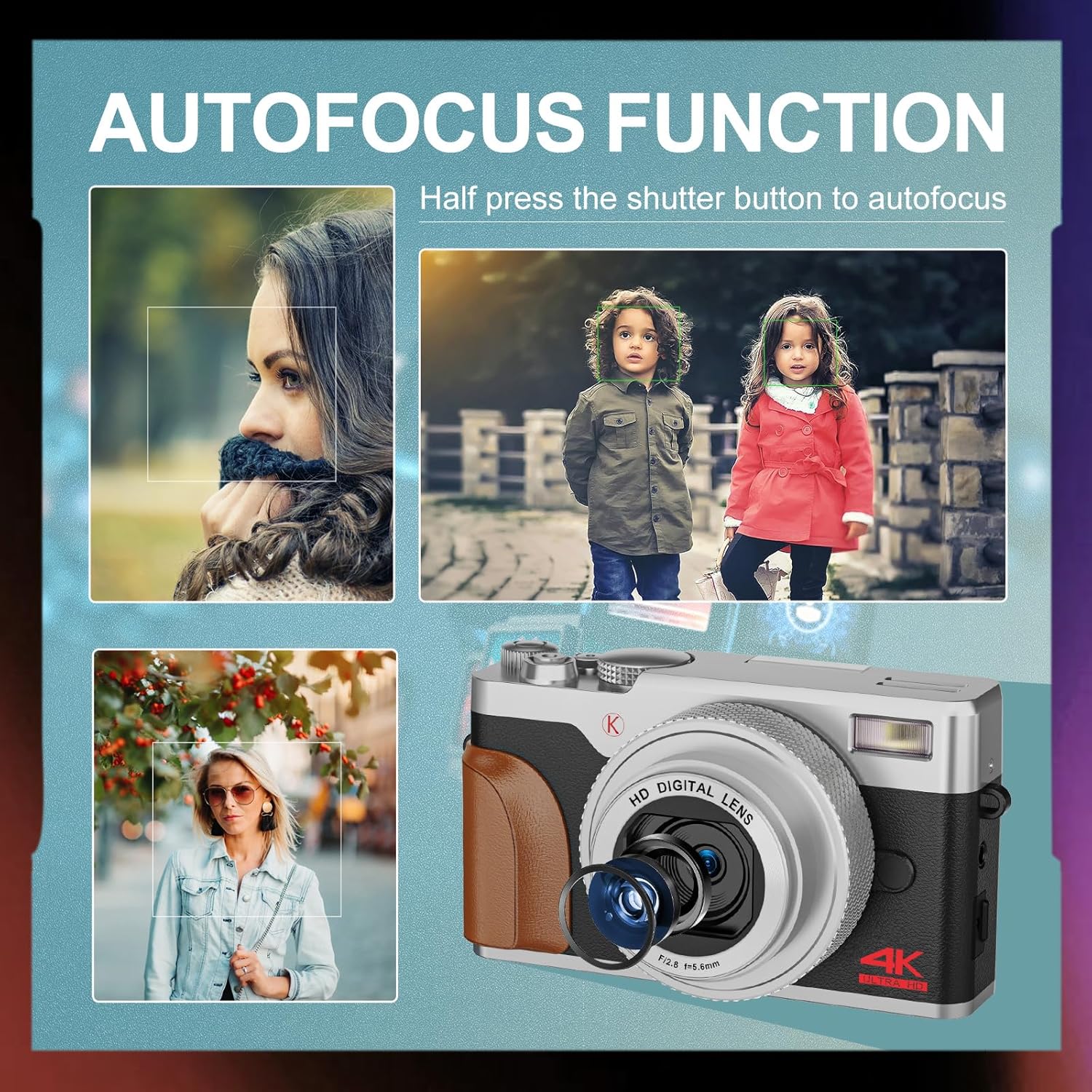
Mynd: Dæmiamples of autofocus in action, showing subjects in sharp focus against blurred backgrounds, with the camera lens visible.
- Handtaka: Full-press the Shutter button to take a photo or start/stop video recording.
- Aðdráttur: Use the T (Telephoto) and W (Wide) levers to adjust the 16X digital zoom.
- Flash: The built-in flash can be used for low-light conditions. Access flash settings via the menu or a dedicated button (if available).
3. Ítarlegar tökustillingar
The Quick Rotary Button allows selection of various advanced modes:
- Slow Motion myndband: Tekur upp myndband með hærri rammatíðni fyrir hægfara spilun.
- Tímabilsmyndband: Captures a series of images over time and compiles them into a video.
- Stöðug tökur: Tekur margar myndir í hröðu lagi.
- Sjálfvirk myndataka: Delays the shutter release for self-portraits or group photos.
- Special Effects (Filter Effects): Applies creative filters to your photos.
- Beauty Photo Mode: Enhances portraits.
4. Adjustable Screen
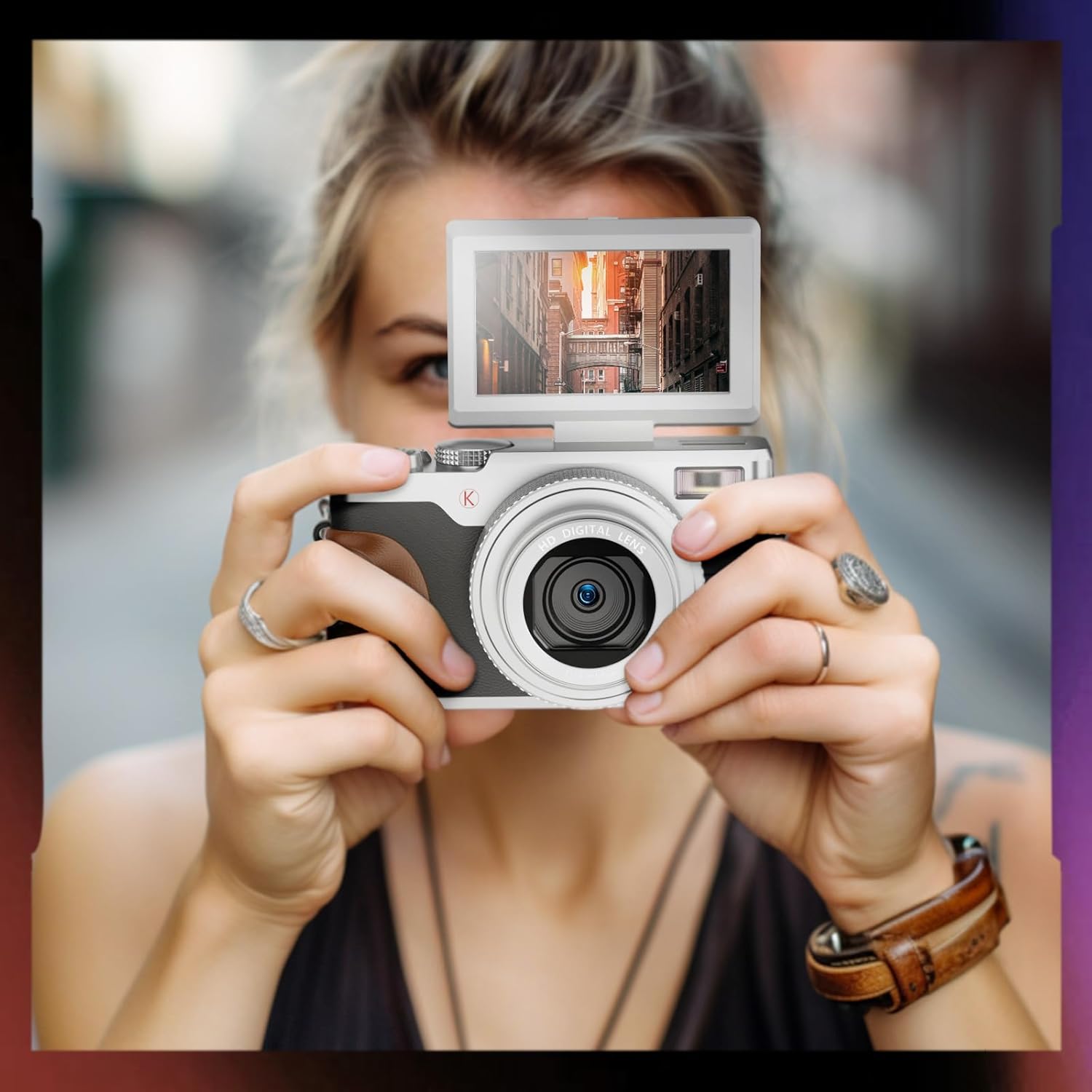
Image: A user holding the NBD K100 camera, demonstrating the 180-degree rotatable screen flipped upwards, ideal for selfies or vlogging.
The 3-inch screen can rotate 180 degrees, allowing for flexible viewing angles. This is particularly useful for vlogging, selfies, or shooting from high or low perspectives.
5. Webmyndavél Virka

Image: The NBD K100 camera shown in two scenarios: recording video and functioning as a webcam connected to a laptop and a tablet for video conferencing.
Connect the camera to your computer via the USB cable to use it as a webcam for video calls or live streaming. Ensure the camera is powered on and select the webmyndavélarvalkostur ef beðið er um það.
Viðhald
- Þrif á linsunni: Notið mjúkan, lólausan klút sem er sérstaklega hannaður fyrir myndavélalinsur. Notið ekki slípiefni eða sterk efni.
- Að þrífa skjáinn: Wipe gently with a microfiber cloth.
- Geymsla: When not in use for extended periods, remove the battery and store the camera in a cool, dry place.
- Umhirða rafhlöðu: Recharge batteries regularly, even if not in use, to maintain their lifespan. Avoid fully discharging batteries.
Úrræðaleit
| Vandamál | Lausn |
|---|---|
| Myndavélin kviknar ekki. | Ensure the battery is correctly inserted and fully charged. Try using the second battery. |
| Get ekki tekið myndir/upptekið myndbönd. | Check if the memory card is inserted correctly and has sufficient free space. Ensure the battery has enough charge. |
| Myndir eru óskýrar. | Ensure autofocus is engaged (half-press shutter). Clean the lens if dirty. Check lighting conditions. |
| Flassið virkar ekki. | Check flash settings in the menu. Ensure the flash is not physically obstructed. |
| Tölvan þekkir ekki myndavélina. | Gakktu úr skugga um að USB-snúran sé vel tengd. Prófaðu aðra USB-tengi eða snúru. Endurræstu bæði myndavélina og tölvuna. |
Tæknilýsing
| Eiginleiki | Smáatriði |
|---|---|
| Vörumerki | NBD |
| Nafn líkans | K100 (A1) |
| Upplausn ljósmyndskynjara | 56 Megapixels (48 Megapixels in some specifications) |
| Myndbandsupplausn | 4K (3840x2160) |
| Stafræn aðdráttur | 16X |
| Skjástærð | 3.0 inches (180-degree rotatable) |
| Skynjaratækni | CMOS |
| Tengitækni | USB |
| Stuðningur við minniskort | SD Card (up to 32GB included) |
| Tegund rafhlöðu | Litíum jón |
| Skjár Tegund | OLED (Color Screen) |
| Sjálfvirkur fókus | Já |
| Innbyggt Flash | Já |
| Myndstöðugleiki | Nei |
| Hljóðupptaka | Já |
Ábyrgð og stuðningur
For warranty information and technical support, please refer to the warranty card included in your package or visit the official NBD website. If you encounter any issues not covered in this manual, please contact NBD customer service for assistance.
Samskiptaupplýsingar: Please refer to your product packaging or the manufacturer's websíðu fyrir nýjustu tengiliðaupplýsingar.