
1. Inngangur
Þakka þér fyrir kaupinasing the VTech XS1050 Cordless Phone. This manual provides essential information for setting up, operating, and maintaining your new phone. Please read it thoroughly to ensure proper use and to take full advantage af eiginleikum þess.

Figure 1: VTech XS1050 Cordless Phone and Base Unit
This image shows the VTech XS1050 cordless phone handset resting in its white base unit. The handset features a digital display and a numeric keypad. The base unit also has controls for the answering machine.
2. Uppsetning
2.1 Innihald pakka
Áður en þú byrjar skaltu ganga úr skugga um að allir hlutir séu til staðar:
- VTech XS1050 Handset
- VTech XS1050 Base Unit
- Rafmagns millistykki fyrir grunneiningu
- Símalína
- 2 x Product-Specific Batteries (included)
- Notendahandbók (þetta skjal)
2.2 Uppsetning rafhlöðu
- Opnaðu hlífina á rafhlöðuhólfinu aftan á símtólinu.
- Insert the two supplied batteries, observing the correct polarity (+ and -).
- Lokaðu rafhlöðuhólfinu tryggilega.
2.3 Tenging grunneiningarinnar
- Connect the power adapter to the base unit and plug it into a wall outlet.
- Tengdu annan endann á símasnúrunni við grunnstöðina og hinn endann við símatengið í vegg.
2.4 Upphafsgjald
Place the handset on the base unit. The battery indicator on the handset display will show charging. Allow the handset to charge for at least 16 hours before initial use to ensure optimal battery performance.
3. Notkunarleiðbeiningar
3.1 Hringt og móttekið símtöl
- Hringt: Taktu upp tólið, sláðu inn númerið og ýttu á Hringdu hnappinn.
- Að fá símtal: Þegar síminn hringir, ýttu á Hringdu hnappinn.
- Ljúka símtali: Ýttu á Ljúka símtali hnappinn eða settu handtólið aftur á grunnstöðina.
3.2 Notkun símsvara
The VTech XS1050 features a digital answering machine with up to 30 minutes of recording time.
- Spila skilaboð: Ýttu á Spila hnappinn á grunneiningunni.
- Að taka upp kveðju: Refer to the detailed instructions in the full manual for custom greeting setup.
3.3 tommu handfrjáls hátalari
Til að virkja handfrjálsa hátalarann meðan á símtali stendur skaltu ýta á Hátalari button on the handset. Press it again to switch back to handset mode.

Figure 2: Hands-Free Speakerphone Function
This image shows a person in a kitchen setting, using the VTech XS1050 handset on speakerphone mode while performing other tasks, indicating the convenience of the hands-free function.
3.4 Hljóðstyrksstilling
Meðan á símtali stendur skaltu nota Hljóðstyrkur upp og Hljóðstyrkur niður buttons on the side of the handset to adjust the earpiece volume. The base unit also has volume controls for the speakerphone and answering machine playback.
3.5 Símaskrá og hraðval
- Símaskrá: Store up to 100 names and numbers. Access and manage entries via the handset menu.
- Hraðval: Assign frequently called numbers to 8 dedicated speed dial keys for quick access.
3.6 Símtalabirtingarnúmer og símtalssaga
The phone displays caller information (if available from your service provider) and stores a history of the last 20 incoming calls.

Figure 3: Caller ID and Call History Display
This image illustrates the handset's display showing multiple entries in the call history, including caller names and numbers, demonstrating the caller ID and call waiting features.
3.7 Ráðstefnustarfsemi
The intercom/hands-free function allows multiple users to participate in a conversation simultaneously, facilitating three-way conference calls.

Figure 4: Three-Way Conference Call
This image depicts three individuals engaged in separate phone conversations, symbolizing the three-way conference call capability of the VTech XS1050.
3.8 Viðvörun og hljóðdeyfing
The handset includes an alarm function for reminders and a mute function to temporarily silence your microphone during a call.

Figure 5: Alarm and Mute Function Icons
This image shows the VTech XS1050 handset on a table, with graphic overlays of an alarm clock and a muted speaker icon, illustrating the alarm and mute functionalities.
4. Helstu eiginleikar
4.1 Bindi Amplíflegri
The VTech XS1050 features an integrated volume amplifier that boosts incoming sound and voice for enhanced clarity and volume. This feature is particularly beneficial for users with hearing impairments or those who prefer a louder audio experience.

Figure 6: Volume Amplifier in Action
This image visually represents the volume amplification feature, showing sound waves emanating from the handset and an ear icon with a plus sign, indicating increased audio output for clearer conversations.
4.2 Stafrænn símsvari
Record and store incoming calls when you are unavailable. The digital answering machine offers a maximum storage duration of 30 minutes, ensuring you don't miss important messages.
4.3 Baklýstur skjár og takkaborð
The handset features a backlit screen and keypad, providing improved visibility in low-light conditions and enhancing ease of use.

Figure 7: Backlit Screen and Keypad
This image highlights the illuminated display and keys of the VTech XS1050 handset, demonstrating its backlit feature for better visibility in dim environments.
4.4 Langur rafhlöðuending
Enjoy extended conversations with up to 18 hours of talk time on a single charge, ensuring your phone is ready when you need it.

Mynd 8: Rafhlöðuending allt að 18 klukkustundir
This image features a woman talking on the VTech XS1050 handset, with a graphic overlay indicating '18 hours' talk time, emphasizing the product's long battery endurance.
4.5 Adjustable Ringtone Volume and Melodies
Customize your phone experience by adjusting the ringtone volume and choosing from various melodies to suit your preference.

Figure 9: Adjustable Ringtone Settings
This image shows the VTech XS1050 handset with graphic icons representing a bell (ringtone) and musical notes, indicating the ability to adjust ringtone volume and select melodies.
4.6 Multilingual Help Messages
The phone supports multilingual help messages, providing assistance in various languages for user convenience.
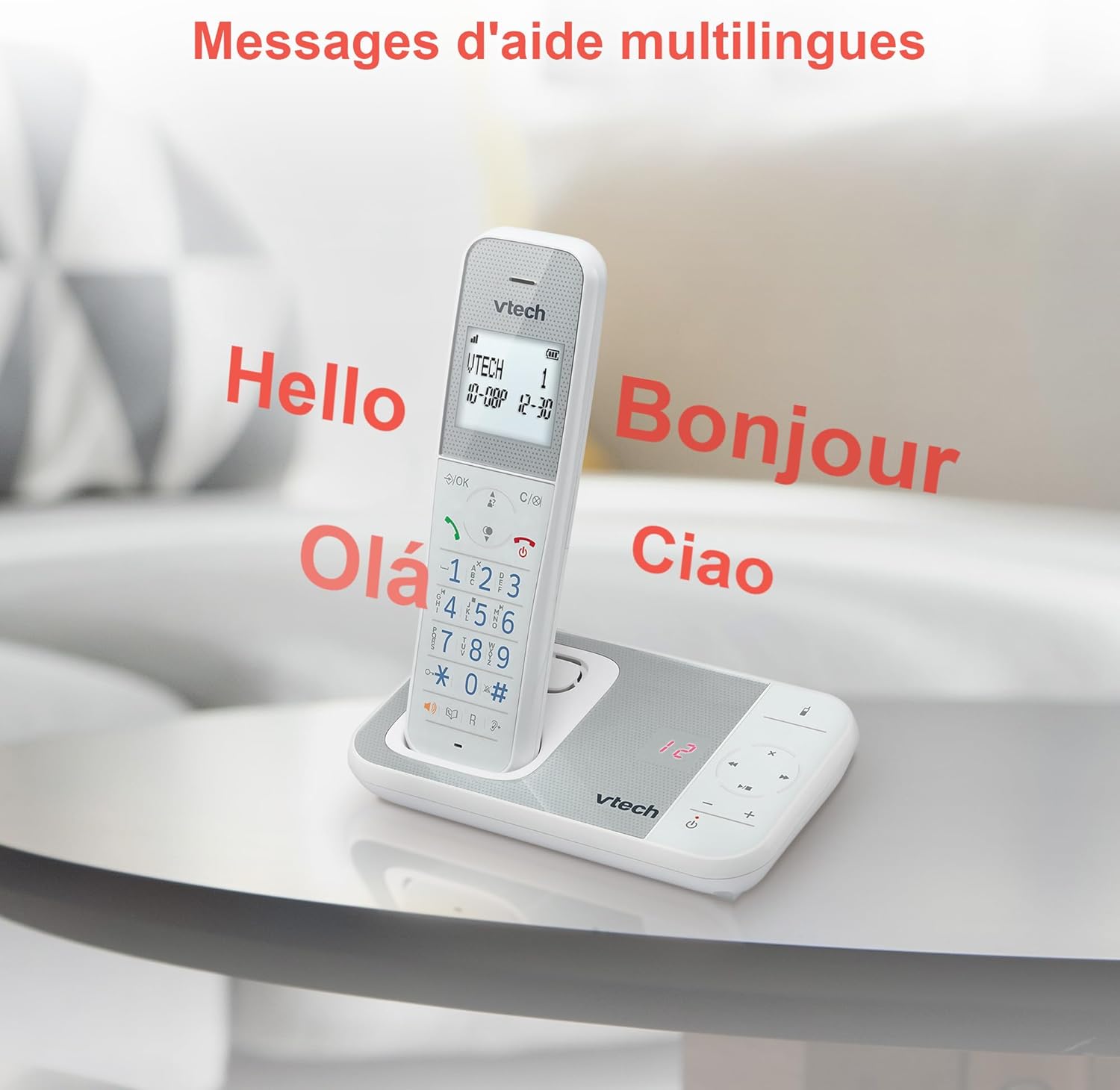
Figure 10: Multilingual Help Messages
This image displays the VTech XS1050 handset with various greetings like 'Hello', 'Bonjour', 'Olá', and 'Ciao' floating around it, illustrating the multilingual support feature.
5. Viðhald
5.1 Þrif
Þurrkið símann og grunnstöðina með mjúkum klútamp klút. Notið ekki slípiefni eða leysiefni. Gætið þess að vökvi komist ekki inn í op símann.
5.2 Umhirða rafhlöðu
- Always use the supplied batteries.
- Ef síminn verður ekki notaður í langan tíma skaltu fjarlægja rafhlöðurnar til að koma í veg fyrir leka.
- Fargaðu gömlum rafhlöðum á ábyrgan hátt í samræmi við staðbundnar reglur.
6. Bilanagreining
If you experience issues with your VTech XS1050, please refer to the following common problems and solutions:
| Vandamál | Möguleg orsök | Lausn |
|---|---|---|
| Enginn hringitónn | Símasnúran er ekki rétt tengd. | Gakktu úr skugga um að símasnúran sé vel tengd í grunnstöðina og veggtengið. |
| Síminn kveikir ekki á sér | Batteries are not charged or incorrectly installed. | Check battery polarity and ensure the handset is properly seated on the base unit for charging. Verify power adapter connection. |
| Léleg hljóðgæði | Truflanir frá öðrum rafeindatækjum. | Move the base unit or handset away from other electronic devices such as TVs, computers, or microwaves. |
| Símsvari tekur ekki upp | Minni fullt eða símsvari er slökktur. | Delete old messages to free up space. Ensure the answering machine function is activated. |
7. Tæknilýsing
| Eiginleiki | Smáatriði |
|---|---|
| Vörumerki | VTech |
| Fyrirmynd | XS1050 |
| Litur | Hvítur |
| Tegund síma | Þráðlaus (DECT) |
| Fjöldi rafhlaðna | 2 (Vörusértækt - Innifalið) |
| Efni | Plast |
| Aflgjafi | Rafhlöðuknúið |
| Tegund símanúmera | Eitt takkaborð |
| Stærðir hlutar (L x B x H) | 18.5 x 15.1 x 6.6 sentimetrar |
| Tegund svarkerfis | Stafræn |
| Þyngd hlutar | 400 grömm |
| Símsvari rúmmál | Allt að 30 mínútur |
| Stærð símaskrár | 100 nöfn og númer |
| Símtalsferill | 20 færslur |
| Talatími | Allt að 18 klst |
8. Ábyrgð og stuðningur
8.1 Upplýsingar um ábyrgð
Nánari upplýsingar um ábyrgð er að finna á ábyrgðarkortinu sem fylgir vörunni eða á opinberu vefsíðu VTech. webvefsíða. Geymið kaupkvittunina sem sönnun fyrir kaupunum.
8.2 Þjónustuver
If you require further assistance or have questions not covered in this manual, please contact VTech customer support. Contact details can typically be found on the VTech websíðuna eða í vöruumbúðunum.