
1. Inngangur
Þakka þér fyrir kaupinasing the eKids Marvel Deadpool Wireless Earbuds. These earbuds are designed to provide a high-quality audio experience with the convenience of wireless connectivity. This manual will guide you through the setup, operation, and maintenance of your new earbuds.
Vinsamlegast lesið þessa handbók vandlega áður en varan er notuð og geymið hana til síðari viðmiðunar.
2. Vöru lokiðview
The eKids Marvel Deadpool Wireless Earbuds feature a distinctive Deadpool design and offer wireless stereo sound streaming with a built-in microphone for calls. They come with a portable charging case and multiple ear cushion sizes for comfort.
Helstu eiginleikar:
- Wireless stereo sound streaming
- Innbyggður hljóðnemi fyrir símtöl
- Three sizes of rubber ear cushions (small, medium, large) for personalized comfort
- USB-C hleðslutenging
- Bluetooth tenging
- Up to 22 hours total music playtime with charging case
- Ergonomic shape for comfort
- Létt smíði
- Compatible with iPhone, Android, smartphones, tablets, and computers
- Suitable for gaming, audiobooks, video calls, and various entertainment/educational content
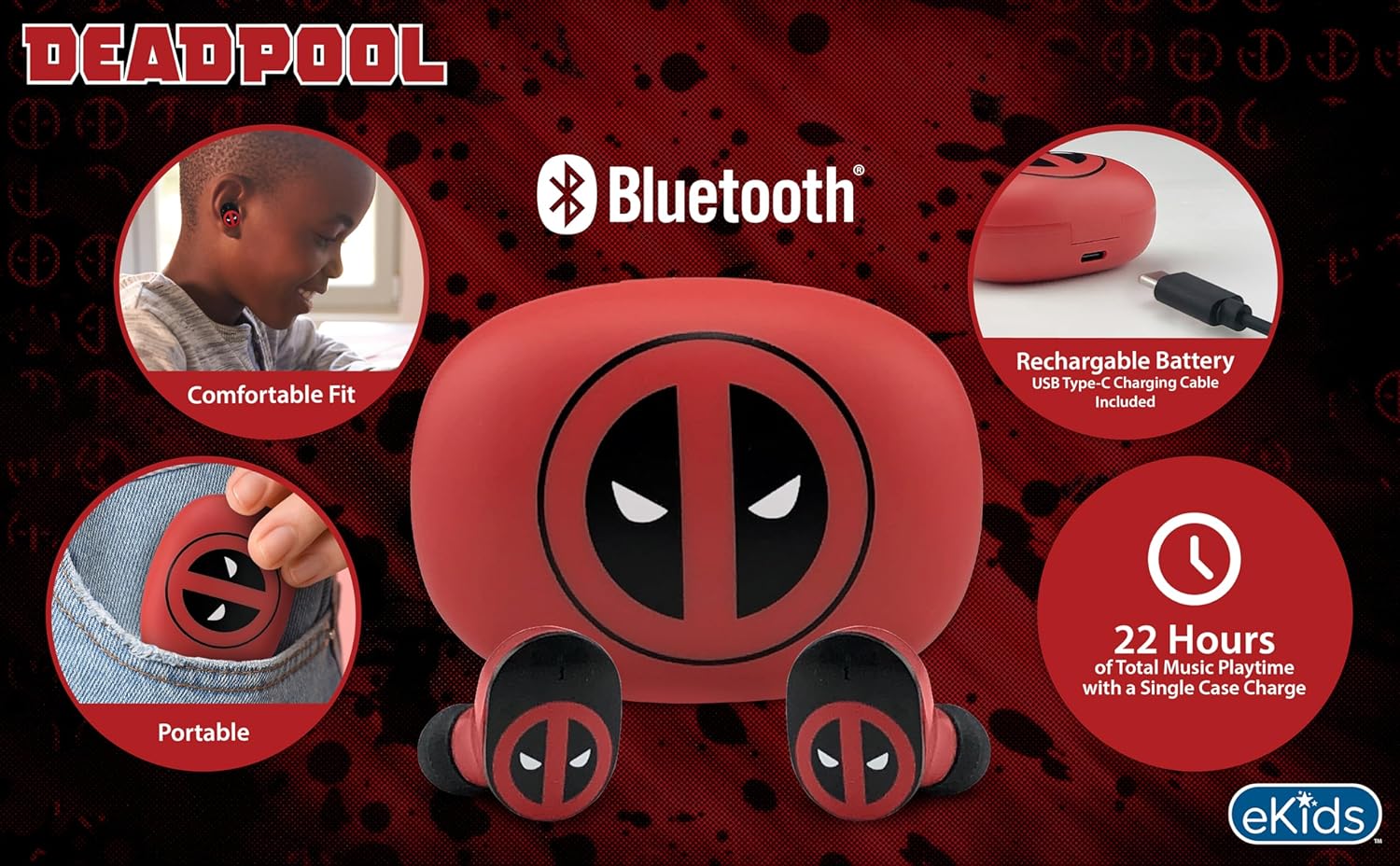
Image 2.1: The eKids Marvel Deadpool Wireless Earbuds and their charging case, showcasing the distinctive Deadpool logo.
3. Uppsetning
3.1 Hleðsla eyrnatólanna og hulstrsins
- Open the charging case and place both earbuds inside, ensuring they are correctly seated.
- Tengdu meðfylgjandi USB-C hleðslusnúruna við hleðslutengið á hulstrinu.
- Connect the other end of the USB-C cable to a compatible USB power source (e.g., computer, wall adapter).
- Ljósið á hleðsluhulstrinu lýsir upp til að sýna hleðslustöðuna. Þegar tækið er fullhlaðið gæti það skipt um lit eða slokknað.
A full charge provides up to 22 hours of total music playtime, with the case offering 2.5 times extra charge for the earbuds.

Image 3.1: The Deadpool-themed charging case with the USB-C charging cable connected, illustrating the charging process.
3.2 Pörun við Bluetooth tæki
- Gakktu úr skugga um að eyrnatólin séu hlaðin og sett í hleðsluhulstrið.
- Open the charging case. The earbuds will automatically power on and attempt to connect to the last paired device.
- Farðu í Bluetooth-stillingarnar á tækinu þínu (snjallsíma, spjaldtölvu, tölvu).
- Leitaðu að available devices and select "eKids Deadpool Earbuds" (or similar name).
- Once connected, the LED light on the earbuds will stop flashing or change to a solid color.
The earbuds are compatible with iPhone, Android, and other Bluetooth-enabled devices.
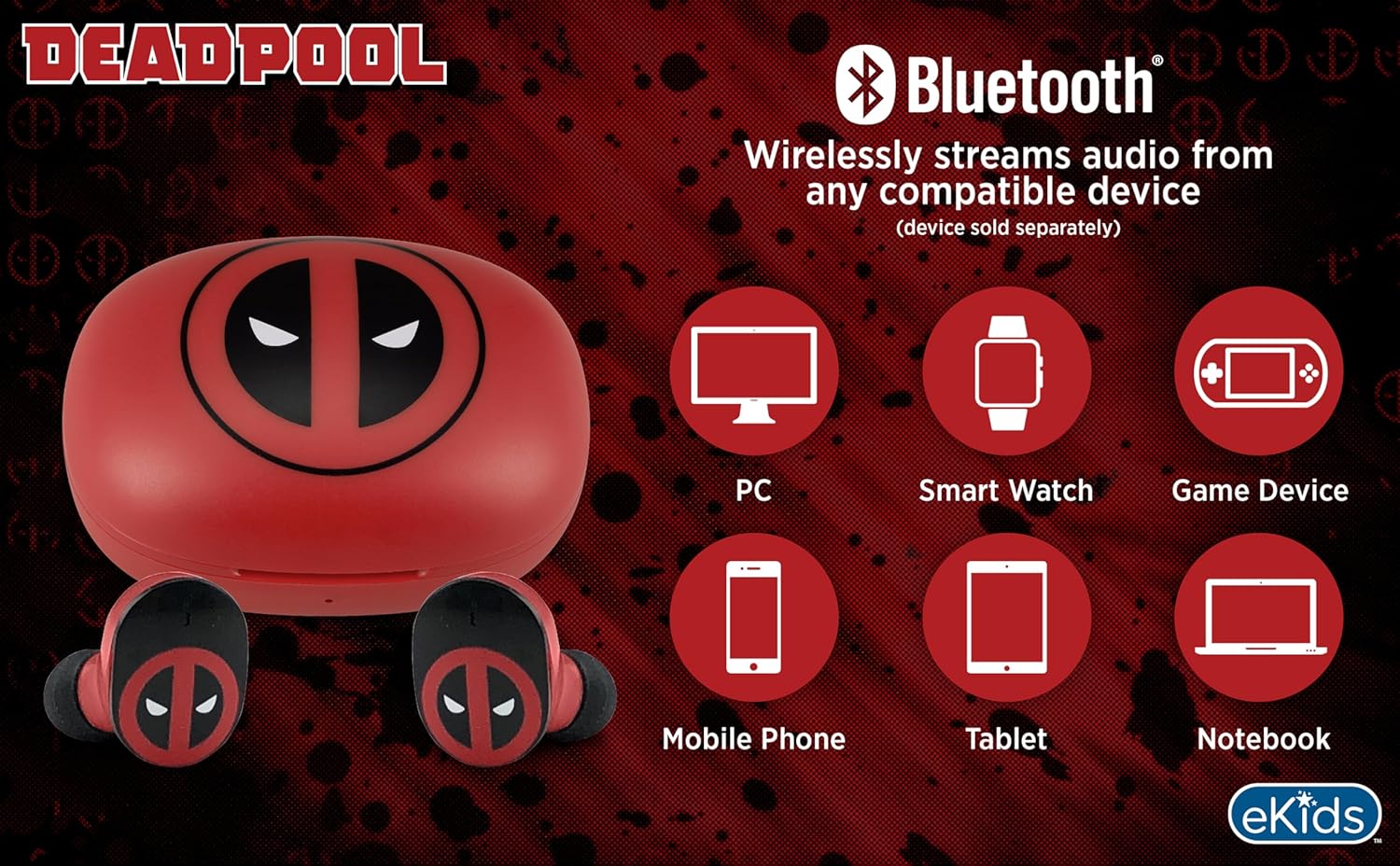
Image 3.2: An illustration showing the Bluetooth connectivity of the earbuds with various devices such as PCs, smartwatches, game devices, mobile phones, tablets, and notebooks.
3.3 Selecting Ear Cushions for Comfort
The earbuds come with three sizes of rubber ear cushions (small, medium, large) to ensure a comfortable and secure fit. Experiment with different sizes to find the best fit for your ears. A proper fit enhances sound quality and comfort.
- Gently remove the pre-installed ear cushions from the earbuds.
- Select a different size ear cushion.
- Carefully attach the new ear cushion to the earbud, ensuring it is securely fastened.

Image 3.3: The Deadpool earbuds shown with the three different sizes of ear cushions included for a customized fit.
4. Notkun eyrnatappa
4.1 Kveikt/slökkt
- Kveikt á: Opnaðu hleðsluhulstrið og eyrnatólin munu kvikna sjálfkrafa og reyna að tengjast síðasta pöruðu tækinu.
- Slökkva á: Settu eyrnatólin aftur í hleðsluhulstrið og lokaðu lokinu. Þau munu slökkva sjálfkrafa á sér og hefja hleðslu.
4.2 Tónlist spilun
- Spila / gera hlé: Ýttu einu sinni á annaðhvort heyrnartólið.
- Næsta lag: Ýttu tvisvar á hægri heyrnartólið.
- Fyrra lag: Ýttu tvisvar á vinstra heyrnartólið.
- Hljóðstyrkur: Stilltu hljóðstyrkinn beint úr tengda tækinu þínu.
4.3 Símtöl
Innbyggður hljóðnemi gerir kleift að hringja handfrjálst.
- Svara/slíta símtali: Ýttu einu sinni á annaðhvort heyrnartólið.
- Hafna símtali: Haltu öðru hvoru heyrnartólinu inni í 2 sekúndur.
5. Viðhald
- Þrif: Notið mjúkan, þurran klút til að þrífa eyrnatólin og hleðsluhulstrið. Notið ekki slípiefni eða leysiefni.
- Geymsla: Þegar eyrnatólin eru ekki í notkun skal geyma þau í hleðsluhulstrinu til að vernda þau og halda þeim hlaðnum.
- Forðastu vatn: Þessir eyrnatól eru ekki vatnsheldir. Forðist að fá vatn eða mikinn raka.
- Hitastig: Do not expose the earbuds or case to extreme temperatures.
6. Bilanagreining
| Vandamál | Lausn |
|---|---|
| Heyrnartól parast ekki. | Ensure earbuds are charged. Turn off Bluetooth on your device and turn it back on. Forget the device in your Bluetooth settings and re-pair. |
| Ekkert hljóð frá einum eyrnatappa. | Place both earbuds back in the charging case, close the lid, then open it again. Check device audio balance settings. |
| Hleðsluhólfið hleðst ekki. | Check the USB-C cable and power adapter. Ensure the cable is securely connected to both the case and the power source. |
| Léleg hljóðgæði. | Ensure earbuds are properly seated in your ears with the correct size ear cushions. Move closer to your connected device to avoid interference. |
7. Tæknilýsing
- Vörumerki: eKids
- Gerð: B0D1CS61NB
- Litur: Deadpool (Red/Black)
- Staðsetning eyrna: In Ear
- Formþáttur: In Ear
- Viðnám: 32 ohm
- Bluetooth fjarlægð: ≥ 10M / 32ft
- Næmi: 100dB ± 3dB at 1kHz spl
- Rafhlöðuending: Up to 22 hours total playtime with charging case
- Hleðsluport: USB-C
- Mál (mál): Approximately 2.4 in / 6.2 cm (width) x 1.8 in / 4.6 cm (height) x 1.2 in / 3.1 cm (depth)
- Dimensions (Earbud): Approximately 0.9 in / 2.5 cm (height) x 0.7 in / 1.8 cm (width)

Image 7.1: A detailed diagram illustrating the dimensions and key specifications of the Deadpool wireless earbuds and their charging case.
8. Ábyrgð og stuðningur
For warranty information and customer support, please refer to the documentation included with your purchase or visit the official eKids webGeymið kaupkvittunina ef þið viljið gera kröfur um ábyrgð.
For additional assistance, you may contact eKids customer service directly.
9. Opinbert vörumyndband
Myndband 9.1: Opinbert vörusýningarmyndbandasing the eKids Marvel Deadpool Wireless Earbuds, highlighting their features and design. This video provides a visual overview of the product's functionality and appearance.