
Realfit Realfit F3 Earbuds Pro
Realfit F3 Earbuds Pro True Wireless TWS User Manual
Model: Realfit F3 Earbuds Pro
1. Inngangur
Thank you for choosing the Realfit F3 Earbuds Pro. These true wireless earbuds are designed to provide an immersive audio experience with advanced features such as Active Noise Cancellation (ANC), 360° Spatial Sound, and a dedicated gaming mode. This manual will guide you through the setup, operation, and maintenance of your new earbuds to ensure optimal performance and longevity.
2. Hvað er í kassanum
Vinsamlegast athugið innihald pakkans til að ganga úr skugga um að allir hlutir séu til staðar:
- Realfit F3 Earbuds Pro (Left and Right)
- Hleðslutaska
- USB hleðslusnúra
- Notendahandbók
- Margar stærðir af eyrnapúðum (S, M, L)
3. Uppsetning
3.1 Hleðsla eyrnatólanna og hulstrsins
Before first use, fully charge the earbuds and the charging case. The charging case has a 300mAh battery capacity, and each earbud has a 30mAh battery capacity. A full charge takes approximately 1 hour.
- Tengdu meðfylgjandi USB hleðslusnúruna við hleðslutengið á hulstrinu.
- Tengdu hinn endann á snúrunni við USB-straumbreyti (fylgir ekki með) eða USB-tengi tölvu.
- The indicator light on the charging case will show charging status. Once fully charged, the light will indicate completion (refer to the case's specific LED behavior).
- Settu eyrnatólin í hleðsluhulstrið. Þau hefja sjálfkrafa hleðslu.

Image: Realfit F3 Earbuds Pro in their charging case, with the lid open, showing the earbuds nestled inside the yellow interior. A small green LED light is visible on the front of the case, indicating power or charging status.

Image: An illustration demonstrating the battery life of the Realfit F3 Earbuds Pro. It shows the earbuds in their charging case, connected to a charging cable. Below, icons indicate '26 hours Battery life with charging case', '5 hours Single battery life', and '90 hours Single battery life' (likely standby or with specific settings).
3.2 Pörun við tækið þitt
The Realfit F3 Earbuds Pro use Bluetooth 5.4 for stable and efficient connectivity.
- Open the charging case. The earbuds will automatically enter pairing mode (indicated by a flashing LED on the earbuds).
- Virkjaðu Bluetooth í tækinu þínu (snjallsíma, spjaldtölvu, tölvu).
- Leitaðu að tiltæk Bluetooth tæki.
- Select "Realfit F3 Earbuds Pro" from the list.
- Þegar tengingin er komin hætta vísirljósin á eyrnatólunum að blikka og þú munt heyra staðfestingartón.

Image: An illustration showing the Realfit F3 Earbuds Pro and their charging case, with a smartphone and a laptop icon, indicating quick device connection via Bluetooth 5.4. Text highlights the new Bluetooth 5.4 chip for stable connection and better sound effect.
4. Notkun eyrnatappa
4.1 Snertistýringar
The Realfit F3 Earbuds Pro feature intuitive touch controls on each earbud. Specific functions may vary slightly based on the device and application.
| Aðgerð | Vinstri heyrnartól | Hægri heyrnartól |
|---|---|---|
| Spila / gera hlé | Einn smellur | Einn smellur |
| Næsta lag | Bankaðu tvisvar | Bankaðu tvisvar |
| Fyrra lag | Þrífaldur tappa | Þrífaldur tappa |
| Svara/slíta símtali | Einn smellur | Einn smellur |
| Hafna símtali | Haltu inni (2s) | Haltu inni (2s) |
| ANC/Gagnsæi/Venjuleg stilling | Haltu inni (2s) | Haltu inni (2s) |
| Virkjaðu raddaðstoðarmann | Fjórfaldur tappi | Fjórfaldur tappi |
4.2 Hljóðstillingar
The earbuds offer three distinct audio modes to suit your environment:
- ANC Mode (Active Noise Cancellation): Reduces external noise for an immersive listening experience. Ideal for noisy environments.
- Gagnsæi háttur: Allows you to hear your surroundings while still enjoying your audio. Useful for awareness in urban areas or during conversations.
- Normal Music Mode: Staðlað hljóðspilun án hávaðadeyfingar eða gegnsæis.

Image: The Realfit F3 Earbuds Pro in their open charging case, with both earbuds slightly elevated as if in use. Text overlay highlights "ANC active noise cancellation" and "Multi-scene quiet enjoyment", emphasizing the noise-cancelling feature.
4.3 Spilastilling
For an enhanced gaming experience, the Realfit F3 Earbuds Pro feature a low-latency gaming mode (as low as 35ms). This mode minimizes audio delay, providing seamless gameplay with enhanced sound effects like footsteps and bass.
- To activate/deactivate Gaming Mode, refer to the touch control table or use the companion APP.
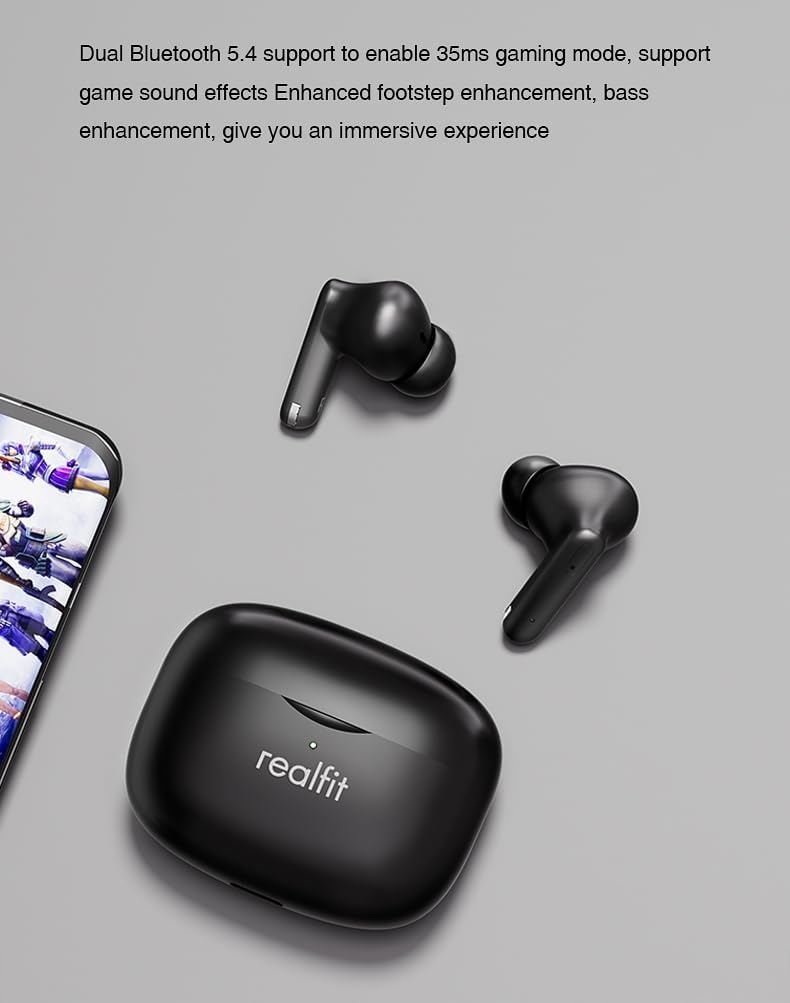
Image: The Realfit F3 Earbuds Pro and their charging case positioned next to a smartphone displaying a game. Text indicates "Dual Bluetooth 5.4 support to enable 35ms gaming mode, support game sound effects Enhanced footstep enhancement, bass enhancement, give you an immersive experience."
4.4 360° Spatial Sound
The earbuds offer 360° Spatial Sound, allowing you to pinpoint sound locations with precision. This feature is particularly beneficial for gamers who rely on directional audio cues.
4.5 ENC Call Functionality
The built-in microphone with Environmental Noise Cancellation (ENC) ensures clear communication during calls, reducing background noise for both the user and the listener.
4.6 Sérstillingar á forriti
Further customize your listening experience and control settings through the dedicated Realfit companion application. The app allows for noise reduction adjustments, EQ settings, key remapping, and changing the device name.

Image: A smartphone screen displaying the Realfit companion app interface. The app shows battery levels for both earbuds, options for 'Noise reduction', 'Shut down', 'Transparent', and a toggle for 'Game Mode'. Further settings like 'EQ setting' and 'Key setting' are also visible, indicating extensive customization options.
5. Viðhald
5.1 Þrif
Regluleg þrif hjálpa til við að viðhalda hljóðgæðum og hreinlæti:
- Notið mjúkan, þurran og lólausan klút til að þurrka eyrnatappa og hleðsluhulstur.
- For earwax or debris in the ear tips/grilles, use a small, soft brush or cotton swab lightly dampendað með ísóprópýlalkóhóli.
- Notið ekki slípiefni eða dýfið eyrnatólunum eða hulstrinu í vatn.
5.2 Geymsla
Þegar eyrnatólin eru ekki í notkun skal geyma þau í hleðsluhulstri til að vernda þau og halda þeim hlaðnum. Geymið á köldum, þurrum stað fjarri miklum hita.
5.3 Skipti á eyrnatappum
The earbuds come with different silicone ear tip sizes to ensure a comfortable and personalized fit, which also affects noise reduction. If a tip is damaged or lost, replace it with one of the included spares or a compatible replacement.
6. Bilanagreining
If you encounter issues with your Realfit F3 Earbuds Pro, try the following solutions:
| Vandamál | Möguleg lausn |
|---|---|
| Heyrnartól parast ekki | Ensure earbuds are charged. Place them back in the case, close, then open again to re-enter pairing mode. Turn Bluetooth off/on on your device. |
| Ekkert hljóð frá einu heyrnartólinu | Check battery level of both earbuds. Try re-pairing. Ensure both earbuds are properly seated in the charging case. |
| Lágt hljóðstyrkur eða léleg hljóðgæði | Clean earbud grilles. Ensure ear tips are correctly sized and sealed in your ear. Adjust volume on your device. |
| Heyrnartól hlaðast ekki | Ensure charging cable is securely connected. Check if the charging case has power. Clean charging contacts on earbuds and case. |
| Bluetooth tenging óstöðug | Ensure no strong interference sources nearby. Keep earbuds within 8m of your device. Try resetting the earbuds (refer to APP or manufacturer's websíðu fyrir nákvæmar leiðbeiningar um endurstillingu). |
7. Tæknilýsing
| Eiginleiki | Smáatriði |
|---|---|
| Nafn líkans | Realfit F3 Earbuds Pro True Wireless Tws |
| Tengitækni | Þráðlaust (Bluetooth) |
| Þráðlaus samskiptatækni | Bluetooth V5.4 |
| Rafhlaða á heyrnartólum | 30mAh (hver heyrnartól) |
| Hleðslubox Rafhlöðugeta | 300mAh |
| Hleðslutími | Approx. 1 hour (earbuds and case) |
| Spilunartími (ein hleðsla) | Allt að 5 klst |
| Heildarspilunartími (með hleðsluhulstri) | Allt að 28 klst |
| Sendingarfjarlægð | > 8m |
| Hávaðastýring | Virk hávaða (ANC) |
| Hljóðnemi | Innbyggt með ENC (umhverfishávaðadeyfingu) |
| Eftirlitsaðferð | Snerta |
| Staðsetning eyrna | In Ear |
| Form Factor | In Ear |
| Litur | Svartur |
| Þyngd hlutar | Approx. 2000 Grams (4.41 pounds - likely shipping weight) |
| Tegundarnúmer vöru | Realfit-F3-AUD |
8. Ábyrgð og stuðningur
For warranty information and technical support, please refer to the warranty card included in your package or visit the official Realfit webGeymið kaupkvittunina ef þið viljið gera kröfur um ábyrgð.
If you require further assistance, please contact Realfit customer service through the contact details provided on the official webvefsíðu eða í vörugögnum þínum.