1. Inngangur
This manual provides instructions for the safe and efficient operation of the Chainway C71 Android Barcode Scanner. The C71 is a robust and versatile handheld device designed for various applications, including warehouse inventory management and forklift operations. It features a Zebra SE55 long-range 2D/1D/QR code reader, runs on Android 13, and offers comprehensive connectivity options.
Please read this manual thoroughly before using the device and retain it for future reference.
2. Vöru lokiðview
2.1 Helstu eiginleikar
- Endingargóð og fjölhæf hönnun: Suitable for both indoor and outdoor environments, ideal for warehouse inventory and forklift scanning.
- Zebra SE55 Long Range Scanner: Capable of scanning 2D, 1D, and QR codes from distances up to 40 feet (depending on barcode size and media).
- Android 13 stýrikerfi: Provides access to the latest Android features and the Google Play Store for application downloads.
- Þráðlaus tenging: Features fast and reliable WiFi, Bluetooth 5.0, NFC, and GPS for seamless data transmission and real-time updates.
- Large Vivid Screen: A bright and clear display for easy reading and interaction in various lighting conditions.
- Rafhlaða með mikla afkastagetu: Equipped with a 5000mAh battery for extended operational periods.
- Átta kjarna örgjörvi: Ensures fast and responsive performance for demanding applications.
2.2 Íhlutir tækis
The Chainway C71 scanner features a robust design with an integrated display, scanning engine, and various ports and buttons.
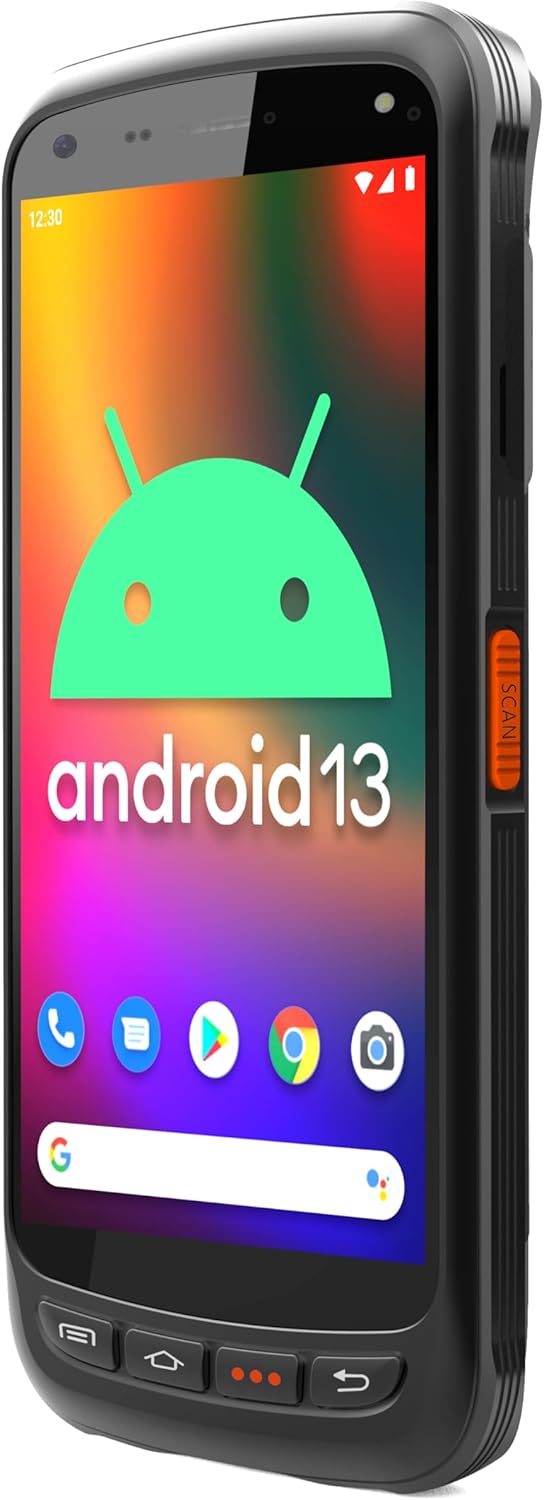
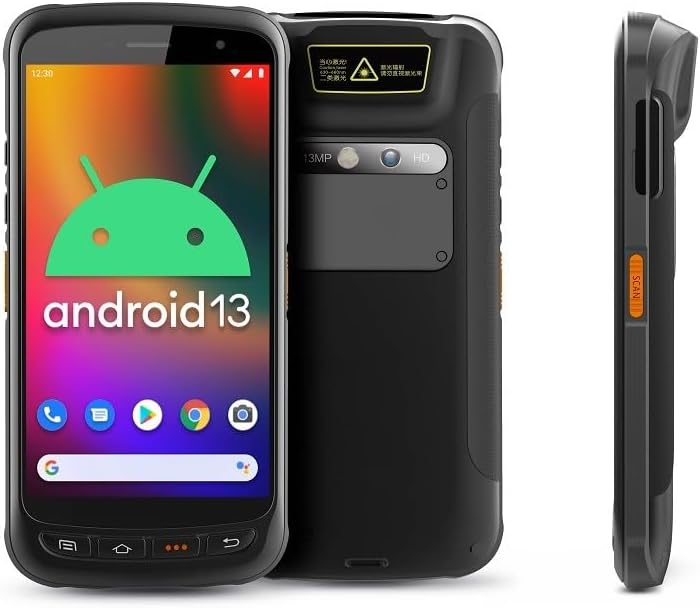
- Skjár: Large vivid touchscreen for user interaction.
- Skanna hnappur: Located on the side for convenient barcode scanning activation.
- Zebra SE55 Scan Engine: Integrated at the top rear for long-range barcode capture.
- Myndavél að aftan: For image capture (13MP).
- Myndavél að framan: For video calls or selfies (5MP).
- Líkamlegir hnappar: Power, volume, and programmable function keys.
- Hafnir: USB-C fyrir hleðslu og gagnaflutning.
3. Uppsetning
3.1 Uppsetning og hleðsla rafhlöðu
The Chainway C71 requires one Lithium Ion battery for operation. Ensure the battery is correctly installed before first use.
- Finndu rafhlöðulokið aftan á tækinu.
- Open the cover and insert the Lithium Ion battery, ensuring the contacts align correctly.
- Lokaðu rafhlöðuhólfinu tryggilega.
- Connect the device to a power source using the provided USB-C cable and power adapter. The device will begin charging.

3.2 Byrjunarkveikt
- Press and hold the Power button (usually on the side) until the device vibrates and the screen illuminates.
- Follow the on-screen prompts to complete the initial Android 13 setup, including language selection, Wi-Fi connection, and Google account login.
4. Notkunarleiðbeiningar
4.1 Barcode Scanning with Zebra SE55 Engine
The Chainway C71 is equipped with a powerful Zebra SE55 scan engine for efficient barcode capture.
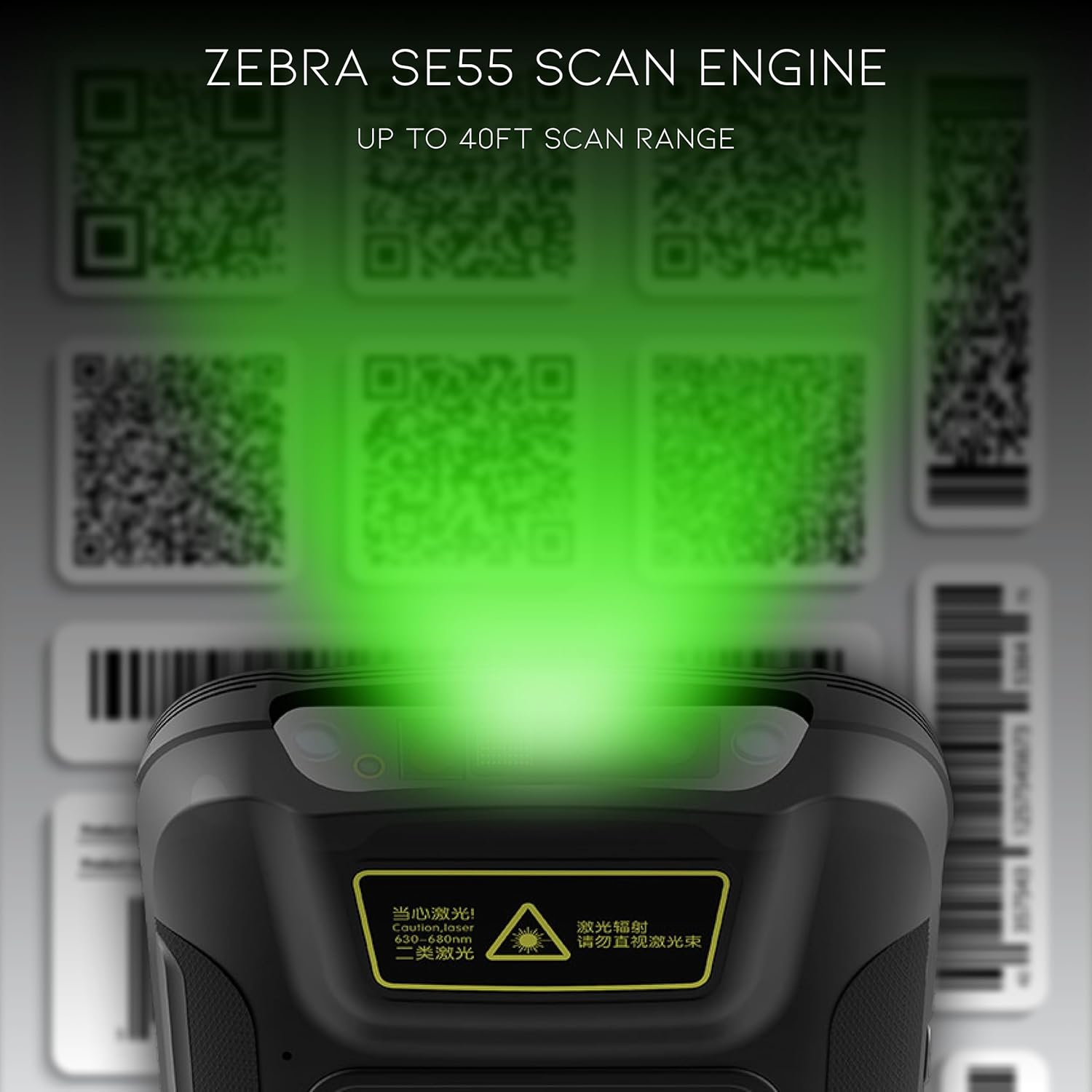
- Open the desired application that requires barcode scanning (e.g., inventory management app).
- Point the top of the device, where the scan engine is located, towards the barcode.
- Press the dedicated scan button on the side of the device. A green aiming pattern will appear.
- Align the aiming pattern with the barcode. The device will emit a sound or vibrate upon successful scan.
- The scanned data will be input into the active field of your application.
Athugið: The Zebra SE55 can scan barcodes from up to 40 feet away, depending on the barcode size and quality. For optimal performance, ensure clear line of sight and adequate lighting.
4.2 Android 13 stýrikerfi
The C71 runs on Android 13, providing a familiar and intuitive user experience. You can navigate the interface using touch gestures.

- Heimaskjár: Fáðu aðgang að uppsettum forritum og búnaði.
- Tilkynningar: Strjúktu niður frá efst á skjánum til view tilkynningar og flýtistillingar.
- Google Play Store: Download and install additional applications relevant to your workflow.
4.3 Tengingar
The device supports multiple connectivity options for data transfer and communication.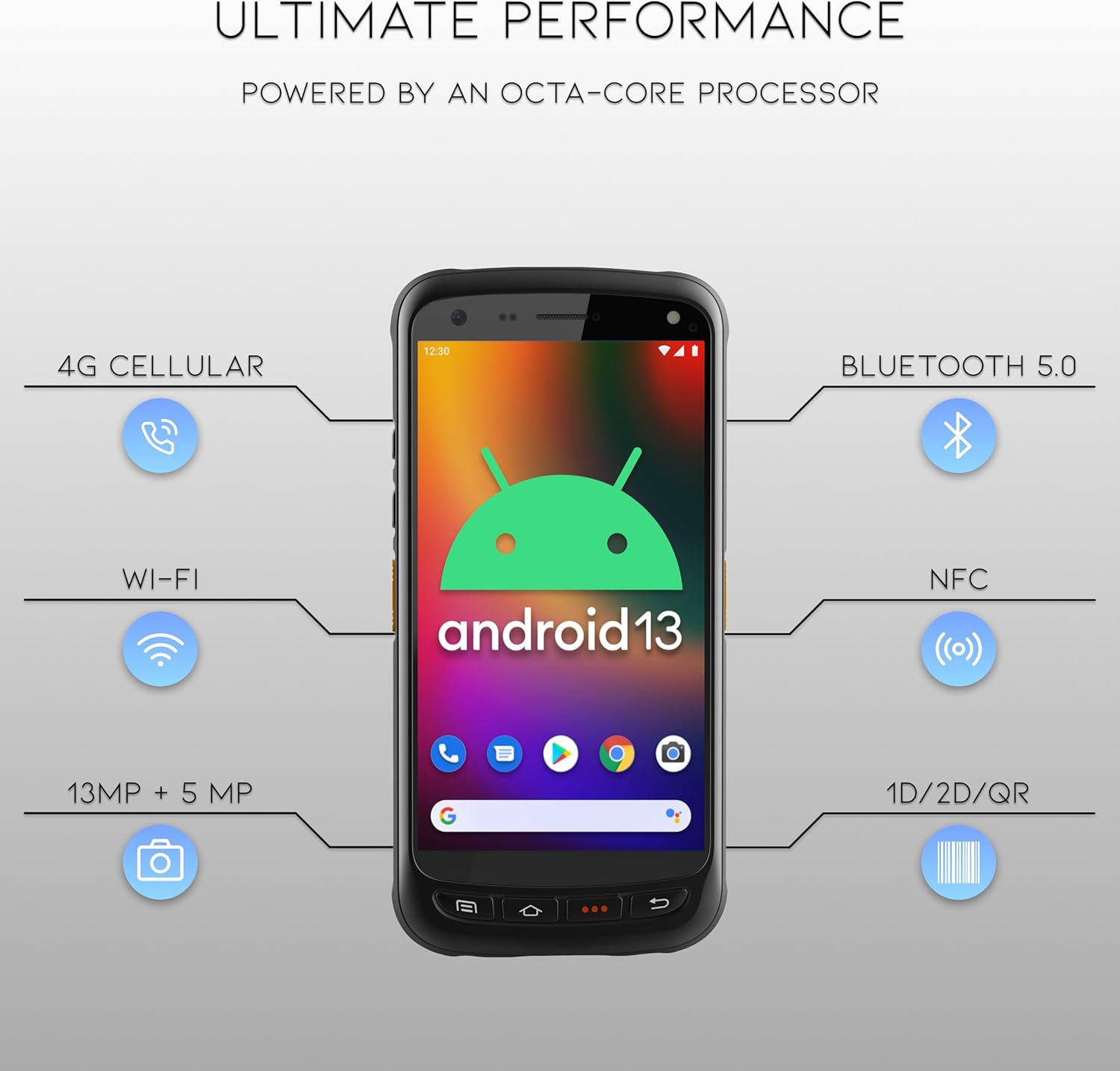
- Wi-Fi: Connect to wireless networks for internet access and data synchronization. Go to Stillingar > Net og internet > Wi-Fi.
- Bluetooth 5.0: Pair with Bluetooth-enabled devices such as headsets or printers. Go to Stillingar > Tengd tæki > Bluetooth.
- NFC: Fyrir fjarskiptaforrit í nálægð.
- GPS: For location-based services.
- 4G farsímakerfi: (If equipped with SIM card slot) For mobile data connectivity.
5. Viðhald
5.1 Þrif á tækinu
- Notaðu mjúkan, lólausan klút örlítið dampened with water or a mild, non-abrasive cleaning solution to clean the screen and exterior.
- Ekki nota sterk efni, leysiefni eða slípiefni, þar sem þau geta skemmt tækið.
- Gætið þess að vökvi komist ekki inn í tengi eða op.
5.2 Umhirða rafhlöðu
- Forðist að láta rafhlöðuna verða fyrir miklum hita (heitu eða köldu).
- Hlaðið rafhlöðuna reglulega en forðist að láta hana vera alveg tæmda í langan tíma.
- Use only the manufacturer-approved charging accessories.
6. Bilanagreining
This section addresses common issues you might encounter with your Chainway C71 scanner.
6.1 Tækið kveikir ekki á sér
- Gakktu úr skugga um að rafhlaðan sé rétt uppsett og fullhlaðin.
- Connect the device to the charger and attempt to power it on after a few minutes.
- Ef vandamálið er viðvarandi skaltu hafa samband við þjónustuver.
6.2 Barcode Not Scanning
- Verify that the scanning application is open and ready to receive input.
- Ensure the barcode is clean, undamaged, and within the scanner's range (up to 40 feet).
- Check for adequate lighting; extreme glare or insufficient light can affect scanning performance.
- Confirm the scan engine is pointed directly at the barcode.
6.3 Vandamál með Wi-Fi tengingu
- Check if Wi-Fi is enabled in the device settings.
- Ensure you are within range of a known Wi-Fi network.
- Staðfestu Wi-Fi lykilorðið ef þú tengist nýju neti.
- Restart the device and the Wi-Fi router if necessary.
7. Tæknilýsing
Technical specifications for the Chainway C71 Android Barcode Scanner.
| Eiginleiki | Smáatriði |
|---|---|
| Gerðarnúmer | C71 |
| Stýrikerfi | Android 13 |
| Strikamerki skanni | Zebra SE55 (2D/1D/QR, up to 40ft range) |
| Örgjörvi | 2.0 GHz Octa-Core Processor |
| Rafhlaða | 5000mAh litíumjónarafhlöður (1 nauðsynleg) |
| Tengingar | Wi-Fi, Bluetooth 5.0, NFC, GPS, 4G Cellular (optional) |
| Myndavélar | 13MP að aftan, 5MP að framan |
| Samhæf tæki | Smartphone, Tablet (as a handheld device) |
| Aflgjafi | Rafhlöðuknúið |
| Framleiðandi | Chainway |

8. Ábyrgð og stuðningur
For warranty information and technical support, please contact the seller, BARCODE-USA. Details regarding specific warranty periods and coverage will be provided at the point of purchase or upon request from the seller.
Seljandi: BARCODE-USA
For assistance, refer to your purchase documentation or visit the BARCODE-USA store page on Amazon: BARCODE-USA Store