
Inngangur
Thank you for choosing the HP Series 5 527sf Monitor. This manual provides essential information for the safe and efficient use of your new display. Please read this manual thoroughly before operating the monitor and retain it for future reference.
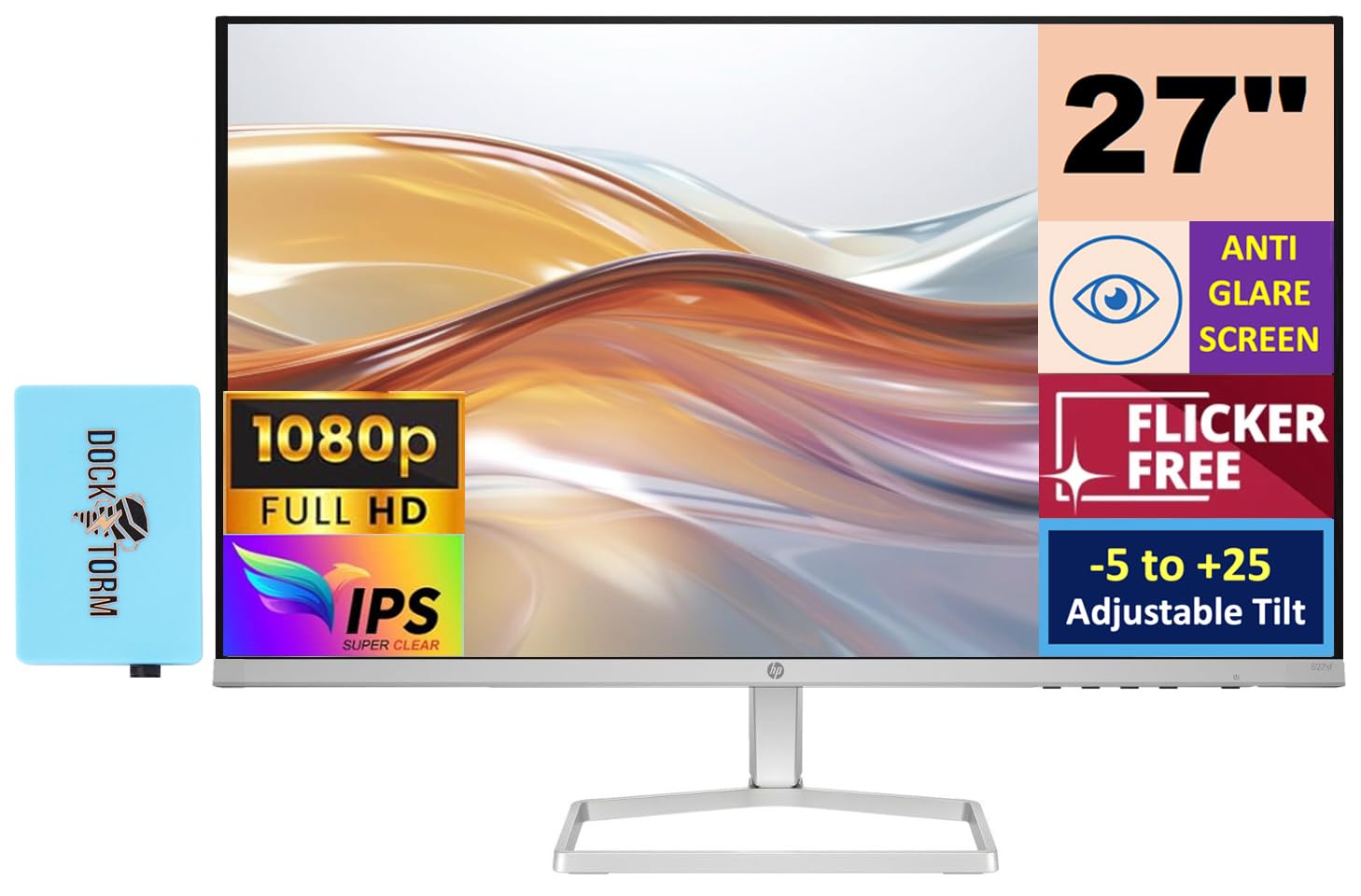
Mynd 1: Framan view of the HP Series 5 527sf Monitor.
Öryggisupplýsingar
Til að tryggja örugga notkun og koma í veg fyrir skemmdir skal fylgja eftirfarandi öryggisráðstöfunum:
- Ekki láta skjáinn verða fyrir rigningu eða raka.
- Ekki loka fyrir loftræstingarop.
- Notið aðeins straumbreytinn sem fylgir skjánum.
- Forðist að setja skjáinn á óstöðugt yfirborð.
- Aftengdu rafmagnssnúruna í þrumuveðri eða þegar tækið er ekki notað í langan tíma.
- Látið alla þjónustu til hæfs þjónustufólks.
Hvað er í kassanum
Gakktu úr skugga um að allir hlutir séu til staðar við upppakkningu:
- HP Series 5 527sf skjár
- Skjástandur (grunnur og háls)
- Power Adapter and AC Power Cord
- HDMI snúru
- Quick Setup Guide / Document Kit
- Docztorm Dock (Special Edition Portable Docztorm Data Hub)

Figure 2: Included Docztorm Portable USB Hub.
Uppsetning
1. Samsetning skjástandsins
- Fjarlægið skjáinn og standinn varlega úr umbúðunum.
- Festið standhálsinn við skjáinn. Gakktu úr skugga um að hann smelli örugglega á sinn stað.
- Festið standarfótinn við hálsinn. Herðið allar skrúfur ef þær fylgja.
2. Tengisnúrur
The HP Series 5 527sf Monitor offers multiple connectivity options. Refer to the rear view of the monitor for port locations.

Mynd 3: Aftan view with power, VGA, and HDMI ports.
- Rafmagnstenging: Connect the power adapter to the monitor's power input, then plug the AC power cord into a wall outlet.
- HDMI tenging: Use the provided HDMI cable to connect your computer's HDMI output to one of the monitor's HDMI ports (HDMI 1 or HDMI 2).
- VGA tenging: If your computer uses VGA, connect a VGA cable from your computer's VGA output to the monitor's VGA port.
3. Fyrsta ræsing
- Ýttu á rofann á skjánum.
- Kveiktu á tölvunni þinni. Skjárinn ætti að greina inntaksmerkið sjálfkrafa.
- If no image appears, ensure cables are securely connected and select the correct input source using the monitor's OSD (On-Screen Display) menu.
Að stjórna skjánum
Monitor Controls
The monitor controls are typically located on the bottom right bezel or rear of the monitor. These buttons allow you to navigate the On-Screen Display (OSD) menu to adjust various settings.
Aðlögun skjástillinga
Use the OSD menu to customize your viewreynsla:
- Birtustig / birtuskil: Stilltu þessar stillingar að umhverfi þínu og óskum.
- Litastillingar: Select from preset color modes or manually adjust color temperature and RGB values.
- Inntaksval: Manually switch between HDMI 1, HDMI 2, and VGA inputs if auto-detection fails.
- HP Eye Ease (sía fyrir lágt blátt ljós): This feature is always-on and reduces blue light emissions without impacting color accuracy, contributing to eye comfort.

Figure 4: HP Eye Ease technology for reduced blue light.
Hallastilling
The monitor stand allows for tilt adjustment from -5 to +25 degrees. Gently hold the top and bottom edges of the monitor panel and tilt it to your desired viewing angle. No buttons or levers are required for this adjustment.
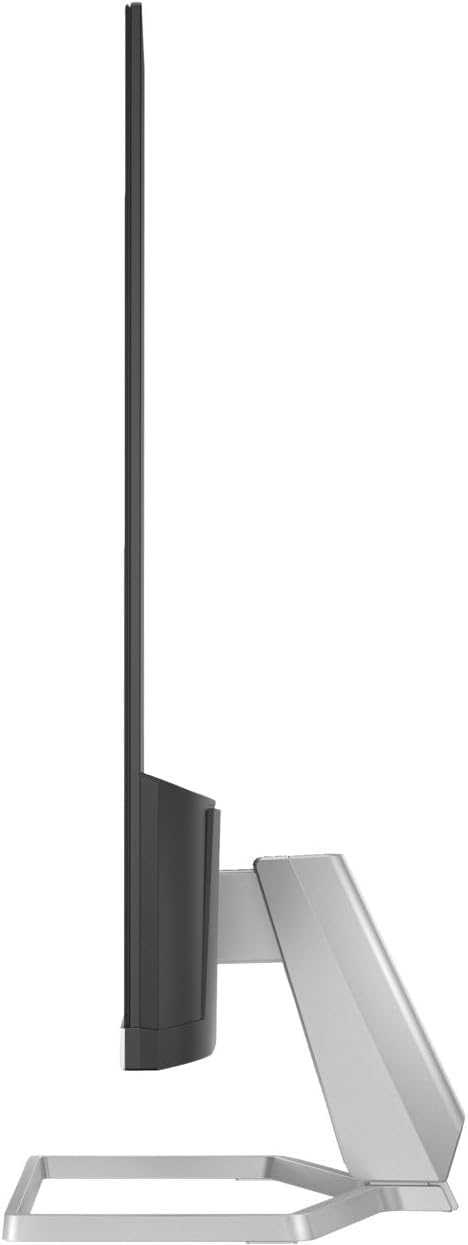
Mynd 5: Hliðarprofile illustrating the monitor's tilt capability.
Viðhald
Hreinsun skjásins
- Taktu alltaf skjáinn úr sambandi áður en þú þrífur.
- Notaðu létt mjúkan, lólausan klút dampÞvoið með vatni eða skjáhreinsiefni án slípiefna.
- Ekki úða hreinsiefni beint á skjáinn.
- Forðist að nota sterk efni eða slípiefni.
Almenn umönnun
- Haldið skjánum frá beinu sólarljósi og hitagjöfum.
- Tryggið næga loftræstingu í kringum skjáinn.
- Ekki setja þunga hluti ofan á skjáinn eða snúrur hans.
Úrræðaleit
Ef þú lendir í vandræðum með skjáinn þinn skaltu prófa eftirfarandi lausnir:
| Vandamál | Möguleg lausn |
|---|---|
| Engin mynd á skjánum | Check power cable connection. Verify video cable is securely connected to both monitor and computer. Ensure correct input source is selected in OSD menu. |
| Flikrandi eða óstöðug mynd | Check video cable for damage or loose connections. Ensure display resolution and refresh rate are supported by your computer's graphics card. |
| Litir virðast rangir | Adjust color settings in the OSD menu. Ensure your graphics card drivers are up to date. |
| Skjárinn kveikir ekki á sér | Confirm power cable is plugged into a working outlet. Check power adapter connection to the monitor. |
If the problem persists after trying these steps, please contact HP customer support.
Tæknilýsing
| Eiginleiki | Smáatriði |
|---|---|
| Vörumerki | HP |
| Nafn líkans | 527sf |
| Gerðarnúmer | Series 5 527sf |
| Skjástærð | 27 tommur |
| Upplausn | FHD 1080p (1920x1080) |
| Skjár Tegund | IPS |
| Endurnýjunartíðni | 100 Hz |
| Svartími | 5 millisekúndur |
| Birtustig | 300 nit |
| Andstæðuhlutfall | 1500:1 |
| Viewí horn | 178 gráður |
| Tengingar | 2x HDMI 1.4, 1x VGA |
| Adaptive Sync | FreeSync |
| Viðbótar eiginleikar | Anti-glare Screen, Flicker-Free, Tilt Adjustment (-5 to +25 degrees), HP Eye Ease (Low-Blue Light) |
| VESA Mount Support | Nei |
| Stærðir hlutar (D x B x H) | 7.4" D x 23.93" B x 17.21" H |
| Þyngd hlutar | 7.05 pund |
| UPC | 196384005196 |
Ábyrgð og stuðningur
Upplýsingar um ábyrgð
HP Series 5 527sf skjárinn þinn er með takmarkaðri ábyrgð. Vinsamlegast skoðið ábyrgðarkortið sem fylgir vöruumbúðunum eða heimsækið opinberu HP síðuna. websíðu fyrir nákvæma skilmála.
Þjónustudeild
For technical assistance, troubleshooting, or warranty claims, please contact HP customer support through their official website or the contact information provided in your product documentation. Have your monitor's model number and serial number ready when contacting support.