
Inngangur
The JLab JBuds Open Sport Earbuds are designed to provide an open-ear listening experience, allowing you to enjoy audio while remaining aware of your surroundings. Featuring a secure earhook design, these earbuds are suitable for various activities, including workouts and daily use. This manual provides instructions for setup, operation, maintenance, and troubleshooting to ensure optimal performance of your JBuds Open Sport.

Image: JLab JBuds Open Sport Earbuds, showcasing the earbuds and their charging case. One earbud is positioned outside the case, highlighting its earhook design.
Hvað er í kassanum
Upon opening your JLab JBuds Open Sport Earbuds package, you should find the following components:
- JBuds Open Sport Earbuds (Left and Right)
- Hleðslutaska
- USB-C hleðslusnúra
- Notendahandbók (þetta skjal)
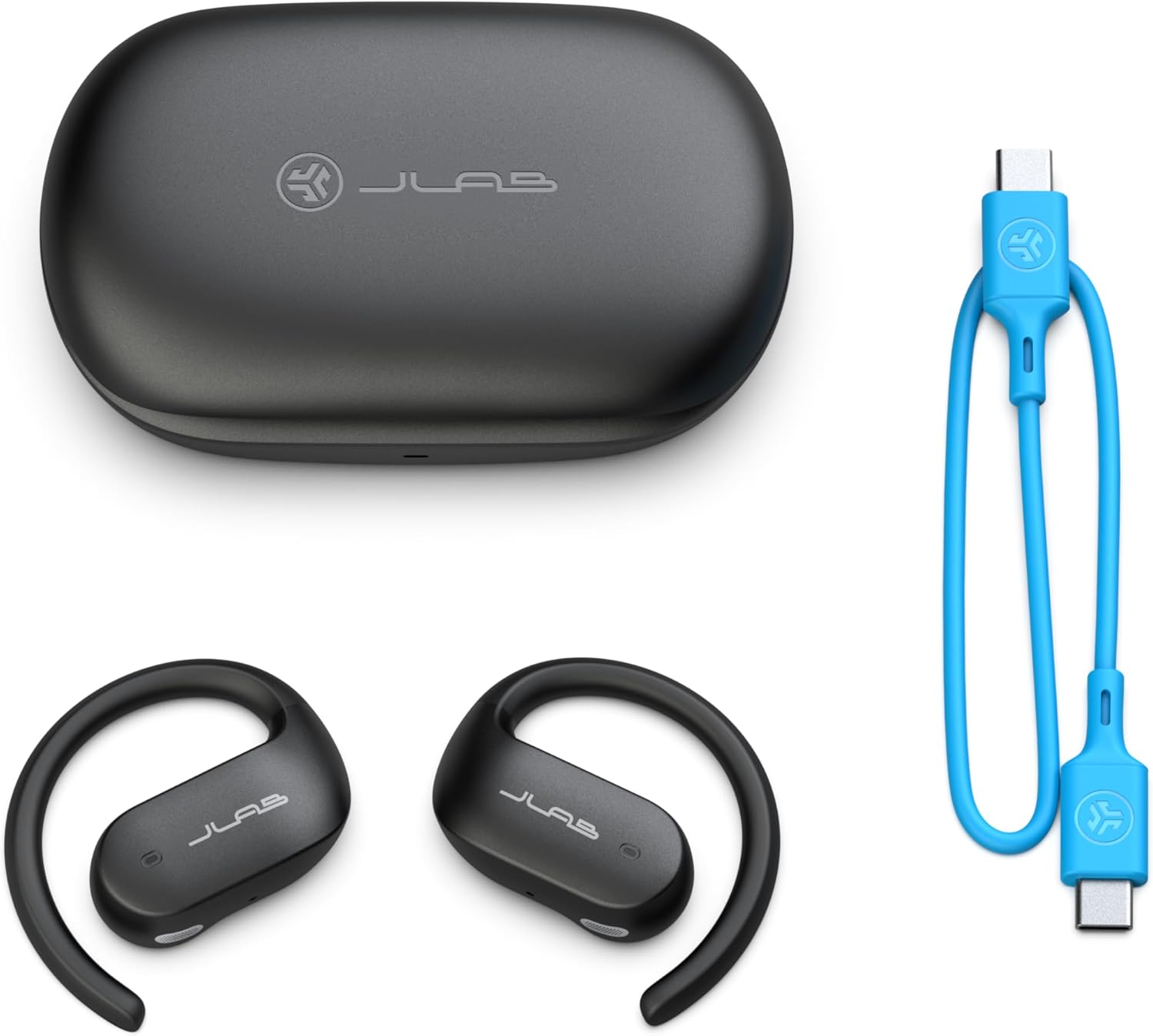
Image: The complete package contents, including the JBuds Open Sport Earbuds, their charging case, and the distinctive blue USB-C charging cable.
Uppsetning
1. Hleðsla eyrnatólanna og hulstrsins
Before first use, fully charge your JBuds Open Sport Earbuds and their charging case. The case provides an additional 17 hours of playtime, extending the earbuds' 9-hour battery life.
- Settu báðar heyrnartólin í hleðslutöskuna.
- Tengdu USB-C hleðslusnúruna við hleðslutengið á hulstrinu og við USB-aflgjafa.
- The indicator light on the case will show charging status. Allow sufficient time for a full charge.

Image: JLab JBuds Open Sport Earbuds securely placed within their charging case, indicating they are ready for charging or storage.
2. Upphafleg Bluetooth-pörun
The JBuds Open Sport Earbuds support Google Fast Pair for Android devices and standard Bluetooth pairing for all other devices.
For Android Devices (Google Fast Pair):
- Gakktu úr skugga um að Bluetooth sé virkt á Android tækinu þínu.
- Opnaðu hleðslutækið með heyrnartólunum inni.
- A pop-up notification will appear on your Android device. Follow the on-screen prompts to connect.
For Other Bluetooth Devices (iOS, Laptops, etc.):
- Remove both earbuds from the charging case. They will automatically enter pairing mode (indicated by flashing lights).
- Farðu í Bluetooth-stillingar tækisins.
- Select "JBuds Open Sport" from the list of available devices.
- Once connected, you will hear an audio prompt, and the earbud lights will stop flashing.
3. Sérstilling JLab appsins
Enhance your experience by downloading the JLab App. The app allows you to customize touch controls, adjust sound preferences with presets (JLab Signature, Balance, Bass Boost), and receive software updates.
- Download the JLab App from the Google Play Store or Apple App Store.
- Connect your JBuds Open Sport Earbuds to your device.
- Open the JLab App and follow the instructions to connect and customize your earbuds.
Notkunarleiðbeiningar
1. Secure Earhook Fit
The earhook design ensures a stable fit during physical activity. To secure the fit, gently pinch the earhook to conform it to your ear's shape. This prevents the earbuds from falling off during rigorous movements.

Mynd: Ítarleg view of a single JLab JBuds Open Sport Earbud, highlighting the open-ear speaker and the flexible earhook for secure placement.
2. Snertu stýringar
The JBuds Open Sport Earbuds feature touch-sensitive controls on each earbud. These controls can be customized via the JLab App. Refer to the app for a detailed overview of touch functions and customization options.
3. Bluetooth fjölpunktur
Bluetooth Multipoint allows you to connect your earbuds to two devices simultaneously. This enables seamless transitions between audio sources, such as switching from a podcast on your laptop to a call on your mobile phone without re-pairing.
- Pair the earbuds with your first device (e.g., laptop).
- Disconnect Bluetooth from the first device.
- Pair the earbuds with your second device (e.g., smartphone).
- Reconnect Bluetooth on your first device. The earbuds will now be connected to both devices.
4. Hreinsa símtöl
Each earbud is equipped with a MEMS microphone featuring noise-canceling technology. This ensures your voice is transmitted clearly during calls, even in noisy environments, by reducing background sound.
5. Safe Listening
The open-ear design positions 14.2mm speakers in front of your ear, delivering audio without blocking your ear canal. This allows you to hear your music, podcasts, or calls while maintaining awareness of your surroundings, enhancing safety in various situations.
Viðhald
1. IP55 Durability
The JBuds Open Sport Earbuds have an IP55 rating, making them resistant to sweat and dust. This protection allows for use during workouts and in various outdoor conditions. While resistant, they are not designed for submersion in water.
2. Þrif og geymsla
- Wipe the earbuds and charging case with a soft, dry, or slightly damp klút eftir þörfum. Forðist að nota sterk efni eða slípiefni.
- Gakktu úr skugga um að hleðslutengurnar bæði á eyrnatólunum og hulstrinu séu hreinar og þurrar áður en þú hleður þær.
- Geymið heyrnartólin í hleðslutöskunni þegar þau eru ekki í notkun til að vernda þau og halda þeim hlaðnum.
Úrræðaleit
No Audio or Pairing Issues:
- Ensure Earbuds are Charged: Verify both earbuds and the charging case have sufficient battery life.
- Re-pair Earbuds: Forget "JBuds Open Sport" from your device's Bluetooth settings, then repeat the initial pairing steps.
- Endurstilla heyrnartól: If issues persist, consult the JLab App or JLab support website for specific earbud reset instructions.
Léleg hljóðgæði:
- Check Earbud Placement: Ensure the earbuds are positioned correctly in front of your ears for optimal sound delivery.
- Stilla EQ stillingar: Use the JLab App to experiment with different EQ presets (JLab Signature, Balance, Bass Boost) to find your preferred sound profile.
- Hljóðstyrkur: Adjust volume on both your connected device and the earbuds.
Earbuds Not Staying in Place:
- Adjust Earhook: Gently pinch and mold the earhook to better fit the contour of your ear.
- Rétt stefnumörkun: Ensure the earbuds are worn on the correct ear (Left/Right) and oriented as intended.
Vörulýsing
| Eiginleiki | Forskrift |
|---|---|
| Nafn líkans | Opin íþrótt |
| Tengitækni | Þráðlaust (Bluetooth) |
| Þráðlaus samskiptatækni | Bluetooth 4.0 |
| Innifalið íhlutir | Charging Case, User Manual |
| Samhæf tæki | Fartölvur, snjallsímar, spjaldtölvur |
| Vatnsþolsstig | IP55 (vatnsheldur) |
| Tíðnisvið | 20 Hz - 20,000 Hz |
| Eftirlitsaðferð | App, snerta |
| Rafhlöðuending | Allt að 26 klukkustundir (9 klukkustundir í heyrnartólum + 17 klukkustundir í hulstri) |
| Gerð hljóðbílstjóra | Hybrid bílstjóri |
| Lögun heyrnartóls | Eyhook |
| Sérstakur eiginleiki | Lightweight, Multipoint Pairing, Touch Control |
| Vörumál | 3.62 x 1.54 x 5.43 tommur |
| Þyngd hlutar | 5.3 aura |
| Tegundarnúmer vöru | EBJBOPSPRTRBLK82 |
| UPC | 810119072627 |
Ábyrgð og stuðningur
Fyrir upplýsingar um ábyrgð, tæknilega aðstoð eða til að view additional product resources, please visit the official JLab website or contact JLab customer service.
Þú getur fundið frekari upplýsingar og stuðning á JLab verslun á Amazon.