
1. Inngangur
This manual provides instructions for the safe and effective use of your GT POWER AC/DC Power Adapter, Model 109. This adapter is designed to provide power to compatible TP-Link Mesh Wi-Fi 7 Systems, specifically Deco BE63, BE10000, and BE11000 models. Please read this manual thoroughly before use and retain it for future reference.
2. Öryggisupplýsingar
WARNING: To reduce the risk of fire or electric shock, carefully follow these instructions.
- Gakktu úr skugga um að hljóðstyrkur millistykkisinstage and current ratings match the requirements of your device.
- Do not expose the adapter to rain or moisture.
- Do not open the adapter casing. Það eru engir hlutar inni í tækinu sem notandinn getur gert við.
- Keep the adapter away from excessive heat sources.
- Taktu alltaf millistykkið úr sambandi við rafmagn áður en það er þrifið eða ef það verður ekki notað í langan tíma.
- Ekki nota millistykkið ef snúran eða klóin eru skemmd.
- This adapter is designed for indoor use only.
- The adapter features Over Voltage Protection (OVP), Over Current Protection (OCP), and Short Circuit Protection (SCP) for enhanced safety.
3. Vöru lokiðview
The GT POWER AC Adapter (Model 109) is a compact power supply unit designed for specific TP-Link Deco Mesh Wi-Fi systems. It converts AC wall power to the DC power required by your device.

Mynd 1: Framan view of the GT POWER AC Adapter. The label indicates input voltage (AC100-240V) and output (DC12V 3A).
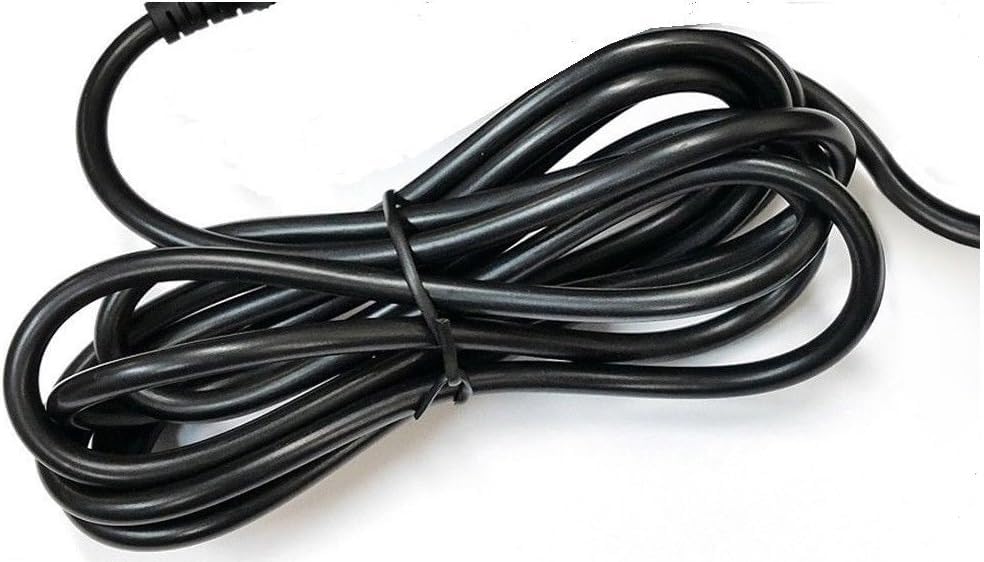
Mynd 2: Hlið view of the adapter, highlighting the barrel connector that plugs into your device.
4. Uppsetning
Follow these steps to connect your GT POWER AC Adapter to your TP-Link Deco Mesh Wi-Fi System:
- Ensure your TP-Link Deco device is powered off.
- Locate the power input port on your TP-Link Deco device. This is typically a circular port.
- Insert the barrel connector of the GT POWER AC Adapter firmly into the power input port of your Deco device.
- Plug the AC adapter into a standard 110V AC wall outlet.
- Power on your TP-Link Deco device.
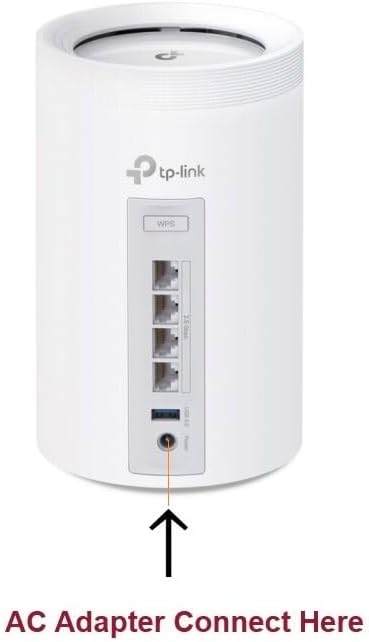
Mynd 3: Example of connecting the AC adapter to a compatible TP-Link Deco device. The arrow indicates the power input port.
5. Notkunarleiðbeiningar
Once properly connected and plugged into a power outlet, the GT POWER AC Adapter will continuously supply power to your TP-Link Deco device. No further user interaction is required for operation.
- Ensure the adapter is always plugged into a functional power outlet.
- Avoid disconnecting the adapter during critical operations of your Deco device.
6. Viðhald
The GT POWER AC Adapter requires minimal maintenance:
- Haldið millistykkinu hreinu og ryklausu. Notið þurran, mjúkan klút til að þrífa.
- Ekki nota fljótandi hreinsiefni eða úðabrúsa.
- Regularly inspect the power cord and connector for any signs of damage. If damage is observed, discontinue use immediately.
- Geymið millistykkið á köldum og þurrum stað þegar það er ekki í notkun.
7. Bilanagreining
If your TP-Link Deco device is not receiving power, consider the following:
- Enginn kraftur:
- Verify the adapter is securely plugged into both the wall outlet and the Deco device.
- Prófaðu innstunguna með öðru tæki til að ganga úr skugga um að hún virki.
- Inspect the adapter's cable and connector for any visible damage.
- Afl með hléum:
- Gakktu úr skugga um að allar tengingar séu þéttar.
- Avoid bending or stressing the power cord.
Ef vandamál eru viðvarandi skaltu hafa samband við þjónustuver.
8. Tæknilýsing
| Eiginleiki | Smáatriði |
|---|---|
| Vörumerki | GT POWER |
| Gerðarnúmer | 109 |
| Inntak Voltage | AC 100-240V |
| Output Voltage/Núverandi | DC 12V / 3A |
| Plug snið | Type A (US Standard) |
| Verndareiginleikar | OVP (Over Voltage-vörn), OCP (yfirstraumsvörn), SCP (skammhlaupsvörn) |
| UPC | 781834735527 |
9. Ábyrgð og stuðningur
This GT POWER AC Adapter comes with a Eins árs ábyrgðAð auki, a 30 daga peningar til baka guarantee is offered.
For technical support or warranty claims, please contact the seller, GTXPower, through the platform where the product was purchased.


