
1. Inngangur
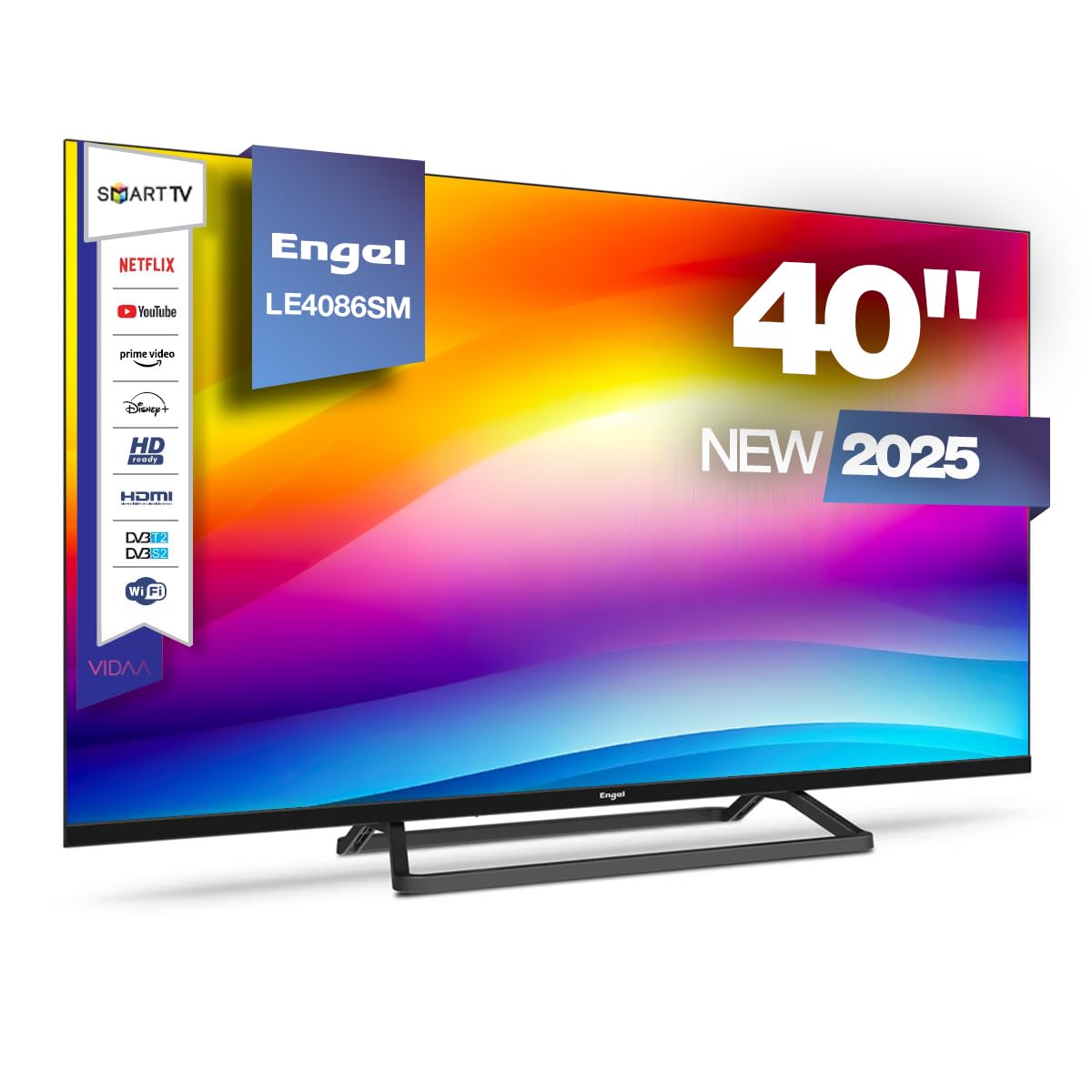
This manual provides essential information for the safe and efficient operation of your Engel LE4086SM Smart TV. Please read these instructions carefully before using the product and retain them for future reference. This television features a 40-inch Full HD LED display, integrated VIDAA Smart TV system, and Dolby Audio for an enhanced viewupplifun.
2. Öryggisupplýsingar
Fylgið eftirfarandi öryggisráðstöfunum til að koma í veg fyrir skemmdir á tækinu eða líkamstjón:
- Aflgjafi: Gakktu úr skugga um að aflgjafinn voltage passar við merkimiðann á sjónvarpinu. Ekki ofhlaða rafmagnsinnstungur.
- Loftræsting: Ekki loka fyrir loftræstingarop. Skiljið eftir nægilegt pláss í kringum sjónvarpið til að loftræstingin flæði rétt.
- Vatn og raki: Ekki láta sjónvarpið verða fyrir rigningu eða raka. Ekki setja hluti sem eru fylltir með vökva, eins og blómavösur, ofan á sjónvarpið.
- Hitagjafar: Keep the TV away from heat sources like radiators, heat registers, stoves, or other heat-producing appliances.
- Þrif: Taktu sjónvarpið úr sambandi við innstunguna áður en þú þrífur það. Notið mjúkan, þurran klút. Notið ekki fljótandi hreinsiefni eða úðabrúsa.
- Uppsetning: If wall-mounting, ensure the wall mount is compatible with the TV's VESA standard and can support its weight. Follow the wall mount manufacturer's instructions carefully.
- Börn: Supervise children to ensure they do not play with the TV or its remote control.
3. Innihald pakka
Gakktu úr skugga um að allir hlutir séu til staðar í kassanum:
- Engel LE4086SM Smart TV
- Fjarstýring (rafhlöður ekki innifalin)
- Rafmagnssnúra
- Notendahandbók (þetta skjal)
- Sjónvarpsstandur (ef hann er ekki veggfestur)
4. Vöru lokiðview
4.1. Skjá- og hljóðeiginleikar
The Engel LE4086SM features a 40-inch Full HD (1920x1080) LED display with a 3000:1 contrast ratio, ensuring vibrant and deep colors. The wide 178°/178° viewing angle allows for clear images from various positions. With a maximum brightness of 230 cd/m² and support for 16.7 million colors, the TV delivers high-quality visuals for all content types. The integrated audio system includes Dolby Audio and two 8W speakers, providing a clear and immersive sound experience.
4.2. Mál
Refer to the diagram below for the physical dimensions of the television.
This diagram illustrates the physical dimensions of the television, providing measurements for width (954mm), height (509mm without stand, 551mm with stand), and depth (80mm without stand, 221mm with stand) for installation planning.
4.3. Tengitengi
The TV offers a comprehensive range of connectivity options for various devices.
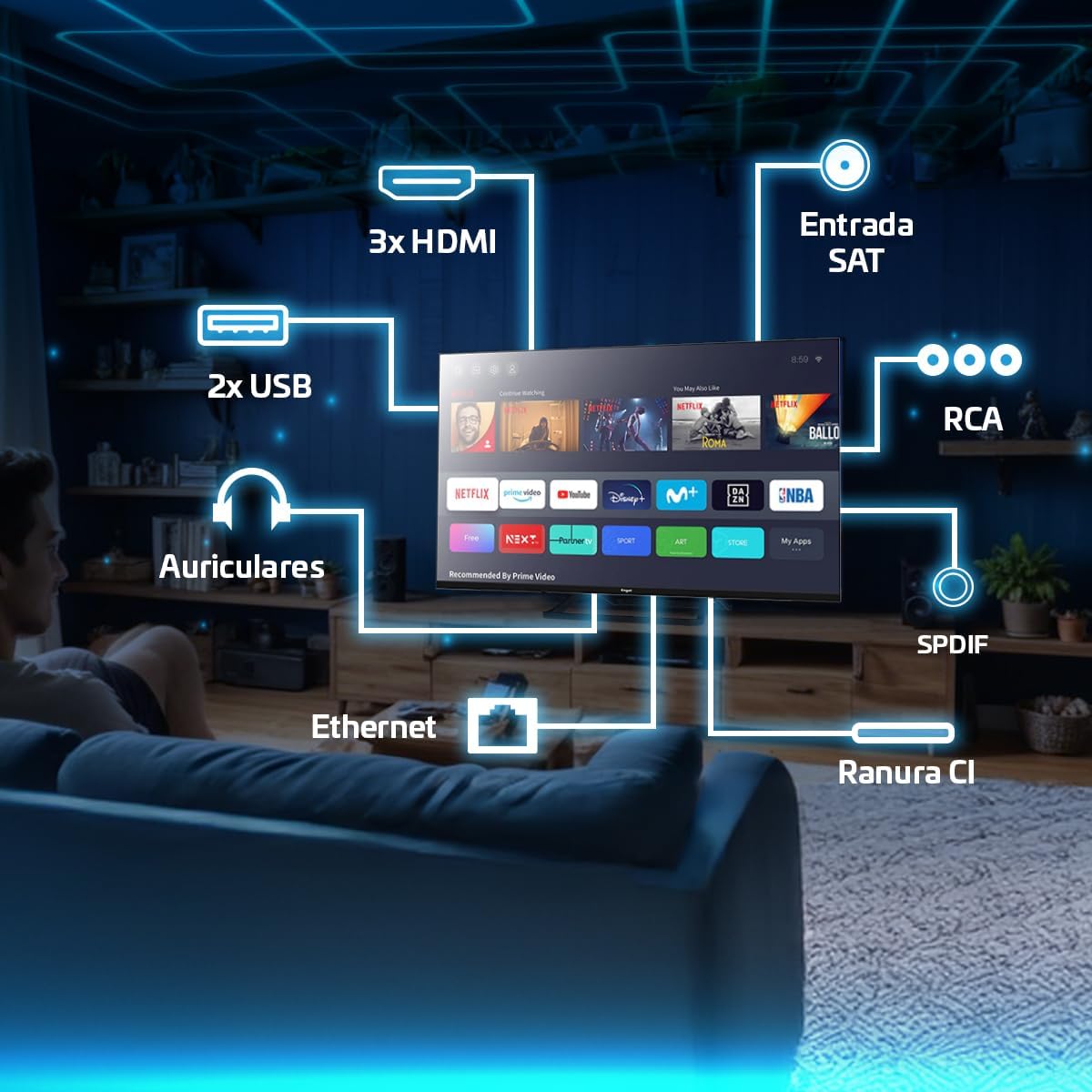
This image highlights the available connectivity options on the television, such as three HDMI ports, two USB 2.0 ports, an Ethernet port, headphone output, SPDIF optical output, RCA input, a Satellite input, and a Common Interface (CI) slot.
5. Uppsetning
5.1. Festing standsins eða veggfestingarinnar
If using the included stand, carefully attach it to the base of the TV using the provided screws. Ensure the stand is securely fastened before placing the TV on a stable surface. If wall-mounting, use a VESA-compatible wall mount (not included) and follow the wall mount manufacturer's instructions. The TV supports wall mounting.
5.2. Tengja máttur
Tengdu rafmagnssnúruna við aflgjafann á sjónvarpinu og síðan í vegginnstungu. Gakktu úr skugga um að tengingin sé örugg.
5.3. Upphafsuppsetning
Upon first power-on, the TV will guide you through the initial setup process. This includes selecting your language, country, network connection (Wi-Fi or Ethernet), and scanning for available TV channels. Follow the on-screen prompts.
6. Notkunarleiðbeiningar
6.1. Notkun fjarstýringar
The remote control allows you to navigate the TV's interface, adjust settings, and access various functions. Insert two AAA batteries (not included) into the remote control, observing polarity. Common functions include:
- Aflhnappur: Kveikir eða slekkur á sjónvarpinu.
- Leiðsöguhnappar: Up, Down, Left, Right arrows to move through menus.
- Í lagi/Enter hnappur: Staðfestir val.
- Til baka/hætta hnappur: Fer aftur á fyrri skjá eða lokar valmynd.
- Bindi +/-: Stillir hljóðstyrkinn.
- Rás +/-: Skiptir um sjónvarpsrásir.
- Uppruni hnappur: Velur inntaksgjafa (HDMI, AV, útvarpstæki).
- Hnappar snjallsjónvarps: Dedicated buttons for popular streaming services like Netflix, Prime Video, and Disney+.

This image demonstrates the television's capability to display dynamic sports content, highlighting the remote control for easy navigation and access to smart features.
6.2. Navigating the VIDAA Smart TV System
The VIDAA operating system provides a user-friendly interface for accessing applications, settings, and media. Use the navigation buttons on your remote to browse the home screen and select desired apps or functions.

This image shows the television being used for gaming, demonstrating its suitability for interactive entertainment.
6.3. Accessing Streaming Applications
The VIDAA system provides direct access to popular streaming services such as Netflix, Prime Video, and Disney+. You can launch these applications directly from the home screen or using dedicated buttons on the remote control. An active internet connection is required.
6.4. Cast Function
The built-in Cast function allows you to wirelessly mirror content from compatible smartphones, tablets, or computers to your TV. Ensure your device and the TV are connected to the same Wi-Fi network. The specific steps for casting may vary depending on your source device and application.
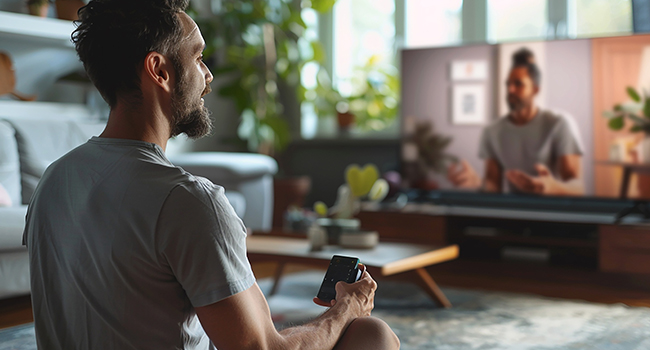
This image depicts a user interacting with the TV using a smartphone, illustrating the convenience of the Cast function for sharing content.
6.5. PVR and Time-Shift Functions
The TV supports Personal Video Recorder (PVR) and Time-Shift functions. To use these features, connect a USB storage device (e.g., a USB flash drive or external hard drive) to one of the TV's USB ports. You can then record live TV programs or pause and resume live broadcasts.
- PVR (Recording): Access the TV guide or channel information to schedule recordings.
- Time-Shift (Pause Live TV): While watching live TV, press the pause button on your remote. The TV will begin recording to the connected USB device, allowing you to resume playback later.
6.6. Tuner Setup
The TV includes DVB-T2, DVB-S2, and DVB-C tuners, supporting terrestrial, satellite, and cable television signals. During initial setup or via the settings menu, you can scan for and configure channels for your preferred broadcast type.
7. Tengingar
This section details the various connection options available on your TV.
- HDMI tengi (x3): Tengdu utanaðkomandi tæki eins og Blu-ray spilara, leikjatölvur eða set-top box.
- USB 2.0 tengi (x2): Connect USB storage devices for media playback (photos, videos, music) or for PVR/Time-Shift functions.
- Ethernet (LAN) tengi: Tengdu Ethernet-snúru til að fá stöðuga nettengingu.
- Útgangur heyrnartóla: Tengdu heyrnartól til að hlusta á einkaaðila.
- SPDIF Optical Output: Connect to an external audio receiver or soundbar for high-quality digital audio.
- RCA inntak: Tengdu eldri tæki með samsettum myndbands- og stereóhljóðsnúrum.
- Sameiginlegt tengi (CI) rauf: Insert a CI module and smart card (provided by your service provider) to access encrypted digital TV channels.
8. Viðhald
8.1. Þrif á sjónvarpinu
Before cleaning, unplug the TV from the power outlet. Use a soft, dry, lint-free cloth to gently wipe the screen and cabinet. Do not use liquid cleaners, abrasive cleaners, or chemical sprays, as these can damage the TV's surface or screen coating.
8.2. Hugbúnaðaruppfærslur
Sjónvarpið gæti fengið hugbúnaðaruppfærslur til að bæta afköst og bæta við nýjum eiginleikum. Gakktu úr skugga um að sjónvarpið sé tengt við internetið til að fá þessar uppfærslur. Þú getur venjulega athugað hvort uppfærslur séu til staðar í stillingavalmynd sjónvarpsins.
9. Bilanagreining
Ef þú lendir í vandræðum með sjónvarpið þitt skaltu skoða eftirfarandi algengar lausnir:
| Vandamál | Möguleg lausn |
|---|---|
| Enginn kraftur | Gakktu úr skugga um að rafmagnssnúran sé vel tengd við sjónvarpið og innstunguna. Gakktu úr skugga um að innstungan virki. |
| Engin mynd, en hljóð er til staðar | Gakktu úr skugga um að rétt inntaksuppspretta sé valin. Athugaðu kapaltengingar (HDMI, AV). |
| Ekkert hljóð, en mynd er til staðar | Athugaðu hljóðstyrk og hljóðdeyfingu. Gakktu úr skugga um að ytri hljóðtæki séu rétt tengd og stillt. |
| Fjarstýring virkar ekki | Skiptu um rafhlöður. Gakktu úr skugga um að engar hindranir séu á milli fjarstýringarinnar og innrauða skynjarans í sjónvarpinu. |
| Smart TV apps not loading or slow | Check your internet connection. Restart the TV and your router. Clear app cache if available in settings. |
Ef vandamálið er viðvarandi, vinsamlegast hafið samband við þjónustuver.
10. Tæknilýsing
Key technical specifications for the Engel LE4086SM Smart TV:
- Gerð: LE4086SM
- Skjárstærð: 40 tommur
- Upplausn: Full HD (1920x1080)
- Skjár Tegund: LED
- Andstæðahlutfall: 3000:1
- Viewí horn: 178°/178°
- Birtustig: 230 cd/m²
- Litir: 16.7 milljónir
- Hljóð: Dolby Audio, 2 x 8W Speakers
- Smart TV System: VIDAA
- Tengingar: 3x HDMI, 2x USB 2.0, Ethernet, Headphone Out, SPDIF Optical, RCA, CI Slot
- Útvarpstæki: DVB-T2, DVB-S2, DVB-C
- Sérstakir eiginleikar: PVR, Time-Shift, Cast Function, Hotel Mode
- Stærðir (án standar): 95.4 x 8.2 x 50.9 cm (breidd x dýpt x hæð)
- Efni: Plast
- Gerð festingar: Veggfesting (VESA-samhæf)
11. Ábyrgð og stuðningur
Your Engel LE4086SM Smart TV comes with a 3 árs ábyrgð in Spain, covering manufacturing defects and malfunctions under normal use. For warranty claims or technical assistance, please contact Engel's specialized technical service. Keep your proof of purchase for warranty validation.

This graphic confirms the product comes with a 3-year warranty in Spain and access to specialized technical support.
For further support, visit the official Engel websíðuna eða vísaðu til tengiliðaupplýsinganna sem fylgja kaupskjölunum þínum.