
1. Inngangur
1.1 Vara lokiðview
This manual provides essential information for the safe and efficient operation of your 8.2kW Hybrid Solar Inverter. This multi-function inverter combines the capabilities of an inverter, solar charger, and battery charger into one unit, designed for off-grid solar energy systems.

Figure 1: 8.2kW Hybrid Solar Inverter as part of a home energy storage system. The inverter is shown mounted on a wall, representing its function as a central component in a home energy storage system, converting solar energy for household use.
1.2 Fyrirhuguð notkun
The 8.2kW Hybrid Solar Inverter is primarily used in photovoltaic (PV) power generation to convert direct current (DC) generated by solar panels into alternating current (AC) for powering homes and businesses. It can also operate independently for energy storage, meeting diverse energy demands.
2. Öryggisleiðbeiningar
Vinsamlegast lesið allar leiðbeiningar og viðvaranir vandlega fyrir uppsetningu og notkun. Ef þessum leiðbeiningum er ekki fylgt getur það valdið raflosti, eldsvoða eða alvarlegum meiðslum.
- Uppsetning verður að vera framkvæmd af hæfu starfsfólki.
- Gakktu úr skugga um að allar raflagnir séu rétt skautaðar og örugglega tengdar.
- Ekki reyna að gera við eða taka í sundur inverterinn. Hafðu samband við hæft þjónustufólk.
- Haldið inverternum frá eldfimum efnum, raka og beinu sólarljósi.
- Tryggið næga loftræstingu í kringum inverterinn til að koma í veg fyrir ofhitnun.
- Always disconnect all power sources (PV, battery, AC grid) before performing any maintenance or wiring.
- Þetta tæki er eingöngu hannað til notkunar innandyra.
3. Vörueiginleikar
The 8.2kW Hybrid Solar Inverter offers advanced features for reliable and efficient power management:
- 8200W Hybrid Inverter: Off-grid capability with 48VDC to 220/230/240VAC (single phase) output.
- Innbyggður MPPT hleðslustýring: Built-in 160A MPPT charge controller for optimal solar charging.
- Hátt PV inntak: Maximum PV no-load voltage of 500VDC; MPPT voltage svið 90 ~ 450VDC.
- Pure Sine Wave Output: Provides a stable and clean power supply, suitable for sensitive electronics.
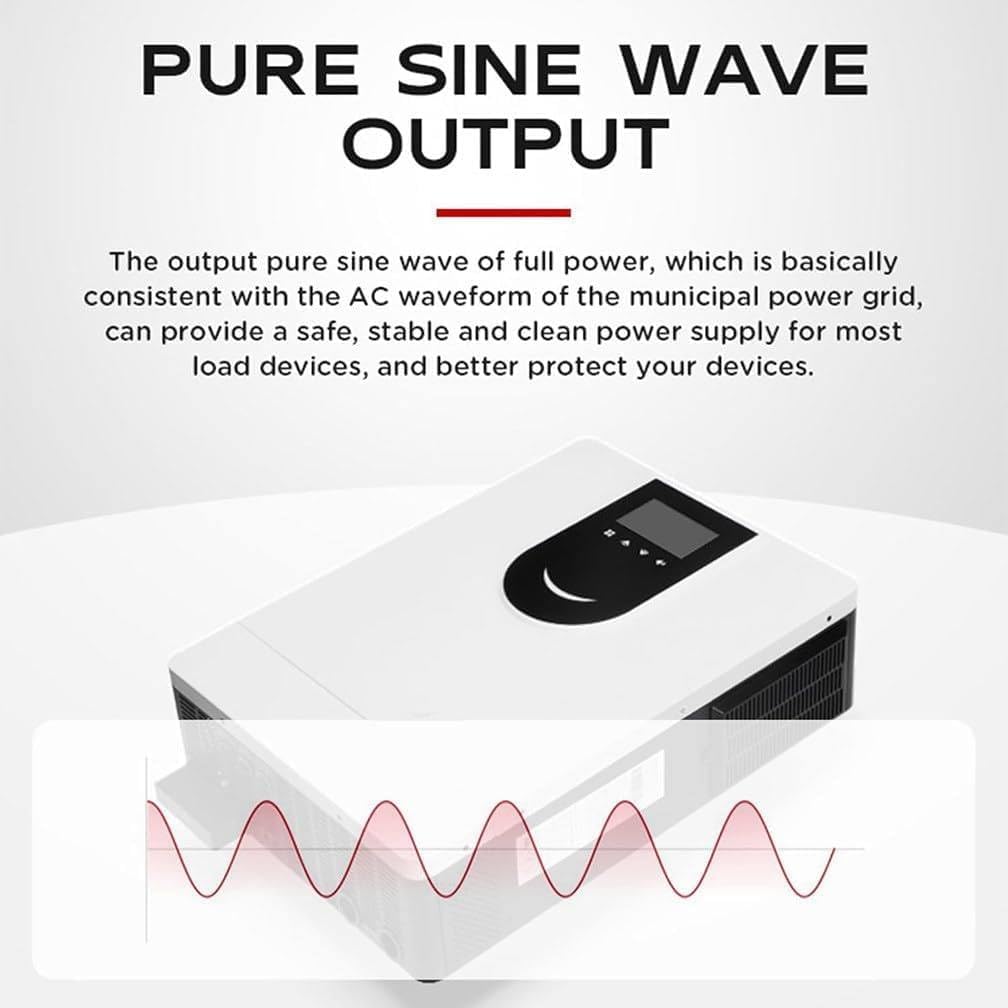
Figure 2: Pure Sine Wave Output. This diagram visually confirms the inverter's pure sine wave output, which ensures a stable and clean power supply, consistent with utility grid power, for sensitive electronic devices.
- Snjöll hönnun: Equipped with an LCD display and LED indicators for dynamic system data and operating status.
- Fjareftirlit: WIFI and GPRS remote monitoring for iOS and Android, allowing users to monitor the photovoltaic system status anytime, anywhere.
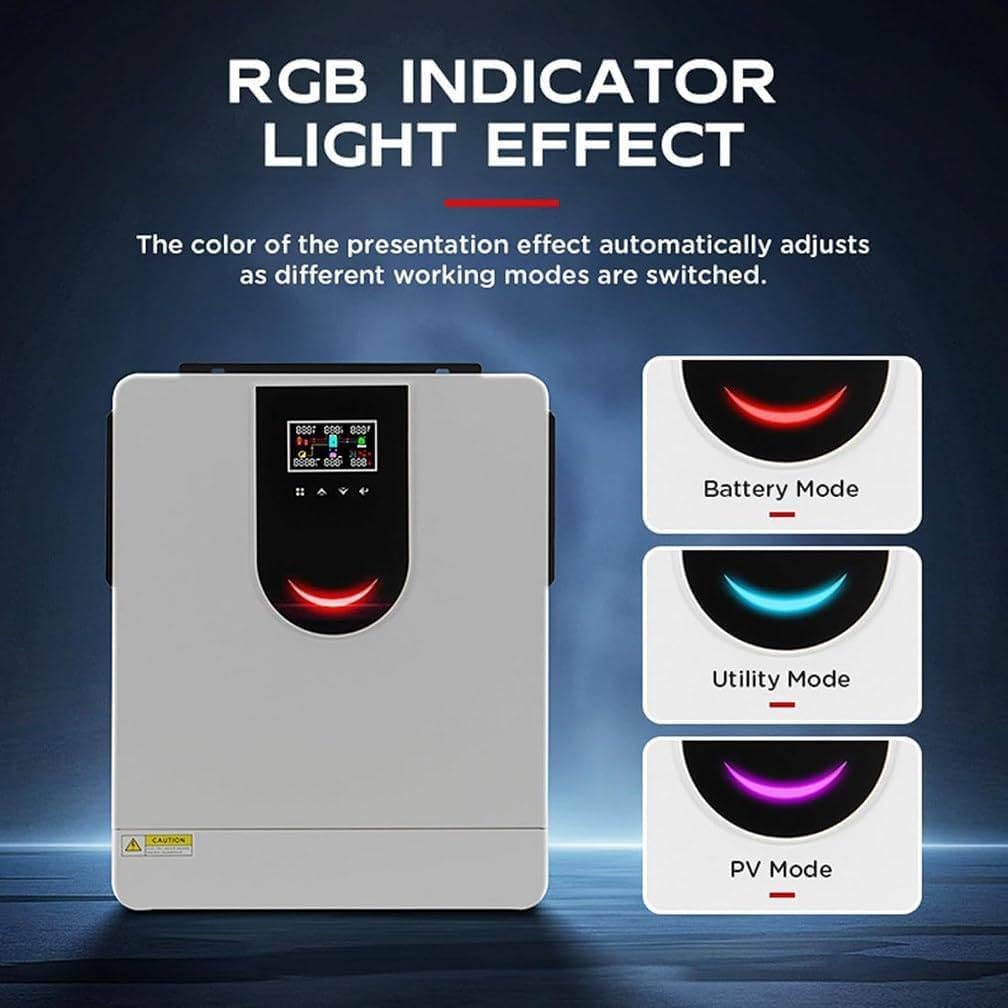
Figure 3: RGB Indicator Light Effect. The image demonstrates the inverter's RGB indicator lights, which change color to signify different operating modes: Battery Mode, Utility Mode, and PV Mode, providing quick visual status updates.
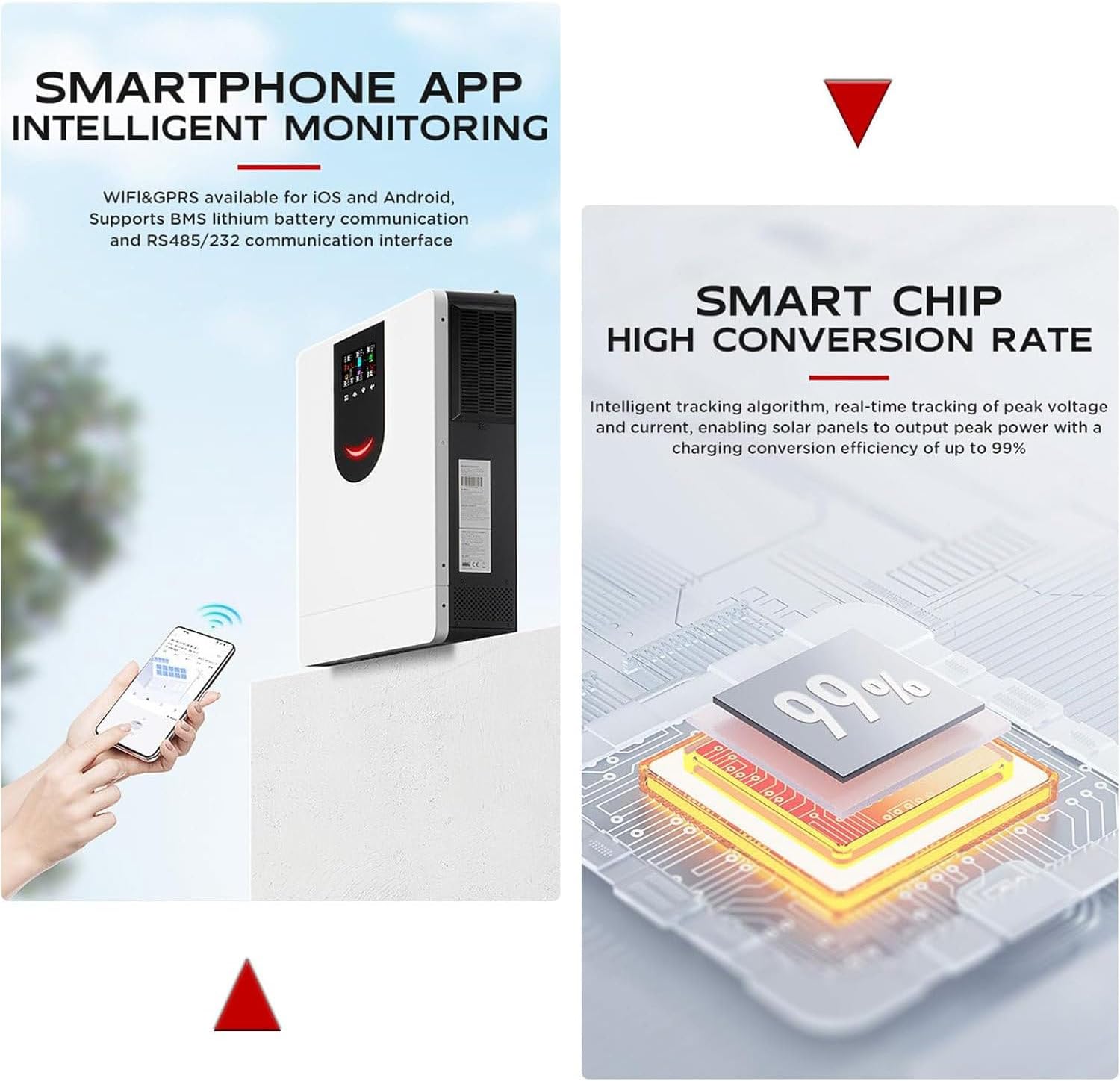
Figure 4: Smartphone App Monitoring and Smart Chip. The image shows the inverter's capability for remote monitoring via a smartphone app (iOS/Android) and emphasizes its smart chip technology, which ensures a high power conversion efficiency of up to 99%.
- Margfeldi verndun: Features power-off alarm, overload, overcurrent, lightning, low voltage, og skammhlaupsvörn.
- Skilvirk kæling: High-quality aluminum alloy material with a fan cooling system and porous design for effective heat dissipation.
- Hidden Installation Wiring: Designed for a clean and secure installation with hidden wiring.

Figure 5: LED Display, Fan Cooling, and Hidden Wiring. This image highlights three key design aspects: the large LED display with feedback buttons for user interaction, the efficient fan cooling system for stable operation, and the hidden wiring design for a clean and secure installation.
- Breitt forrit: Compatible with various household appliances.

Figure 6: Appliance Compatibility. This diagram illustrates the versatility of the inverter, demonstrating its compatibility with a wide range of household appliances.
4. Uppsetning og uppsetning
4.1 Upptaka
Carefully unpack the inverter and inspect it for any damage. Ensure all components listed in the packing list are present: Solar Inverter (1), Instruction Manual (1).
4.2 Uppsetning
Mount the inverter on a solid, non-flammable surface in a well-ventilated area, away from direct sunlight and moisture. Ensure sufficient clearance around the unit for proper airflow and heat dissipation.
4.3 Kerfistengingarmynd
Refer to the diagram below for proper system wiring. All connections must be made securely and according to local electrical codes.

Figure 7: System Connection Diagram. A comprehensive diagram illustrating how the inverter connects within a household ON/OFF grid energy storage system, including solar panels, the utility grid, a battery bank, and various AC loads.
4.4 Leiðbeiningar um raflögn
- Rafhlöðutenging: Connect the battery bank (48VDC) to the inverter's battery terminals. Ensure correct polarity.
- Tenging við PV-inntak: Connect the solar panel array to the PV input terminals. Observe the maximum PV input voltage (500VDC) and MPPT voltage svið (90-450VDC).
- Rafmagnstenging (rafmagnsnet/rafstöð): Tengdu riðstraumsveituna eða samhæfan rafal við riðstraumsinntakstengjurnar.
- Tenging við AC úttak: Tengdu heimilisálag þitt við AC útgangstengi.
- Jarðtenging: Gakktu úr skugga um að inverterinn sé rétt jarðtengdur samkvæmt gildandi reglum.
5. Notkunarleiðbeiningar
5.1 Upphafsupphaf
- Eftir að allar tengingar hafa verið gerðar og staðfestar skal kveikja á rafhlöðurofanum.
- Switch on the PV array breaker.
- Switch on the AC input breaker (if connected to grid/generator).
- Switch on the AC output breaker to power your loads.
- Inverterinn mun framkvæma sjálfsprófun og hefja síðan notkun.
5.2 LCD skjár og vísar
The inverter features an LCD display and three LED indicators to show real-time system status and data. Use the feedback buttons to navigate through the display menus and view parameters such as input/output voltage, straumur, afl, staða rafhlöðu og rekstrarhamur.
5.3 Eftirlit í gegnum app
Download the dedicated mobile application (available for iOS and Android) to monitor your inverter remotely. The app provides real-time data, historical performance, and allows for certain settings adjustments via WIFI or GPRS connection.
6. Viðhald
Reglulegt viðhald tryggir bestu mögulegu afköst og endingu invertersins:
- Þrif: Hreinsið reglulega ytra byrði invertersins með þurrum klút. Gangið úr skugga um að loftræstiop séu laus við ryk og óhreinindi.
- Tengingar: Athugið árlega allar rafmagnstengingar með tilliti til þéttleika og tæringar.
- Umhverfi: Gakktu úr skugga um að rekstrarumhverfið sé innan tilgreindra hitastigs- og rakastigsmarka.
- Rafhlaða skoðun: Regularly inspect battery terminals for corrosion and ensure battery health.
- Uppfærsla vélbúnaðar: Check for available firmware updates through the mobile app or manufacturer's websíða.
7. Bilanagreining
This section provides solutions for common issues. For problems not listed here, contact customer support.
| Vandamál | Möguleg orsök | Lausn |
|---|---|---|
| Inverterinn kveikir ekki á sér | No battery power; DC input switch off; Faulty wiring | Athugaðu rafhlöðutengingar og voltage; Ensure DC switch is ON; Verify all wiring. |
| Engin AC framleiðsla | Overload; Short circuit; AC output breaker off; Low battery voltage | Reduce load; Check for short circuits; Turn on AC output breaker; Charge batteries. |
| PV input not charging | PV array disconnected; Insufficient sunlight; PV input voltagof lágt/hátt | Check PV connections; Ensure adequate sunlight; Verify PV voltage er innan MPPT bilsins. |
| Ofhitunarviðvörun | Blocked ventilation; Excessive ambient temperature; Overload | Clear obstructions; Ensure proper ventilation; Reduce ambient temperature; Reduce load. |
| Inverter beeping | Warning or fault condition (e.g., low battery, overload) | Check LCD display for error codes and refer to the manual's error code section (if applicable) or contact support. |
8. Tæknilýsingar
Detailed specifications for the 8.2kW Hybrid Solar Inverter:

Figure 8: Inverter with Key Specifications. This image displays the 8.2kW Hybrid Solar Inverter and its primary technical specifications, including model, MPPT voltage, current, PV range, and dimensions.
| Parameter | Gildi |
|---|---|
| Fyrirmynd | 8.2kW (SY-8.2KW) |
| Notaður framleiðsla máttur | 8200W |
| Surge Power | 16400W |
| Hámarks sólarhringsstraumur | 160A |
| PV Input (DC) - Rated/Max Voltage | 360VDC / 500VDC |
| PV Input (DC) - Start-up/Initial Supply Voltage | 90VDC / 120VDC |
| PV Input (DC) - MPPT Voltage Svið | 90VDC ~ 450VDC |
| Fjöldi MPPT-rakningar / Hámarksinntaksstraumur | 1/27A |
| Grid Output (AC) - Rated Output Voltage | 220 / 230 / 240VAC |
| Grid Output (AC) - Output Voltage Svið | 195-253VAC |
| Grid Output (AC) - Rated Output Current | 35.6A/44.3A |
| Two-Load Output Power (Battery Mode) | Hámark 2733W |
| AC Input - Start-up/Auto-Restart Voltage | 120-140VAC / 180VAC |
| AC Input - Acceptable Input Voltage Svið | 170-280VAC or 280VAC |
| Hámarks AC útgangsstraumur | 40A |
| Nafnrekstrartíðni | 50/60Hz |
| Battery Output (AC) - Nominal Output Voltage | 48VDC |
| Úttaksbylgjuform | Hrein sinusbylgja |
| Skilvirkni (DC til AC) | 94% |
| Metið DC Voltage | 48V DC |
| Hámarks AC hleðslustraumur | 140A |
| Vörustærð (L*B*H) | 555*405*135mm |
| Þyngd | 14.2 kg (34.5 pund) |
| Samskiptahöfn | RS232/WIFI/Remove LCD/GPRS |
9. Ábyrgð og stuðningur
Warranty information for this product is typically provided at the time of purchase or included with the product packaging. Please refer to your purchase documentation for specific warranty terms and conditions.
For technical support, service, or warranty claims, please contact your retailer or the manufacturer directly using the contact information provided with your purchase.