1. Inngangur
This manual provides detailed instructions for the installation, configuration, and operation of your SODOLA 6-Port 10G Web Managed Ethernet Switch. This high-performance switch is designed to enhance network connectivity with its 4x10G RJ45 ports and 2x10G SFP+ ports, supporting various speeds and advanced management features.

Figure 1: SODOLA 6-Port 10G Web Managed Ethernet Switch (Model: 4x10G RJ45+2x10G SFP+)
The switch is compliant with IEEE 802.3, IEEE 802.3u, IEEE 802.3ab, IEEE 802.3bz, and IEEE 802.3ae standards, ensuring broad compatibility and reliable performance for demanding network environments.
2. Innihald pakka
Verify that all items are present and in good condition. If any item is missing or damaged, please contact your vendor.
- 1 x SODOLA 6-Port 10G Managed Ethernet Switch
- 1 x Notendahandbók
- 1 x rafmagnsleiðsla
- 4 x fótskemmur
- 1 x Certificate of Inspection
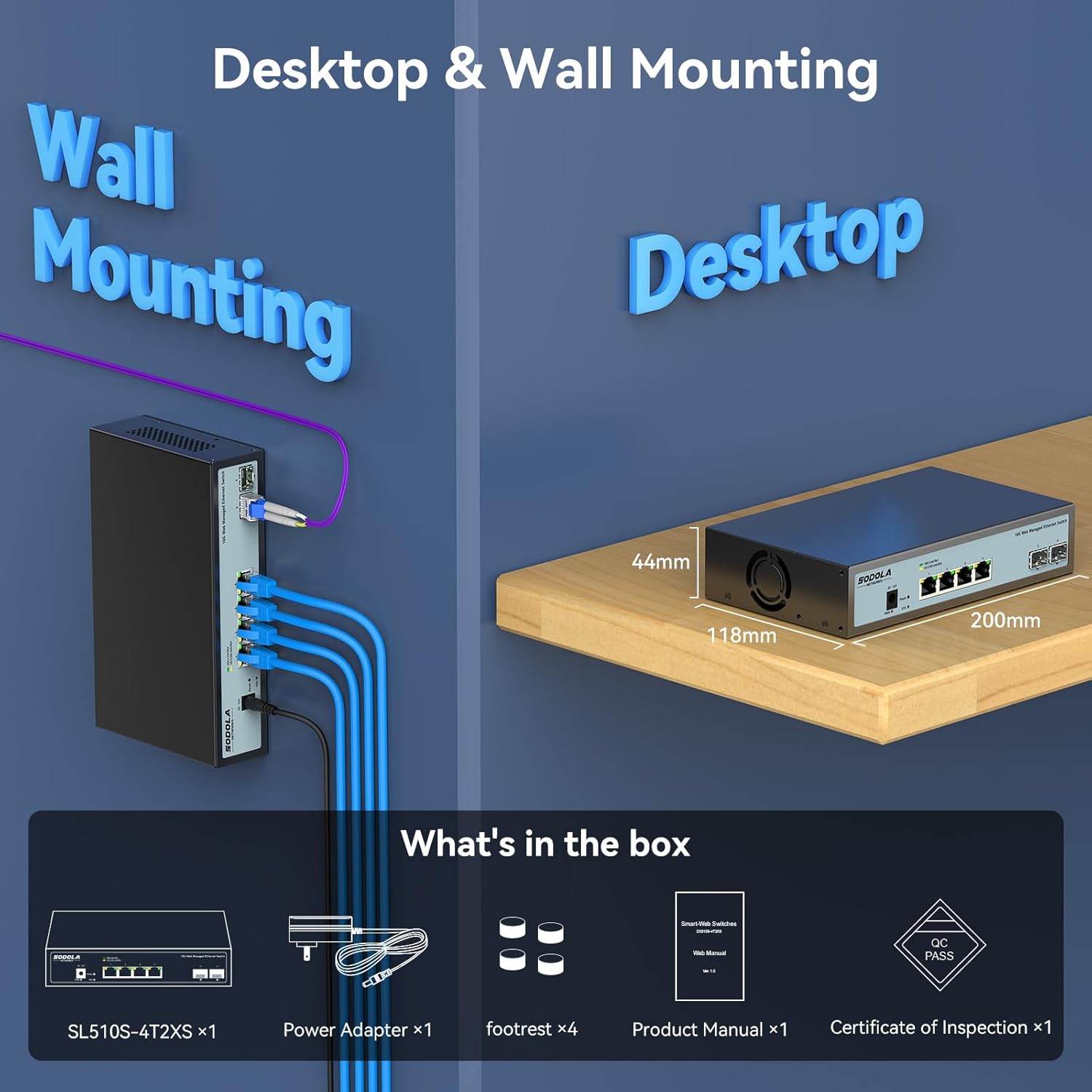
Figure 2: Included items: Switch, Power Adapter, Footrests, Product Manual, and Certificate of Inspection.
3. Vélbúnaði lokiðview
3.1 Framhlið
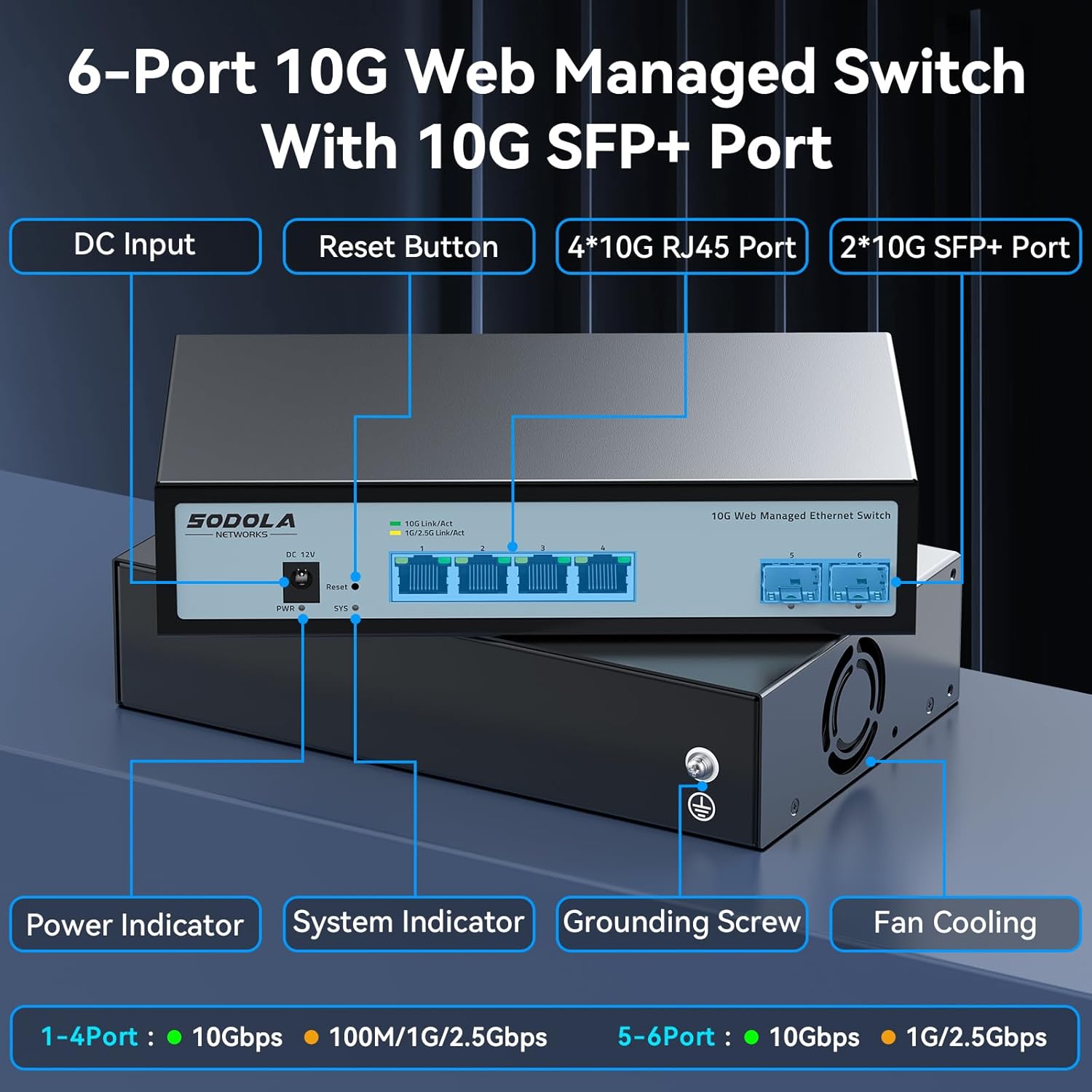
Mynd 3: Skipulag framhliða
The front panel features the following components:
- DC inntak: Rafmagnstengiport.
- Endurstilla hnappur: Notað til að endurstilla tækið á verksmiðjustillingar.
- 4 x 10G RJ45 Ports: Adaptive ports supporting 100M/1G/2.5G/5G/10G speeds.
- 2 x 10G SFP+ Ports: Support manual switching between 10G/1G/100M or 2.5G/1G/100M adaptive.
- Rafmagnsvísir: Gefur til kynna orkustöðu.
- Kerfisvísir: Gefur til kynna rekstrarstöðu kerfisins.
3.2 Bakhlið
The rear panel includes a grounding screw and fan cooling vents.
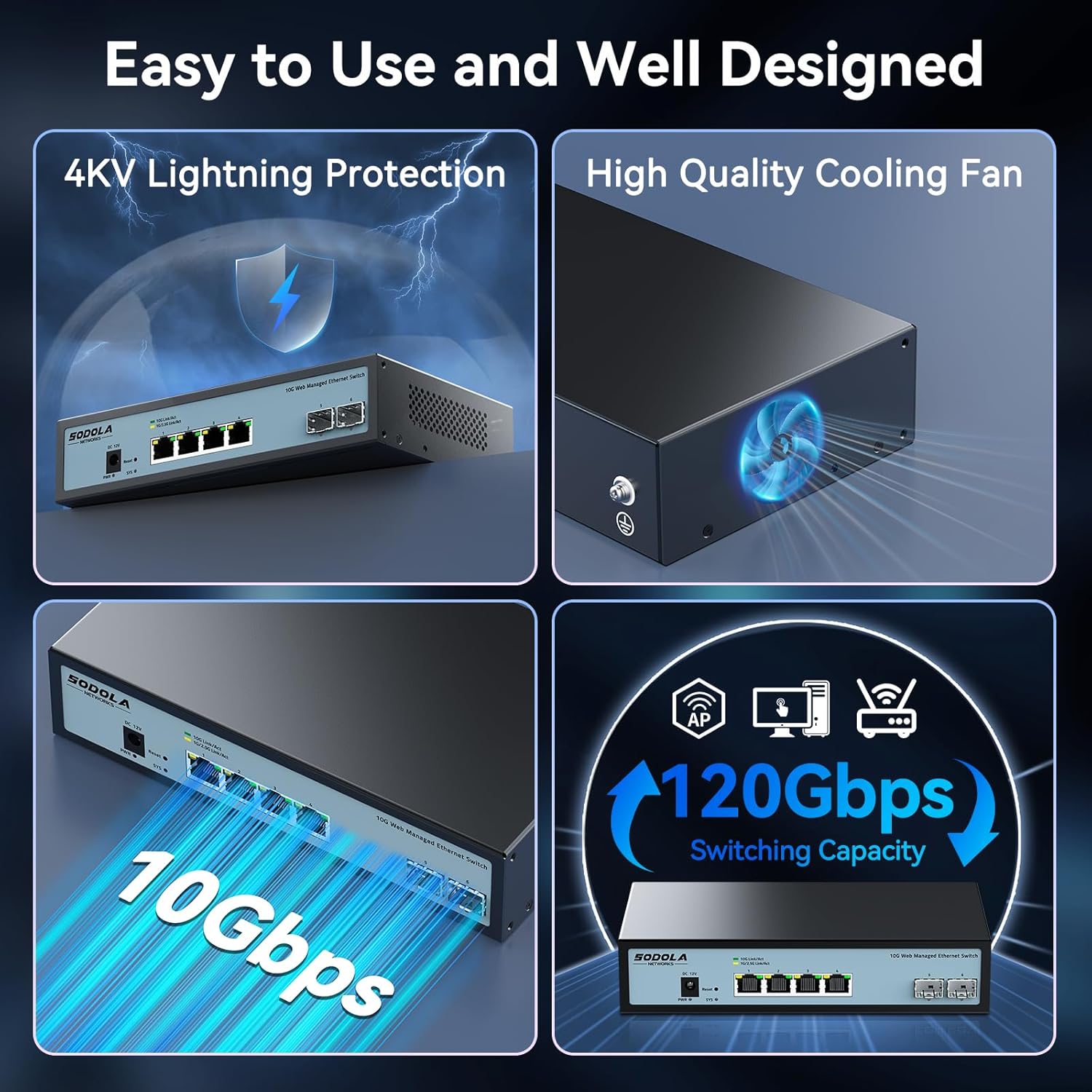
Figure 4: Rear Panel with Cooling Fan and Grounding Screw
- Jarðtengingarskrúfa: For proper electrical grounding.
- Viftukæling: Internal cooling fan for heat dissipation.
4. Uppsetning
4.1 Líkamleg uppsetning
The switch supports both desktop and wall mounting. Choose a stable, well-ventilated location for installation.

Figure 5: Desktop and Wall Mounting Options
4.2 Tenging rofans
- Connect the power adapter to the DC input port on the switch and plug it into a power outlet.
- Connect your network devices (e.g., computers, servers, NAS, routers) to the RJ45 or SFP+ ports using appropriate Ethernet cables or SFP+ transceivers.
- Ensure proper grounding by connecting a grounding wire to the grounding screw.
Video 1: This video demonstrates the basic plug-and-play setup for a 10G Ethernet switch, showing connections to various network devices. While it features an unmanaged switch, the physical connection steps are similar.
5. Notkun á Web Managed Interface
This switch features a web-based management interface for advanced configuration. To access it, follow these steps:
- Initial IP Configuration: Before logging in, you must set an IP address via IPv4 on your computer to match the switch's default subnet. The default IP address for the switch is typically 192.168.2.1.
- Aðgangur að viðmótinu: Opna a web vafra og sláðu inn sjálfgefna IP-tölu rofans (t.d. http://192.168.2.1) í veffangastikunni.
- Innskráning: Enter the default credentials. The default username is admin, and there is typically no default password (leave it blank).

Figure 6: Easy Web Managed Method for Initial Access
5.1 Key Management Features
The web interface provides access to various features for network control and monitoring:
- Hafnarstillingar: Configure individual port speeds (auto-negotiation is recommended for RJ45 ports), enable/disable ports, and manage flow control. For SFP+ ports, manual speed setting may be required for 2.5G or 1G devices.
- VLAN Management: Create and manage Virtual Local Area Networks for network segmentation.
- Tenglasöfnun (LACP): Sameina margar efnislegar tengingar í eina rökrétta tengingu til að auka bandvídd og afritun.
- Þjónustugæði (QoS): Forgangsraða netumferð fyrir mikilvæg forrit.
- Storm stjórn: Prevent network disruptions caused by broadcast, multicast, or unknown unicast storms.
- Portspeglun: Fylgstu með netumferð með því að senda afrit af pökkum frá einni tengingu til annarrar.
- DHCP snuðrun: Bættu netöryggi með því að sía ótraustar DHCP skilaboð.
- SNMP: Monitor network devices from a central management station.
- RSTP (Rapid Spanning Tree Protocol): Koma í veg fyrir netlykkjur.

Mynd 7: Yfirview of Web Stjórnunareiginleikar
Video 2: This video provides a demonstration of the web management interface, including login and basic configuration steps for a similar 10G managed switch. It highlights how to navigate and apply settings.
Myndband 3: Yfirview of a 10G web managed SFP+ switch, demonstrating its features and management capabilities. This can help users understand the interface and available options.
5.2 Vista stillingar
After making any changes in the web interface, it is crucial to save the configuration to ensure your settings are retained after a reboot or power cycle. Navigate to the "Maintenance" or "System" section and select "Save Configuration" or a similar option, then apply the changes.

Figure 8: Remember to Save Configuration
6. Viðhald
6.1 kælivifta
The switch is equipped with an internal cooling fan to manage heat dissipation. If fan noise is a concern, the fan can be removed by opening the case. Ensure the device remains in a well-ventilated area if the fan is removed.
6.2 vélbúnaðaruppfærslur
Athugaðu reglulega upplýsingar framleiðanda website for firmware updates to ensure optimal performance and access to the latest features and security enhancements. Follow the instructions provided with the firmware update package for proper installation.
7. Bilanagreining
- Enginn kraftur: Ensure the power cord is securely connected to the switch and a working power outlet. Check the power indicator LED.
- Engin tenging/virkni á höfn:
- Verify the Ethernet cable is correctly connected to both the switch and the network device.
- Athugaðu tengi-/virkni-LED-ljósið fyrir tiltekna tengið.
- Gakktu úr skugga um að tengt tæki sé kveikt á og virki rétt.
- For SFP+ ports, confirm the SFP+ module is properly inserted and compatible.
- Í web interface, check the port status and ensure it is enabled and configured for the correct speed (especially for SFP+ ports).
- Ekki er hægt að nálgast Web Tengi:
- Ensure your computer's IP address is in the same subnet as the switch's default IP (e.g., 192.168.2.x).
- Clear your browser's cache.
- Prófaðu annað web vafra.
- If you have changed the switch's IP address and forgotten it, you may need to perform a factory reset using the reset button.
- Hægur nethraði:
- Verify that all connected devices and cables support 10G speeds for optimal performance.
- Check port speed settings in the web interface; ensure auto-negotiation is enabled for RJ45 ports or the correct speed is manually set for SFP+ ports.
- Skoðið snúrurnar hvort þær séu skemmdar eða óviðeigandi.
8. Tæknilýsing
| Eiginleiki | Smáatriði |
|---|---|
| Fyrirmynd | 4x10G RJ45+2x10G SFP+ (Managed) |
| Tegund viðmóts | 4 x 10G Base-T Ports + 2 x 10G SFP+ Ports |
| Gagnaflutningshraði | 10 gígabit á sekúndu |
| Fjöldi hafna | 6 |
| Málsefni | Málmur |
| Þyngd hlutar | 2.05 pund |
| Stærðir pakka | 12.09 x 7.64 x 2.44 tommur |
| Litur | Svartur |
| Samhæf tæki | Desktop, Laptop, Router |
9. Ábyrgð og stuðningur
SODOLA offers a one-year free replacement for any non-human-induced quality issues and lifetime technical support. For assistance, please contact Sodola Networks customer service.
Fyrir frekari upplýsingar og stuðning, vinsamlegast farðu á Sodola Store on Amazon.