
1. Inngangur
The Pecron E1000LFP is a versatile portable power station designed to provide reliable power for various applications, including emergencies, camping, RV trips, and home use. It features a 1024Wh LiFePO4 battery and an impressive 1800W AC output, expandable up to 4096Wh with an additional battery. This manual provides essential information for safe and efficient operation of your Pecron E1000LFP.
2. Vöru lokiðview og Eiginleikar
The E1000LFP is equipped with multiple output ports and advanced features to meet diverse power needs.
- Power All: 1800W output with 12 output ports including 5xAC Outlets, 2xUSB-C, 2xUSB-A, 1xXT60 Output, 1xCigar Port, 1xDC 5525 Output.
- Hraðhleðsla: Achieves full charge in approximately 1.3 hours.
- Stækkanlegt getu: Can be expanded up to 4096Wh by connecting a Pecron EP3000-48V extra battery.
- Safety & Durable: Features a 1024Wh LiFePO4 battery for long-lasting and safe power supply, with 3500+ complete charge cycles.
- Smart App Control: Monitor and control the power station via a dedicated mobile application.
- Battery Heating: Automatically activates electric heating module when charging at temperatures between -20~0°C.
- UPS aðgerð: Provides uninterruptible power supply with 8-20ms fast switching.

Figure 1: Pecron E1000LFP Solar Generator with included 300W Solar Panel.
3. Uppsetningarleiðbeiningar
3.1 Úrpakkning og fyrsta skoðun
Upon receiving your Pecron E1000LFP, carefully unbox all components and inspect for any damage. The package should include:
- Pecron E1000 LFP rafstöð x1
- 300W Solar Panel x1
- AC hleðslusnúra x1
- Sólarhleðslusnúra x1
- Hleðslusnúra fyrir bíl x1
- Accessory Bag x1
- Notendahandbók x1
3.2 Upphafshleðsla
Before first use, it is recommended to fully charge the power station. The E1000LFP supports fast AC charging.
- Connect the AC Charging Cable to the AC Input Port on the power station.
- Plug the other end of the AC Charging Cable into a standard wall outlet (100-120V, 15A Max).
- The LCD display will show charging progress. A full charge takes approximately 1.3 hours.

Figure 2: Charging the Pecron E1000LFP via AC wall outlet.
Alternatively, you can charge using the 300W solar panel or a car charging cable. The unit also features an adjustable DC input (8A/20A) for flexible charging options.

Figure 3: Various charging methods including AC, solar, and car charging.
4. Notkunarleiðbeiningar
4.1 Kveikja/slökkva á LCD skjánum
To power on the unit, press and hold the main power button. The upgraded LCD display will illuminate, showing input/output power, battery percentage, and other vital information. The fluorescent keys make it easy to operate in low light conditions.
Myndband 1: Yfirview of the Pecron E1000LFP Portable Power Station, highlighting its capacity, battery type, portability, and various ports.
4.2 Notkun úttakstengja
The E1000LFP offers a variety of output options:
- 5x AC Outlets (1800W Max)
- 2x USB-C (100W Max each)
- 2x USB-A (18W Max each)
- 1x XT60 úttak
- 1x Vindlaport
- 1x DC 5525 úttak
Simply plug your devices into the appropriate ports. Ensure the total power consumption does not exceed the maximum output of 1800W.

Figure 4: Illustration of the various output ports available on the Pecron E1000LFP.
4.3 Snjallforritastýring
For enhanced control and monitoring, download the Pecron app. You can customize charging power, view inntaks-/úttaksafl, athuga aflstig og skipta á milli jafnstraums/riðstraumsútgangs með fjarstýringu.
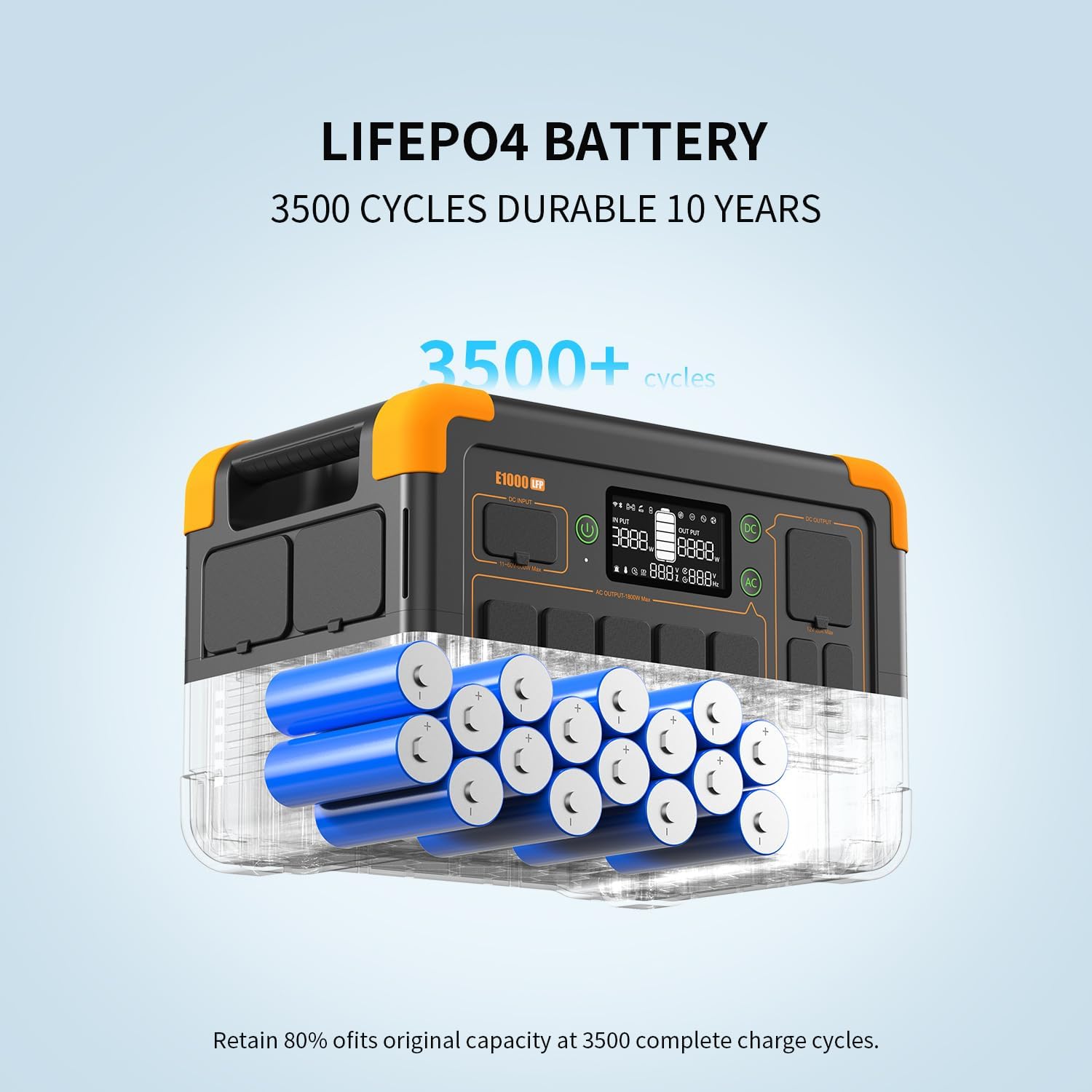
Figure 5: Managing the Pecron E1000LFP through the smart app on a mobile device.
5. Viðhald
Proper maintenance ensures the longevity and optimal performance of your Pecron E1000LFP.
- Geymsla: Store the unit in a cool, dry place away from direct sunlight and extreme temperatures. If storing for extended periods, charge the battery to 50-80% every 3-6 months.
- Þrif: Use a soft, dry cloth to clean the exterior. Do not use abrasive cleaners or immerse the unit in water.
- Umhirða rafhlöðu: The LiFePO4 battery is designed for 3500+ cycles to retain 80% of its original capacity. Avoid fully discharging the battery frequently to maximize its lifespan.
- Hitastig: The unit features battery heating for cold environments. For optimal performance, operate within recommended temperature ranges.
6. Bilanagreining
| Vandamál | Möguleg orsök | Lausn |
|---|---|---|
| Eining kviknar ekki | Rafhlaðan er alveg tæmd. | Connect to AC power and charge for at least 30 minutes before attempting to power on. |
| AC framleiðsla virkar ekki | Rafmagnsúttak er ekki virkt eða tækið fer yfir 1800W. | Press the AC button on the unit to enable AC output. Check device wattage. |
| Hæg hleðsla | Charging source is low power or cable issue. | Ensure using the original AC charging cable. Check solar panel alignment if using solar. |
| Forrit tengist ekki | Bluetooth/Wi-Fi disabled or app issue. | Ensure Bluetooth/Wi-Fi is enabled on the unit (press AC+DC buttons) and your phone. Restart app. |
7. Tæknilýsing
| Eiginleiki | Smáatriði |
|---|---|
| Vörumerki | pekrón |
| Gerðarnúmer | E1000LFP |
| Tegund rafhlöðu | LiFePO4 |
| Getu | 1024Wh (Expandable to 4096Wh) |
| AC framleiðsla | 1800W (Pure Sine Wave) |
| AC Input Voltage | 100-120V |
| Hleðslutími (AC) | U.þ.b. 1.3 klst |
| USB-C útgangur | 2x 100W Max |
| USB-A framleiðsla | 2x 18W Max |
| Þyngd hlutar | 29 pund |
| Vörumál | 14.9" L x 9.4" B x 10" H |
8. Ábyrgð og stuðningur
Pecron offers a 2+1 years worry-free warranty for the E1000LFP power station. For any inquiries, technical assistance, or warranty claims, please contact Pecron customer service. They provide 24hrs/7d friendly customer service.
For more information, visit the official Pecron websíðuna eða vísaðu til samskiptaupplýsinganna sem fylgja með á umbúðum vörunnar.